 ProMapRanker
Software Delivery Best Practices in 2026


Teams already using GitHub · Pricing starts at: $4 per user per month
Key takeaways
- Small teams do best when one pipeline builds, tests and deploys the same artifact, instead of rebuilding code at each stage.
- A tested rollback plan matters more than raw speed, because a fast release that cannot be undone is a risk, not a win.
- Feature flags separate deployment from release, so a team can ship code on Tuesday and turn it on for customers on Friday.
- Open source tools cost less in licences and more in maintenance time, while managed tools reverse that trade.
- Start with one service, one pipeline and one production check, then widen the practice to the rest of the codebase.
Quick comparison
| Pick | Great for | Pricing starts at | Free tier | |
|---|---|---|---|---|
| GitHub Actions | Teams already using GitHub | $4 per user per month | Yes | Visit |
 GitLab CI/CD | One platform for code and delivery | $29 per user per month | Yes | Visit |
 Jenkins | Full control over self hosted builds | Free | Yes | Visit |
 CircleCI | Fast cloud builds and tests | $15 per month | Yes | Visit |
 Azure DevOps | Microsoft centred teams | Free | Yes | Visit |
 Harness | Governed enterprise delivery | See website | Free trial | Visit |
 Argo CD | GitOps delivery to Kubernetes | Free | Yes | Visit |
 Octopus Deploy | Deployment focused teams | See website | Yes | Visit |
 LaunchDarkly | Controlled feature rollouts | Free | Yes | Visit |
 Spinnaker | Multi cloud delivery at scale | Free | Yes | Visit |
The best software delivery tools
Good delivery is mostly boring discipline done in public: small changes, automated tests, a clear owner for each release, and a way back when something goes wrong. The tools below support those habits in different ways, and the right one depends on where your code already lives and how much platform work your team can carry.
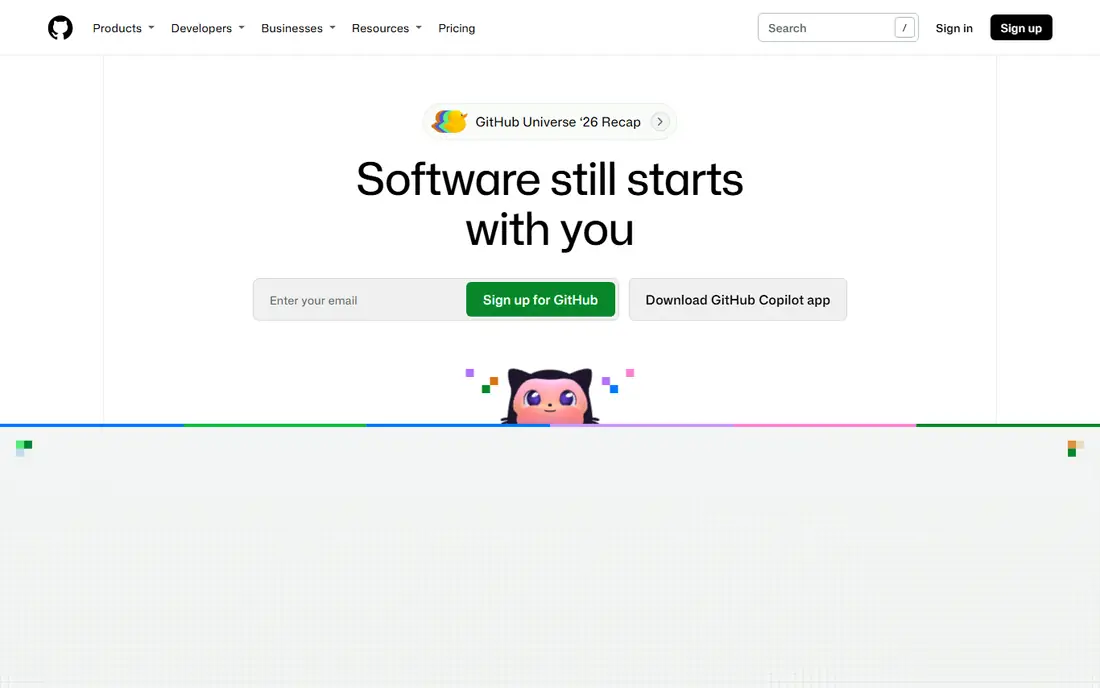
GitHub Actions fits teams whose code, reviews and issues already sit in GitHub, because the pipeline does not ask developers to learn a second home for their work. A workflow file in the repository describes build, test and deploy steps, and pull requests can run the same checks that later gate a release. That closeness keeps the feedback loop short, and the marketplace covers common tasks such as caching, testing and publishing containers.
The catch is cost control and workflow sprawl. Minutes add up on large test suites, and a copied action from the marketplace still needs a review for permissions and updates. We like it most for small and mid sized teams that want delivery without standing up a separate platform, provided someone owns the workflow files and trims them from time to time.
- Lives beside the code it builds
- Huge marketplace of reusable actions
- Hosted and self hosted runners
- Costs can rise with heavy build minutes
- Complex workflows can become hard to read

GitLab CI/CD suits teams that want fewer tools to maintain, because repositories, merge requests, container registry, security scanning and deployment all sit under one login. That single view makes it easier to answer a basic delivery question: which commit is live, which tests ran, and which scan flagged a problem. Teams can also run their own runners, which helps when builds need private network access or special hardware.
The trade is breadth. A team that only needs a simple build may find the settings and permissions more than it wants, and the paid price per user adds up quickly as headcount grows. It earns its place when a team values one audit trail from idea to production and is willing to learn the platform properly.
- Code, issues, security scans and pipelines in one place
- Strong built in security checks
- Self managed option
- Paid tiers climb with team size
- The full platform can feel heavy for a single small project

Jenkins remains the choice for teams with unusual build needs or strict control over where code runs. Because it is self hosted and open source, a team can shape pipelines around legacy systems, air gapped networks or custom hardware that a hosted service may not support. Its plugin library covers an enormous range of languages, test tools and deployment targets, and the community has kept the project active for many years.
That freedom is also the bill. Someone must patch Jenkins, update plugins, back up configuration and watch for vulnerable extensions. Small teams without platform time can drown in that upkeep. Pick Jenkins when control is a hard requirement and the team has the hours to run it well, not simply because the licence is free.
- Free and open source
- Thousands of plugins
- Runs almost any build environment
- You maintain upgrades and security
- Plugin quality varies
- Setup takes real effort
CircleCI appeals to cloud native teams that want pull request feedback in minutes, not hours. Its configuration is compact, test splitting spreads slow suites across machines, and caching keeps repeat builds quick.
Forecasting spend takes care, since credits pay for compute, and a test suite that grows quietly will consume more each month. Teams should set usage alerts and review the largest jobs each quarter. We see CircleCI as a strong pick for product teams that value speed and are happy to pay for managed compute rather than run their own agents.
- Quick setup for cloud teams
- Parallel test splitting
- Generous free credit tier for small projects
- Credit based pricing can be hard to forecast
- Advanced features sit on higher plans
Azure DevOps fits organisations already committed to Microsoft tooling, because work tracking, source control, pipelines and release approvals share one project structure. A team can link a work item to a commit, a build and a release, which makes audits and incident reviews far simpler than stitching together separate tools. The free tier covers up to five users with one hosted job, which is enough for a small team to prove the workflow.
Outside that stack, the pull weakens. Teams on other clouds or on GitHub may prefer a tool closer to their code, and the breadth of Azure DevOps can confuse a team that only wants pipelines. Choose it when your organisation already runs on Azure and Microsoft identity, and when traceability from ticket to release is a stated need.
- Boards, repos, pipelines and test plans in one suite
- Free tier for small teams
- Strong Windows and .NET support
- Interface can feel dated in places
- Best value stays inside the Microsoft stack
Harness suits larger teams that need the same release rules applied across many services, not a different script per team. Shared templates, approval policies and automated checks after a deploy give platform teams a way to enforce standards without reviewing every pipeline by hand. When a release degrades a key metric, verification can flag it early, which supports the practice of rolling back on evidence rather than on hope.
The cost is opacity and weight. Pricing is quoted, so a small team cannot budget from a public page, and the full platform is more than a five person startup needs. It belongs on the shortlist when governance, audit trails and multi team consistency are the main delivery problem, and when the budget can support an enterprise platform.
- Delivery templates and policy controls
- Automated verification after deploys
- Broad cloud and Kubernetes support
- Quote based pricing
- Platform breadth can overwhelm small teams
Argo CD turns a good Kubernetes habit into a system: the desired state lives in Git, and the cluster is kept in line with it. If someone changes a cluster by hand, Argo CD shows the drift, and a rollback is a Git revert rather than a frantic manual fix. That clarity helps teams that run many services, because every environment can be read from a repository instead of from memory.
It is not a full delivery platform on its own. It deploys, but it does not build or test code, so teams pair it with a CI tool such as GitHub Actions or GitLab. It also assumes real Kubernetes skill. For teams already running Kubernetes, it is one of the cleanest ways to make deployments repeatable and reviewable.
- Free and open source
- Git as the source of truth for clusters
- Clear drift detection and rollback
- Kubernetes only
- Needs cluster expertise
- No built in CI
Octopus Deploy focuses on the part of delivery that many CI tools treat as an afterthought: getting a built package safely into each environment, with approvals, variables and a visible history. That focus shows in its handling of tenants, environments and runbooks for routine operational tasks. Teams with a mix of Windows services, virtual machines and containers can use one deployment model instead of a patchwork of scripts.
It works best beside a CI tool, not instead of one, since building and testing code is not its centre. Teams should also read the current edition pricing carefully, because server and cloud editions differ. Pick Octopus when deployment control, environment promotion and audit history are the weak spot in an otherwise working pipeline.
- Clear deployment projects and environments
- Strong .NET and Windows support
- Free tier for small use
- Pricing pages change by edition
- Less suited as a general CI tool
LaunchDarkly supports a practice that changes how teams think about releases: deploy code first, then switch a feature on for a small group, watch the result, and widen the rollout. That separation lowers the cost of a mistake, because turning a flag off is faster than shipping a hotfix. Targeting rules let a team test with internal users, a region or a percentage of traffic, and the change history shows who flipped what and when.
Flags need gardening. Old flags left in code become technical debt, and usage based paid pricing needs monitoring as traffic grows. The free Developer plan is a fair way to learn the habit on a side project. We recommend LaunchDarkly for teams whose releases carry real customer risk and who will appoint someone to retire flags regularly.
- Free Developer plan
- Percentage rollouts and targeting rules
- Audit history for flag changes
- Paid tiers are usage based and can grow
- Flag sprawl needs housekeeping
Spinnaker fits organisations that deploy the same application across several clouds or many clusters and need canary analysis built into the pipeline. A canary release sends a new version to a small slice of traffic, compares metrics with the old version, and only proceeds when the numbers hold up. That discipline is hard to copy with hand written scripts at scale, and Spinnaker has served large platform teams for years.
For a small team, the setup cost is hard to justify. Running Spinnaker well needs platform staff, and a simpler GitOps tool may cover one cluster with far less effort. Choose it when multi cloud scale and automated canary judgement are real requirements, not when a team simply wants to deploy a little faster.
- Free and open source
- Canary and blue green strategies
- Multi cloud deployment support
- Heavy to install and run
- Overkill for a single application
How we picked these
We compared official feature pages, pricing pages, app and platform documentation, and public user reviews for tools that support the same core habits: automated builds and tests, reviewable pipelines, controlled promotion to production, and a tested way back. We kept only tools that are live and maintained in October 2026, and we left out tools whose main job is project tracking or code hosting without a delivery pipeline. Prices shown are starting prices from vendor pages or public comparisons of those pages, and where pricing is quoted we wrote See website rather than guessing a figure.
Choosing a delivery setup that fits your team
A tool will not fix a broken release habit on its own. The setup below helps a team judge each option against the work it actually does, rather than against a feature checklist.
Match the tool to where the code lives
A pipeline close to the repository cuts friction. GitHub teams gain from GitHub Actions, GitLab teams from GitLab CI/CD, and Microsoft shops from Azure DevOps. Moving code to fit a tool is rarely worth it, unless the current host is itself the problem.
Make rollback a first class test
Before adopting a tool, ask how a bad release is undone, who can trigger it, and how long it takes. Feature flags, Git reverts and blue green deploys all count, but only if the team has practised them outside an incident. A tool that makes rollback a button press still needs a runbook behind that button.
Keep pipelines small and readable
Long pipelines hide risk. Break work into stages with clear names, fail fast on tests that matter, and keep secrets out of logs and workflow files. If a new hire cannot read the pipeline in an afternoon, it will grow brittle, no matter how strong the platform is.
Measure what matters, then act on it
Track deployment frequency, change failure rate, time to restore service, and lead time for changes. These four measures, used together, stop a team from chasing speed while failures climb. Review them monthly, and treat a rising failure rate as a reason to slow down and fix tests, not as a reason to push harder.
Frequently asked questions
What are software delivery best practices in plain terms?
They are repeatable habits that keep releases small, tested and reversible: build once, test automatically, review changes, promote the same artifact through environments, and watch production after each release. Tools help, but the habit of small, reviewed changes is what makes delivery safer over time.
Is software delivery management the same as CI/CD?
CI/CD is a large part of it, but delivery management is wider. It also covers approvals, feature flags, environment control, release communication and incident response. A CI tool that builds and tests code still needs a deployment plan and an owner for each release.
How often should a small team deploy?
As often as the team can test and roll back with confidence. For many small teams that means several times a week, not several times a day, until tests and monitoring catch up. Frequency should grow with test coverage and rollback practice, not with pressure to ship faster.
Do we need Kubernetes to use these tools?
No. Only Argo CD and Spinnaker in this list assume Kubernetes in a serious way. The other tools cover web services, mobile back ends, Windows services and containers on many hosts, so pick by workload first and by platform second.
What is the cheapest way to start?
Start with a free tier or open source tool close to your code, such as GitHub Actions, GitLab CI/CD or Jenkins, and keep the pipeline to one service. The main cost at that stage is time spent writing tests and a rollback plan, not licences.
How do feature flags fit into software delivery best practices?
Flags let a team deploy code without exposing it, then enable it for a small group and watch the result. That lowers release risk and makes rollbacks fast, but flags need regular cleanup, because stale flags clutter code and confuse future releases.
Sources
See where you really rank - block by block
ProMapRanker scans Google Maps across a grid of your service area. Simple monthly plans from $19, white-label on every plan.
Start freeKeep reading
 zscaler alternatives
Best Zscaler Alternatives in 2026
Looking for zscaler alternatives? We compare 9 SASE and zero trust platforms on architecture, data protection, pricing, and fit for your network and team.
Read → zapier alternatives free
Best Zapier Alternatives Free in 2026
Nine automation tools for zapier alternatives free in 2026, all with genuinely free tiers, plus free plan limits, starting prices and upgrade paths explained.
Read → which platform is best for online reputation
Which Platform Is Best for Online Reputation in 2026
Wondering which platform is best for online reputation? We compare 8 review, listing, and response tools for small and multi-location businesses and agencies.
Read →