 ProMapRanker
SiteGround Alternatives in 2026

Key takeaways
- Hostinger and Bluehost suit beginners on a budget, but check renewal prices before you commit to a long term.
- Kinsta, WP Engine and Rocket.net suit growing sites that need managed WordPress performance and expert support.
- Cloudways suits owners who want cloud flexibility without a long contract, while DreamHost and ScalaHosting suit value-focused owners.
- Renewal price, not intro price, is the price you will live with, so compare both figures for every host on this list.
Quick comparison
| Pick | Great for | Pricing starts at | Free tier | |
|---|---|---|---|---|
 Hostinger | Budget WordPress hosting | $2.99 per month | No | Visit |
 Bluehost | Beginner WordPress hosting | $3.99 per month | No | Visit |
 WP Engine | Managed WordPress for agencies | $30 per month | No | Visit |
 Kinsta | Premium managed WordPress | $30 per month | No | Visit |
 Cloudways | Flexible cloud hosting | $11 per month | Free trial | Visit |
 DreamHost | Value WordPress hosting | $1.99 per month | No | Visit |
 ScalaHosting | VPS power with a panel | $2.95 per month | No | Visit |
 Rocket.net | Speed-focused managed hosting | $25 per month | No | Visit |
 Pressable | Managed WordPress from Automattic | $25 per month | No | Visit |
The best siteground alternatives
SiteGround is known for support, Google Cloud hosting and a polished dashboard, but its renewal prices push many owners to look elsewhere. The hosts below cover the same WordPress job at different price and performance levels. SiteGround itself is not listed here, because this guide covers alternatives to it.

Hostinger suits beginners and small businesses that want a low-cost WordPress start with modern onboarding. Setup is guided, the control panel is clear, and the AI builder helps a new owner get a first site live quickly. For a blog, brochure site or small shop, the value at intro price is strong.
The renewal is the point to check. The entry price renews higher, and the best rate needs a multi-year term, so price the full term before you buy. Weekly backups on the entry plan also mean a daily backup plan matters for a site that changes often, so consider a higher plan or a separate backup tool.
- Low intro price
- AI website builder and easy onboarding
- Free domain for the first year on many plans
- Best price needs a long term
- Weekly backups on the entry plan
- No phone support
Bluehost suits first-time WordPress owners who want guided setup and familiar support. The onboarding walks a new owner through domain, WordPress install and basic settings, and the host has a long history as a recommended WordPress host. For a simple site, that guided path reduces early mistakes.
The limits are renewal and extras. The intro price rises on renewal, and email and backup details vary by plan, so read the plan page carefully. Bluehost is a solid beginner choice, but it is not the best pick for a demanding performance project or a large store.
- Beginner-friendly setup
- Long WordPress.org recommendation history
- Free domain for the first year
- Renewal price is higher than intro price
- Email is a trial on some plans
- Weekly backups on entry plans
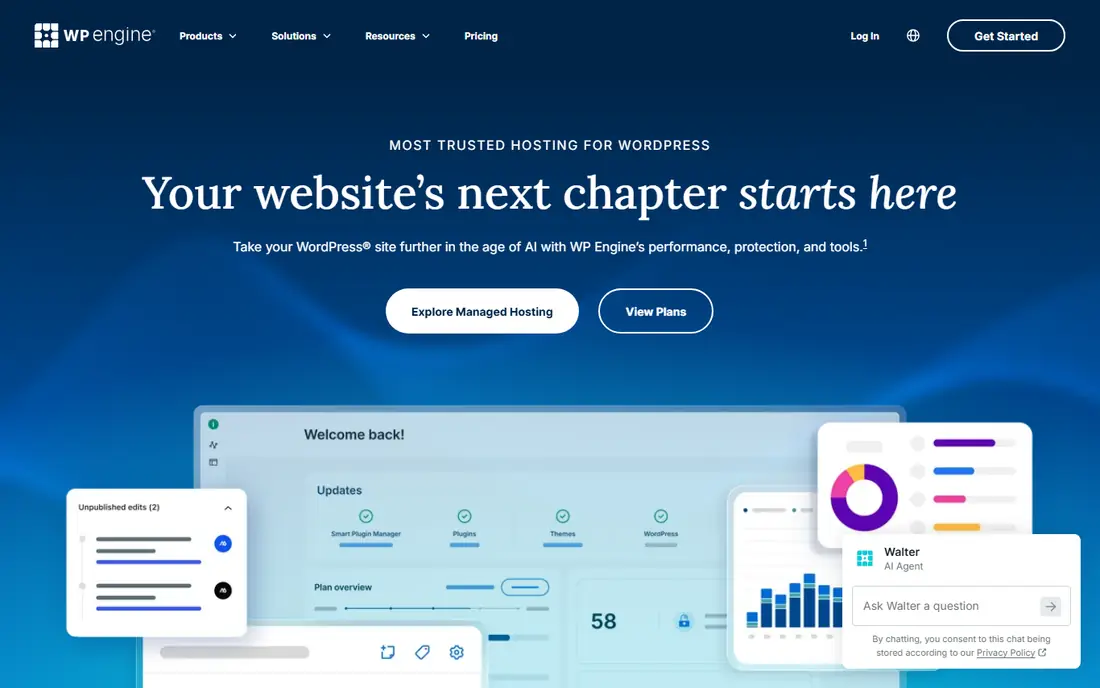
WP Engine suits agencies, publishers and growing businesses that want WordPress managed for them. Staging, backups, CDN and expert support come as part of the service, and agency workflows help teams hand sites to clients cleanly. When a site already earns money, that managed layer saves staff time.
The price is the barrier for a new site. At around $30 per month at entry, WP Engine costs far more than shared hosting, and plan names and limits have changed over time. Buy it when traffic, revenue or client work justifies managed support, not for a first test site.
- Fully managed WordPress with staging
- Expert support
- Agency and transferable site workflows
- Higher price than shared hosting
- Pricing is harder to compare across plan changes
Kinsta suits owners who want premium managed WordPress without a renewal shock. The entry price is flat, with no intro discount waiting to expire, and the platform runs on Google Cloud with staging, daily backups and a CDN. Support quality is a frequent reason owners choose Kinsta over cheaper hosts.
The trade-off is price and storage. Entry plans limit storage and visits, so a media-heavy site or a high-traffic site may need a higher plan. Kinsta earns its price when performance and support matter more than the lowest monthly bill.
- Google Cloud hosting with a flat price
- Expert support
- Staging, backups and CDN included
- Premium price
- Storage limits on entry plans
- No free domain or email
Cloudways suits owners who want cloud power without a long contract or a managed WordPress price. You choose a cloud provider and server size, pay monthly, and scale up when traffic grows. That flexibility helps a site with variable traffic or a developer who wants server control.
The catch is skill. Cloudways is more technical than Hostinger or Bluehost, and domain and email need separate providers. A beginner who wants a guided setup should choose a managed host first, while a developer or growing site owner will appreciate the control Cloudways gives.
- Pay-as-you-go cloud hosting
- Choice of cloud providers
- No long contract
- Flat monthly price
- More technical than beginner shared hosting
- No domain or email included
- No money-back guarantee
DreamHost suits value-focused owners who want a long-standing WordPress host at a low entry price. Daily backups are a practical advantage over weekly backups on some rivals, and some plans allow many sites, which helps owners with several small projects. The host has a long WordPress history.
The limits are term and email. The lowest price needs a multi-year term, and email becomes a paid extra after a trial, so price those details into the total. DreamHost is a good value pick for owners who are comfortable with ticket and chat support.
- Low entry price
- Daily backups
- WordPress.org recommended host
- Generous site limits on some plans
- Best price needs a long term
- Email is paid after a trial period
- Support is mainly chat and ticket based
ScalaHosting suits owners who outgrow shared hosting but do not want an unmanaged server. Its managed VPS plans give more power and isolation than shared hosting, with a control panel that keeps management simpler than a raw server. Security features and support are frequent reasons owners pick it.
The entry limit is one site, so owners with several sites need a higher plan. The best price also needs a longer term, so check renewal and site limits before buying. ScalaHosting is a strong middle step between shared hosting and a full managed WordPress platform.
- Strong security and support reputation
- VPS power with a managed panel
- Free migration
- Entry plan limits sites to one
- Best price needs a longer term
- Interface takes learning
Rocket.net suits owners whose main concern is speed for content sites. Its edge caching puts content close to visitors, which helps load times, and managed WordPress features such as staging and backups come as standard. For a content or affiliate site where speed affects revenue, that focus can justify the price.
The price and extras are the limits. Rocket.net costs far more than shared hosting, and domain and email need separate providers. It is best for a site that already has traffic and revenue, not for a first site still finding its audience.
- Edge caching built in for speed
- Managed WordPress with staging
- Flat pricing without an intro trap
- Higher price than shared hosting
- No free domain or email
- Fewer budget plans
Pressable suits WordPress owners who want managed hosting inside the Automattic ecosystem. Jetpack security, migrations and round-the-clock support come as part of the service, and the platform fits sites that already use WordPress.com tools or Jetpack features. For a growing blog or business site, that managed layer reduces admin work.
The price is higher than shared hosting, and costs rise for larger sites, so plan for growth before you commit. Pressable is a sensible managed alternative when support and security matter more than the lowest price, and when the site is ready for a managed platform.
- Managed WordPress with Jetpack security
- Free migrations
- 24/7 support
- Automattic ecosystem fit
- Higher price than shared hosting
- Large-site plans need careful cost planning
- No free domain
How we picked these
We compared official pricing pages, plan terms and public hosting documentation, focusing on WordPress hosts that are live and maintained in October 2026. We favored hosts with clear intro and renewal terms, free migration or staging where offered, and a track record for WordPress support. Where pricing varies by term, we used the intro figure shown in recent comparisons and flagged renewal risk in the text.
How to choose a SiteGround alternative
Start with your site stage. A new blog or brochure site suits Hostinger, Bluehost or DreamHost, a growing business site suits Kinsta, WP Engine, Rocket.net or Pressable, and a technical owner who wants cloud control suits Cloudways or ScalaHosting. Matching the host to the stage avoids paying for managed power you do not yet need, or struggling with shared limits you have outgrown.
Compare renewal prices, not only intro prices. Write down the intro term, the renewal monthly rate and the total cost over two years for each shortlisted host, then compare that total. A host with a low intro price and a steep renewal can cost more over two years than a flat-priced managed host.
Check migration, backups and support before you move. Ask if migration is free, how backups run and how long they are kept, and what support hours and channels are included. A free migration and a clear backup policy reduce the risk of a move, and a test with a staging copy before you switch DNS is worth the extra hour.
Frequently asked questions
What are the best siteground alternatives for beginners?
Hostinger and Bluehost suit beginners, because both offer guided WordPress setup and low intro prices. DreamHost is another value option with daily backups, but check its long term and email terms before buying.
What is the best SiteGround alternative for a growing WordPress site?
Kinsta and WP Engine suit growing sites, because both offer managed WordPress, staging, backups and expert support. Rocket.net and Pressable are also strong managed options, with Rocket.net focused on speed and Pressable on the Automattic ecosystem.
Is Cloudways a good SiteGround alternative?
Yes, for owners who want cloud flexibility without a long contract. Cloudways offers pay-as-you-go pricing and a choice of cloud providers, but it is more technical than shared hosting and does not include domain or email.
Why do hosting prices change after the first term?
Many shared hosts sell an intro rate for the first term, then renew at a higher standard rate. Managed hosts such as Kinsta and Cloudways use flatter pricing, so always compare the renewal rate and the two-year total, not only the intro figure.
Should I move my site myself or use free migration?
Use free migration when the host offers it, because the host team handles the transfer and checks the result. Keep a full backup of your own before the move, and test the staging copy before you point your domain to the new host.
Do I need managed WordPress hosting?
Managed hosting suits sites with traffic, revenue or client work, because it covers updates, staging, backups and expert support. A new or low-traffic site can start on shared hosting and move to managed hosting when performance or support needs grow.
Sources
See where you really rank - block by block
ProMapRanker scans Google Maps across a grid of your service area. Simple monthly plans from $19, white-label on every plan.
Start freeKeep reading
 zscaler alternatives
Best Zscaler Alternatives in 2026
Looking for zscaler alternatives? We compare 9 SASE and zero trust platforms on architecture, data protection, pricing, and fit for your network and team.
Read → zapier alternatives free
Best Zapier Alternatives Free in 2026
Nine automation tools for zapier alternatives free in 2026, all with genuinely free tiers, plus free plan limits, starting prices and upgrade paths explained.
Read → which platform is best for online reputation
Which Platform Is Best for Online Reputation in 2026
Wondering which platform is best for online reputation? We compare 8 review, listing, and response tools for small and multi-location businesses and agencies.
Read →