 ProMapRanker
Best Shopify Alternatives in 2026


WordPress users who want full control · Pricing starts at: Free, plus hosting
Key takeaways
- WooCommerce gives the most control for WordPress users, while BigCommerce gives larger stores more built-in features without many paid apps.
- Wix and Squarespace are easier to launch on, but they suit smaller catalogues and design-led brands better than high-volume stores.
- Free Shopify alternatives exist, including WooCommerce, Square Online, and Big Cartel, yet hosting, themes, and payment fees still affect total cost.
- Transaction fees matter as much as the monthly plan, so compare the platform fee plus the payment processor fee together.
Quick comparison
| Pick | Great for | Pricing starts at | Free tier | |
|---|---|---|---|---|
| WooCommerce | WordPress users who want full control | Free, plus hosting | Yes, free plugin | Visit |
 BigCommerce BigCommerce | Growing stores and B2B sellers | $39 per month | No, free trial | Visit |
 Wix Wix | Beginners who want fast setup | $29 per month | No, free trial | Visit |
 Squarespace Squarespace | Design-led brands and creatives | $19 per month | No, free trial | Visit |
 Ecwid Ecwid | Adding a store to an existing site | $5 per month | Yes | Visit |
 Square Online Square Online | Sellers who also sell in person | Free, paid from $29 per month | Yes | Visit |
 Big Cartel Big Cartel | Artists and makers with small catalogues | Free, paid from $15 per month | Yes | Visit |
 Hostinger Website Builder Hostinger Website Builder | Budget startups and side projects | $5.99 per month | No, free trial | Visit |
The best Shopify alternatives
Shopify is a strong default, but it is not the only sensible choice. Some sellers want lower fees, some want full ownership of their site, and some only need a small store on top of a site they already run. The platforms below cover those cases without padding the list with tools that no longer fit.
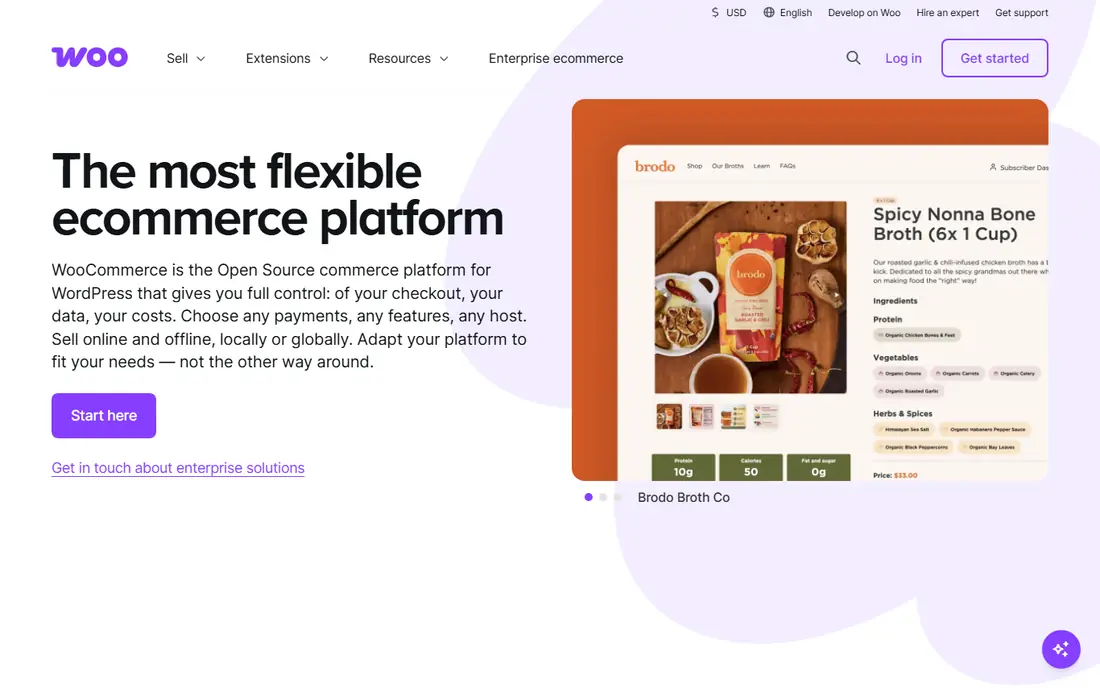
WooCommerce turns a WordPress site into a store, and that ownership is its main appeal. There is no monthly platform fee for the core plugin, and no added platform transaction fee beyond what a payment processor charges. A seller who already runs WordPress can add products, shipping, and taxes without moving content to a new system.
That freedom comes with maintenance work. Hosting quality, backups, security updates, and plugin conflicts fall to the store owner or their developer. For a technical team, that trade is worth it. For a solo seller who wants to launch in a weekend, a hosted platform will feel calmer.
- No platform transaction fee, huge plugin and theme choice, full data ownership
- Hosting, security, and updates are your job, setup takes longer than hosted platforms

BigCommerce suits a store that has outgrown a simple builder but does not want to pay for dozens of apps. Discounts, gift cards, product options, and multi-channel selling are built in, which keeps the monthly stack simpler. B2B features, including customer groups and price lists, make it a natural step for wholesale sellers.
Plan limits deserve a close read. BigCommerce ties plans to annual online sales volume, so a fast-growing store can be moved to a higher tier. That is fair if the built-in features save app costs, but it can surprise a seller who only compared the starting price. Check the sales threshold before committing.
- No platform transaction fees, strong built-in features, B2B tools included on higher plans
- Theme choice is smaller than WooCommerce, annual sales limits apply by plan
Wix is one of the fastest ways to get a presentable store online. The editor lets a seller place text, images, and products without code, and the commerce plans include abandoned cart recovery and product pages that look good on mobile. For a small business selling services, digital products, or a modest physical range, that speed matters.
The limits appear at scale. Very large catalogues, complex product variants, and deep custom workflows are harder here than on WooCommerce or BigCommerce. A seller who expects to grow past a few hundred products should test product management early, not after the catalogue is built.
- Drag-and-drop builder, many templates, AI setup help for new stores
- Less flexible for very large catalogues, switching templates later is limited
Squarespace fits brands where the site itself sells the product. Photographers, designers, studios, and small makers get templates that look considered without hiring a designer. Blogging, galleries, and appointment booking sit in the same account, which suits service-led businesses that also sell a few products.
Commerce depth is the trade-off. The lowest plan adds a transaction fee, and the app ecosystem is smaller than Shopify or WooCommerce. A store with complex shipping rules or many third-party tools may feel constrained. A brand with a focused range and strong visuals will feel right at home.
- Polished templates, blogging and portfolio tools built in, clean checkout
- Transaction fee on the lowest commerce plan, fewer ecommerce apps than Shopify
Ecwid takes a different route from the platforms above. Instead of rebuilding a site, a seller adds a store widget to a site, blog, or social page they already run. That makes it a good fit for a business with an established site that only needs checkout, product pages, and order handling. The free plan covers a small product count for testing.
Design flexibility is narrower, because the store lives inside another page rather than owning the whole site. Sellers who want a fully custom storefront will prefer WooCommerce or a hosted builder. Sellers who want to start selling this week, without a rebuild, will find Ecwid practical.
- Embeds into almost any site, no Ecwid transaction fee, social and marketplace selling on higher plans
- Design control is limited, full store features need higher plans
Square Online makes sense for a shop, cafe, or market seller who already uses Square to take payments in person. Online and in-person inventory can stay in sync, and the free plan lets a small seller test online orders without a monthly fee. Paid plans add custom domains, discounts, and more shipping options.
The platform is less flexible than a full website builder for content-heavy brands. Templates are clean but not as varied, and advanced commerce features sit on paid tiers. For a seller whose main need is a simple online store linked to a physical till, that simplicity is a benefit rather than a drawback.
- Free starting plan, ties into Square point of sale, simple inventory sync
- Payment processing fees apply, design options are more limited than Wix
Big Cartel was built for independent artists, bands, and makers, and it still shows that focus. The free plan covers a handful of products, and paid plans stay affordable for a small range. Setup is quick, the storefronts look clean, and there is no added platform fee on sales beyond processor charges.
It is not a platform for a large catalogue or complex operations. Product limits, reporting, and marketing tools are modest compared with BigCommerce or Shopify. A maker selling prints, merch, or a small batch of goods will find it enough. A growing brand with hundreds of SKUs will outgrow it.
- Free plan for a few products, no platform transaction fee, simple setup for makers
- Small product limits on lower plans, limited marketing and app tools
Hostinger Website Builder appeals to a seller who wants the lowest monthly cost for a working store. The ecommerce plan includes product pages, payments, and basic order handling, plus AI help for writing product descriptions. For a side project or a first store, that price makes testing an idea affordable.
The trade-off is depth. Shipping rules, discount options, and third-party integrations are thinner than on BigCommerce or WooCommerce. A seller who needs advanced fulfilment or marketplace syncing should check those features before building. A seller who needs a simple, low-cost store will find the value hard to argue with.
- Low price, AI tools for descriptions and setup, no transaction fee from Hostinger
- Ecommerce features are lighter than specialist platforms, fewer integrations
How we picked these
We compared official pricing pages, feature pages, app store listings, and public reviews for platforms that are live in October 2026 and can run a real online store. We included free and low-cost options alongside larger platforms, and we left out enterprise-only tools that a small seller cannot realistically buy. We did not run live stores on each platform for this guide, and we compared published features, fees, and plan limits instead.
What to check before you switch
Add up the full cost, not just the plan
Monthly price, platform transaction fee, payment processor fee, theme cost, and essential apps together form the real total. A platform with a higher plan but no transaction fee can cost less than a cheaper plan that charges on every sale. Run the numbers at your actual monthly sales volume.
Test product and order handling first
Add your hardest products during a trial, including variants, digital downloads, or items with weight-based shipping. Check how refunds, discounts, and stock updates work. A builder that looks good with five demo products can feel slow with a real catalogue.
Plan the move, not just the launch
Exporting products, customers, and order history varies by platform. Check what exports cleanly and what needs manual work. Redirects from old product URLs protect search traffic, and a short overlap period where both stores are checked helps avoid missed orders.
Match the platform to the next year, not just this month
A platform that fits today but caps products, sales, or staff seats can force another move in a year. Look at the next plan up, its price, and its limits. A slightly higher starting cost can be cheaper than rebuilding a store twice.
Frequently asked questions
What are the best free Shopify alternatives?
WooCommerce is free as a plugin, though hosting costs extra. Square Online and Big Cartel both offer free plans for small stores, and Ecwid offers a free plan for a small product count. Free plans work best for testing or for very small catalogues, because product limits and missing features usually push a growing store to a paid plan.
Which alternative to Shopify is best for beginners?
Wix is the easiest starting point for most beginners because its editor is visual and its commerce plans include the basics in one place. Squarespace is close behind for design-led sellers. WooCommerce is more flexible, but it needs more setup and maintenance, so it suits beginners who already use WordPress or have technical help.
Is WooCommerce cheaper than Shopify?
WooCommerce itself is free, but hosting, a domain, themes, and paid plugins add cost. For a small store on low-cost hosting, the total can be lower than Shopify. For a larger store that needs managed hosting and several paid plugins, the total can be similar. The main saving is the absence of a platform transaction fee.
Can I move my store from Shopify to another platform?
Yes, in most cases products and customers can be exported, but the effort varies. Themes, apps, and some settings do not transfer directly, so a move usually needs rebuilding the storefront. Export data early, set up redirects, and test checkout and shipping before closing the old store.
What is the best alternative to Shopify for selling on social media?
Ecwid and Square Online both connect a store to social channels without rebuilding a full site. Wix and Squarespace also support social selling, with product tagging and checkout links. The best choice depends on where the audience already buys, and whether the seller needs a full storefront or just a checkout link.
Sources
- https://woocommerce.com
- https://www.bigcommerce.com/pricing/
- https://www.wix.com/pricing
- https://www.squarespace.com/pricing
- https://www.ecwid.com/pricing
- https://squareup.com/online-store
- https://bigcartel.com/pricing
- https://www.hostinger.com/website-builder
- https://shopthemedetector.com/blog/shopify-competitors/
- https://www.hostinger.com/in/tutorials/?p=42321
See where you really rank - block by block
ProMapRanker scans Google Maps across a grid of your service area. Simple monthly plans from $19, white-label on every plan.
Start freeKeep reading
 youtube alternatives
Best YouTube Alternatives in 2026
Looking for youtube alternatives in 2026? We compare Vimeo, Dailymotion, Twitch, Rumble, and more on price, audience, monetization, control and privacy.
Read → what's the best ai tool for photo editing
What Is the Best AI Tool for Photo Editing in 2026
What is the best AI tool for photo editing? We compare ten tools for 2026, from Photoshop and Lightroom to Luminar, Topaz, Canva and mobile editors today.
Read → twitter alternatives
Best Twitter Alternatives in 2026
Compare the best twitter alternatives for 2026, from Bluesky, Threads, and Mastodon to Reddit, Tumblr, and Micro.blog, with free plans and audience notes.
Read →