 ProMapRanker
Best Sheetgo Alternatives in 2026

Key takeaways
- Coupler.io is the closest direct replacement for Sheetgo, with scheduled imports into Sheets, Excel, and warehouses.
- Coefficient suits teams that pull CRM, ad, and finance data into Sheets without leaving the spreadsheet.
- Zapier and Make fit broader automation, where a sheet is one step in a larger workflow.
- Refresh speed and source limits drive the real cost, so compare plans on your actual data volume.
Quick comparison
| Pick | Great for | Pricing starts at | Free tier | |
|---|---|---|---|---|
 Coupler.io | Scheduled sheet imports | $24 per month | Yes | Visit |
 Coefficient | Business data in Sheets | $49 per user per month | Free trial | Visit |
 Supermetrics | Marketing data in Sheets | $37 per month | Free trial | Visit |
 Zapier | Broad app automation | See website | Yes | Visit |
 Make | Visual workflow automation | See website | Yes | Visit |
 Unito | Two-way app sync | See website | Free trial | Visit |
 Flatly | Simple sheet sync | $49 per month | Free trial | Visit |
 SyncWith | Automated sheet reports | $49.99 per month | Free trial | Visit |
The best sheetgo alternatives
We compared these tools on sheet destinations, source coverage, refresh options, and price. Sheetgo itself is not listed, because this guide covers what to use instead of it.

Coupler.io is the most direct Sheetgo replacement for most teams. You connect a source such as HubSpot, Shopify, or Google Ads, map the fields, set a schedule, and let fresh data land in your sheet without manual exports. Templates for common reports shorten setup for marketing and sales teams.
The main cost question is refresh speed. Lower plans refresh daily, while faster refreshes sit on higher tiers, so check your reporting rhythm before you pick. For scheduled, repeatable sheet imports, Coupler.io is a practical and well-supported choice.
- Imports into Google Sheets, Excel, and BigQuery
- 400 plus sources
- Scheduled refresh
- Refresh speed depends on plan
- Advanced transforms take time to learn
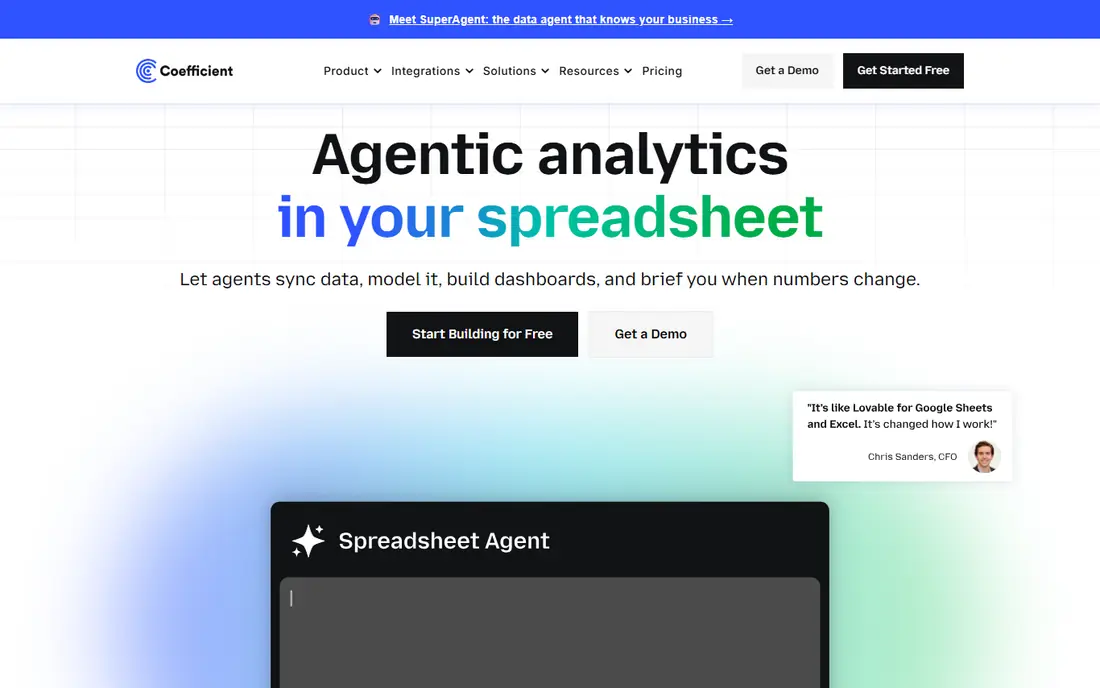
Coefficient is built for business users who live in spreadsheets and want live data without asking an analyst for every export. You pull data from Salesforce, HubSpot, databases, and other systems straight into Sheets, set auto-refresh, and get alerts when key numbers change. Pre-built dashboards help teams start from a template rather than a blank sheet.
Per-user pricing means a large team should model total cost carefully. Source availability can also vary by plan. For sales, marketing, and operations teams that report from Sheets every week, Coefficient is a strong, focused tool.
- Works inside Google Sheets and Excel
- Live data from CRM and databases
- Alerts on changes
- Per-user pricing adds up for large teams
- Some sources need higher plans

Supermetrics is the pick when marketing data is the whole job. It pulls from Google Ads, Facebook Ads, Analytics, and many other marketing sources into Sheets, Looker Studio, or BigQuery, with templates for standard reports. Agencies managing several clients often use its Hub to manage queries in one place.
Pricing needs careful reading, since sources, destinations, and refresh speed all affect the plan. Weekly refresh on the lowest tier will not suit a daily reporting team. For marketing reporting in Sheets, Supermetrics remains a specialist worth its price for many agencies.
- Deep marketing source coverage
- Templates for common reports
- Hub for managing queries
- Pricing grows with sources and destinations
- Refresh speed varies by plan
Zapier fits teams that want a sheet to update as part of a wider workflow, not just a scheduled import. A new form response, a new sale, or a new support ticket can add a row, update a cell, or notify a channel, all without code. The sheer number of supported apps makes it easy to connect tools that have no direct sheet integration.
Task usage is the cost to watch. High-volume data syncs can burn through tasks quickly, and heavy transformations may need extra steps or a second tool. For event-driven sheet updates across many apps, Zapier is the most flexible option here.
- Thousands of app integrations
- Easy trigger-and-action setup
- No code needed
- Task-based pricing can grow fast
- Complex transforms need extra steps
Make, formerly Integromat, gives you a visual canvas for building automation scenarios that include Sheets. You can filter, transform, and route data between apps with more control than a simple trigger-and-action tool, which helps when a sheet needs cleaned or combined data. The free tier is useful for testing a scenario before you pay.
Complex scenarios take time to design and debug, and operation counts can climb with large data sets. Teams that like visual workflow design and need flexible mapping will find Make a capable Sheetgo alternative for automation-led syncs.
- Visual scenario builder
- Flexible data mapping
- Generous free tier for testing
- Learning curve for complex scenarios
- Operation-based pricing needs monitoring
Unito stands out when data must flow both ways. A sheet row and a task in Asana, Trello, or another project tool can stay in sync, so updates on either side show up on the other. Field mapping controls let you decide exactly which fields sync and how they translate.
Pricing transparency is weaker than some rivals, with some prices shown only in the app during a trial, so get a quote for your volume before committing. Setup also rewards care, since a broad two-way sync can create noise if rules are too loose. For two-way work, Unito fills a gap that import-only tools do not.
- Two-way sync between tools
- Field mapping controls
- Works with Sheets and project tools
- Pricing is shown in the app during trial for some plans
- Setup needs care for large data sets
Flatly focuses on one job: keeping Google Sheets or Excel in sync with business sources on a schedule. That narrow focus makes setup simpler than a general automation platform, and hourly sync options suit teams that need fresher data than a daily import gives. Pricing is straightforward for the sync sizes it targets.
Source coverage is narrower than Coupler.io or Supermetrics, so check your exact sources first. It is also not the tool for multi-step workflows with approvals and branching logic. For simple, reliable sheet syncs, Flatly is an easy option to test.
- Focused on Sheets and Excel sync
- Hourly refresh options
- Clear sync scope
- Narrower source list than larger platforms
- Less suited to complex workflows
SyncWith, formerly Sheets, automates reports from marketing, sales, and business sources into Google Sheets and Excel. Teams that build weekly or monthly reports will like its scheduled refresh and template approach, which cuts the manual export and paste cycle. It covers a useful range of ad, analytics, and CRM sources.
The starting price is higher than Coupler.io's entry tier, so small teams should compare feature needs closely. It is also built for reporting, not for two-way sync between a sheet and a project tool. For automated sheet reporting, SyncWith is a solid alternative to test.
- Automated reports into Sheets and Excel
- Marketing and business sources
- Scheduled refresh
- Higher starting price than some rivals
- Reporting focus over two-way sync
How we picked these
We compared official pricing pages, sheet destinations, source coverage, and sync direction, and we kept only tools that are live in October 2026 and truly move data into or out of spreadsheets. We included direct import tools, marketing specialists, general automation platforms, and one two-way sync tool, so readers can match a pick to their workflow.
What to check before you switch
Start with your sources and destinations, not the price list. Write down every source you import, every sheet or warehouse you send data to, and how fresh that data must be. A tool that lacks one key source is not a replacement, no matter how low its starting price.
Next, test with your real data volume. Refresh limits, row caps, and task counts only matter at your scale, and a trial with a small sample can hide them. Finally, check who owns the sync: a business user who can adjust mappings in Sheets will maintain it more reliably than a setup only one engineer understands. Also plan for source changes. An advertising platform or CRM can rename a field or change an API, and a sync that worked last month may fail quietly. Choose a tool that alerts you when a sync fails or a field goes missing, and set a weekly check on your most important reports. Document each sync in plain terms, including its source, destination, schedule, and owner, so a teammate can fix it when you are away.
Frequently asked questions
What is the best alternative to Sheetgo?
Coupler.io is the best direct alternative to Sheetgo for scheduled imports into Sheets and Excel, while Coefficient is best for business data pulled inside the spreadsheet. Zapier and Make are better when a sheet is one step in a broader automation.
Are there free alternatives to Sheetgo?
Coupler.io, Zapier, and Make offer free plans, while Coefficient, Supermetrics, Unito, Flatly, and SyncWith offer free trials. Free plans usually limit refresh speed, rows, or tasks, so check the limits against your reporting needs.
Which alternative to Sheetgo is best for marketing reports?
Supermetrics is best for marketing-only reporting in Sheets, with deep ad and analytics source coverage. Coupler.io and SyncWith are also strong for marketing reports, with broader business sources alongside marketing ones.
What are alternatives to Sheetgo for two-way sync?
Unito is the best pick here for two-way sync between Sheets and project tools. Most import tools in this list move data one way on a schedule, so check sync direction before you choose.
Can these tools replace manual exports to Google Sheets?
Yes, for scheduled and event-driven reports, these tools remove most manual exports. You still need to check mappings after a source changes its fields, and high-volume syncs may need a higher plan for faster refresh.
Sources
See where you really rank - block by block
ProMapRanker scans Google Maps across a grid of your service area. Simple monthly plans from $19, white-label on every plan.
Start freeKeep reading
 zscaler alternatives
Best Zscaler Alternatives in 2026
Looking for zscaler alternatives? We compare 9 SASE and zero trust platforms on architecture, data protection, pricing, and fit for your network and team.
Read → zapier alternatives free
Best Zapier Alternatives Free in 2026
Nine automation tools for zapier alternatives free in 2026, all with genuinely free tiers, plus free plan limits, starting prices and upgrade paths explained.
Read → which platform is best for online reputation
Which Platform Is Best for Online Reputation in 2026
Wondering which platform is best for online reputation? We compare 8 review, listing, and response tools for small and multi-location businesses and agencies.
Read →