 ProMapRanker
Sauce Labs Alternatives in 2026


Broad web and mobile testing · Pricing starts at: $29 per month
Key takeaways
- Sauce Labs alternatives differ in whether entry prices buy manual testing, automation, or real-device automation.
- BrowserStack and TestMu AI suit broad web and mobile coverage, while Kobiton and HeadSpin suit mobile-first teams.
- TestingBot suits European teams, AWS Device Farm suits pay-per-use mobile testing, and Browserling suits light manual checks.
- Always check parallel sessions, device minutes, and plan limits, because those decide the real bill.
- Sauce Labs itself is not listed here, because this article covers alternatives only.
Quick comparison
| Pick | Great for | Pricing starts at | Free tier | |
|---|---|---|---|---|
| BrowserStack | Broad web and mobile testing | $29 per month | Free trial | Visit |
 TestMu AI | Value-led web and mobile testing | $15 per month | Yes | Visit |
 TestingBot | European cross-browser testing | See website | Free trial | Visit |
 Kobiton | Mobile-first real-device testing | $83 per month | Free trial | Visit |
 Perfecto | Regulated enterprise testing | See website | Free trial | Visit |
 HeadSpin | Mobile performance and carrier testing | $49 per month | Free trial | Visit |
 pCloudy | Mobile testing with private labs | See website | Free trial | Visit |
 AWS Device Farm | Pay-per-use mobile testing | $0.17 per device minute | Free trial | Visit |
 Browserling | Light manual browser checks | $9 per month | Yes | Visit |
The best Sauce Labs alternatives
These platforms run web and mobile tests on real browsers and real devices in the cloud. Sauce Labs itself is not listed here. Check whether a plan covers manual testing only or automation, and whether it includes real devices or only emulators.
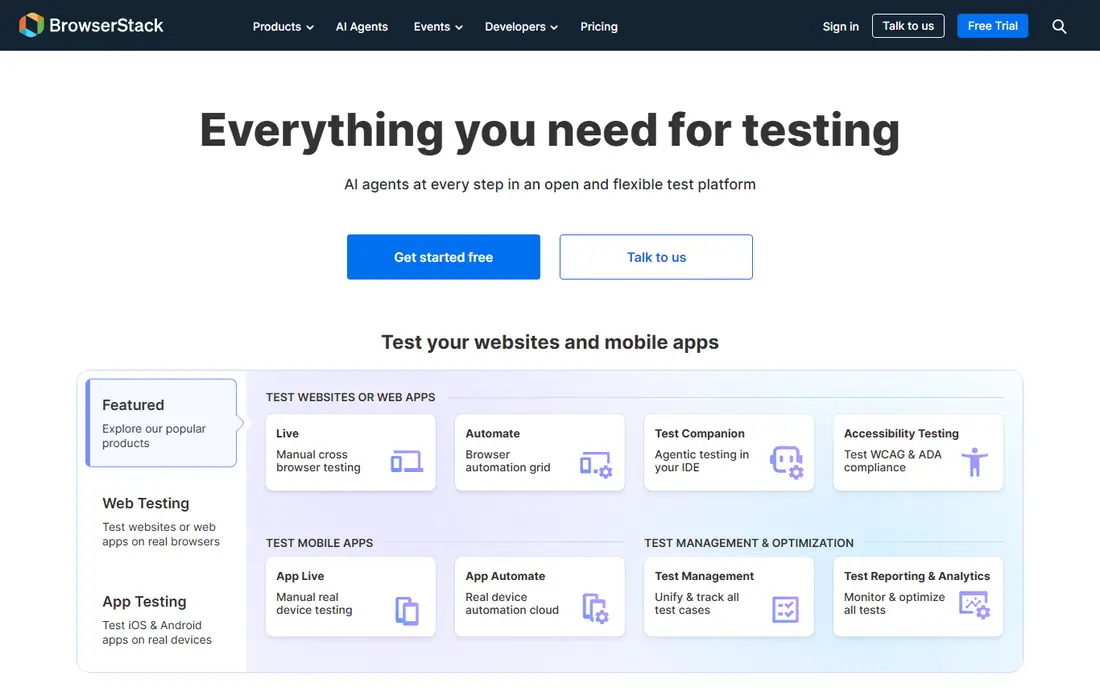
BrowserStack is the closest like-for-like hosted alternative for most teams. It offers live interactive testing, automated testing across browsers and devices, and app testing on real devices, with support for common frameworks such as Selenium, Playwright, Cypress, and Appium. Its Live Desktop plan starts at $29 per month in recent guides.
The catch is tier placement. That entry price buys manual browser testing, while real-device automation sits on higher-priced Automate plans. Teams should price the plan that matches their actual test type, not the cheapest plan on the page. For broad coverage and framework support, it remains the benchmark.
- Very broad browser and device coverage
- Strong framework support
- Clear live and automate products
- Real-device automation sits on higher tiers
- Pricing rises with parallels
- Entry plan is manual browsers only
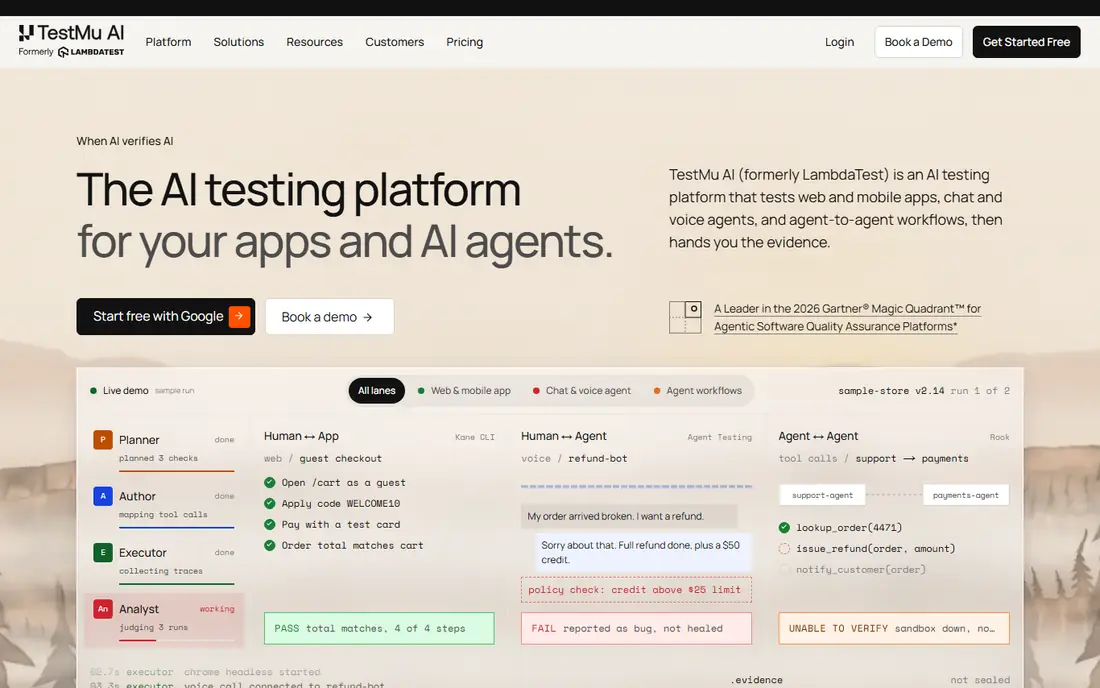
TestMu AI, formerly LambdaTest, suits teams that want BrowserStack-style breadth at a lower entry price. It offers live testing, automation, and real devices, with a free tier and web plans from $15 per month in recent guides. Its KaneAI tool can author tests in plain language, which helps teams that want to create tests faster.
As with BrowserStack, the entry price does not buy everything. Real-device manual testing and real-device automation sit on higher tiers, with automation listed around $199 per parallel in recent guides. Teams should map their test type to the right product tier before comparing prices. For value-led coverage, it is a strong pick.
- Free tier
- Broad browser and device coverage
- AI test authoring with KaneAI
- Real-device automation sits on higher tiers
- Pricing varies by product
- Manual and automation plans differ
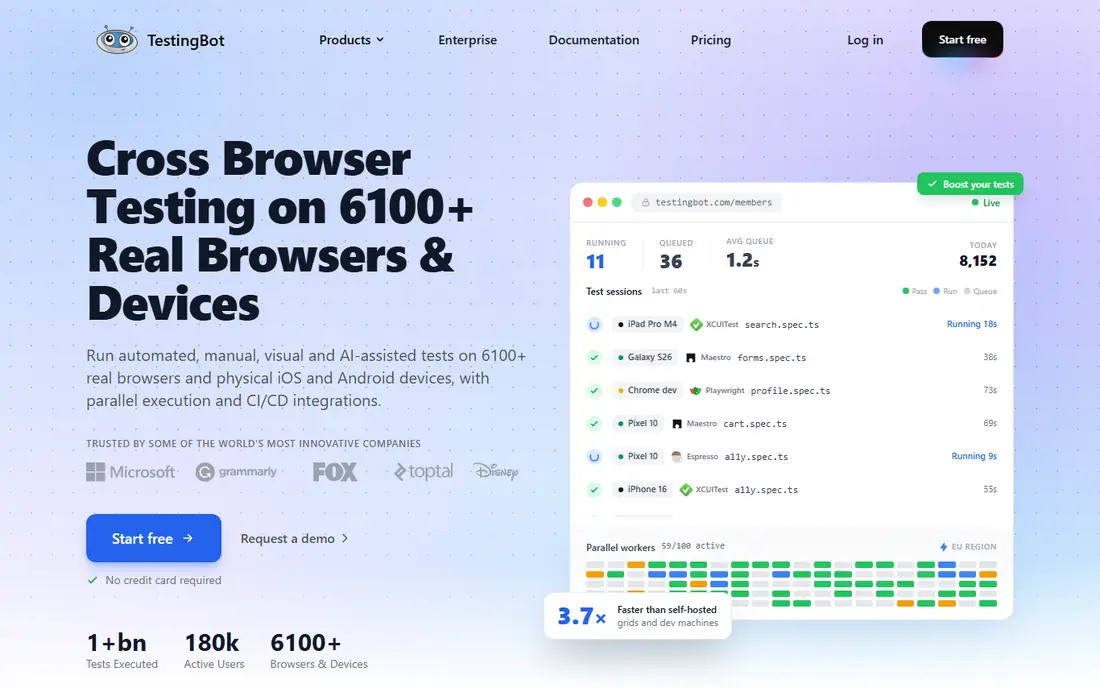
TestingBot suits European teams that want clear hosting and pricing. It runs its cloud from the EU and Switzerland on all plans, which helps teams with data residency needs. Its Live plan starts around 20 euros per month and its Automated plan around 50 euros per month in recent guides, with parallel sessions as the main billing unit.
The fleet is smaller than BrowserStack or TestMu AI, and the free trial covers 100 minutes across the platform. Teams that need the largest device list or US hosting may prefer a larger cloud. For European teams that value residency and clear per-parallel pricing, it is a practical choice.
- European hosting on all plans
- Clear per-parallel pricing
- Manual and automated testing
- Priced in euros
- Smaller device fleet than the largest clouds
- Free trial is limited to 100 minutes
Kobiton is the pick for teams whose main problem is mobile apps, not desktop browsers. It offers real iOS and Android devices in the cloud and on-premise, with support for Appium, XCUITest, and Espresso. Its Startup plan was listed from $83 per month with 500 minutes in recent guides, with higher tiers for larger minute bundles.
It does not publish a desktop browser product, so web-only teams should look elsewhere. Minutes-based billing also needs modelling for long test suites. For mobile-first teams that need real devices and private lab options, Kobiton is a strong specialist.
- Mobile-focused real devices
- Cloud and on-premise options
- Appium and native framework support
- Mobile only, not desktop browsers
- Minutes-based billing needs care
- Entry price is higher than web-only tools
Perfecto suits regulated enterprises that need a private or hybrid device lab with strong controls. It offers real devices across global data centres, web and mobile testing, and deployment options that fit enterprise security needs. That makes it useful for finance, healthcare, and other regulated teams.
Pricing is quoted, and it is not a small-team tool. Teams should expect a sales-led process and implementation planning. For enterprises that need governance, private labs, and scale, it is a serious alternative. Smaller teams will find better value in BrowserStack, TestMu AI, or TestingBot.
- Enterprise mobile and web testing
- Private and hybrid lab options
- Strong governance features
- Quote-only pricing
- Heavy for small teams
- Setup needs enterprise planning
HeadSpin suits teams that need to test mobile performance on real carrier networks, not just on Wi-Fi. It offers SIM-enabled devices across many countries, with performance analysis that helps teams spot network, video, and app issues. Its Lite plan was listed from $49 per month in recent guides, with on-premise and air-gapped options on custom Pro plans.
Web testing is less central than mobile, and private lab pricing is custom. Teams that only need basic browser checks should choose a web-first cloud instead. For mobile performance and carrier testing, HeadSpin offers a specialist angle the larger clouds do not match as directly.
- SIM-enabled devices across many countries
- Performance and network testing
- On-premise options on higher plans
- Full private lab features sit on custom plans
- Pricing varies by deployment
- Web coverage is less central
pCloudy suits mobile teams that want a choice of public, private, and on-premise labs from one vendor. It lists a fleet of more than 5,000 real devices in vendor guides, with manual and automated testing for iOS and Android apps. That flexibility helps teams that start in the cloud and later need a private lab.
Pricing is not published as a simple starting price in the guides we found, so teams must request a quote tied to parallels and devices. It is also mobile-focused, so web teams should pair it with a browser cloud or choose a combined platform. For mobile lab flexibility, it is a useful option.
- Public, private, and on-premise mobile labs
- Large device fleet
- Manual and automated testing
- No public starting price in guides
- Mobile-focused
- Setup needs planning for private labs
AWS Device Farm suits AWS teams that want to pay for mobile testing by the minute rather than by subscription. It charges $0.17 per device minute for real mobile devices in recent guides, with a one-time free trial allowance of 1,000 minutes and unlimited testing slots at $250 per month. Private devices are also available for teams that need dedicated hardware.
Metered billing needs care for long or frequent suites, because minutes add up fast. Setup is also AWS-led, so teams outside AWS may prefer a subscription cloud. For bursty mobile testing inside AWS, it is a flexible and transparent option.
- Pay-per-use pricing
- Real Android and iOS devices
- Private devices available
- Metered billing can rise with long suites
- Setup is AWS-led
- Desktop browser testing is separate and limited
Browserling suits teams that need a quick manual check in another browser, not a full automation pipeline. It offers browser environments from $9 per month billed annually in recent guides, with a free plan for light use. That makes it useful for designers, support teams, and developers who need to see a page in an older browser fast.
It does not replace an automation cloud. There is no real mobile device fleet and no CI automation product comparable to BrowserStack or TestMu AI. For light manual checks at a low price, it is a handy tool to keep beside a larger testing platform.
- Very low entry price
- Fast manual browser checks
- Free plan available
- Manual testing only, not automation
- No real mobile device fleet
- Limited for CI pipelines
How we picked these
We compared official pricing and feature pages, test types, device coverage, and billing models, and we checked that each platform was still operating in October 2026. We required a real testing cloud or tool, not a general QA blog, and we favoured platforms that clearly state whether a plan covers manual testing, automation, real devices, or emulators. We did not list Sauce Labs itself, because this article is for alternatives. Prices that depend on parallels, minutes, or currency are shown with the basis we found.
What to check before you buy
Start with your test type. Manual browser checks, automated web tests, and automated mobile tests are different products with different prices, even on the same vendor site. Confirm which plan covers your exact test type before you compare headline prices.
Check parallels, minutes, and frameworks
Confirm how many parallel sessions you need for CI speed, how device minutes are counted, and whether your frameworks are supported without code changes. Check session limits, video and log retention, and whether emulators are counted separately from real devices. A trial run of your real suite will reveal these limits fast.
Test migration with a real suite
Point a copy of your existing suite at the new cloud and run it in CI before you cancel the old tool. Check flakiness, speed, and reporting, and confirm that screenshots, videos, and logs meet your debugging needs. Migration cost is often higher than the price gap, so a real trial matters.
Frequently asked questions
What is the best Sauce Labs alternative?
BrowserStack is the closest broad replacement, while TestMu AI offers similar breadth at a lower entry price. TestingBot suits European teams, Kobiton suits mobile-first teams, and AWS Device Farm suits pay-per-use mobile testing. Choose by test type first: manual, automated web, or automated mobile.
How much do these testing clouds cost?
Entry prices range from $9 per month for Browserling manual checks and $15 per month for TestMu AI web plans to $83 per month for Kobiton and $0.17 per device minute for AWS Device Farm. Real-device automation often costs around $175 to $199 per parallel per month on larger clouds. Always price the plan that covers your test type.
Do I need real devices or are emulators enough?
Real devices catch issues emulators miss, such as performance, sensors, cameras, and carrier behaviour. Emulators suit early development and fast checks, while real devices suit release testing and mobile apps. Many teams use both: emulators for speed and real devices for release confidence.
Can I migrate Selenium or Appium tests easily?
In most cases, yes, by pointing your tests at the new cloud endpoint and updating credentials and capabilities. Framework support varies, so run a copy of your suite in a trial first. Check device availability, session limits, and reporting before you move production CI.
What is the difference between parallel sessions and device minutes?
Parallel sessions limit how many tests run at once, while device minutes charge for total test time. A team with short tests may prefer parallels, while a team with bursty testing may prefer minutes. Model your suite length and CI frequency to see which model costs less.
Should I keep Sauce Labs or switch?
Switch if pricing, device coverage, or plan limits no longer fit your test type, or if another cloud offers a clearer bill for the same work. Stay if your suites run well and migration would cost more in time and risk than the saving. A trial with your real suite will show whether a move is worth it.
Sources
See where you really rank - block by block
ProMapRanker scans Google Maps across a grid of your service area. Simple monthly plans from $19, white-label on every plan.
Start freeKeep reading
 zoro.to alternatives
Best Zoro.to Alternatives in 2026
We compare the best zoro.to alternatives in 2026, listing only legal licensed anime streaming services, from Crunchyroll to free options for fans today.
Read → zip alternatives
Best Zip Alternatives in 2026
We compare the best zip alternatives for buy now, pay later in 2026, covering pay-in-4 plans, fees, spending limits, and credit reporting options today.
Read → yesware alternatives
Best Yesware Alternatives in 2026
Compare the best yesware alternatives for sales email tracking, templates, and sequences, with current pricing and honest tradeoffs for small sales teams.
Read →