 ProMapRanker
Best Samsung Messages Alternatives in 2026

Key takeaways
- Google Messages is the best direct replacement for RCS on Android.
- Textra and Chomp SMS suit readers who want SMS customization without RCS.
- Signal is the strongest pick for private, encrypted chats with contacts who also use it.
- WhatsApp and Telegram suit cross-platform chats with friends and family.
- Pulse SMS and Fossify Messages suit multi-device and open-source preferences.
Quick comparison
| Pick | Great for | Pricing starts at | Free tier | |
|---|---|---|---|---|
 Google Messages | RCS on Android | Free | Yes | Visit |
 Textra SMS | Custom SMS themes | Free | Yes | Visit |
 Signal | Private encrypted chats | Free | Yes | Visit |
 Telegram | Large groups and channels | Free | Yes | Visit |
 WhatsApp | Cross-platform everyday chats | Free | Yes | Visit |
 Viber | Calls and chats in one app | Free | Yes | Visit |
 Pulse SMS | Texting from any device | Free | Yes | Visit |
 Chomp SMS | Dual-SIM and locked chats | $5.99 one-time | No | Visit |
 Fossify Messages | Open-source SMS | Free | Yes | Visit |
The best samsung messages alternatives
These alternatives to samsung messages cover SMS, RCS, and internet chats, because no single app replaces every Samsung Messages feature. We compared official app listings, feature pages, and platform support, and we kept only apps that are live and suited to everyday texting. Samsung Messages itself is not listed, since this article covers alternatives to it.

Google Messages is the closest direct replacement for most Android users. It supports RCS where carriers and devices allow it, which adds typing indicators, read receipts, high-quality media, and group chat features over data or Wi-Fi. Messages can fall back to SMS when RCS is not available, so contacts without RCS still receive texts.
The app also pairs with a web version, so you can send and receive texts from a computer browser. Spam protection helps filter unwanted messages, and reactions work well in RCS chats. If RCS matters to you, Google Messages is the first app to try, since third-party SMS apps cannot offer RCS on Android today.
- Native RCS on Android
- Web pairing for desktop
- Spam protection and reactions
- RCS needs carrier and device support
- Some features vary by region and carrier

Textra is the pick for readers who want SMS to look and feel personal. It offers many themes, bubble styles, colors, and per-contact settings, plus scheduling, delayed sending, and quick replies. Because SMS messages live in the Android message store, your history appears when Textra becomes the default app, and it returns when you switch back.
The trade-off is RCS. Textra does not support RCS, so photos arrive compressed and typing indicators and read receipts are missing in many chats. The app is free, with a one-time purchase of 9.99 dollars to remove ads. Choose Textra for style and SMS control, not for modern RCS features.
- Deep theme and bubble customization
- Scheduling and quick replies
- Uses the Android message store
- No RCS support
- Ads appear unless you pay to remove them
- Android only
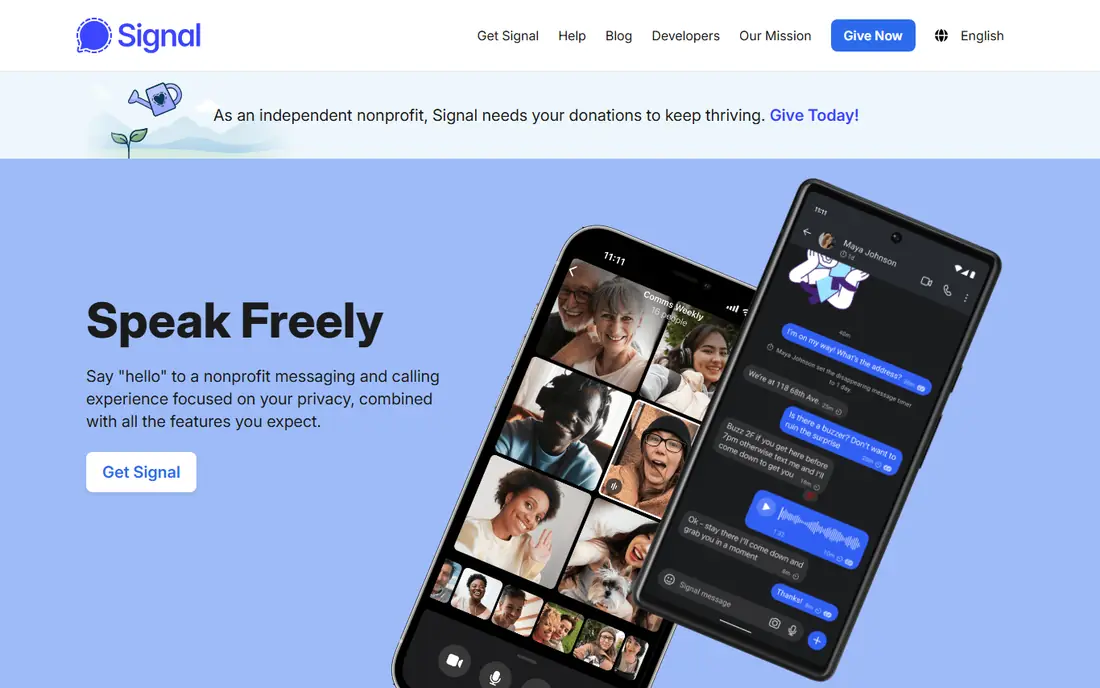
Signal is the strongest privacy pick in this list. Its chats are end-to-end encrypted by default, it collects minimal metadata, and it offers disappearing messages, view-once media, and a desktop app. It is funded by donations through a nonprofit, rather than by ads or data sales.
Signal is not a full SMS replacement, since it works as an internet messenger and needs contacts to use the same app. That limits its use for texting people who will not switch. For private conversations with friends, family, or colleagues who already use Signal, it is the most trustworthy choice here.
- End-to-end encryption by default
- Disappearing messages
- Open-source and nonprofit funded
- Contacts must also use Signal
- Not an SMS replacement for all contacts
- Fewer social features
Telegram suits readers who want speed, large groups, and cloud sync. You can join channels, run groups with many members, share files, and pick up chats on any device without a phone connection. Its interface is fast, and stickers, bots, and folders help organize busy chats.
The privacy catch matters: standard Telegram chats use cloud encryption, not end-to-end encryption by default. Secret chats offer end-to-end encryption, but they are tied to one device and do not sync. Use Telegram for community and everyday chats, and use Signal for conversations that need default end-to-end encryption.
- Huge groups and channels
- Cloud sync across devices
- Large file sharing
- Standard chats are not end-to-end encrypted by default
- Secret chats are device specific
WhatsApp is the most widely used chat app in this list, and that reach is its main advantage. Chats are end-to-end encrypted by default, and the app works across Android, iPhone, desktop, and web. Voice and video calls, group chats, and status updates are built in, so many families and teams already use it daily.
WhatsApp cannot replace SMS for contacts who do not use it, and it requires a phone number to sign up. It is owned by Meta, which some privacy-minded readers will weigh against its convenience. For everyday chats with people on both Android and iPhone, it is the easiest cross-platform choice.
- End-to-end encryption by default
- Works on Android and iPhone
- Voice and video calls included
- Needs a phone number
- Tied to Meta
- Cannot replace SMS for non-users
Viber combines messaging, voice calls, and video calls in one free app. Its one-to-one chats and calls use end-to-end encryption, and it offers communities, channels, and stickers for social use. Desktop apps for Windows and Mac let you continue chats from a computer.
Viber is stronger in some regions than in the United States, so its value depends on where your contacts live. If your friends or family already use Viber, it is a capable all-in-one chat and calling app. If they do not, WhatsApp or Telegram will be easier to adopt.
- End-to-end encryption for calls and chats
- Stickers and communities
- Desktop apps
- Smaller user base in the United States
- Some features vary by region
- Ads in parts of the app
Pulse SMS is the pick for readers who text from many devices. It syncs SMS and MMS to the web, tablets, and computers, so you can reply from a laptop without picking up your phone. Scheduled messages, delayed sending, and a clean interface make daily texting pleasant.
Pulse does not support RCS, so you trade modern chat features for multi-device convenience. The app is free to try, with a subscription for full multi-device sync and extra features. If you spend much of the day at a computer, Pulse is more useful than a phone-only SMS app.
- Web, tablet, and desktop sync
- Scheduled messages and delayed sending
- Clean interface
- No RCS support
- Advanced sync features need a subscription
- Android only for SMS
Chomp SMS suits readers who want control over SMS privacy and dual-SIM use. It offers a passcode lock, per-contact settings, MMS group support, and customization for bubbles, themes, and notifications. Dual-SIM users can manage which number sends each message, which is useful for work and personal lines.
Chomp is a paid app, with a one-time purchase around 5.99 dollars, and it does not support RCS. It is a good choice for Android users who want a stable, customizable SMS app with privacy options. For RCS or cross-platform chats, pair it with Google Messages or WhatsApp.
- Passcode lock and privacy options
- Dual-SIM support
- MMS group and customization options
- No RCS support
- One-time purchase required
- Android only
Fossify Messages is the open-source option for readers who want a simple SMS app without ads, trackers, or extra services. It handles SMS and MMS, offers a clean interface, and comes from the Fossify suite of open-source Android apps. That makes it a good fit for privacy-minded users and for older or simpler phones.
The trade-off is features. Fossify Messages lacks RCS, multi-device sync, and the deep themes of Textra. It is free, lightweight, and easy to maintain. If you want a basic, trustworthy SMS app and you do not need RCS, Fossify Messages is a solid choice.
- Open source with no ads or trackers
- Simple SMS and MMS
- Lightweight design
- No RCS support
- Fewer extras than Textra or Pulse
- Android only
How we picked these
We compared official app listings, feature pages, and platform support for messaging apps that are live in October 2026. We included SMS and RCS apps, plus internet messengers, because Samsung Messages users often need both kinds of chats. We did not list Samsung Messages itself, and we noted where an app cannot offer RCS, since that is a key limit for Android SMS apps.
We also weighed encryption, cross-platform support, desktop sync, and price. A private app is less useful when none of your contacts use it, and a feature-rich app is less useful when it cannot text people outside its network, so the list balances reach with privacy and control.
Choosing the right messaging app
Start with who you text, not with features alone. If most contacts use SMS and RCS, Google Messages is the practical default. If most contacts use an internet messenger, pick the app they already use, since a chat app only works when both sides join. Many people use two apps: one for SMS and RCS, and one for private or group chats.
Check RCS, SMS, and encryption
RCS adds typing indicators, read receipts, and high-quality media on Android, but only Google Messages offers it among Android SMS apps in this list. SMS works with any phone number, but it is not encrypted. Internet messengers vary: Signal and WhatsApp encrypt by default, while Telegram encrypts standard chats in the cloud and reserves end-to-end encryption for secret chats.
Think about devices and backup
If you text from a computer, choose an app with web or desktop support, such as Google Messages, Pulse SMS, Signal, Telegram, or WhatsApp. Check backup options before you switch, since SMS history, RCS history, and internet chat history move in different ways. Test a new default app for a few days before you delete the old one.
Frequently asked questions
What are the best alternatives to samsung messages for RCS?
Google Messages is the best alternative to samsung messages for RCS, because it is the Android SMS app with native RCS support. Third-party SMS apps such as Textra, Pulse SMS, and Chomp SMS do not offer RCS on Android today. If RCS matters, use Google Messages for carrier texts and an internet messenger for other chats.
Can I use WhatsApp as my default SMS app?
No, WhatsApp cannot replace SMS, since it sends messages over the internet to other WhatsApp users. You still need an SMS or RCS app for texts to people who do not use WhatsApp. Many Android users keep Google Messages for SMS and RCS, and use WhatsApp for chats with contacts who prefer it.
Which app is best for private messaging?
Signal is best for private messaging, because its chats are end-to-end encrypted by default, it collects minimal data, and it is open source. WhatsApp also encrypts chats by default and has a much larger user base. Telegram is best for large groups, but standard chats are not end-to-end encrypted by default.
Do these apps work on iPhone as well as Android?
Signal, Telegram, WhatsApp, and Viber work on both Android and iPhone, which makes them good cross-platform choices. Google Messages, Textra SMS, Pulse SMS, Chomp SMS, and Fossify Messages are Android focused for SMS, so iPhone users should use the cross-platform messengers or Apple Messages for SMS and RCS.
Will I lose my old messages if I switch apps?
SMS messages live in the Android message store, so they usually appear in a new SMS app once it becomes the default. Internet messenger chats do not move to a new app, so you will need to keep the old app or export chats where the app allows it. Back up important chats before you switch, and test the new app first.
Are these samsung messages alternatives free?
Most apps in this list are free, including Google Messages, Signal, Telegram, WhatsApp, Viber, and Fossify Messages. Textra is free with ads, with a one-time purchase to remove them. Pulse SMS offers a free tier with paid sync features, and Chomp SMS is a one-time purchase. Carrier charges for SMS and MMS still apply where relevant.
Sources
See where you really rank - block by block
ProMapRanker scans Google Maps across a grid of your service area. Simple monthly plans from $19, white-label on every plan.
Start freeKeep reading
 zscaler alternatives
Best Zscaler Alternatives in 2026
Looking for zscaler alternatives? We compare 9 SASE and zero trust platforms on architecture, data protection, pricing, and fit for your network and team.
Read → zapier alternatives free
Best Zapier Alternatives Free in 2026
Nine automation tools for zapier alternatives free in 2026, all with genuinely free tiers, plus free plan limits, starting prices and upgrade paths explained.
Read → which platform is best for online reputation
Which Platform Is Best for Online Reputation in 2026
Wondering which platform is best for online reputation? We compare 8 review, listing, and response tools for small and multi-location businesses and agencies.
Read →