 ProMapRanker
Rank Tracking For Local Keywords: A Complete Guide
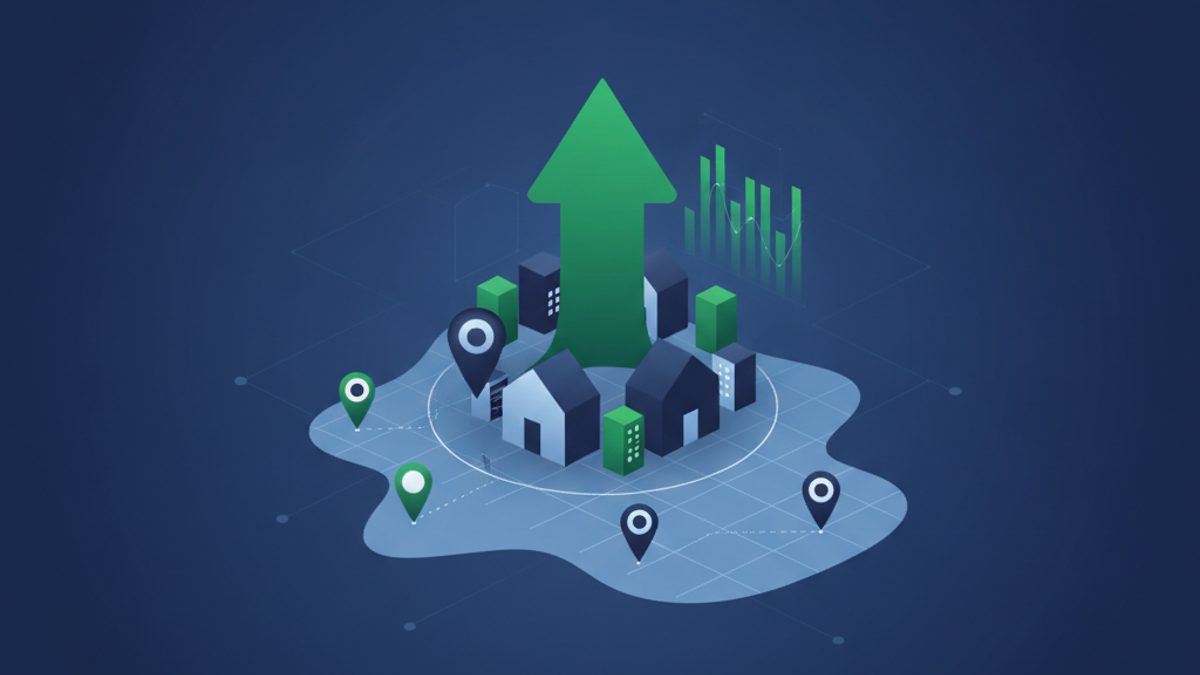
Local rank tracking is the systematic process of monitoring a business's visibility and position in search engine results specifically for geographically targeted keywords. It's crucial because local search results, particularly the Google Map Pack and Local Finder, are highly personalized based on the searcher's location, meaning rankings can vary significantly from street to street. By tracking these localized positions across a defined service area, businesses can accurately measure the effectiveness of their local SEO efforts, identify opportunities for improvement, and ultimately drive more foot traffic, phone calls, and online inquiries from nearby customers. It provides a granular view of local search performance that traditional, broad rank tracking simply cannot offer.
What Exactly is Rank Tracking for Local Keywords?
Rank tracking for local keywords involves monitoring a business's search engine positions for terms that include a geographical qualifier or imply local intent, such as "plumbers near me" or "best coffee shop [city name]". Unlike national rank tracking, which focuses on broad organic results, local rank tracking specifically measures visibility within the Google Map Pack, Local Finder, and localized organic search results, all of which are heavily influenced by the searcher's proximity. This granular approach is vital for businesses serving a specific geographic area.
In essence, local keyword rank tracking helps businesses understand where they stand in their local market. For example, a "pizza restaurant in Brooklyn" needs to know if they appear in the top three results of the Map Pack for someone searching within a 1-mile radius, not just how they rank nationally for "pizza restaurant". These local results are dynamic and personalized, making precise, location-aware tracking indispensable. Tools like ProMapRanker use geo-grid technology to simulate searches from multiple points across a service area, providing a true picture of local visibility rather than a single, often misleading, average.
Why is Local Rank Tracking Essential for Your Business?
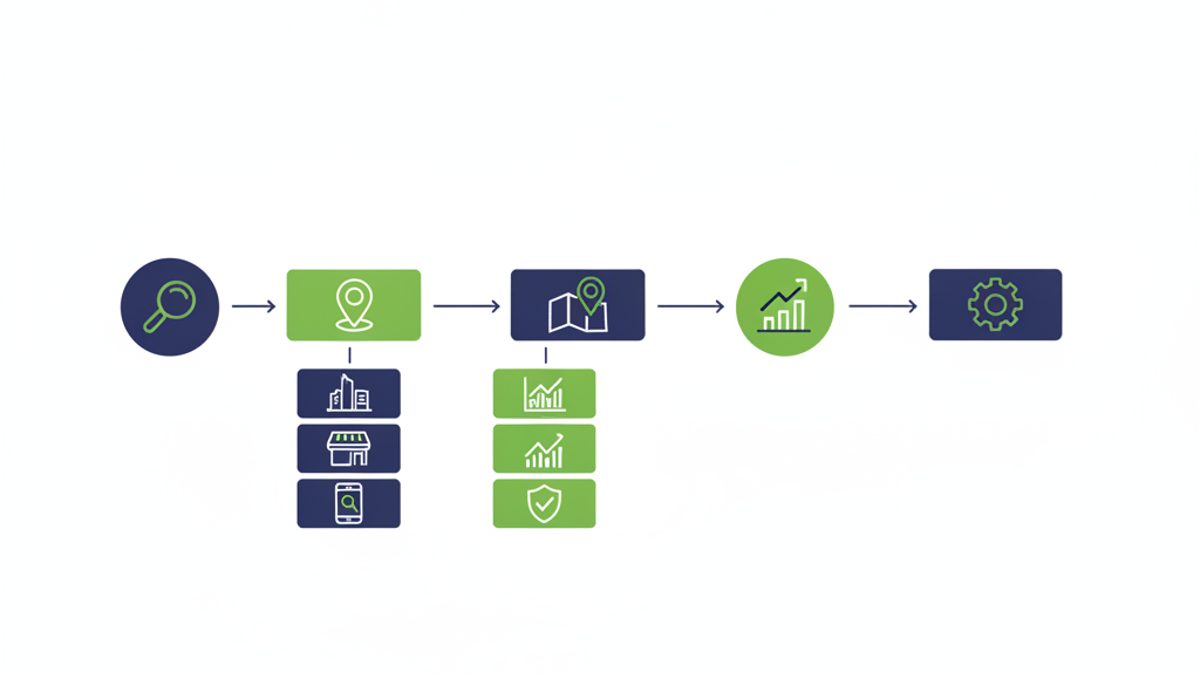
Local rank tracking is essential because it directly correlates with a business's ability to attract nearby customers and generate revenue, offering actionable insights that drive competitive advantage. It allows businesses to see their real-world search performance from the perspective of their potential customers, revealing opportunities to optimize for greater local visibility and impact. Without it, local SEO efforts are largely a shot in the dark, lacking measurable outcomes.
Consider the impact: A business ranking #1 in the Google Map Pack for a high-intent local keyword within a 2-mile radius could see a significant increase in calls and visits. Conversely, a business consistently ranking outside the top three for key terms is missing out on crucial local traffic. According to a study by Google Business Profile Help, businesses with complete and accurate information on Google are 2.7 times more likely to be considered reputable. Local rank tracking provides the data to ensure your optimization efforts are pushing you into those top positions, directly influencing your bottom line by connecting you with ready-to-buy local searchers.
How Do You Identify the Best Local Keywords to Track?
Identifying the best local keywords to track involves a combination of understanding your services, analyzing customer search behavior, and examining competitor strategies. Start by brainstorming core services and products, then add local modifiers like cities, neighborhoods, or "near me." Leverage tools like Google Business Profile Insights and competitor analysis to uncover high-volume, high-intent local terms that directly relate to your offerings.
Here’s a practical approach:
- Start with Your Services/Products: List every service or product your business offers. For a plumber, this might include "drain cleaning," "water heater repair," "emergency plumbing."
- Add Local Modifiers: Combine your services with geographic terms. This includes your primary city, surrounding towns, specific neighborhoods, and phrases like "near me," "in [city]," or "local [service]." Examples: "drain cleaning London," "emergency plumber near me," "water heater repair Chelsea."
- Utilize Google Business Profile Insights: Your GBP dashboard provides valuable data on how customers find your business, including the actual search queries used. This is a goldmine for discovering keywords people are already using to find you.
- Competitor Analysis: Examine what keywords your top local competitors are ranking for. Tools can help reverse-engineer their strategies, but manual searches can also reveal common terms they optimize for.
- Long-Tail Local Keywords: Don't overlook longer, more specific phrases that indicate strong purchase intent, such as "24 hour emergency plumber for burst pipe Brooklyn." These often have lower volume but convert at a higher rate.
- Google Keyword Planner & Related Searches: While primarily for PPC, Google Keyword Planner can offer keyword ideas and estimated search volumes. Also, pay attention to the "People Also Ask" and "Related Searches" sections at the bottom of Google's SERPs for more ideas.
Focus on keywords that have a balance of relevance to your business, sufficient search volume, and manageable competition. Prioritize terms that directly lead to customer acquisition.
What are the Key Components of Effective Local Rank Tracking?
Effective local rank tracking goes beyond simple keyword position and involves monitoring a holistic set of factors that influence local search visibility, including geo-grid performance, Google Business Profile (GBP) metrics, and overall local search presence. It combines granular location-specific data with broader insights to provide a complete picture of local SEO health. The goal is to understand not just if you rank, but where you rank for specific searchers.
Key components include:
- Geo-Grid Rank Tracking: This is paramount. Instead of a single "average" ranking, geo-grid tracking simulates searches from multiple specific points across a service area (e.g., a 5x5 grid with points every half-mile). This reveals how rankings fluctuate based on proximity, offering a true visual representation of your local visibility. For example, ProMapRanker provides a detailed heat map showing your position at each grid point for your target keywords. Learn more about geo-grid local rank tracking.
- Google Business Profile (GBP) Performance: Your GBP is the cornerstone of local SEO. Tracking its performance includes monitoring reviews, Q&A, posts, and overall profile completeness. These factors heavily influence Map Pack rankings.
- Map Pack Rankings: The coveted 3-pack is where most local search clicks happen. Tracking your position within this specific section of the SERP is critical for high-intent local queries.
- Local Organic Rankings: While distinct from the Map Pack, local organic results still matter. These are the traditional organic listings that appear below the Map Pack, often featuring local businesses.
- Share of Local Voice (SoLV) & Average Rank Position (ARP): These advanced metrics, offered by tools like ProMapRanker, provide a more nuanced view than just individual keyword ranks. SoLV quantifies your total visibility across a grid, while ARP offers a weighted average rank, giving you a clearer competitive benchmark.
- Citation Consistency: Consistent Name, Address, and Phone (NAP) information across online directories and citations is a foundational local SEO factor. Inconsistent citations can confuse search engines and negatively impact rankings. Consider using a free local SEO audit tool to check your consistency.
- Website On-Page Local SEO: This includes local schema markup (e.g., LocalBusiness schema), location-specific landing pages, and content optimized for local keywords.
- User Experience (UX) Signals: Website speed, mobile-friendliness, and Core Web Vitals (e.g., INP under 200ms) indirectly influence local rankings by improving overall site quality and user satisfaction, which Google prioritizes.
What Are the Different Types of Local Rank Tracking Tools Available?
Local rank tracking tools range from basic, single-point checkers to advanced geo-grid platforms, each offering varying levels of detail and accuracy for monitoring local search performance. While manual checks are rudimentary, specialized tools provide automated, precise data, with geo-grid trackers being the most sophisticated for understanding proximity-based ranking fluctuations. The choice depends on the depth of insight required.
Here’s a breakdown of common types:
- Manual Checks: The simplest method, involving physically searching Google Maps or Google Search from different locations or using a VPN. This is highly inaccurate, time-consuming, and not scalable, offering only a snapshot.
- Basic Local Rank Checkers: These tools typically allow you to enter a keyword, a location (zip code or city), and your business name, providing a single ranking position. While better than manual checks, they still don't account for the hyper-local variations across a service area. Many "free" tools fall into this category.
- Traditional Rank Trackers with Local Filters: Some broader SEO rank tracking platforms offer a "local" filter, allowing you to specify a city or zip code. However, their local data often lacks the granularity of dedicated local tools, still providing a single data point rather than a grid view.
- Geo-Grid Local Rank Trackers (e.g., ProMapRanker, Local Falcon): These are the gold standard for local rank tracking. They simulate searches from multiple points (a "grid") across a defined geographic area, providing a visual heat map of your rankings. This reveals how your visibility changes street-by-street, accounting for Google's proximity algorithm. Tools like ProMapRanker offer advanced metrics like Share of Local Voice (SoLV) and Average Rank Position (ARP) for comprehensive analysis. For a deeper dive, compare Local Falcon vs. BrightLocal vs. ProMapRanker.
- Google Business Profile (GBP) Audit Tools: While not pure rank trackers, many local SEO platforms integrate GBP auditing capabilities. These analyze your profile's completeness, consistency, and optimization level, which directly impacts local rankings. ProMapRanker includes a robust GBP audit feature.
For any business serious about local SEO, a geo-grid local rank tracker is indispensable. It provides the most accurate and actionable data to inform strategy and demonstrate ROI.
A Step-by-Step Guide to Setting Up Local Rank Tracking
Setting up effective local rank tracking involves selecting the right tool, defining your geographical scope, identifying target keywords, and scheduling regular monitoring to gather actionable insights. This systematic process ensures you capture accurate, granular data reflecting your true local search visibility. The goal is to move from guesswork to data-driven optimization decisions.
- Choose Your Local Rank Tracking Tool: Select a geo-grid rank tracker like ProMapRanker. These tools offer the precise, location-aware data you need to truly understand local search performance. Consider features such as reporting, GBP auditing, and competitive analysis.
- Define Your Service Area: Determine the precise geographic region you want to track. This could be a city, multiple zip codes, or a specific radius around your physical location. For example, a restaurant might track a 3-mile radius, while a service area business might track an entire county.
- Select Your Target Keywords: Based on your keyword research, input the local keywords you want to monitor. Include primary service keywords (e.g., "HVAC repair"), brand terms (e.g., "ProMapRanker"), and competitor names if you're tracking their performance.
- Configure Geo-Grid Scans: Set up your geo-grid parameters. This includes the grid size (e.g., 5x5, 7x7) and the distance between grid points (e.g., 0.5 miles, 1 mile). A denser grid provides more granular data, ideal for highly competitive urban areas. ProMapRanker allows flexible grid configurations to match your specific needs. Read about geo-grid scan cost breakdown for budgeting.
- Schedule Regular Tracking: Determine how often you want scans to run. Weekly or bi-weekly scans are common for ongoing optimization, allowing you to see the impact of your SEO efforts in a timely manner.
- Integrate Google Business Profile: Connect your Google Business Profile to the tracking tool if possible. This allows for unified reporting and audit capabilities, giving you a complete view of your local search presence.
- Set Up Competitor Tracking: Identify 2-3 key local competitors and set up tracking for their businesses on the same keywords and grid. This provides crucial competitive intelligence and helps benchmark your performance.
- Generate Initial Reports & Baselines: Run your first scans to establish baseline rankings. This initial data is vital for measuring progress over time. Familiarize yourself with metrics like Share of Local Voice (SoLV) and Average Rank Position (ARP) within your chosen tool.
Once set up, consistently review your reports to identify trends, opportunities, and areas needing improvement. This systematic approach transforms local SEO from a guessing game into a measurable, data-driven strategy.
Interpreting Your Local Rank Tracking Data: Beyond Just Numbers
Interpreting local rank tracking data goes beyond simply observing position changes; it involves analyzing trends, understanding proximity effects, comparing against competitors, and identifying specific areas for optimization. A single rank number offers limited insight; instead, focus on holistic metrics like Share of Local Voice (SoLV) and Average Rank Position (ARP) across your geo-grid to gauge true local visibility and performance. This deeper analysis transforms raw data into actionable strategies.
Here’s how to interpret your data effectively:
- Analyze Geo-Grid Heat Maps: Don't just look at the average rank. Examine the heat map generated by your geo-grid scans.
- Red Zones: Areas where you rank poorly or not at all. These are prime targets for focused optimization.
- Green Zones: Areas where you dominate. Understand what's working well here and replicate it.
- Fluctuations: Notice how rankings change point-by-point. This highlights the impact of Google's proximity algorithm.
- Track Share of Local Voice (SoLV) & Average Rank Position (ARP): These ProMapRanker metrics are invaluable.
- SoLV: A percentage indicating your overall presence across the entire grid for a keyword. A higher SoLV means greater visibility.
- ARP: A weighted average rank that better reflects your true competitive standing than a simple average. It accounts for how many grid points you appear on and at what position.
- Compare Against Competitors: Use the competitive tracking features to see how your SoLV and ARP stack up against rivals. If a competitor has a significantly higher SoLV in a specific area, analyze their GBP, website, and citation strategy in that region.
- Identify Keyword Performance Gaps: Are you ranking well for "plumber" but poorly for "emergency plumber"? This signals a need for specific content or GBP optimization for the underperforming keyword.
- Correlate with Google Business Profile Insights: Cross-reference your ranking data with GBP insights on calls, website visits, and direction requests. Are improved rankings leading to increased engagement?
- Look for Trends Over Time: Consistent improvement or decline in SoLV, ARP, or specific grid areas indicates the success or failure of recent SEO changes. A sudden drop might signal a Google algorithm update or a new competitor.
- Consider External Factors: While less common, external events (e.g., local news, seasonal changes, new local businesses) can sometimes influence rankings.
By dissecting your local rank tracking data in this comprehensive manner, you gain a powerful understanding of your local market position, enabling you to make informed decisions that drive tangible results.
Actionable Strategies Based on Local Rank Tracking Insights
Local rank tracking insights provide a roadmap for targeted SEO strategies, allowing businesses to address specific weaknesses and capitalize on opportunities revealed by geo-grid data. By understanding precisely where and for which keywords performance lags or excels, businesses can implement highly effective optimizations. The goal is to translate data into direct actions that improve local visibility and attract more customers.
| Insight from Rank Tracking | Actionable Strategy | ProMapRanker Role |
|---|---|---|
| Low rankings / red zones in specific parts of your service area. | Optimize your Google Business Profile (GBP) with local keywords, create location-specific content for your website, and target local link building in those areas. Ensure your service area is accurately defined in GBP. | GBP Audit tool identifies gaps; geo-grid data pinpoints exact areas needing focus. |
| Poor performance for specific high-intent keywords (e.g., "emergency plumber"). | Enhance your GBP services section, create dedicated service pages on your website, and include those keywords naturally in your GBP posts and website content. Focus on how to rank in the Map Pack for these terms. | Keyword-specific geo-grid reports show performance for each term. |
| Competitors consistently outranking you in key areas. | Conduct a competitive analysis of their GBP, website structure, review strategy, and local citations. Identify their strengths and build a plan to surpass them. | Competitor tracking features provide direct comparisons of SoLV and ARP. |
| Low Share of Local Voice (SoLV) across the entire grid. | Implement a comprehensive local SEO strategy: improve GBP completeness, consistency of local citations (aim for 20+ directories), earn more positive reviews, and optimize website for local intent. | Overall SoLV metric provides a high-level performance indicator. |
| Inconsistent NAP (Name, Address, Phone) information across online listings. | Use a citation management tool to correct and standardize your NAP across all directories. This is critical for Google's trust signals. | Integrated GBP audit often flags citation inconsistencies. See also check business listings consistency. |
| Website not mobile-friendly or slow loading times. | Address Core Web Vitals issues: optimize images, leverage browser caching, and ensure responsive design. Google prioritizes fast, mobile-friendly sites. | While not a direct feature, website performance is a key factor in overall local SEO health, which rank tracking reflects. |
By systematically applying these strategies based on your rank tracking data, you can significantly improve your local search visibility, attract more qualified local leads, and ultimately grow your business. Regularly monitor your performance with ProMapRanker to ensure your efforts are yielding the desired results.
Choosing the Right Local Rank Tracking Tool for Your Business
Choosing the right local rank tracking tool is critical for effective local SEO, demanding a solution that offers granular geo-grid data, comprehensive reporting, and actionable insights. Businesses should prioritize tools that provide true proximity-based rankings, integrate Google Business Profile auditing, and present data clearly. The ideal tool should empower you to make informed decisions, not just present numbers.
When evaluating options, consider the following:
- Accuracy and Granularity: Does the tool offer true geo-grid tracking, simulating searches from multiple points across your service area? A 5x5 grid at 0.5-mile intervals provides far more accurate data than a single city-level rank. ProMapRanker excels here, offering highly customizable geo-grid scans.
- Key Metrics and Reporting: Look for advanced metrics like Share of Local Voice (SoLV) and Average Rank Position (ARP), which give a holistic view of your local visibility. The tool should provide clear, exportable reports that are easy to understand for both internal teams and clients. See local SEO reporting for clients.
- Google Business Profile (GBP) Integration: A robust tool should connect directly to your GBP, allowing for auditing of profile completeness, review management, and post performance tracking within the same platform. ProMapRanker includes a powerful GBP audit feature.
- Competitor Analysis: Can you easily track and compare your rankings against key local competitors? This competitive intelligence is invaluable for refining your strategy.
- Ease of Use and User Interface: The platform should be intuitive and easy to navigate, allowing you to quickly set up tracking, view data, and generate reports without a steep learning curve.
- Scalability and Pricing: Consider how the tool scales with your business or agency needs. Does the pricing model (e.g., geo-grid cost per client) align with your budget and client volume? ProMapRanker offers transparent and competitive pricing for its advanced features.
- Support and Resources: Access to reliable customer support and helpful resources (tutorials, knowledge base) can make a big difference, especially when you're delving into advanced features.
For businesses and agencies serious about dominating local search, ProMapRanker offers a comprehensive solution that combines accurate geo-grid rank tracking with powerful GBP auditing and intuitive reporting. It's designed to give you the competitive edge in your local market.
Ready to see how ProMapRanker can transform your local SEO strategy? Start your free trial today or get a free Google Business Profile audit.
Frequently asked questions
How often should I track local rankings?
For most businesses, tracking local rankings weekly or bi-weekly is sufficient. This frequency allows you to observe trends, measure the impact of recent SEO changes, and react to shifts in the competitive landscape without being overwhelmed by daily fluctuations. Highly competitive industries or rapidly changing campaigns might benefit from more frequent checks.
What is a geo-grid scan in local rank tracking?
A geo-grid scan is a method of local rank tracking that simulates searches from multiple specific points (a grid) across a defined geographic area, typically a city or neighborhood. This generates a visual "heat map" showing how a business ranks for a particular keyword at each grid point, providing a highly accurate representation of local visibility that accounts for Google's proximity algorithm.
Is local rank tracking different from national rank tracking?
Yes, local rank tracking is fundamentally different from national rank tracking. National tracking focuses on broad organic search results, while local tracking specifically monitors rankings within the Google Map Pack, Local Finder, and localized organic results, which are heavily influenced by the searcher's physical location and Google Business Profile data. Local results are personalized, dynamic, and proximity-dependent.
Can I track rankings for service area businesses (SABs)?
Absolutely, geo-grid rank tracking is particularly valuable for Service Area Businesses (SABs) that don't have a physical storefront customers visit. SABs can define their entire service region as the tracking area, using a geo-grid to understand their visibility across all the neighborhoods they serve. This helps ensure their local SEO efforts effectively reach potential customers throughout their operational footprint. Learn more about service area business SEO.
How does Google determine local rankings?
Google determines local rankings primarily based on three factors: Relevance, Distance, and Prominence. Relevance refers to how well your business matches the search query. Distance is how far each potential search result is from the searcher's location. Prominence considers factors like review count and score, website authority, local citations, and overall online presence. These factors are weighted differently depending on the specific search query.
See where you really rank - block by block
ProMapRanker scans Google Maps across a grid of your service area. Simple monthly plans from $19, white-label on every plan.
Start free