 ProMapRanker
Quip Alternatives in 2026: 9 Tools Compared

Key takeaways
- Notion suits teams that want docs, wikis, and databases in one workspace.
- Coda suits teams that want documents that work like small apps, with formulas and automations.
- Google Docs suits teams that need simple, reliable real-time editing with no setup.
- Confluence suits teams already using Jira that need a structured knowledge base.
- Obsidian suits individuals who want local files and full control over their notes.
Quick comparison
| Pick | Great for | Pricing starts at | Free tier | |
|---|---|---|---|---|
 Notion | All-in-one workspaces | $10 per member per month | Yes | Visit |
 Coda | Docs that work like apps | $12 per Doc Maker per month | Yes | Visit |
 Google Docs | Simple real-time docs | $7 per user per month | Yes | Visit |
 Confluence | Jira-linked knowledge bases | Free | Yes | Visit |
 ClickUp | Docs plus project work | $7 per user per month | Yes | Visit |
 Nuclino | Fast simple wikis | $6 per user per month | Yes | Visit |
 Airtable | Structured data and docs | $20 per seat per month | Yes | Visit |
 Obsidian | Local personal notes | Free | Yes | Visit |
 Zoho Writer | Low-cost document editing | Free | Yes | Visit |
The best quip alternatives
Quip combines documents, spreadsheets, and chat in one workspace, with a strong link to Salesforce. Teams leave it for a wider template range, better databases, lower cost, or a tool that fits their existing stack. The tools below cover workspaces, wikis, docs, and project-linked writing.

Notion is the most common Quip replacement for teams that want one workspace for notes, docs, and project tracking. Pages can hold text, tables, boards, calendars, and embedded files, and databases link together so a task, a client, and a meeting note can reference the same record. Templates cover meeting notes, wikis, roadmaps, and content calendars.
The flexibility needs discipline. Without naming rules and a simple page structure, a Notion workspace can become hard to search. The Plus plan, at $10 per member per month billed annually, covers most team needs, while Business, at $20 per seat per month, adds fuller AI access. For teams that want one tool for docs and light project work, Notion is a strong default.
- Docs, wikis, and databases in one place
- Large template range
- Real-time collaboration
- Setup can grow messy without structure
- Full AI access needs a higher plan or add-on
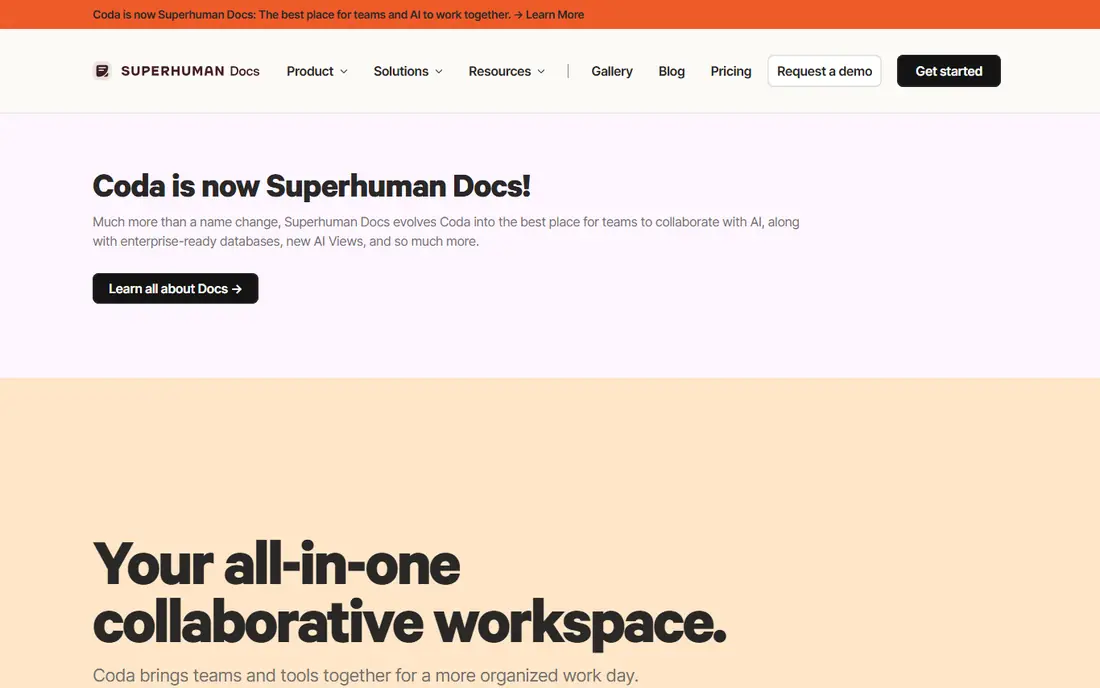
Coda treats a document as a small app. Tables act like spreadsheets, formulas pull data across tables, buttons trigger actions, and automations send updates when a row changes. That makes Coda a good fit for trackers, intake forms, and operating docs that need to stay live, not just read. Editors and viewers do not count as paid Doc Makers, which can keep costs down when only a few people build.
The model needs explanation to finance teams, since the bill depends on how many people build, not how many people read. A built-in Quip importer helps with migration, using API access where needed. For operations teams that live in trackers, Coda is often more useful than a plain doc tool.
- Powerful formulas and automations
- Editors and viewers are free
- Quip importer available
- Pricing by Doc Maker can confuse budgeting
- Smaller community than Notion
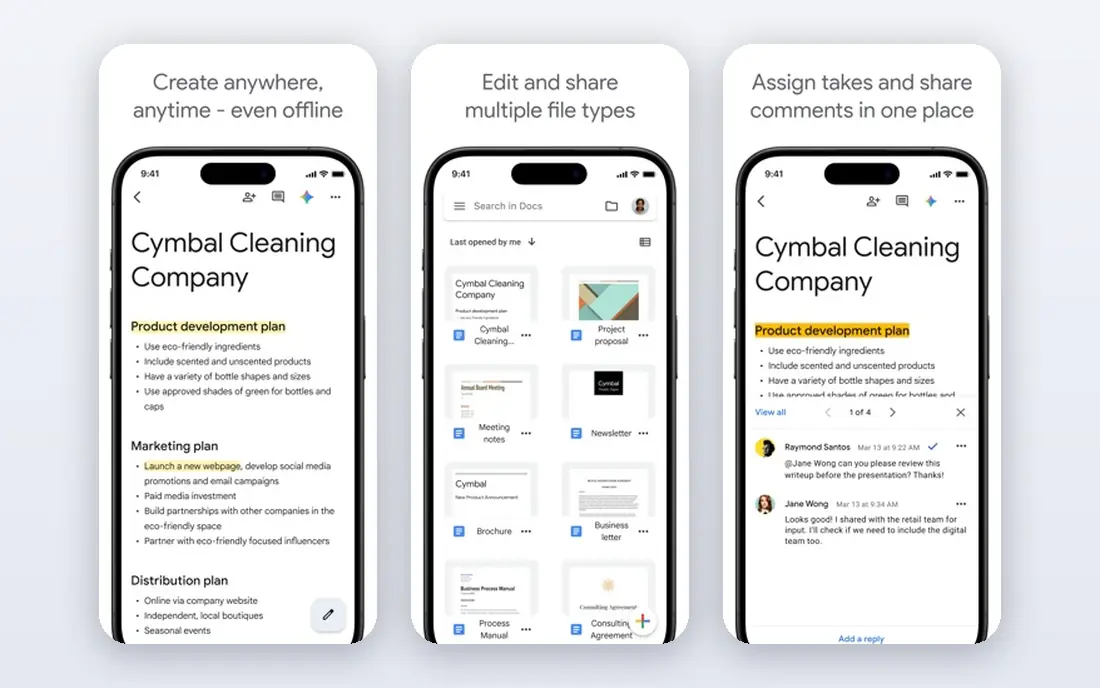
Google Docs, as part of Google Workspace, is the lowest-friction Quip alternative. Real-time editing, comments, suggestions, and version history work with almost no training, and most hires already know the interface. Business Starter, at $7 per user per month billed annually, includes Docs, Sheets, Drive, and Meet, which covers much of what a small team needs.
Docs is not a wiki or a database. Linked knowledge bases and structured trackers need Sheets, Drive folders, or a separate tool. AI help in Docs starts on higher Workspace plans. For teams that mainly write, review, and share documents, Google Docs is the simplest and safest switch.
- Reliable real-time editing
- Comments and suggestions built in
- Familiar to most users
- Weak database and wiki structure
- AI features need higher Workspace plans
Confluence is Atlassian's wiki and knowledge base, and it fits best where Jira already runs the work. Pages live in spaces, templates cover meeting notes and project plans, and Jira issues can be linked and shown inside pages. The free plan covers up to 10 users, which makes it easy for small teams to start.
The editor is more structured and less flexible than Notion or Coda, which some teams find dated. Pricing also uses team-size bands on Standard, so the per-user cost changes with team size. For engineering and product teams that need a durable knowledge base next to Jira, Confluence is a practical choice.
- Structured pages and spaces
- Strong Jira integration
- Free for up to 10 users
- Editor feels dated next to Notion
- Standard pricing uses team-size bands
ClickUp combines docs with tasks, goals, timelines, and time tracking. Docs can link to tasks, embed tables, and sit inside the same project as the work they describe, which reduces the gap between a plan and its execution. The Unlimited plan, at $7 per user per month billed annually, covers most team needs, and the free plan is generous.
The breadth is also the drawback. Teams that only need docs may find ClickUp busy, with many views and settings to ignore. For teams that want docs and project work in one place, and that already track deadlines in ClickUp, the docs feature is a useful addition rather than a separate purchase.
- Docs linked to tasks and goals
- Strong project views
- Free plan covers many users
- Feature range can feel busy
- Docs alone are less polished than Notion
Nuclino is built for speed. Teams create a wiki, add pages, link them together, and edit in real time, with almost no setup. The interface stays clean, which helps adoption in teams that found Notion or Confluence too heavy. The Starter plan, at $6 per user per month, covers most small-team wiki needs.
Depth is limited. Nuclino does not match Coda for formulas and automations, or Notion for databases. Note also that guests and read-only members count as users on paid plans, which affects budgeting. For a simple internal wiki that people actually use, Nuclino is a strong and affordable pick.
- Very fast and simple wiki
- Real-time editing
- Easy to learn
- Limited database and automation depth
- Guests count as users on paid plans
Airtable suits teams whose docs are really trackers: content calendars, client lists, inventory, and project pipelines. Tables link to each other, views switch between grid, kanban, calendar, and gallery, and Interfaces let non-technical users work with the data without seeing the full base. The Team plan, at $20 per seat per month billed annually, is the common entry point for business teams.
Long-form writing is secondary here. Airtable is not the best place to draft a policy or a long report, and its price per seat is higher than Notion or ClickUp. For teams that need structured data with docs attached, rather than docs with a few tables, Airtable fits well.
- Relational tables with many views
- Interfaces for non-technical users
- Strong integrations
- Higher price per seat
- Document writing is secondary to data
Obsidian is different from the other tools here, since it is personal first. Notes are plain Markdown files stored on the user's device, with links forming a graph of ideas. Plugins add calendars, canvases, tasks, and many other functions. The app itself is free, with Sync from $4 per month and Publish from $8 per month billed annually, plus a commercial license for business use.
Team collaboration is the limit. Obsidian does not offer the same real-time multi-user editing as Notion or Google Docs, and shared workspaces need sync or a separate setup. For individuals, researchers, and writers who value ownership and privacy, Obsidian is an excellent Quip alternative for personal notes, even if it is not a full team wiki.
- Notes are local Markdown files
- Large plugin range
- Free for personal use
- Real-time team collaboration is limited
- Sync and publish are paid add-ons
Zoho Writer is a capable online word processor with real-time collaboration, comments, and version history. It fits teams that already use Zoho Workplace or Zoho apps, since documents, mail, and storage sit in the same suite. A free tier covers basic use, with paid Workplace plans adding more storage and admin controls.
The template and integration range is smaller than Google Docs, and Zoho Writer is not a wiki or database tool. Teams that need structured knowledge bases should pair it with another tool or pick Notion or Confluence. For low-cost document editing with solid collaboration, Zoho Writer is a practical option.
- Full document editor with collaboration
- Part of the wider Zoho suite
- Free tier available
- Smaller template and integration range than Google Docs
- Wiki features are limited
How we picked these
We compared official product pages, pricing pages, and independent workspace guides current in October 2026. We required a live product, real-time or shared editing, and a clear fit for team docs, wikis, or project-linked writing. We did not claim hands-on testing. Prices are annual-billing list prices where stated, and they can change.
What to check before you switch
Start with the job, not the tool. If the main job is writing and reviewing documents, Google Docs or Zoho Writer will be enough. If the main job is a shared wiki, Notion, Confluence, or Nuclino fit better. If the main job is trackers and operations, Coda or Airtable fit better. If the main job is project execution, ClickUp covers docs and tasks together.
Check migration and permissions next. Export Quip docs, test the import in the new tool, and confirm that formatting, tables, and comments survive. Check who can view, edit, and share each space, and confirm guest pricing, since some tools count guests as paid users. Run one real project in the new tool for two weeks before moving the whole workspace.
Cost and adoption
Count paid users under each pricing model, not just headcount. Coda charges Doc Makers, Confluence uses team-size bands, and Nuclino counts guests. Adoption matters as much as price: the simplest tool that the team actually opens every day will beat a powerful tool that sits unused.
Frequently asked questions
Can I import Quip documents into these tools?
Yes, in most cases. Coda offers a built-in Quip importer, Notion and ClickUp support Markdown and CSV imports, and Google Docs accepts common document formats. Test a sample set first, since complex tables and embedded sheets may need cleanup.
Which Quip alternative is best for Salesforce teams?
Quip itself is a Salesforce product, so teams deeply tied to Salesforce should check current Quip terms before moving. Among the alternatives here, Coda and Notion integrate with Salesforce through automation tools, while Google Docs and Confluence fit teams that keep CRM and docs separate.
Which alternative is free?
Google Docs, Obsidian, and Zoho Writer all offer free tiers, and Notion, Coda, ClickUp, Nuclino, Airtable, and Confluence offer free plans with limits. Check user limits, storage, and feature caps before relying on a free plan for a whole team.
Is Notion better than Coda?
Notion suits docs, wikis, and linked databases with a large template range. Coda suits docs that need formulas, buttons, and automations to act like small apps. The better pick depends on whether your team writes more pages or builds more trackers.
Which alternative works best offline?
Obsidian works fully offline, since notes are local files. Google Docs, Notion, and Coda offer offline features on some plans and devices, but they are cloud-first. Check offline support for your devices before choosing a cloud tool for field work.
Sources
See where you really rank - block by block
ProMapRanker scans Google Maps across a grid of your service area. Simple monthly plans from $19, white-label on every plan.
Start freeKeep reading
 zoro.to alternatives
Best Zoro.to Alternatives in 2026
We compare the best zoro.to alternatives in 2026, listing only legal licensed anime streaming services, from Crunchyroll to free options for fans today.
Read → zip alternatives
Best Zip Alternatives in 2026
We compare the best zip alternatives for buy now, pay later in 2026, covering pay-in-4 plans, fees, spending limits, and credit reporting options today.
Read → yesware alternatives
Best Yesware Alternatives in 2026
Compare the best yesware alternatives for sales email tracking, templates, and sequences, with current pricing and honest tradeoffs for small sales teams.
Read →