 ProMapRanker
Best Prerender Alternatives in 2026

Key takeaways
- Managed services such as SEO4Ajax and Encited suit teams that want rendering without running their own browser fleet.
- Frameworks such as Next.js and Nuxt are the better long-term answer for new projects, because they render pages at build time or on the server.
- DIY tools such as Playwright and Browserless give full control, but they also hand you the hosting, caching, and monitoring work.
- We left out archived tools, including Rendertron and Rendora, because they are no longer maintained as live products.
Quick comparison
| Pick | Great for | Pricing starts at | Free tier | |
|---|---|---|---|---|
 SEO4Ajax | Managed prerendering for SPAs | $29 per month | Yes | Visit |
 Encited | Edge prerendering and AI crawler output | See website | Free trial | Visit |
 SnapSearch | Usage-based prerendering | See website | Yes | Visit |
 Browserless | Cloud headless browsers for custom rendering | Free | Yes | Visit |
 Botify | Enterprise rendering with log analysis | See website | No | Visit |
 seoClarity Bot Optimizer | Large sites and AI crawler coverage | See website | No | Visit |
 Next.js | React sites moving to server rendering | Free | Yes | Visit |
 Nuxt | Vue sites moving to server rendering | Free | Yes | Visit |
 Playwright | Building your own rendering service | Free | Yes | Visit |
The best prerender alternatives
Prerender serves rendered HTML to crawlers that cannot run JavaScript well. The tools below either do that job directly, or they remove the need for it by rendering pages properly in the first place.
SEO4Ajax is the closest like-for-like managed replacement for many small and mid-sized single-page apps. It crawls your site with a real browser, serves rendered pages to search engines and social crawlers, and claims to need no code changes on your site. That matters for teams with a legacy app they cannot easily rewrite.
The starting price of $29 per month makes it one of the cheaper managed options, and a free version is listed. The limit to watch is scale. Page allowances, cache refresh speed, and support response matter more than the headline price once your site grows past a few thousand pages, so test those points on a trial before you commit.
- Managed service with no code changes claimed
- Supports React, Vue, and Angular
- Free version available
- Smaller vendor than the enterprise platforms
- Pricing scales with pages
- Check cache refresh terms
Encited positions itself as a content delivery layer with prerendering built in. It serves fully rendered HTML to search engines and a clean markdown version to AI agents, from the edge, which should cut response time for crawlers. The service offers a 14-day free trial and says you can cancel before it ends.
The main drawback is pricing transparency. We could not verify a published starting price from the vendor page, so we list it as See website. Encited also needs a DNS change for its proxy setup, which is simple for some teams and a security review item for others. It suits sites that care about AI crawler visibility as well as classic search indexing.
- Edge delivery for fast bot responses
- Serves clean output for AI agents
- 14-day free trial
- Price is not published on the main page we checked
- Newer vendor
- DNS change needed for setup
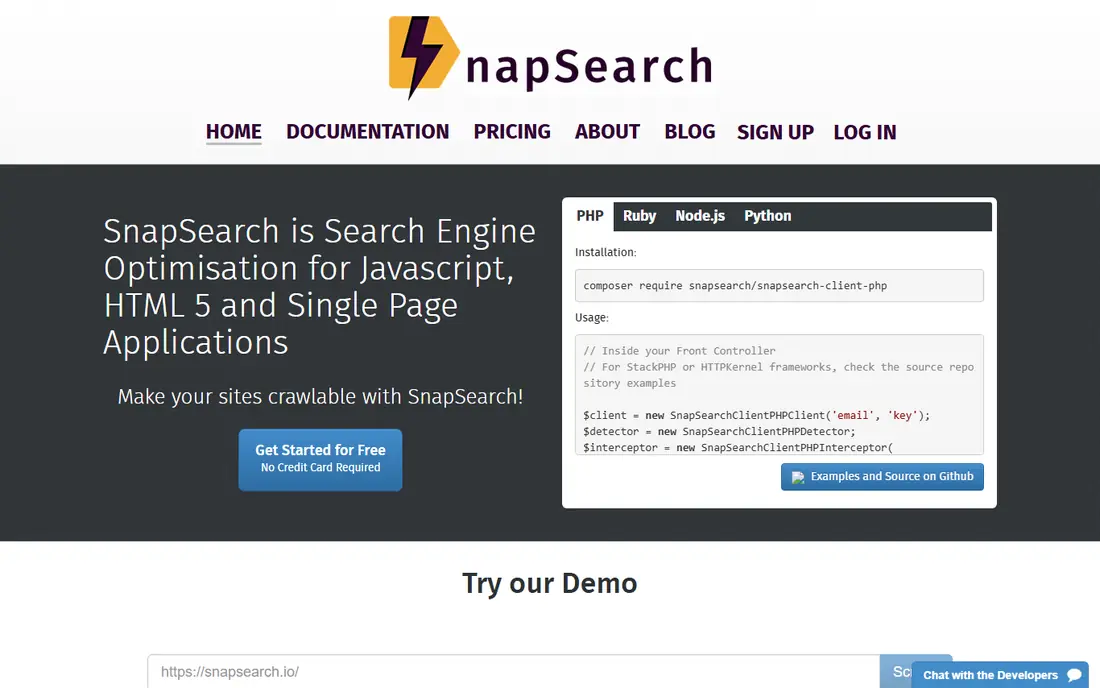
SnapSearch offers prerendering on a usage basis, with a free allowance reported for small sites. That model suits sites with uneven crawler traffic, where a flat monthly plan would waste money in quiet months. It aims to cover search engines and social crawlers for JavaScript apps without a rewrite.
The trade-off is forecasting. Usage billing rewards low traffic and punishes sudden crawler spikes, so you need alerts on usage and a clear sense of your monthly bot volume. Confirm which bots are covered, how often the cache refreshes, and what happens when you pass the free allowance, before you point production traffic at it.
- Usage-based billing can suit variable traffic
- Free allowance for small sites
- Works across frameworks
- Pricing depends on usage, so costs are harder to forecast
- Smaller public profile
- Check bot coverage
Browserless is not a drop-in prerendering service. It gives you managed headless Chrome in the cloud, and your team builds the middleware that detects bots, renders pages, and caches the result. That is a strength for engineering teams that want control over caching rules, headers, and rendering logic.
A free Hobby tier is listed, with paid plans starting higher for larger workloads. The real cost is engineering time. If your team has no spare capacity to build and monitor a rendering service, a managed option such as SEO4Ajax or Encited will be cheaper in practice, even if Browserless looks cheaper on paper.
- Cloud browsers without managing your own fleet
- API access
- Free Hobby tier listed
- You still build the middleware, caching, and bot detection
- Paid tiers rise quickly with volume
Botify is an enterprise platform for very large sites, and its SpeedWorkers product offers rendering at the edge. The value is not rendering alone. Botify pairs rendering with crawl data and log analysis, so large teams can see which pages bots actually visit and which rendered pages need attention.
That scope comes with enterprise pricing and a sales process, so small teams should not start here. For sites with millions of pages, though, the combination of rendering and log insight can justify the cost, because it helps you spend crawl budget on pages that matter rather than on template or duplicate pages.
- Enterprise scale and log analysis alongside rendering
- Edge rendering through SpeedWorkers
- Strong reporting
- Enterprise pricing, quoted on request
- Overkill for small sites
- Setup needs vendor involvement
seoClarity Bot Optimizer is aimed at large sites that want edge prerendering without changing front-end code. Its docs list search bots and AI crawlers, including OpenAI, Perplexity, Gemini, and Google AI crawlers, as selectable targets. That breadth matters in 2026, when AI crawlers read raw HTML and often do not run JavaScript at all.
Pricing is custom, so this is a shortlist item for larger organisations, not a quick self-serve purchase. If your site is under a few thousand pages, a cheaper managed service will do the same core job. If you manage a large catalogue site and need reporting across bot types, seoClarity is worth a demo.
- Edge prerendering without front-end changes claimed
- Selectable search and AI crawlers
- Enterprise reporting
- Custom pricing only
- Aimed at large sites
- Needs a platform commitment
Next.js is the long-term answer for many React teams. Instead of serving one version of a page to users and a rendered copy to bots, Next.js renders pages on the server or at build time, so crawlers and users see the same HTML. That removes a whole class of indexing problems and often improves speed for real visitors too.
The cost is migration. Moving a large single-page app to Next.js is real engineering work, and it only pays off if you plan to keep the site for years. For a new React project, start here. For a legacy app you cannot rewrite, use a managed prerendering service first and plan the migration separately.
- Free open source framework
- Server rendering and static generation built in
- Large ecosystem
- Requires a React rewrite or migration
- Hosting and caching are your job
- Learning curve for large apps
Nuxt plays the same role for Vue that Next.js plays for React. It gives Vue apps server rendering, static generation, and a structured way to build pages that crawlers can read without a separate rendering layer. Vue teams often find Nuxt easier to adopt than a generic rendering service, because it fits the framework they already use.
As with Next.js, the trade-off is migration effort. A small Vue app can move quickly, while a large legacy app needs a phased plan. If you are starting a new Vue project and SEO matters, Nuxt should be the default choice, and prerendering services become a fallback for pages you cannot yet render properly.
- Free open source framework for Vue
- Server rendering and static generation
- Clear docs for Vue teams
- Vue only, so React teams gain nothing
- Migration effort for legacy apps
- Hosting is separate
Playwright is a free library for automating real browsers, and many teams use it as the core of a home-grown prerendering service. It handles modern JavaScript well, it works across browser engines, and it has a large community and clear documentation. A small team can prototype a renderer in days.
The catch is operations. Playwright does not give you bot detection, caching, cache invalidation, or a hosted fleet. You need to add all of that, monitor browser crashes, and handle crawler spikes. Playwright suits teams with DevOps capacity and unusual rendering needs. Other teams should buy a managed service and spend their engineering time on the site itself.
- Free open source browser automation
- Supports Chromium, Firefox, and WebKit
- Strong docs and community
- You build and run everything
- Browser fleet needs monitoring
- No managed caching or bot routing
How we picked these
We compared official product pages, pricing pages, and current documentation, and we checked maintenance status in October 2026. Tools that are archived or unmaintained, including Rendertron and Rendora, were left out even though older guides still list them. We kept managed services, enterprise edge options, frameworks, and DIY libraries, because the right replacement depends on your team size and on whether you can rewrite the site.
What to check before you choose
Start with the honest question of whether you need prerendering at all. Google itself describes dynamic rendering as a bridge, not a destination, and a new project should use server rendering or static generation from the start. Prerendering earns its place for a legacy app you cannot rewrite, for AI crawlers that do not run JavaScript, and for social crawlers that need rendered meta tags.
If you do need it, check bot coverage first. List the crawlers that matter to you, including AI crawlers, and confirm each service covers them. Then check cache behaviour: how fast a changed page refreshes, what happens on a render failure, and whether stale pages can be served. Finally, run a trial on a subset of pages and check your search console and server logs, rather than trusting a vendor demo.
Frequently asked questions
What is prerendering?
Prerendering means serving a fully rendered HTML version of a JavaScript page to crawlers, while human visitors get the normal app. It helps crawlers that cannot run JavaScript well to read your content, titles, and meta tags, which improves indexing for single-page apps.
Is Prerender still a good choice?
Prerender itself remains a managed option, but this guide covers alternatives for teams that want different pricing, edge delivery, AI crawler coverage, or a framework move. The best choice depends on your site size, your team, and whether a rewrite is possible.
Should I use a managed service or a framework?
Use a managed service if you have a legacy app you cannot rewrite soon. Use Next.js or Nuxt if you are building a new React or Vue project, or if you have the budget for a migration, because server rendering removes the need for a second rendering path.
Do AI crawlers need prerendering?
Many AI crawlers read raw HTML and do not run JavaScript, according to recent crawler research. That makes rendered HTML more important for AI visibility, even for sites that already rank well in classic search. Check that your chosen service lists the AI crawlers you care about.
Why did you leave out Rendertron?
Rendertron was archived in 2022 and is no longer maintained as a live product. Listing it as a current alternative would mislead teams into building on unmaintained code, so we left it out and focused on maintained services and frameworks.
How do I test a prerendering service?
Run it on a test section first, then check rendered output with a crawler test tool, confirm titles and meta tags appear in the HTML, and watch server logs for bot requests. Compare indexing and crawl stats before and after, and set up alerts for render failures.
Sources
See where you really rank - block by block
ProMapRanker scans Google Maps across a grid of your service area. Simple monthly plans from $19, white-label on every plan.
Start freeKeep reading
 zscaler alternatives
Best Zscaler Alternatives in 2026
Looking for zscaler alternatives? We compare 9 SASE and zero trust platforms on architecture, data protection, pricing, and fit for your network and team.
Read → zapier alternatives free
Best Zapier Alternatives Free in 2026
Nine automation tools for zapier alternatives free in 2026, all with genuinely free tiers, plus free plan limits, starting prices and upgrade paths explained.
Read → which platform is best for online reputation
Which Platform Is Best for Online Reputation in 2026
Wondering which platform is best for online reputation? We compare 8 review, listing, and response tools for small and multi-location businesses and agencies.
Read →