 ProMapRanker
Best Plesk Alternatives in 2026

Key takeaways
- cPanel suits shared and reseller hosting, while DirectAdmin suits budget hosts that want a lighter commercial panel.
- CyberPanel, CloudPanel, aaPanel, ISPConfig, HestiaCP and Virtualmin offer free cores that suit self-managed servers.
- CloudPanel has no built-in email hosting by design, so email-focused hosts should shortlist a different panel.
- Licence cost grows with accounts and servers, so price the panel at your expected scale, not just at launch.
- Plesk itself is not listed here, since this guide covers alternatives only.
Quick comparison
| Pick | Great for | Pricing starts at | Free tier | |
|---|---|---|---|---|
 cPanel | Shared and reseller hosting | See website | Free trial | Visit |
 DirectAdmin | Lightweight commercial panel | $5 per month | No | Visit |
 CyberPanel | WordPress and LiteSpeed hosting | Free | Yes | Visit |
 CloudPanel | Fast Nginx cloud hosting | Free | Yes | Visit |
 aaPanel | Beginner-friendly server panel | Free | Yes | Visit |
 ISPConfig | Multi-server hosting | Free | Yes | Visit |
 HestiaCP | Free panel for small hosts | Free | Yes | Visit |
 Virtualmin | Experienced system admins | Free | Yes | Visit |
 RunCloud | Managed server deployment | $9 per month | Free trial | Visit |
The best Plesk alternatives
We compared hosting control panels on pricing, operating system support, email, WordPress tools, resource use and support, using official panel pages and public panel comparisons. Plesk itself is not listed here, since this guide covers alternatives only.

cPanel with WHM remains the default panel for shared and reseller hosting in many hosting businesses. WHM handles server and reseller management, while cPanel gives each account a familiar interface for files, email, databases and domains. That familiarity matters when clients move hosts, since many already know cPanel.
Cost and weight are the drawbacks. Pricing is tiered by account count, so a growing host pays more as accounts grow, and cPanel uses more resources than lightweight panels. It also runs on Linux only, so Windows hosting needs another panel. For hosts that sell shared accounts at scale, cPanel is still the safest mainstream choice.
- Industry-standard WHM and account tools
- Wide host and plugin support
- Familiar interface for clients
- Licence cost rises with account count
- Heavier on small servers
- Linux only
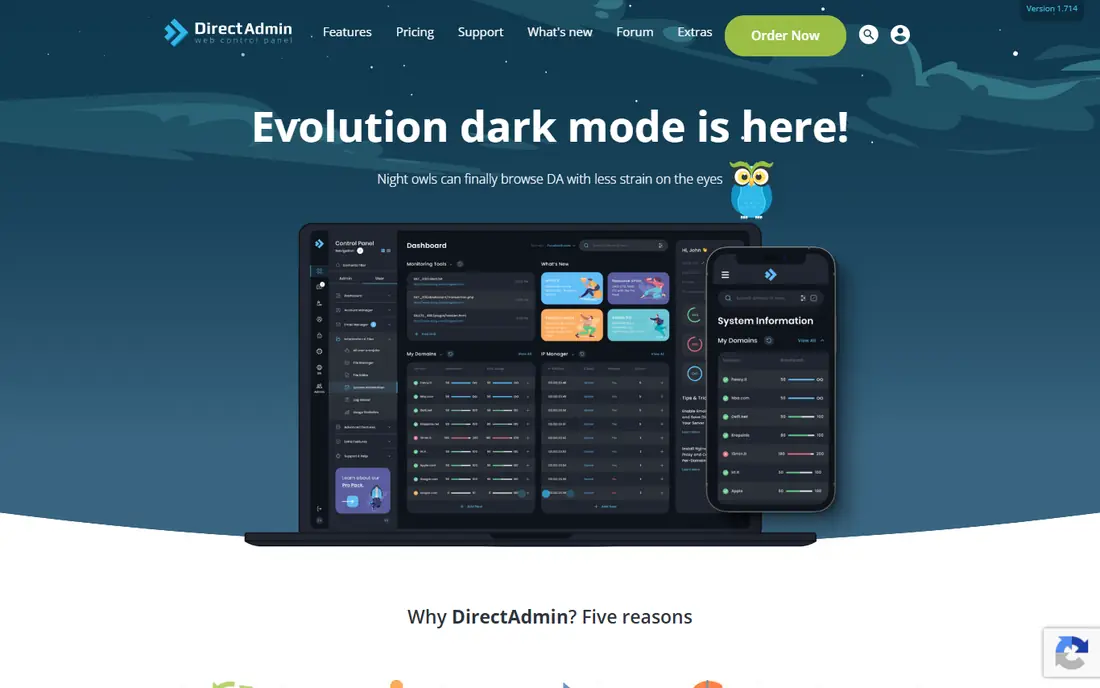
DirectAdmin suits hosts that want a commercial panel without cPanel pricing or weight. The panel runs well on smaller VPS servers, covers websites, email, DNS and databases, and offers reseller features for small hosts. Licence tiers start low in public summaries, with a Lite tier around $5 per month.
The ecosystem is smaller. Fewer third-party plugins and integrations exist than for cPanel, and the interface feels plainer, though it is clear once learned. Migration from cPanel is possible but needs testing for each account type. For budget hosts and resellers, DirectAdmin offers a strong balance of cost, speed and support.
- Lightweight and fast on small servers
- Lower licence cost than cPanel
- Email, DNS and database tools included
- Smaller plugin ecosystem
- Interface is plainer than cPanel
- Migration tools vary by source panel

CyberPanel is built around OpenLiteSpeed, which gives WordPress and WooCommerce sites fast performance without a separate caching stack. The free core covers websites, email, DNS, databases and backups, and one-click WordPress installs speed up new sites. That combination makes it popular with WordPress hosts and agencies.
The panel needs care. The interface is less polished than cPanel or Plesk, and administrators should patch promptly and follow security guidance. Some advanced LiteSpeed features require the paid Enterprise version. For WordPress-focused hosts comfortable with server administration, CyberPanel is a high-value free option.
- Free open-source core
- OpenLiteSpeed performance for WordPress
- Email, DNS and backups included
- Interface is less polished than commercial panels
- Free version needs disciplined patching
- Some features need LiteSpeed Enterprise
CloudPanel suits developers who host apps and sites on cloud VPS servers and want speed over breadth. The panel uses Nginx, supports multiple PHP versions and offers a clean interface for sites, databases and cron jobs. It is free to use, which makes it attractive for single-server projects and agencies with many small sites.
Email is the key limit. CloudPanel does not include built-in email hosting by design, so hosts that need mailboxes must use an external mail service. The panel also focuses on Nginx and single-server use rather than large reseller operations. For app and WordPress hosting without email, CloudPanel is fast and simple.
- Free to use
- Fast Nginx stack for cloud VPS
- Clean modern interface
- No built-in email hosting by design
- Nginx only
- Multi-server and reseller tools are limited
aaPanel suits beginners and developers who want a visual panel for a Linux VPS without paying for a licence. The free core installs web stacks with one click, lets each site choose Nginx, Apache or OpenLiteSpeed, and supports Docker, Node.js and Python apps. That flexibility helps developers who host varied projects on one server.
Paid Pro add-ons cover some advanced features, so the free core is not the full product. Security also depends on keeping the panel and system updated, as with any free panel. For solo developers and small teams who want an accessible free panel, aaPanel is easy to start with.
- Free core with one-click stacks
- Nginx, Apache or OpenLiteSpeed per site
- Docker, Node.js and Python support
- Some add-ons are paid Pro features
- Security depends on prompt updates
- Documentation quality varies
ISPConfig suits hosting providers and agencies that run multiple servers. The free panel supports multi-server setups, reseller accounts, client permissions, email, DNS and websites in one system. That depth makes it a long-standing choice for professional hosts who want full control without licence fees.
Beginners will find it harder than aaPanel or CloudPanel. The interface looks dated, and installation needs Linux knowledge and careful configuration. Community support replaces vendor support, so teams need in-house skills. For experienced hosts who want a free multi-server panel, ISPConfig is a proven option.
- Free and open source
- Multi-server and reseller support
- Strong permissions and mail, DNS and web tools
- Interface looks dated
- Harder for beginners
- Setup needs Linux experience
HestiaCP, a fork of VestaCP, suits freelancers and small hosts who want a free panel with a clean interface. It covers websites, email, DNS, databases and backups, using Nginx in front of Apache with PHP-FPM. That stack handles WordPress and general PHP sites well on a small VPS.
Advanced features are thinner than at commercial panels, and support comes from the community rather than a vendor. Migration from other panels often needs manual work for complex accounts. For personal sites, freelancers and small hosts who want a free, tidy panel, HestiaCP is a practical choice.
- Free and open source
- Clean interface for sites, mail and DNS
- Nginx with Apache and PHP-FPM
- Fewer advanced plugins
- Community support only
- Migration tools are basic
Virtualmin suits experienced system administrators who want deep control over virtual servers. Built on Webmin, it manages websites, email, databases, DNS and users with fine-grained permissions, and the Pro edition adds more features and support. That depth helps admins who run custom stacks or many virtual hosts.
The interface is dense, and first setup takes longer than with a beginner panel. New users may feel overwhelmed by the number of options. For admins who value control over simplicity and already know Webmin, Virtualmin is a flexible free panel with a clear upgrade path to Pro.
- Free GPL core with a paid Pro edition
- Deep control over virtual servers
- Webmin system tools included
- Interface is dense for beginners
- Setup takes time
- Pro features cost extra
RunCloud takes a server management angle rather than a classic shared hosting panel. It connects to cloud servers from providers such as DigitalOcean, Vultr and AWS, deploys WordPress and PHP apps, and handles Nginx, PHP, SSL and backups. Agencies that manage many client servers from one dashboard often prefer this model.
Email hosting is not built in, so mail needs an external service. Pricing is per server, starting around $9 per month in public summaries, which adds up across many servers. Shared reseller hosting with per-client cPanel-style accounts is also not its main strength. For agencies managing cloud servers, RunCloud is a modern alternative to a classic panel.
- Server management across cloud providers
- WordPress and app deployment tools
- Team and staging features in higher plans
- No built-in email hosting
- Per-server pricing adds up for many servers
- Less suited to shared reseller hosting
How we picked these
We compared official panel pages, pricing pages and public panel comparisons for control panels that are open to new users in October 2026. We kept only panels that manage websites on a VPS or dedicated server, with clear pricing or a free core. We left out Plesk itself and panels that are discontinued or have no clear current release.
We gave weight to price at scale, resource use, email support, WordPress tools, multi-server ability and support model. We did not claim hands-on installs on live servers. Panel pricing and features change, so confirm the current licence, operating system support and email terms on the panel site before installing.
How to choose a hosting panel
Decide who will use it
A reseller host needs per-client accounts and billing-friendly tools, while a developer needs fast deployment and app support. A beginner needs a clear interface and good documentation, while an experienced admin can handle a dense panel with more control.
Check email and operating system needs
If clients need mailboxes, shortlist panels with built-in email and avoid CloudPanel and RunCloud for that use. If you run Windows Server, note that most panels here are Linux only, which makes Plesk or a Windows-specific panel a different conversation.
Price it at scale and test migration
Price licences at the number of accounts and servers you expect in a year, not only today. Test migration with a real site, mailbox and database before switching, since import success varies by source panel and account type.
Frequently asked questions
What is the best free Plesk alternative?
CyberPanel, CloudPanel, aaPanel, ISPConfig, HestiaCP and Virtualmin all offer free cores, but the best choice depends on your needs. CyberPanel suits WordPress, CloudPanel suits Nginx app hosting without email, and ISPConfig suits multi-server hosting.
Is cPanel better than Plesk?
Neither is better for every host. cPanel suits Linux shared and reseller hosting with a familiar client interface, while Plesk suits mixed Linux and Windows hosting and developer workflows. This guide focuses on Plesk alternatives, with cPanel as the leading commercial option for Linux hosts.
Do I need a control panel for a VPS?
No, you can manage a VPS from the command line, but a panel saves time for routine tasks such as adding sites, SSL certificates, databases and email accounts. A panel also helps teams where not everyone is comfortable with Linux commands.
Which panel is best for WordPress hosting?
CyberPanel and RunCloud suit WordPress hosting, with CyberPanel offering LiteSpeed performance and RunCloud offering deployment and staging tools. cPanel and DirectAdmin also host WordPress well, especially for shared and reseller plans.
Can I migrate from Plesk to another panel?
In many cases, yes, but migration success varies by panel and account complexity. Test with a copy of a real site, including files, databases, mailboxes and DNS, before moving production sites. Keep backups and the old server running until the move is confirmed.
Are free panels secure?
Free panels can be secure when they are actively maintained and promptly patched, but security depends on administrator habits. Restrict admin access, enable two-factor authentication where offered, keep the panel and system updated, and use a firewall.
Sources
See where you really rank - block by block
ProMapRanker scans Google Maps across a grid of your service area. Simple monthly plans from $19, white-label on every plan.
Start freeKeep reading
 zyte alternatives
Best Zyte Alternatives in 2026
These zyte alternatives cover managed scraping APIs, proxy networks and no code tools for lawful collection from your own or consented sources only in 2026.
Read → zerto alternatives
Best Zerto Alternatives in 2026
Compare the best zerto alternatives for disaster recovery and replication, with recovery targets, cloud options and honest trade-offs for teams in 2026.
Read → zerofox alternatives
Best ZeroFox Alternatives in 2026
We compared 9 zerofox alternatives for brand protection, phishing takedowns, dark web monitoring, and social impersonation, with clear coverage notes.
Read →