 ProMapRanker
Pipefy Alternatives in 2026: 9 Tools Compared

Key takeaways
- Pipefy alternatives split into visual work boards, repeatable process tools, and full workflow platforms.
- Process Street and Kissflow suit repeatable, approval-heavy processes, while monday.com and Asana suit project work.
- Pricing models differ: some charge per user, some per seat with minimums, and some quote for business plans.
- Test request forms, approvals, and reporting on a real process before migrating, since those features vary most.
Quick comparison
| Pick | Great for | Pricing starts at | Free tier | |
|---|---|---|---|---|
 monday.com | Visual boards and automations | See website | Yes | Visit |
 Asana | Cross-team work management | See website | Yes | Visit |
 ClickUp | All-in-one work platform | See website | Yes | Visit |
 Wrike | Enterprise project workflows | See website | Yes | Visit |
 Smartsheet | Spreadsheet-style tracking | See website | Free trial | Visit |
 Process Street | Repeatable processes and checklists | See website | Free trial | Visit |
 Kissflow | No-code approval apps | See website | Free trial | Visit |
 Trello | Simple kanban boards | See website | Yes | Visit |
 Jira | Software and IT workflows | See website | Yes | Visit |
The best Pipefy alternatives
Pipefy is a workflow and process management tool built around pipes, request forms, and automations for repeatable business processes. Alternatives differ in whether they prioritise visual project boards, checklist-style processes, or enterprise workflow control. We compared official feature and pricing pages for tools that cover similar process work.

monday.com is the most popular Pipefy alternative for teams that want visual work management. Boards, timelines, dashboards, and automations cover project tracking, request handling, and team workflows in one place. Its templates help teams start quickly, and integrations connect boards to email, CRM, and file tools.
The catch is pricing structure and automation limits. Some paid tiers require a minimum number of seats, and automation actions are capped by plan, so high-volume workflows need a higher tier. For teams that want a visual, flexible board system with strong automations, monday.com remains a strong first demo.
- Visual boards with many views
- Prebuilt automation recipes
- Broad integration library
- Paid plans have seat minimums on some tiers
- Automation limits vary by plan and need checking

Asana suits cross-team work where tasks, projects, and workflows need shared visibility. Workflow templates, bundles that apply templates and rules across projects, and dashboards help standardise work without rebuilding each project. Teams can link forms, tasks, and approvals into a clear process flow.
Advanced automation and reporting features sit in higher plans, so small teams should check tier limits before assuming full automation access. Asana is also broader than a pure process tool, which can feel busy for a single repeatable workflow. For organisations that manage projects and processes together, Asana offers a balanced platform.
- Many workflow templates and bundles
- Reporting dashboards
- Strong cross-team collaboration
- Advanced automations and features sit in higher tiers
- Can feel busy for very simple processes
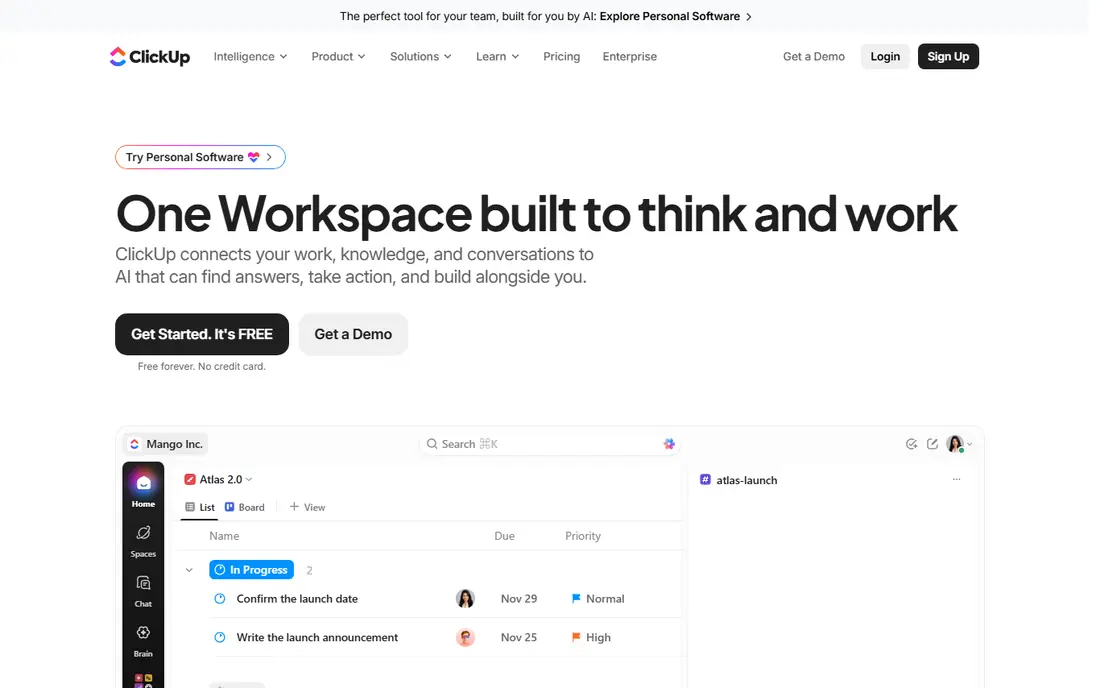
ClickUp appeals to teams that want one platform for tasks, docs, goals, and workflows instead of several tools. Automations can move tasks, assign owners, and update statuses, while forms capture requests from outside the team. A free tier lets small teams start without a licence commitment, and paid plans add higher automation limits.
Breadth is also the risk. ClickUp packs in so many features that new users can spend weeks configuring before work feels simple. Start with one workflow, a small set of views, and clear ownership. For teams that want an all-in-one replacement for Pipefy plus project tools, ClickUp is a cost-effective option.
- Docs, tasks, goals, and automations in one place
- Free tier for small teams
- Many views and integrations
- Feature breadth can overwhelm new users
- Setup needs discipline to stay simple
Wrike suits larger teams that need custom workflows, approvals, and reporting across many projects. Custom fields, workflow statuses, and automation rules help standardise intake and delivery, while dashboards and workload views show bottlenecks. Enterprise security and admin controls suit regulated or large organisations.
Wrike is heavier than a simple board tool, and pricing tiers carry minimums and feature gates that need checking. Small teams may find it more than they need for a handful of processes. For enterprise project and process work with complex approvals, Wrike offers control and visibility that simpler boards lack.
- Customisable workflows and approvals
- Enterprise security and reporting
- Workload and resource views
- Paid plans have seat minimums on some tiers
- Learning curve is steeper than Trello or monday.com
Smartsheet fits teams that think in rows and columns but need workflow controls on top. Sheets can hold requests, approvals, and project data, while forms, automated alerts, and approval flows move work forward. Reporting and dashboards roll up data across sheets, which helps managers track many processes at once.
The main limits are pricing and style. Smartsheet offers a trial rather than a permanent free business plan, and teams that prefer kanban boards may find sheets less visual. For finance, operations, and project teams comfortable with spreadsheets, Smartsheet turns familiar tables into controlled workflows.
- Familiar spreadsheet interface with workflow features
- Forms, approvals, and automation
- Strong reporting
- No permanent free plan for most business use
- Interface feels less visual than kanban boards for some teams
Process Street is the closest Pipefy alternative for teams that run the same process repeatedly and need proof that each step happened. Workflows use checklists, conditional logic, approvals, and assignments, so onboarding, compliance, and service processes stay consistent across staff. Audit trails show who completed each step and when.
It is less suited to free-form project work than a board tool, so teams that need both should pair it with a project platform or choose a broader tool. For operations, HR, finance, and compliance teams that value repeatability and accountability, Process Street is a focused and practical choice.
- Checklist workflows with conditional logic and approvals
- Audit-ready tracking
- AI-assisted workflow creation
- Less of a general project board than monday.com or Asana
- Pricing needs a trial or sales check for larger teams
Kissflow lets non-technical teams build workflow apps for approvals, requests, and business processes without code. Forms capture data, workflows route approvals, and dashboards track progress, which covers many Pipefy use cases in a single platform. Its mid-market focus keeps it accessible for operations teams without a dedicated developer.
Pricing is quoted for many plans, so budget planning needs a conversation. Kissflow also covers project, procurement, and HR workflows, which can make first setup feel broad. Teams that want to build several approval apps themselves, rather than buying a single fixed workflow, will find Kissflow flexible.
- No-code app builder for approvals and workflows
- Forms and process tracking
- Mid-market focus
- Pricing is quoted for many plans
- Breadth can make initial setup feel broad
Trello is the simplest Pipefy alternative, and that simplicity is its strength for small teams. Boards, lists, and cards track requests and tasks visually, and Butler automations can move cards, set due dates, and trigger actions. New users can start in minutes without training, which helps adoption.
Complex approval chains, conditional logic, and detailed reporting need paid plans or Power-Ups, and Trello still lacks the process depth of Process Street or Kissflow. For a team replacing a single simple Pipefy pipe with a visual board, Trello is fast and cheap. For multi-step compliance processes, choose a deeper workflow tool.
- Simple, fast kanban boards
- Easy onboarding
- Power-Ups add automation and integrations
- Limited native workflow depth for complex approvals
- Advanced features need paid plans
Jira suits software, IT, and service teams that need structured workflows with statuses, approvals, and automation. Its workflow engine handles complex routing, service requests, and incident work, and it integrates with Confluence and other Atlassian tools. A free tier covers small teams, which helps with trials.
Jira can feel heavy for business teams that only need a simple request pipe, and good configuration needs ownership. For engineering and IT operations, however, Jira offers workflow depth, automation limits that scale with plan, and reporting that Pipefy users often miss. Choose Jira when software and IT processes are the main workload.
- Powerful workflow engine for software and IT teams
- Strong Atlassian integration
- Automation and reporting
- Can feel complex for non-technical business teams
- Configuration benefits from an administrator
How we picked these
We compared official feature and pricing pages for workflow, process, and work management tools available in October 2026. We favoured tools with request forms, approvals, automations, and reporting, and we included a mix of visual boards, repeatable process tools, and enterprise platforms. We did not list Pipefy itself, and we used published pricing only where it was clear, writing See website where pricing was quoted or plan-dependent.
How to choose a Pipefy alternative
Map one real process before you demo anything: who submits it, what data is required, who approves each step, what happens on rejection, and what report managers need. Run that process in two finalists with real users, not just admins, and time how long intake, approval, and reporting take. That test reveals gaps that feature lists hide, especially around forms, conditional logic, and audit trails.
Next, check automation limits and pricing for your volume. A tool that looks cheap per user can cost more once automation actions, seats, or minimums are counted. Also check integrations for email, Slack, CRM, and accounting tools your team already uses, and confirm how data exports if you leave. Migration is easier when you export process history and templates early, rather than at the end of a contract.
Frequently asked questions
What are the best Pipefy alternatives?
monday.com and Asana lead for visual work management, Process Street leads for repeatable checklist processes, and Kissflow leads for no-code approval apps. ClickUp, Wrike, and Jira suit teams that also need project or software workflows in the same platform.
Is there a free alternative to Pipefy?
Yes, monday.com, Asana, ClickUp, Wrike, Trello, and Jira all offer free plans, though automation and reporting features may be limited on free tiers. Process Street, Kissflow, and Smartsheet offer free trials rather than permanent free business plans.
What is the best Pipefy alternative for small teams?
Trello suits very simple boards, monday.com suits visual team workflows, and ClickUp suits small teams that want docs and tasks in one place. Pick the simplest tool that covers your approval and reporting needs, since adoption matters more than feature count.
Can I migrate processes from Pipefy to another tool?
Yes, in most cases, but plan the move process by process. Export Pipefy templates and data where possible, rebuild forms and approvals in the new tool, and run both systems in parallel for one cycle before switching fully. Check export options early, since history and attachments vary by tool.
Which alternative is best for approval workflows?
Process Street and Kissflow are strong for structured approvals with audit trails, while monday.com, Asana, and Wrike handle approvals inside broader project workflows. Choose a process-first tool when approvals and compliance proof are the main requirement.
Do Pipefy alternatives integrate with Slack and Google Workspace?
Most do, either natively or through integration platforms, but depth varies. monday.com, Asana, ClickUp, and Jira offer broad integrations, while smaller tools may rely on Zapier or similar connectors for some apps. Confirm the exact integrations you need during a trial.
Sources
See where you really rank - block by block
ProMapRanker scans Google Maps across a grid of your service area. Simple monthly plans from $19, white-label on every plan.
Start freeKeep reading
 zscaler alternatives
Best Zscaler Alternatives in 2026
Looking for zscaler alternatives? We compare 9 SASE and zero trust platforms on architecture, data protection, pricing, and fit for your network and team.
Read → zapier alternatives free
Best Zapier Alternatives Free in 2026
Nine automation tools for zapier alternatives free in 2026, all with genuinely free tiers, plus free plan limits, starting prices and upgrade paths explained.
Read → which platform is best for online reputation
Which Platform Is Best for Online Reputation in 2026
Wondering which platform is best for online reputation? We compare 8 review, listing, and response tools for small and multi-location businesses and agencies.
Read →