 ProMapRanker
Best Pinterest Alternatives Without AI in 2026

Key takeaways
- Are.na and Cosmos are the closest calm replacements for Pinterest, with no ads, no likes, and no feed deciding what you see next.
- Behance and Dribbble suit design discovery, while Milanote suits client mood boards and Raindrop.io suits private bookmark collections.
- Some tools here offer AI features, but those features are optional, separate, or easy to ignore, and each entry below says so plainly.
- No single tool replaces every part of Pinterest, so pick the job first: discovery, saving, or sharing a board with a client.
Quick comparison
| Pick | Great for | Pricing starts at | Free tier | |
|---|---|---|---|---|
 Are.na | Research and connected collections | Free | Yes | Visit |
 Cosmos | Calm visual collections | Free | Yes | Visit |
 Savee | Designer inspiration collections | See website | Yes | Visit |
 Designspiration | Design discovery by colour and tag | Free | Yes | Visit |
 Behance | Professional design portfolios | Free | Yes | Visit |
 Dribbble | Designer work and community | Free | Yes | Visit |
 Milanote | Client mood boards | $9.99 per month | Yes | Visit |
 Raindrop.io | Private visual bookmarks | Free | Yes | Visit |
 Pearltrees | Organised visual collections | See website | Yes | Visit |
 Cara | Artist community without AI art | Free | Yes | Visit |
The best pinterest alternatives without ai
Pinterest now leans heavily on algorithmic feeds and generated content. These tools return to the older idea: you save what you like, you organise it yourself, and you browse without a feed pushing the next pin.
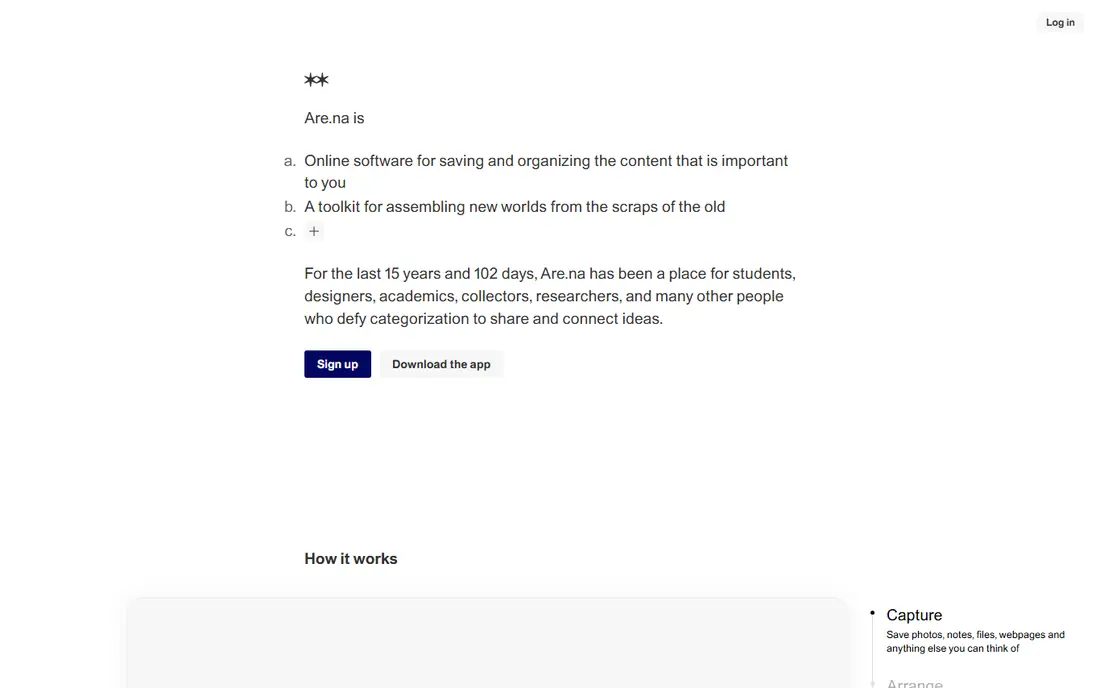
Are.na is our pick for readers who want thinking space rather than a feed. You save images, links, text, and files as blocks inside channels, and you can connect blocks from other people's channels to your own. There are no ads, no likes, and no recommendation engine deciding what you see, which makes it the calmest tool here for long-term research.
The interface is deliberately plain, and that will feel sparse if you want a glossy Pinterest-style grid. Private blocks are also limited on the free plan, with paid plans covering unlimited private work. For research, mood research, and connected ideas, Are.na is the strongest no-AI replacement.
- No ads, no likes, no algorithm
- Blocks connect across channels
- Unlimited public channels on free plan
- Plain interface
- Private blocks are limited on the free plan

Cosmos is the closest visual match to a cleaner Pinterest. You save images, videos, and links into clusters, browse them in a calm gallery view, and import Pinterest boards directly so you do not start from scratch. There are no ads, no likes, and no comments, which keeps the focus on your own collections.
Cosmos does offer AI-assisted search and tagging features, so readers who want a strict no-AI setup should use its basic saving and browsing and skip those optional features. Its community is also smaller than Pinterest, so discovery is more limited. For organising your own saved visuals, Cosmos is genuinely calmer than Pinterest.
- No ads, no likes, no comments
- Pinterest board import
- Clean gallery view
- Smaller community than Pinterest
- Some AI-assisted search features are present
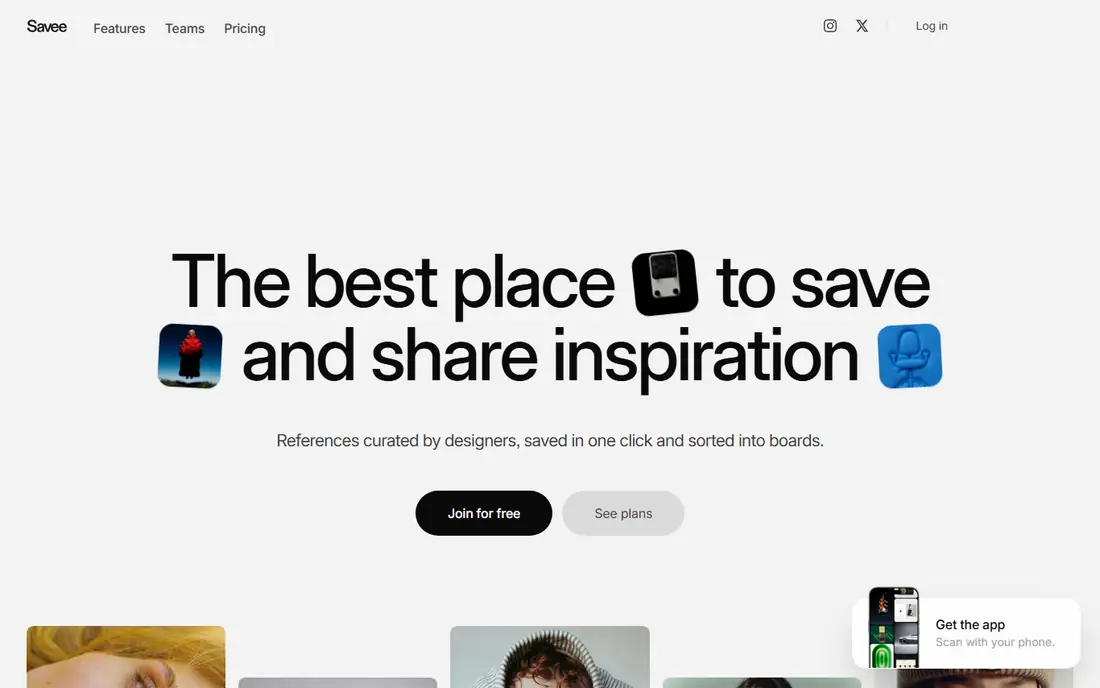
Savee suits designers who want a sharper feed than Pinterest. Its curated, ad-free inspiration feed leans toward graphic design and branding, and its browser extension saves from any site in one click. A Figma plugin also lets designers pull saved visuals directly into design files, which is practical for working designers.
Unlimited and private saves sit on the paid Pro plan, so heavy collectors will need to pay. Savee is also design-focused, so lifestyle, recipe, or home boards fit less naturally than on Pinterest. For design inspiration without an algorithmic feed, Savee is a strong pick.
- Ad-free inspiration feed
- Browser extension for one-click saving
- Figma plugin
- Unlimited and private saves sit on the paid plan
- Design-focused, less general
Designspiration is a free, minimalist discovery tool for design work. You can browse and save inspiration, and search by colour, tag, and style, which helps when you have a palette or a look in mind but no exact keyword. The interface stays out of the way, and browsing does not depend on a social feed.
Its scope is design only, so it will not replace Pinterest for recipes, travel, or home ideas. It also lacks the client presentation tools of Milanote. For design discovery and for building a personal reference library by colour and style, Designspiration is a simple, free, no-AI option.
- Free to browse and save
- Search by colour and tag
- Minimalist interface
- Design-only scope
- No client board tools like Milanote
Behance, owned by Adobe, is the best place to browse finished creative work rather than casual pins. Designers present full projects with case studies, images, and process notes, and everything posted is original work by its creator rather than reshared pins. Browsing is free, and Adobe Creative Cloud integration helps working designers.
Behance is less suited to private personal boards for recipes or home ideas, and its discovery is portfolio-led rather than a quick pin grid. For design inspiration, client research, and hiring, though, Behance alone can replace a large share of Pinterest use, without an AI feed in the middle.
- Full project case studies
- Free to browse
- Original work by its creators
- Less suited to casual personal boards
- Discovery is portfolio-led, not pin-led
Dribbble is where designers share polished shots of UI, branding, illustration, and animation work. You can filter by discipline and follow designers whose work matches a project, which makes it useful for trend spotting and for finding collaborators. Its job board also helps designers looking for work.
Dribbble is professional by design, so general lifestyle, food, or travel boards fit poorly. Its shots are also short previews rather than full case studies, so Behance suits deeper project research better. For design discovery and community, Dribbble is a strong Pinterest alternative.
- High-quality design examples
- Filters by discipline
- Job board for designers
- Professional focus
- Less useful for general lifestyle boards
Milanote is the pick when a Pinterest board must become a client presentation. Drag images, notes, links, and files onto a board, nest boards inside boards, and share a clean link for comments. Templates help when a blank board feels daunting, and the visual layout suits mood boards, brand directions, and project planning.
The free plan covers 100 notes, images, or links and 10 uploads, which runs out fast on a large project, and the paid plan is $9.99 per month billed annually. Milanote also offers AI features in some workflows, so readers wanting a strict no-AI setup should stick to manual boards and skip any assisted features. For client boards, it is still the most presentable tool here.
- Flexible visual boards
- Templates
- Easy sharing and commenting for clients
- Free plan limited to 100 items
- Paid plan is a jump from free
Raindrop.io suits readers who mainly want a private, organised bookmark library. The free plan allows unlimited bookmarks and collections, with apps and browser extensions for saving from anywhere. Collections can be shared, and tags and folders keep a large library searchable without a social feed.
Raindrop Pro adds AI suggestions, full-text search, and other power features, so readers who want a strict no-AI setup should stay on the free plan or ignore the Pro suggestions. Its visual grid is also more utilitarian than Pinterest. For private saving and retrieval, Raindrop.io is one of the most practical tools here.
- Unlimited bookmarks and collections on free plan
- Full-text search on Pro
- Browser extensions
- AI suggestions sit on the Pro plan
- Visual grid is less glossy than Pinterest
Pearltrees organises saved content into visual trees, where each collection branches into related collections. That structure suits readers who collect across topics and want to see how ideas connect, rather than scrolling a flat grid. Collaboration features also let teams build a shared collection together.
The interface takes a little learning, and discovery is weaker than Pinterest, since Pearltrees is built more for organising your own finds than for browsing a global feed. For a personal or team library with a clear structure, Pearltrees is a calm, non-algorithmic alternative.
- Visual tree organisation
- Collaboration features
- Web and mobile apps
- Interface takes learning
- Discovery is weaker than Pinterest
Cara is the best fit for artists who want a community without AI-generated art dominating the feed. It is built for artists to share portfolios and original work, and its stance against AI art in its main spaces makes it a natural no-AI Pinterest alternative for illustrators, painters, and designers. Browsing is free, and the community focus keeps discovery human-led.
Cara is art-focused, so it will not replace Pinterest for recipes, home ideas, or travel planning. Its community is also smaller than Pinterest, so discovery is narrower. For artists and art lovers, Cara offers a calmer, human-made feed that Pinterest no longer provides.
- Artist-led community
- Stance against AI-generated art in its feed
- Portfolios for artists
- Smaller community than Pinterest
- Art-focused, not general lifestyle boards
How we picked these
We compared official feature pages, pricing pages, and recent Pinterest alternative guides for tools that let you save, organise, and browse visuals without an algorithmic feed pushing generated content. We kept only live tools in October 2026, and we noted plainly where a tool offers optional AI features, so readers who want a strict no-AI setup can avoid those features or choose a tool without them. Where pricing was unclear, we wrote See website rather than guessing.
What to check before you switch
Decide which Pinterest job you are replacing. Discovery points to Behance, Dribbble, Designspiration, and Cara. Saving and organising points to Are.na, Cosmos, Savee, and Raindrop.io. Client presentation points to Milanote. A tool that excels at one job may be weak at another, so test the job you actually do most.
Next, try importing or rebuilding one board before moving everything. Cosmos offers Pinterest board import, while other tools need manual saving, which is a good chance to keep only what you still use. Finally, check the AI settings on any tool that offers assisted features, and stick to manual saving and browsing if you want the strictest no-AI setup.
Frequently asked questions
What is the best Pinterest alternative without AI?
Are.na is the best for research and connected collections, while Cosmos is the best visual match to a cleaner Pinterest. Behance is the best for professional design discovery, and Milanote is the best for client mood boards.
Can I import my Pinterest boards to another tool?
Cosmos lets you import Pinterest boards directly, which saves the most time. Other tools here usually need manual saving, though that can be a useful chance to prune boards down to what you actually use.
Is Cosmos really without AI?
Cosmos is ad-free with no likes or comments, and its core saving and browsing are calm and manual. It does offer AI-assisted search and tagging, so strict no-AI users should skip those optional features and use basic saving and browsing.
Which Pinterest alternative is best for designers?
Behance and Dribbble suit professional design discovery, Savee suits designer inspiration collections, and Designspiration suits colour and tag search. Milanote suits client mood boards, while Are.na suits deeper design research.
Is there a free Pinterest alternative without AI?
Yes. Are.na, Cosmos, Designspiration, Behance, Dribbble, Raindrop.io, and Cara all offer free plans. Milanote and Savee also offer free plans, but their free tiers limit items or private saves, so heavy collectors may need a paid plan.
Sources
See where you really rank - block by block
ProMapRanker scans Google Maps across a grid of your service area. Simple monthly plans from $19, white-label on every plan.
Start freeKeep reading
 zscaler alternatives
Best Zscaler Alternatives in 2026
Looking for zscaler alternatives? We compare 9 SASE and zero trust platforms on architecture, data protection, pricing, and fit for your network and team.
Read → zapier alternatives free
Best Zapier Alternatives Free in 2026
Nine automation tools for zapier alternatives free in 2026, all with genuinely free tiers, plus free plan limits, starting prices and upgrade paths explained.
Read → which platform is best for online reputation
Which Platform Is Best for Online Reputation in 2026
Wondering which platform is best for online reputation? We compare 8 review, listing, and response tools for small and multi-location businesses and agencies.
Read →