 ProMapRanker
Phantombuster Alternatives in 2026

Key takeaways
- There is no single like-for-like replacement, since teams use Phantombuster for scraping, enrichment and outreach in different mixes.
- Apify and Octoparse suit general web scraping, while Evaboot, Waalaxy and Dripify focus more narrowly on LinkedIn prospecting.
- Clay and Captain Data suit teams that want to combine many data sources into one enriched lead list.
- Credit-based pricing makes monthly cost hard to predict, so check what a credit buys before you compare headline prices.
- LinkedIn automation carries account risk on every tool, so conservative daily limits and clean data matter more than speed.
Quick comparison
| Pick | Great for | Pricing starts at | Free tier | |
|---|---|---|---|---|
 Apify | General web scraping at scale | See website | Yes | Visit |
 TexAu | Multi-platform automation recipes | See website | Free trial | Visit |
 Captain Data | Data workflows and enrichment | See website | Free trial | Visit |
 Clay | Enrichment from many sources | See website | Free trial | Visit |
 Octoparse | No-code scraping without coding | See website | Yes | Visit |
 Browse AI | Monitoring and extracting website data | See website | Yes | Visit |
 Evaboot | Clean Sales Navigator exports | See website | Free trial | Visit |
 Waalaxy | LinkedIn outreach sequences | See website | Free trial | Visit |
 Dripify | LinkedIn campaigns with analytics | See website | Free trial | Visit |
The best phantombuster alternatives
We compared vendor pricing pages, feature lists and public reviews, and we focused on tools that cover at least one part of the Phantombuster job: extracting lead data, enriching it or running outreach. Phantombuster itself is not listed here, since this guide covers alternatives only. Prices are shown as See website where credit models or plan changes make a single figure misleading, so check what a plan includes for your monthly volume before you buy.

Apify is a cloud platform for web scraping and automation, built around Actors, which are reusable programs that scrape sites, automate browser work or process data. Its marketplace offers ready-made actors for common sites, and its platform handles scheduling, proxy rotation, dataset storage and integrations. That end-to-end setup suits a data team building a recurring scraping program.
The trade-off is learning time. Apify is more than a point-and-click recorder, and teams that only need a small one-off list may find it heavier than needed. For a team that wants scraping as a repeatable system, with storage and scheduling included, it is the strongest general alternative on this list.
- A large marketplace of ready-made actors
- Scheduling, storage and proxies built in
- Strong developer tools and APIs
- A platform to learn, not a simple recorder
- Usage-based costs need care at high volume
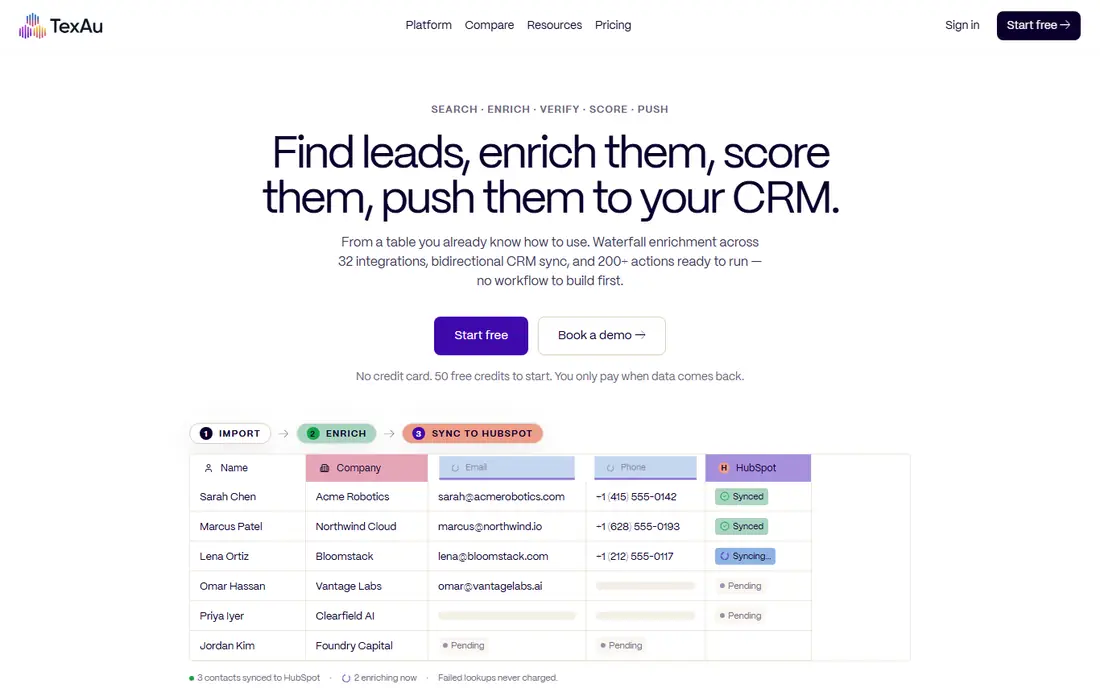
TexAu offers automation recipes across LinkedIn, Twitter, Instagram and other platforms, with workflows that run in the cloud and export results to spreadsheets or CRMs. Its recipe model feels familiar to Phantombuster users, since you pick a task, set inputs and run it, rather than building a scraper from scratch. That familiarity makes it a natural first alternative to trial.
The catch is the same as for any automation tool: platform rules and account safety matter, and high daily volumes raise risk. Use conservative limits, keep data clean, and trial TexAu on a small list before you move a full prospecting workflow to it.
- Ready-made recipes across many platforms
- Spreadsheet-style workflows
- A closer match to Phantombuster recipes
- Platform automation still carries account risk
- Pricing rises with volume and recipe use
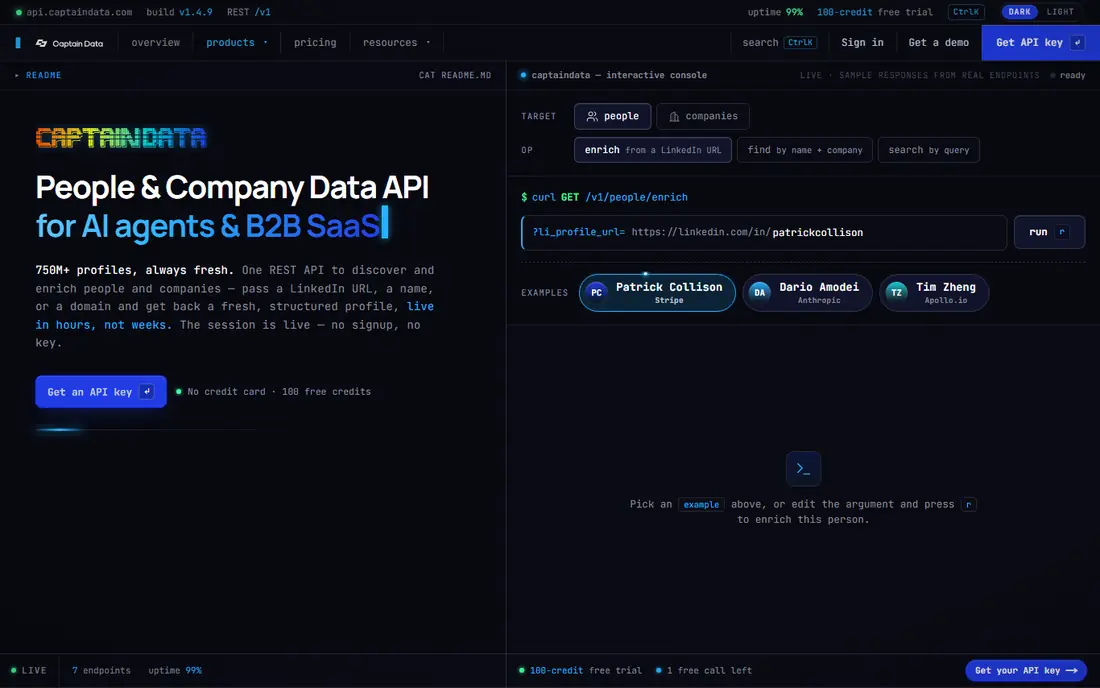
Captain Data helps operations, sales and growth teams automate web data extraction, enrichment and integration through workflows and APIs. Its strength is combining data from sources such as LinkedIn and company databases into a clean list that flows into a CRM or spreadsheet. Teams that need control over data quality and governance will value its workflow model.
The trade-off is cost and skill. Captain Data is aimed at teams rather than a single user, and its setup rewards a technical owner who can design workflows and handle integrations. Solo prospectors may prefer a simpler tool, while a team building a data pipeline will find Captain Data a better long-term base.
- API-first data workflows
- Enrichment from many sources
- Governance and integration controls for teams
- Higher entry cost than simpler tools
- Setup suits technical teams more than solo users
Clay is a data enrichment workspace where a lead list becomes a table, and each column can pull data from a different provider, such as company info, contact details or technographic signals. Its AI features can research companies and draft outreach context, which helps sales teams personalize at scale. That multi-source model suits teams that already have a list and need to enrich it well.
The honest limit is credit spend. Each enrichment costs credits, and a table with many enriched columns can burn through a plan faster than expected. Start with the columns you actually use in outreach, measure which enrichments improve replies, and cut the rest before you scale.
- Enrichment from dozens of data providers in one table
- AI-assisted research and list building
- Strong CRM and spreadsheet exports
- Credit costs can rise fast with many enrichments
- The learning curve for advanced tables is real
Octoparse is a no-code scraping platform with a visual builder and templates for common sites. Users point, click and build a task, then run it locally or in the cloud on a schedule. That approach suits marketers and researchers who need data but do not write code, and its free plan covers local tasks for a first trial.
The limit is scope. Octoparse collects data well, but it does not run outreach sequences or enrich leads from many providers in the way Clay or Captain Data do. Pair it with an enrichment or outreach tool if your workflow needs more than extraction, and budget for cloud runs when volume grows.
- A visual task builder with templates
- Cloud runs and scheduling
- A free plan for local tasks
- No outreach features
- Complex sites may need manual tuning and proxy care
Browse AI lets users train a robot by pointing at data on a page, then runs that robot on a schedule and monitors for changes. It suits teams that need to watch product pages, listings, job boards or competitor pages and get alerts when data changes. Its free plan gives a low-risk way to test a robot on a real page.
The trade-off is credit math. Browse AI prices by credits tied to rows extracted, so a wide scrape costs more than a narrow monitor. Define the exact fields you need before you build a robot, and avoid extracting whole pages when a few fields will do.
- Point-and-click robots that adapt to page changes
- Monitoring for price, content and listing changes
- A free plan to trial
- Credit-based pricing by rows extracted
- Large or complex extractions may need a higher plan
Evaboot focuses on one job: turning LinkedIn Sales Navigator searches into clean, usable lead lists. It exports search results, finds emails where possible and cleans data so lists can go straight into a CRM or outreach tool. That narrow focus is its strength, since a team that lives in Sales Navigator gets a tidy list without building a general scraper.
The limit is breadth. Evaboot does not scrape the wider web or run outreach sequences, so it works best as the first step in a stack, paired with an enrichment or outreach tool. Keep daily export volumes conservative, since LinkedIn automation risk applies here as with any LinkedIn tool.
- Clean exports from LinkedIn Sales Navigator searches
- Email finding and data cleaning in one flow
- Simple list output
- LinkedIn-focused, so it does not cover general web scraping
- Account safety still depends on sensible limits
Waalaxy runs LinkedIn prospecting sequences, including connection requests, messages and follow-ups, with email steps beside LinkedIn actions. Its campaign dashboard shows replies and acceptance rates, which helps a sales team see which messages work. Templates give new users a starting point for common prospecting flows.
The catch is focus and risk. Waalaxy is a LinkedIn outreach tool, not a general scraper, and its results depend heavily on message quality and on keeping daily actions within safe limits. Use it for outreach after you have a clean list, and treat high-volume blasting as a fast route to account trouble.
- LinkedIn and email sequences in one tool
- A clear campaign dashboard
- Templates for prospecting flows
- LinkedIn-only focus
- Results depend on message quality and account safety practices
Dripify is a cloud-based LinkedIn automation tool for prospecting campaigns, with analytics, team management and a smart inbox for replies. Its cloud model means campaigns run without a local browser open, and team features help managers see activity across several accounts. That setup suits a sales team that wants LinkedIn outreach with shared reporting.
The trade-off is per-account cost and scope. Teams with many seats should price the full team, not a single account, and Dripify does not replace a scraper or enrichment tool for building the list itself. Use it as the outreach layer on top of a clean, enriched list, with conservative daily limits.
- LinkedIn automation with team analytics
- Smart inbox and campaign controls
- Cloud-based operation
- LinkedIn-only scope
- Pricing per account can rise fast for teams
How we picked these
We compared vendor feature and pricing pages, and we favored tools with a clear role in scraping, enrichment or outreach and a public record with sales and growth teams. We left out tools that only do email finding without a broader workflow, and tools that duplicate Phantombuster without a distinct strength. Prices are shown as See website where credit models make a single figure misleading.
How to choose a Phantombuster alternative
Start by naming your actual job. If you need data from many websites, shortlist Apify, Octoparse and Browse AI. If you need to enrich an existing list, shortlist Clay and Captain Data. If you need LinkedIn prospecting, shortlist TexAu, Evaboot, Waalaxy and Dripify. A tool that does your job well beats a tool that does three jobs poorly.
Next, test cost on your real volume. Run a trial with a real list of the size you use each month, count credits or rows used, and project that to a monthly bill. A low headline price can become a high bill when credits are counted per field, per row or per enrichment, so the trial math matters more than the pricing page headline.
Finally, protect your accounts and your data. Keep daily LinkedIn actions conservative, use clean lists, and check that a tool stores data securely and exports it in a form your CRM can use. Respect site terms and data rules for your region, and avoid tools that promise to bypass platform limits, since that shortcut usually ends in a blocked account.
Frequently asked questions
What are the best alternatives to Phantombuster for LinkedIn?
TexAu, Evaboot, Waalaxy and Dripify cover LinkedIn work in different ways, from Sales Navigator exports to outreach sequences. Evaboot suits clean list building, while Waalaxy and Dripify suit outreach after you have a list, and TexAu covers recipes across several platforms.
What are alternatives to Phantombuster for general web scraping?
Apify, Octoparse and Browse AI are the strongest general scraping alternatives. Apify suits a data team building a recurring program, Octoparse suits no-code users with templates, and Browse AI suits monitoring and point-and-click extraction.
Is there a free Phantombuster alternative?
Apify, Octoparse and Browse AI offer free plans or free tiers, though limits are small. Free plans suit trials and small lists, while regular prospecting volume usually needs a paid plan, so check credit and row limits before you rely on a free tier.
Does using a Phantombuster alternative risk my LinkedIn account?
Yes, any LinkedIn automation carries some account risk, and risk rises with daily volume, aggressive messaging and poor data quality. Keep limits conservative, personalize messages, and use a tool with clear safety controls rather than chasing the highest daily send count.
Should I use one tool or a stack of tools?
A stack often works better, since few tools do scraping, enrichment and outreach equally well. A common stack is a scraper or Sales Navigator export tool for lists, Clay or Captain Data for enrichment, and Waalaxy or Dripify for outreach, with costs checked at each layer.
Sources
See where you really rank - block by block
ProMapRanker scans Google Maps across a grid of your service area. Simple monthly plans from $19, white-label on every plan.
Start freeKeep reading
 zscaler alternatives
Best Zscaler Alternatives in 2026
Looking for zscaler alternatives? We compare 9 SASE and zero trust platforms on architecture, data protection, pricing, and fit for your network and team.
Read → zapier alternatives free
Best Zapier Alternatives Free in 2026
Nine automation tools for zapier alternatives free in 2026, all with genuinely free tiers, plus free plan limits, starting prices and upgrade paths explained.
Read → which platform is best for online reputation
Which Platform Is Best for Online Reputation in 2026
Wondering which platform is best for online reputation? We compare 8 review, listing, and response tools for small and multi-location businesses and agencies.
Read →