 ProMapRanker
Best Pallyy Alternatives in 2026


Simple scheduling for beginners · Pricing starts at: $6 per channel per month
Key takeaways
- Buffer and Publer are the simplest low-cost switches for solo creators and small brands.
- Later suits Instagram-first creators who plan visually, while Planable suits approval-heavy teams.
- Metricool stands out when analytics matter as much as scheduling.
- Hootsuite and Sprout Social cost more, but suit larger teams that need inbox, listening, and reporting depth.
- Check how each tool bills, since per-channel, per-user, and per-brand pricing change the total fast.
Quick comparison
| Pick | Great for | Pricing starts at | Free tier | |
|---|---|---|---|---|
| Buffer | Simple scheduling for beginners | $6 per channel per month | Yes | Visit |
 Later | Visual Instagram planning | $18.75 per month | Free trial | Visit |
 Hootsuite | Large team coordination | $99 per user per month | Free trial | Visit |
 Sprout Social | Premium reporting and inbox | $99 per seat per month | Free trial | Visit |
 SocialPilot | Budget bulk scheduling | $20 per month | Free trial | Visit |
 Planable | Approvals and client feedback | $39 per workspace per month | Yes | Visit |
 Metricool | Analytics-led scheduling | $25 per month | Yes | Visit |
 Publer | Affordable multi-account publishing | $5 per month | Yes | Visit |
 Sendible | Agency client workspaces | $35 per month | Free trial | Visit |
The best Pallyy alternatives
Pallyy is known for visual planning and social sets, so these alternatives cover the same ground with different strengths in price, approvals, and reporting.
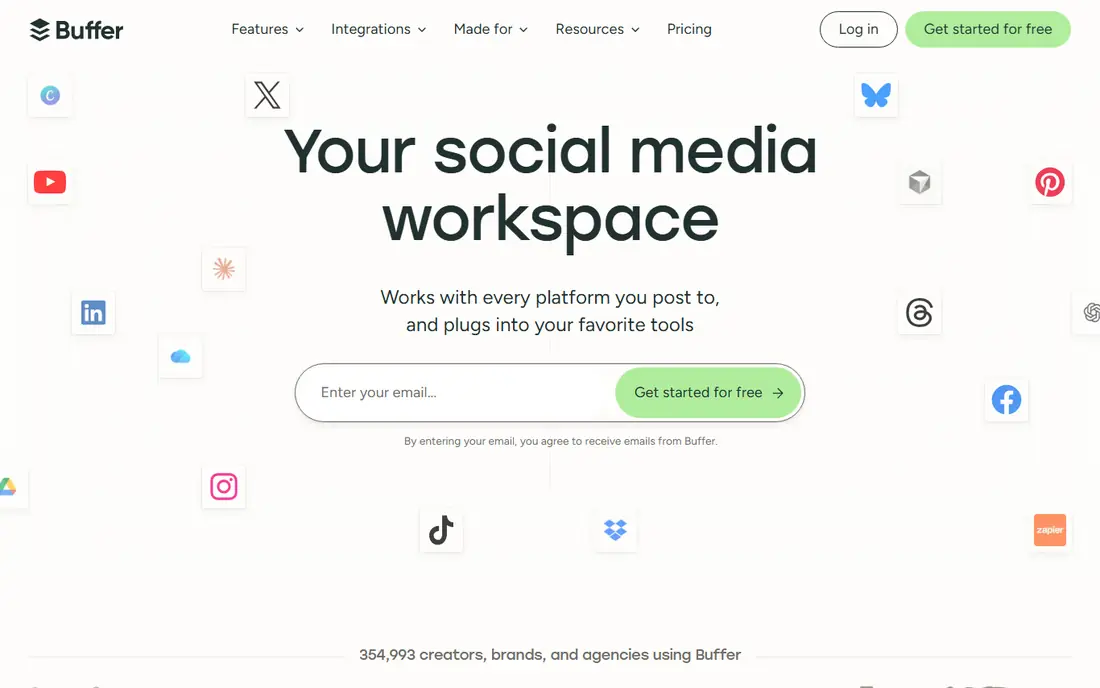
Buffer is the easiest tool here to learn. You connect channels, build a queue, and publish without wading through agency features you may never use. The free plan covers three channels, which is enough to test whether a scheduler fits your routine. Paid plans add more channels, analytics, and engagement tools.
The main drawback is pricing structure. Per-channel billing looks cheap at first, then grows as you add networks. Approvals and team roles also sit on higher tiers, so Buffer suits solo creators and small teams more than client-heavy agencies. If simplicity matters most, it is a strong first switch.
- Clean interface
- Easy queue setup
- Useful free plan for starters
- Per-channel pricing adds up
- Approvals need a higher plan

Later is built around visual planning, especially for Instagram and TikTok. You can drag posts onto a calendar, preview how a grid will look, and manage a link-in-bio page from the same account. That visual approach helps creators who care about feed appearance as much as timing.
Starter plans cap scheduled posts per profile, so high-volume publishers should check limits before committing. Later also feels less agency-oriented than Planable or Sendible, with fewer client workspace features. For creators and small brands with a visual-first feed, it remains a natural Pallyy alternative.
- Visual calendar and grid preview
- Link-in-bio tool
- Good for creators
- Post caps on starter plans
- Less suited to large agency workflows

Hootsuite is the established enterprise option in this list. It supports many networks, offers team permissions, and adds listening and reporting tools that smaller schedulers lack. Large organisations use it to coordinate many accounts, regions, and team members from one dashboard.
That power comes at a price. Per-user billing makes it expensive for small teams, and there is no free plan, only a trial. Solo creators will likely find Buffer or Publer better value. If you manage a large team and need governance, reporting depth, and listening, Hootsuite earns its place.
- Broad platform support
- Team roles and approvals
- Social listening options
- High per-user price
- No free plan
- Can feel heavy for solo users
Sprout Social pairs scheduling with a strong social inbox and reporting suite. Teams that answer comments and messages all day will value the unified inbox, while managers will value clean reports that are easy to share. The interface feels polished, and the workflow tools suit teams that handle customer care through social channels.
Price is the barrier. Entry plans start at a premium level, and some advanced features cost extra. Smaller brands may not need that depth, but growing teams that live in social inbox and reporting will find the cost easier to justify. Treat Sprout as a step up, not a like-for-like budget swap.
- Strong inbox and reporting
- Polished interface
- Good customer care tools
- High entry price
- Listening is an add-on on some plans
Planable is built for teams that need sign-off before a post goes live. Clients and colleagues can comment on exact previews, approve posts, and see a clear calendar, without needing a login on some plans. That workflow cuts down on screenshots, email threads, and last-minute confusion.
Solo creators may find the entry price high for basic scheduling, and analytics are less detailed than Metricool. For agencies, marketing teams, and brands with several approvers, Planable solves a real pain point. If approvals slow you down today, this is the tool to test first.
- Clear approval workflow
- Visual previews
- Client links without logins
- Higher entry price for solo users
- Analytics are not its main strength
Metricool combines scheduling with analytics that many rivals charge extra for. You can track growth, best posting times, and campaign results, then build reports for clients or managers. The free plan covers one brand, which makes it easy to test before paying.
Approvals sit on higher plans, so approval-heavy teams should compare total cost with Planable. Some network features also vary by plan, so check the networks you use most. If you want one tool that answers both when to post and how posts performed, Metricool is a strong choice.
- Strong analytics and reports
- Free plan for one brand
- Competitor tracking options
- Approvals need a higher plan
- X can be an add-on on some plans
Publer offers a generous free plan and a low paid entry point, which makes it a good budget alternative to Pallyy. It supports bulk scheduling, post recycling, and a visual calendar, and paid plans add more accounts and features. Small brands can manage several networks without a large monthly bill.
The free plan does not include X, and some advanced features sit on higher tiers. The interface is packed with options, so allow a short learning period. For cost-conscious creators who still want bulk tools, Publer gives a lot for the price.
- Low entry price
- Bulk and recycling features
- Free plan for starters
- X is limited on the free plan
- Interface takes a short while to learn
Sendible is aimed at agencies and freelancers who manage client accounts. Workspaces keep clients separate, dashboards show results clearly, and bulk publishing saves time across accounts. Higher plans add approvals, branded reports, and white-label options that agencies need when presenting work to clients.
There is no free plan, only a trial, and the most agency-friendly features cost more. Solo creators may prefer Buffer or Publer. For teams that juggle several clients and need clean separation between accounts, Sendible is a practical, proven option.
- Client dashboards and workspaces
- Bulk publishing
- Branded reports on higher plans
- No free plan
- Approvals and white label need higher tiers
How we picked these
We compared official pricing pages, free plans, approval workflows, analytics, and platform support in October 2026, along with public reviews. We favoured tools that are live, actively maintained, and suitable for creators, small brands, or agencies leaving Pallyy. We left out tools that only cover one network or that lack a clear scheduling core.
How to choose the right scheduler
Start by counting accounts, team members, and posts per month. A tool that looks cheap for one brand can become expensive when you add channels, users, or clients. Check whether pricing is per channel, per user, per brand, or flat, and model your real setup before you sign up.
Next, list your must-have workflow. If clients approve posts, Planable or Sendible will save more time than a cheaper scheduler without approvals. If reporting drives decisions, Metricool or Sprout will matter more than a pretty calendar. If you publish in bulk, SocialPilot and Publer deserve priority.
Finally, run a trial with real posts, not demo content. Connect your actual accounts, schedule a full week, and test approvals, mobile preview, and reporting. A tool that feels good in a demo can still fail on your busiest network, so test that network first.
Frequently asked questions
Is there a free Pallyy alternative?
Yes. Buffer, Planable, Metricool, and Publer all offer free plans, though limits vary by channels, posts, and brands. Check the free limits for your main networks before you rely on a free plan for daily publishing.
Which alternative is best for agencies?
Planable and Sendible suit agencies best, thanks to client workspaces, approvals, and reporting. SocialPilot is a lower-cost agency option if you mainly need bulk scheduling across many accounts.
Which tool has the best analytics?
Metricool and Sprout Social lead here. Metricool gives strong analytics at a lower price, while Sprout adds a deeper inbox and reporting suite for larger teams.
Can I schedule to TikTok, Instagram, and LinkedIn from one tool?
Most tools here support those networks, but features such as direct publishing, stories, and reels vary by network rules and plan. Test your exact post types during a trial.
How hard is it to move from Pallyy?
Moving is usually straightforward. Export or copy your content calendar, reconnect accounts in the new tool, and rebuild recurring posts and queues. Allow a week of overlap so no scheduled post is lost in the switch.
Sources
See where you really rank - block by block
ProMapRanker scans Google Maps across a grid of your service area. Simple monthly plans from $19, white-label on every plan.
Start freeKeep reading
 zscaler alternatives
Best Zscaler Alternatives in 2026
Looking for zscaler alternatives? We compare 9 SASE and zero trust platforms on architecture, data protection, pricing, and fit for your network and team.
Read → zapier alternatives free
Best Zapier Alternatives Free in 2026
Nine automation tools for zapier alternatives free in 2026, all with genuinely free tiers, plus free plan limits, starting prices and upgrade paths explained.
Read → which platform is best for online reputation
Which Platform Is Best for Online Reputation in 2026
Wondering which platform is best for online reputation? We compare 8 review, listing, and response tools for small and multi-location businesses and agencies.
Read →
SocialPilot
Great for: Budget bulk scheduling
SocialPilot is a practical pick for users who manage many accounts on a tight budget. It supports bulk scheduling, which saves time when you publish similar posts across accounts, and it includes client features that help freelancers and small agencies. The entry price covers several accounts, which compares well with per-channel tools.
The interface is functional rather than beautiful, and analytics on lower plans are simpler than Metricool or Sprout. If you need deep reporting, you may need a higher tier or a second tool. For volume scheduling at a fair price, SocialPilot is hard to ignore.