 ProMapRanker
Best Padlet Alternatives in 2026

Key takeaways
- Miro is the most complete board for large teams, with a huge template library and many integrations, starting at $8 per member per month.
- FigJam is the cheapest paid option here at $3 per seat per month, and it fits design teams already using Figma.
- Wakelet and Excalidraw give strong free options for classrooms and simple brainstorming, with no paid plan needed to start.
- Mural and Lucidspark suit structured workshops, with facilitation tools such as voting, timers and guided activities.
- Milanote is best for visual collections and mood boards rather than live workshops, since its collaboration tools are simpler.
Quick comparison
| Pick | Great for | Pricing starts at | Free tier | |
|---|---|---|---|---|
 Miro | Large team whiteboards | $8 per member per month | Yes | Visit |
 Mural | Structured workshops and training | $9.99 per member per month | Yes | Visit |
 FigJam | Design teams already on Figma | $3 per seat per month | Yes | Visit |
 Wakelet | Classroom collections and curation | Free | Yes | Visit |
 Milanote | Visual project and mood boards | $9.99 per month | Yes | Visit |
 Lucidspark | Brainstorming that becomes diagrams | $7.95 per month | Yes | Visit |
 Excalidraw | Fast sketching and diagrams | Free | Yes | Visit |
 Microsoft Whiteboard | Teams already on Microsoft 365 | Free | Yes | Visit |
 Canva Whiteboards | Marketing and content teams | Free | Yes | Visit |
The best padlet alternatives
Padlet is known for simple, visual boards where students or teams post notes, links, images and files. The tools below cover the same idea in different ways, from full whiteboards to curated collections. We compared official pricing pages and feature lists, and we did not claim hands-on testing.

Miro is the closest full replacement for teams that outgrow a simple board. You can run brainstorms, map user journeys, plan sprints and present from one canvas, with sticky notes, diagrams, frames and voting built in. The template library covers retrospectives, workshops and planning, so a team rarely starts from a blank board.
The cost is the main watch point. Starter at $8 per member per month on annual billing gives unlimited boards, but a team with many occasional editors can see seat costs climb. The free plan allows three editable boards, which is enough to test the tool but not to run a whole class or department. For a team that boards every week, Miro is worth the price. For occasional use, a free tool below may be enough.
- Huge template library
- Many integrations
- Unlimited boards on paid plans
- Per-member pricing adds up fast
- Free plan limited to three editable boards
- Guest editor rules changed in recent years
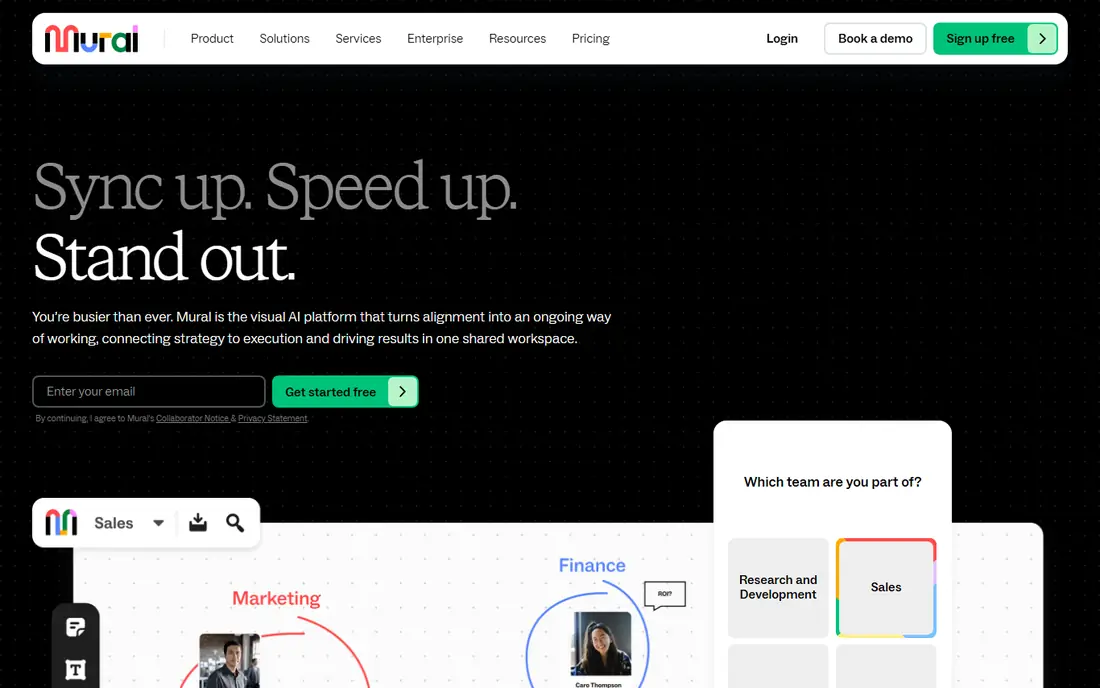
Mural is built around facilitation rather than freeform drawing. It offers templates for design thinking, agile ceremonies and training, plus features such as private mode, timers and voting on higher plans. A facilitator can guide a group step by step, hide content until the right moment, and turn a messy brainstorm into a clear summary.
That focus comes with a price and a learning curve. Team+ at $9.99 per member per month on annual billing is fair for teams that run workshops often, but it is steep for a classroom that only needs a shared board. The free plan allows unlimited murals with three editable at a time, which suits a trial. Choose Mural when the session structure matters as much as the board itself.
- Strong facilitation features
- Guided methods and templates
- Unlimited view-only visitors
- Higher price for casual use
- Free plan limited to three editable murals
- Learning curve for new facilitators

FigJam is Figma's whiteboard, and its pricing model is its biggest advantage. A collab seat costs $3 per month on the Professional plan, while viewers and commenters do not need a paid seat, so a design team can invite stakeholders cheaply. Boards include sticky notes, diagrams, sections and voting, and work moves directly into Figma files when a concept becomes a design.
Outside design, FigJam feels narrower than Miro or Mural. It lacks some of the facilitation depth and enterprise controls found elsewhere, and teams without Figma may find the account setup an extra step. For product and design teams that already pay for Figma, though, FigJam is the obvious board choice, and its free Starter plan is enough for small projects.
- Very low collab seat price
- Direct handoff to Figma designs
- Viewers and commenters free on paid plans
- Weaker outside a design workflow
- Fewer enterprise controls on lower tiers
- Needs a Figma account
Wakelet is the closest match for Padlet users who mainly curate rather than brainstorm live. You can build a collection of articles, videos, images and documents, arrange it in a readable layout, and share it with students or colleagues through a link. Teachers use it for resource lists, student portfolios and class showcases, and the free access keeps costs at zero for schools.
It is not a whiteboard. There is no infinite canvas for freeform drawing, and real-time co-editing is more limited than in Miro or FigJam. If your goal is a tidy, shareable collection that students can browse and add to, Wakelet is excellent. If your goal is a live workshop with sticky notes flying across a canvas, pick a whiteboard tool instead.
- Simple collections of links, images and files
- Popular with teachers
- Easy sharing with a link
- Not a live whiteboard
- Fewer real-time collaboration tools
- Layout options are more fixed than a canvas
Milanote suits creative work where the board itself is the project. Writers, designers and planners can arrange notes, images, links and tasks on a visual board, nest boards inside boards for larger projects, and share a clean view with clients. The interface is calm and visual, which helps when a project needs a mood board or a research wall rather than a meeting canvas.
Limits show up in teamwork. The free plan allows 100 notes, images or links and about 10 uploads, so active projects hit the cap quickly, and Pro at $9.99 per month is per person. Collaboration covers sharing and commenting, but it lacks the live facilitation depth of Miro or Mural. For solo creative planning and client presentations, Milanote is a joy. For large live workshops, it is not the first pick.
- Beautiful drag-and-drop boards
- Boards nest inside boards
- Good for creative projects
- Free plan capped at 100 items
- Collaboration is simpler than Miro
- Mobile experience is weaker
Lucidspark is Lucid's whiteboard for brainstorming and planning. Teams can gather ideas with sticky notes and freehand drawing, then move that work into Lucidchart for structured diagrams and process maps. Facilitation tools such as voting, timers and breakout boards help run sessions, and integrations with work tools suit teams that already use Lucid products.
Pricing needs a check on the vendor page, since Individual is listed at $7.95 per month and Team at $9 per user per month in recent listings, with Enterprise by quote. Some features, including private mode and certain integrations, sit on higher tiers. For teams that plan in Lucidspark and document in Lucidchart, the pairing is a real advantage. For a simple class board, it may feel heavier than needed.
- Strong link to Lucidchart diagrams
- Voting and timer tools on Team
- Free plan with three editable boards
- Pricing page can be hard to read
- Some facilitation features need higher tiers
- Heavier interface for simple boards
Excalidraw is a delightfully simple whiteboard for sketching ideas, diagrams and wireframes. The hand-drawn style makes rough ideas feel approachable, and the core editor is free and open source, with no account needed to start drawing. Developers and students use it for quick explanations, system sketches and study diagrams.
It is not a classroom platform. There are no assignment tools, grading features or structured collections, and live collaboration works through shared links, with Excalidraw Plus adding a hosted scene and extra features at about $6 per user per month. For fast, free sketching and small-group brainstorming, Excalidraw is hard to beat. For managed class work, pair it with a learning platform or choose Wakelet.
- Free open-source editor
- Hand-drawn style
- No account needed for basic use
- No built-in classroom management
- Collaboration needs a shared link or Plus
- Fewer templates than Miro
Microsoft Whiteboard is the no-extra-cost board for Microsoft shops. It covers sticky notes, drawing, shapes and basic templates, and it works inside Teams meetings and on the web, so a team can pull up a board mid-call without a new account. For schools and businesses already paying for Microsoft 365, it adds no new bill.
There are limits to note. The standalone Windows, iOS and Android apps retired on 16 October 2026, after which Whiteboard continues in Teams and on the web, so check your access route before planning around an app. The template and integration range is thinner than Miro, and non-Microsoft teams gain less from it. Still, for a Microsoft team that needs a simple shared canvas, it is the pragmatic pick.
- Included with Microsoft accounts and many 365 plans
- Works in Teams meetings
- Simple sticky notes and drawing
- Standalone apps retired in October 2026
- Thinner template library
- Weaker outside the Microsoft ecosystem
Canva Whiteboards suit teams that already make content in Canva. You can brainstorm on a board, pull in brand colors, images and media, and turn the result into a presentation or social post without switching tools. The free plan includes whiteboards, which makes it an easy trial for classrooms and small marketing teams.
As a workshop tool, Canva is lighter than Miro or Mural. Facilitation features are basic, and the canvas is geared toward content rather than complex diagrams or agile ceremonies. Paid Pro, listed at about $180 per year for one person in recent pricing, adds brand tools and more capacity. For content teams that board as part of making things, Canva is a natural fit. For dedicated workshops, a specialist board wins.
- Whiteboards included in Canva Free
- Strong brand and media tools
- Easy export to presentations and social posts
- Not a full workshop canvas
- Paid Pro needed for brand kits and larger teams
- Facilitation tools are basic
How we picked these
We compared official pricing and feature pages for visual boards and curation tools that work in October 2026 and truly match Padlet use cases: classroom boards, team brainstorming, workshops and visual collections. We excluded Google Jamboard, which was discontinued, and we favored tools with a usable free plan or a clear paid tier. We did not claim hands-on testing, and we based trade-offs on vendor documentation and public reviews.
How to choose the right board
Start with the job, not the tool. If you need a curated resource list for students, Wakelet or Canva will serve you better than a complex whiteboard. If you run live workshops, Mural or Lucidspark justify their price with facilitation tools. If you board daily with a product team, Miro or FigJam offer the depth and integrations that save time over a term.
Check the free limits before you commit a class or team. Three editable boards sounds generous until every group needs its own board, and per-member pricing can surprise a department with many viewers. Test sharing, exporting and printing early, since a board that cannot leave the tool easily becomes a dead end at the end of a project.
Frequently asked questions
What are the best alternatives to Padlet?
Miro, Mural, FigJam, Wakelet and Milanote are the strongest matches, depending on the job. Miro leads for large teams, Mural for workshops, FigJam for design teams, Wakelet for classroom collections and Milanote for visual project boards.
Is there a free Padlet alternative?
Yes. Wakelet and Excalidraw are free to start, and Miro, Mural, FigJam, Lucidspark and Canva Whiteboards all offer free plans with limits on editable boards or items. Check the free cap against how many boards your class or team actually needs.
Which Padlet alternative is best for teachers?
Wakelet is the simplest for classroom collections and student showcases, while Miro and Microsoft Whiteboard suit live class brainstorming. Teachers should check school data policies and sharing controls before choosing a tool for student work.
Can I use these boards without a paid plan?
In most cases, yes for small projects. Free plans cover a few boards or a limited number of items, which suits a trial or a single class. Larger teams and ongoing projects usually need a paid plan for unlimited boards and admin controls.
Do these tools work for remote teams?
Yes, all nine support online collaboration, though the depth varies. Miro, Mural and Lucidspark offer the strongest live facilitation, while Wakelet and Milanote suit async sharing and commenting better than live sessions.
What happened to Google Jamboard?
Google Jamboard was discontinued, and former Jamboard users need a new board tool. Miro, FigJam and Microsoft Whiteboard are common landing spots, depending on whether the team uses Google, Figma or Microsoft tools.
Sources
See where you really rank - block by block
ProMapRanker scans Google Maps across a grid of your service area. Simple monthly plans from $19, white-label on every plan.
Start freeKeep reading
 zscaler alternatives
Best Zscaler Alternatives in 2026
Looking for zscaler alternatives? We compare 9 SASE and zero trust platforms on architecture, data protection, pricing, and fit for your network and team.
Read → zapier alternatives free
Best Zapier Alternatives Free in 2026
Nine automation tools for zapier alternatives free in 2026, all with genuinely free tiers, plus free plan limits, starting prices and upgrade paths explained.
Read → which platform is best for online reputation
Which Platform Is Best for Online Reputation in 2026
Wondering which platform is best for online reputation? We compare 8 review, listing, and response tools for small and multi-location businesses and agencies.
Read →