 ProMapRanker
Best Owlet Alternatives in 2026

Key takeaways
- Nanit Pro is our pick for sleep data, with an overhead camera view and breathing-motion tracking through a band.
- CuboAi Plus is the best choice for safety alerts, including covered-face and rollover warnings.
- Miku Pro tracks breathing without any wearable on the baby, which suits parents who dislike socks and bands.
- Eufy Baby E21 and other non-Wi-Fi options suit families who want a dedicated parent unit and no monthly fee.
- No baby monitor prevents sudden infant death syndrome, and none replaces medical advice for a baby with a health condition.
Quick comparison
| Pick | Great for | Pricing starts at | Free tier | |
|---|---|---|---|---|
 Nanit Pro | Sleep tracking and insights | $289.99 | Yes | Visit |
 CuboAi Plus | AI safety alerts | See website | Yes | Visit |
 Miku Pro | Contact-free breathing tracking | $249 | Yes | Visit |
 Eufy Baby E21 | No-subscription monitoring | $259.99 | Yes | Visit |
 Infant Optics DXR-8 PRO | Non-Wi-Fi video | See website | Yes | Visit |
 VTech VM919HD | Value with a parent unit | $89.95 | Yes | Visit |
 Motorola MBP36XL | Multi-camera viewing | See website | Yes | Visit |
 Lollipop Baby Camera | Simple app monitoring | See website | Yes | Visit |
The best Owlet alternatives
Owlet is best known for its Dream Sock, which tracks pulse rate and oxygen in healthy babies, paired with a camera. The alternatives below cover the same jobs in different ways: sleep tracking, breathing-motion tracking, safety alerts, or simple video and audio. We compared prices, subscription needs, parent units and whether a wearable is required, and we kept only monitors that are sold and supported in October 2026.
Nanit Pro is the strongest Owlet alternative for parents who want sleep data rather than pulse and oxygen readings. Its overhead camera gives a clear top-down view of the crib, and the included Breathing Band tracks breathing motion without a sensor touching the baby. Sleep reports, sound and motion alerts and two-way audio round out a system that feels built for nightly use.
The trade-offs are clear. There is no parent unit, so a dead phone or a router outage means no monitor, and the deeper sleep analytics sit behind a paid Insights plan once the included trial ends. Core live video still works without that plan, which matters. If you live on your phone and value long-term sleep trends, Nanit Pro is our pick. If you want a screen on the nightstand, look at the non-Wi-Fi options below.
- Overhead view of the whole crib
- Breathing-motion tracking with an included band
- Live video works without a subscription
- No dedicated parent unit, phone app only
- Full sleep analytics need a paid plan after the trial
- Needs Wi-Fi
CuboAi Plus focuses on active safety alerts rather than passive video. It warns about a covered face, a rollover and a baby entering a marked danger zone, and it measures temperature and humidity in the room. The overhead view keeps the whole sleep area in frame, and sleep analytics help parents spot patterns over time.
The monitor needs Wi-Fi and the phone app, so it shares the same outage risk as Nanit. Some analytics features need a paid plan after the included period, and bundle prices change with sales, so check the vendor page for the current figure. For parents whose main worry is what happens when they look away, CuboAi Plus offers the most direct alerts in this list.
- Covered-face and rollover alerts
- Danger-zone warnings
- Temperature and humidity sensing
- Overhead view
- Needs Wi-Fi and a phone app
- Advanced analytics need a paid plan
- Price varies by bundle and sale
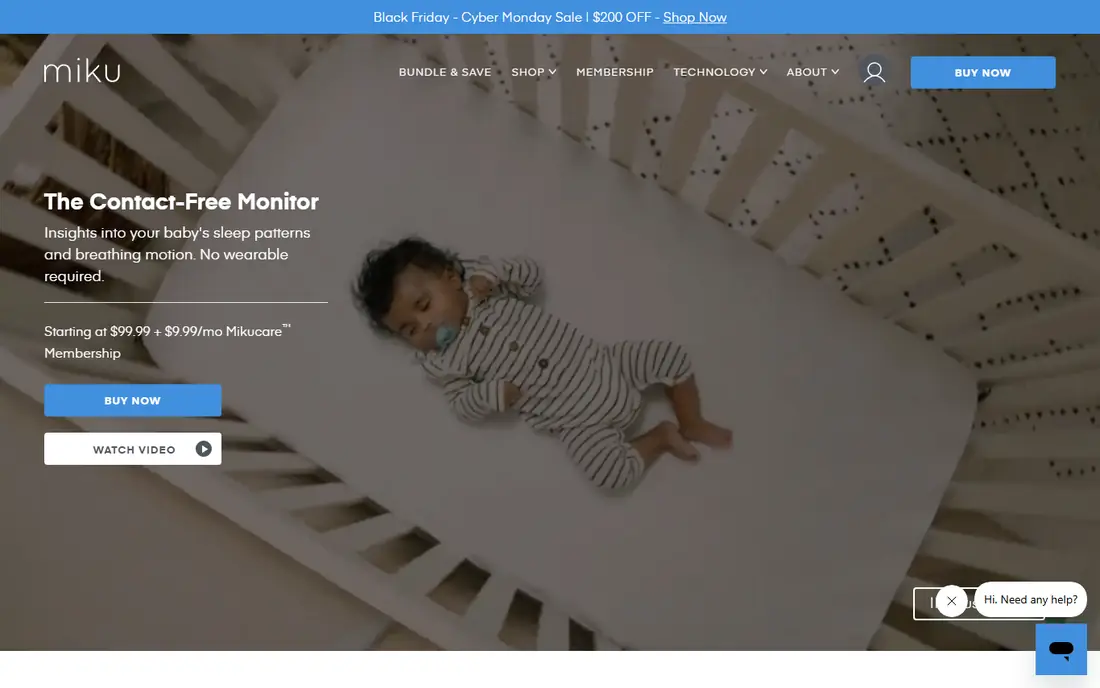
Miku Pro tracks breathing motion and sleep from the camera alone, with no sock, band or sensor on the baby. That is a real advantage for parents whose baby kicks off wearables or who dislike nightly fitting. It shows breathing data in real time, records sleep trends and offers two-way audio for soothing from another room.
The catch is the subscription. Basic monitoring works without it, but the fuller care features need a paid plan, listed at about $9.99 per month or $99 per year in recent pricing guides. Miku Pro also needs Wi-Fi and a phone, so it is not the pick for a home with weak coverage. If contact-free tracking matters most, this is the closest Owlet alternative without a wearable.
- Breathing and sleep tracking with no wearable
- Real-time breathing data
- Two-way audio and night vision
- Needs Wi-Fi and a phone app
- Advanced care features need a paid plan
- Wall mounting suits some rooms better than others
Eufy Baby E21 is the pick for parents who want a good camera and no monthly bill. It offers high-resolution video, a parent unit plus app viewing, and local storage, so you are not paying each month to keep basic features working. Setup is simple, and the lack of a subscription removes the surprise cost that smart monitors often carry.
What you give up is health and sleep depth. There is no breathing tracking and no pulse or oxygen reading, and its analytics are lighter than Nanit or Miku. For many families that is a fair trade, since the core job is seeing and hearing the baby clearly. If you want data, pick a smart monitor above. If you want a camera that just works, Eufy Baby E21 is hard to beat.
- No monthly fee
- Local storage options
- Hybrid app and parent-unit use
- High-resolution video
- No breathing or vitals tracking
- Fewer sleep analytics than Nanit or Miku
- Price varies by bundle
Infant Optics DXR-8 PRO is a classic non-Wi-Fi monitor, and that is its main selling point. It uses a closed radio link between camera and parent unit, so there is no app, no cloud account and no internet outage risk. Interchangeable lenses let you widen or zoom the view, and the parent unit pans, tilts and zooms the camera from the next room.
The limits are equally plain. You get video and audio, not sleep reports, breathing data or phone alerts, and the picture is softer than a modern smart camera. Range depends on walls and distance, so test it in your own home. For grandparents, travel, or parents who dislike nursery cameras on the internet, this is the most private option here.
- No Wi-Fi needed, so no app or cloud account
- Interchangeable lenses
- Dedicated parent unit with pan, tilt and zoom
- No sleep analytics or breathing tracking
- Video resolution is lower than smart cameras
- Range is limited by the radio link
VTech VM919HD shows how little a solid baby monitor needs to cost. For about $89.95 it gives a large parent-unit screen, high-definition video for its class, remote camera movement, night vision and two-way talk, with no subscription at all. It is a straightforward choice for a second room, a grandparent house, or a family that does not want another monthly fee.
You will not get sleep analytics, breathing tracking or phone viewing, and the camera and screen feel basic next to Nanit or Eufy. That is the point of the price. If your priority is a clear picture, a parent unit and money left over, VTech VM919HD is the value pick in this list, and it is easy to recommend for everyday use.
- Low price with no subscription
- Large parent unit screen
- Remote pan, tilt and zoom
- Night vision and two-way talk
- No health or sleep analytics
- No phone app viewing
- Build quality reflects the price
Motorola MBP36XL suits families with two children or two rooms to watch. It supports up to four cameras from one parent unit, with a split view option and remote pan, tilt and zoom on each camera. There is no subscription, no Wi-Fi setup and no app to maintain, which keeps daily use simple.
The trade-off is age. The picture and features feel older than smart monitors, and there is no sleep tracking, breathing data or phone access on the base model. Check the exact bundle before buying, since Motorola sells several similar models with different screens and camera counts. For twins or two rooms on one screen, though, it remains a practical and affordable choice.
- Supports up to four cameras
- Large parent-unit screen
- Remote pan, tilt and zoom
- No subscription
- No health or sleep analytics
- No phone app on the base model
- Picture quality is modest by 2026 standards
Lollipop Baby Camera is a small, simple Wi-Fi camera for parents who want app monitoring without a large system. It offers live video, cry detection, two-way talk and alerts from a compact unit that sits easily on a crib rail or shelf. It also works well as a second camera for travel or a grandparent house, where a full smart system would be overkill.
The limits match its size. There is no dedicated parent unit, so you rely on your phone and Wi-Fi, and there is no breathing or vitals tracking. Some advanced features may sit behind a paid plan, so check the vendor page before buying. If you want a low-cost app camera and do not need health data, Lollipop is a neat, unobtrusive option.
- Compact camera that fits small nurseries
- App viewing with alerts
- Cry detection and two-way talk
- Works as a second camera
- Needs Wi-Fi and a phone app
- No parent unit
- Advanced features may need a paid plan
How we picked these
We compared official product pages, pricing pages and recent independent baby monitor guides from 2026. We kept monitors that are sold and supported now, that cover a distinct need such as sleep tracking, safety alerts, contact-free breathing tracking, or no-subscription video, and that offer a real alternative to a sock-based system. We left out monitors with no clear vendor page, discontinued models, and products that claim medical protection they cannot provide. Prices are vendor or recent guide figures from October 2026, and we wrote See website where bundle prices vary too much to quote one fair number.
What to check before you buy
First, decide whether you want health data or just video. Sock and band systems give vitals or breathing motion, but they add fitting, charging and subscription costs. Camera-only systems give sleep and safety data without anything on the baby. Simple video monitors give none of that, but they cost less and need no subscription.
Second, decide how you want to watch. A parent unit works during a Wi-Fi outage and needs no phone, while an app gives viewing away from home and richer alerts. Hybrid models such as Eufy give both, which is a good middle path. Third, add up the two-year cost, not just the camera price. A $289 camera with a $10 monthly plan costs far more over two years than a $90 monitor with no fee, so match the plan to how long you will actually use the analytics.
Safety note
No monitor in this list prevents sudden infant death syndrome, and no consumer monitor replaces medical care. Follow safe sleep guidance: place the baby on their back on a firm, flat surface, keep the sleep area clear, and mount cameras and cords out of reach as the manual directs. If your baby has a heart or breathing condition, or was born prematurely, talk to your pediatrician about what monitoring, if any, is right for them.
Frequently asked questions
What is the closest Owlet alternative?
Nanit Pro is the closest for sleep tracking, while Miku Pro is the closest for breathing tracking without a wearable. Owlet remains distinct for pulse rate and oxygen readings from a sock, so no alternative here copies that exact job. Pick based on whether sleep data or breathing data matters more to you.
Do Owlet alternatives need a subscription?
Some do and some do not. Nanit, CuboAi and Miku keep basic live video free but charge for deeper analytics. Eufy, Infant Optics, VTech and Motorola charge no monthly fee at all. Check what sits behind the paywall before you buy, since the analytics are often the reason to pick a smart monitor.
Can I use a baby monitor without Wi-Fi?
Yes. Infant Optics DXR-8 PRO, VTech VM919HD and Motorola MBP36XL use a closed radio link and a parent unit, so they work without Wi-Fi or a phone app. They do not offer phone viewing away from home or cloud-based analytics, but they keep working during an internet outage.
Are breathing monitors accurate?
Camera and band systems track breathing motion, which is visible chest movement, not oxygen levels. A sock sensor measures pulse and oxygen directly, which is a different kind of reading. Neither is a medical device for home diagnosis, and accuracy varies with fit, placement and movement, so treat readings as helpful signals, not medical results.
Which Owlet alternative is best for twins?
Motorola MBP36XL is the simplest pick, since one parent unit supports up to four cameras. Nanit and CuboAi also support more than one camera in their apps, which suits parents who prefer phone viewing. Budget for an extra camera and mount for each crib, since bundles often include only one.
Do I still need a monitor if I follow safe sleep guidance?
Safe sleep guidance reduces risk, but a monitor helps you hear and see the baby from another room, especially at night. It does not make an unsafe sleep setup safe, so keep the crib clear, follow the manual for mounting, and use the monitor as a helper alongside safe sleep practice, not a replacement for it.
Sources
See where you really rank - block by block
ProMapRanker scans Google Maps across a grid of your service area. Simple monthly plans from $19, white-label on every plan.
Start freeKeep reading
 zscaler alternatives
Best Zscaler Alternatives in 2026
Looking for zscaler alternatives? We compare 9 SASE and zero trust platforms on architecture, data protection, pricing, and fit for your network and team.
Read → zapier alternatives free
Best Zapier Alternatives Free in 2026
Nine automation tools for zapier alternatives free in 2026, all with genuinely free tiers, plus free plan limits, starting prices and upgrade paths explained.
Read → which platform is best for online reputation
Which Platform Is Best for Online Reputation in 2026
Wondering which platform is best for online reputation? We compare 8 review, listing, and response tools for small and multi-location businesses and agencies.
Read →