 ProMapRanker
Oracle Database Alternatives in 2026


General relational workloads that need strong SQL support · Pricing starts at: Free
Key takeaways
- PostgreSQL is the most common open source replacement for general relational workloads, with strong SQL support and a wide extension ecosystem.
- MySQL and MariaDB suit web applications and teams that want a simpler relational model with broad hosting support.
- MongoDB fits workloads where flexible documents matter more than strict relational tables, though it changes how data is modeled.
- Managed cloud databases reduce operations work but add usage-based costs and a degree of vendor lock-in to weigh.
- Licensing matters: open source options remove license fees, but support, hosting, and staff time still cost money.
Quick comparison
| Pick | Great for | Pricing starts at | Free tier | |
|---|---|---|---|---|
| PostgreSQL | General relational workloads that need strong SQL support | Free | Yes | Visit |
 MySQL | Web applications with straightforward relational needs | Free | Yes | Visit |
 MariaDB | Teams that want MySQL compatibility without Oracle ownership | Free | Yes | Visit |
 Microsoft SQL Server | Windows shops and teams already using Microsoft tools | See website | No | Visit |
 MongoDB | Applications with flexible, document-shaped data | Free | Yes | Visit |
 CockroachDB | Distributed SQL across regions with strong consistency | See website | No | Visit |
 SQLite | Embedded apps, local tools, and single-user software | Free | Yes | Visit |
 Amazon Aurora | AWS teams that want managed relational databases | See website | No | Visit |
The best Oracle Database alternatives
These eight options replace Oracle Database in different ways. Some are direct relational substitutes, one is a document database, and one is a managed cloud service. We compared official documentation, licensing pages, and managed pricing pages to place each option by workload, cost model, and operations burden.
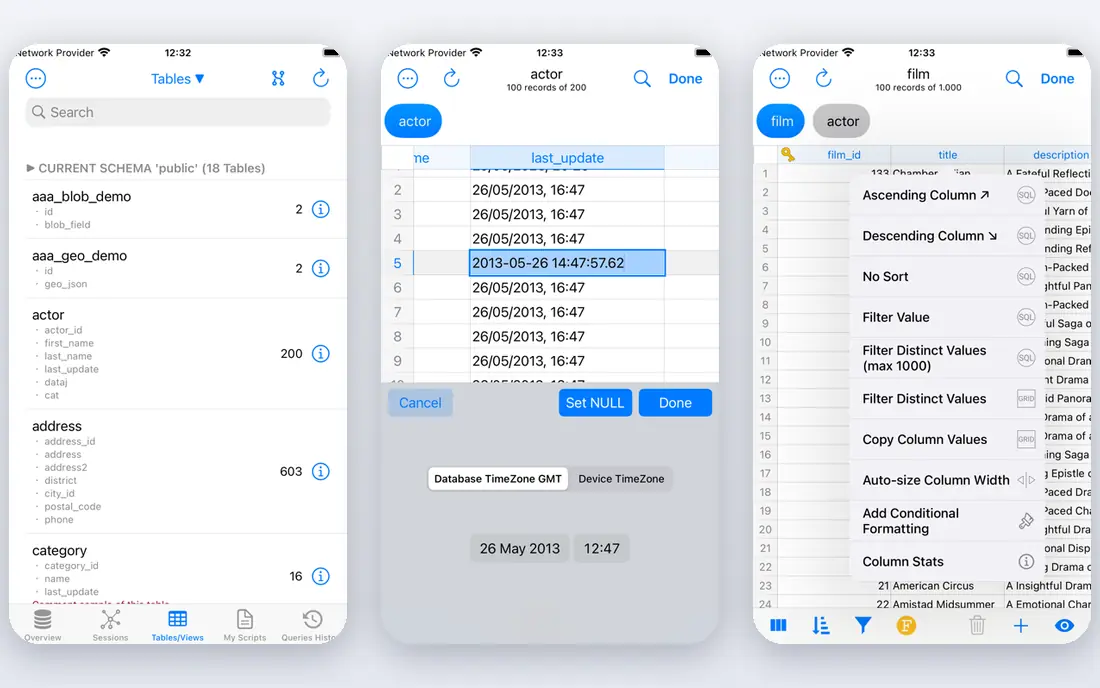
PostgreSQL is the default answer for many teams leaving Oracle, and the reasons are practical rather than fashionable. It handles transactions, joins, and complex queries well, supports JSON data alongside relational tables, and has extensions for search, geographic data, and analytics. Managed versions from major cloud providers mean teams do not have to run it themselves if they prefer not to.
Migration still takes work. Oracle-specific SQL, stored procedures, and proprietary features often need rewriting, and performance tuning is a skill in itself. Teams should test their actual queries and workloads, not only check feature lists. For most new relational projects and many Oracle replacements, PostgreSQL gives the best balance of capability, cost, and hosting choice.
- Open source with no license fee
- Rich SQL, JSON, and extension support
- Widely available as a managed service
- Tuning for very large workloads needs experienced staff
- Some Oracle-specific features need rewriting
MySQL remains a workhorse for web applications. It is easy to set up, well documented, and supported by almost every hosting provider and framework. For content sites, ecommerce stores, and internal tools with standard CRUD workloads, MySQL is often enough, and its simplicity keeps operations costs down.
The limits show up in advanced analytics, complex queries, and some data types, where PostgreSQL tends to offer more. Licensing also needs care: the community edition is open source, while commercial use cases may point toward paid editions. Teams already running MySQL-compatible apps, or building a typical web app, will find MySQL a safe and low-cost Oracle alternative.
- Open source community edition
- Simple setup and broad hosting support
- Huge pool of developers and tooling
- Some advanced features are limited compared with PostgreSQL
- Oracle ownership raises licensing questions for some teams
MariaDB began as a community fork of MySQL and remains close to it for many applications. That compatibility is its main appeal: teams can often move MySQL workloads with modest changes while staying on a fully open source codebase. Storage engines, replication, and clustering options give administrators room to tune for read-heavy or high-availability setups.
Compatibility is not a guarantee. As both projects evolve, edge cases and newer features can diverge, so migration testing matters. MariaDB suits teams that value open licensing and MySQL familiarity, and that want to avoid Oracle licensing entirely. It is a strong choice for web and transactional workloads where MySQL would already fit.
- Open source under GPL
- High MySQL compatibility for many workloads
- Active community and commercial support options
- Some MySQL features diverge over time
- Very large or specialized workloads still need testing
Microsoft SQL Server
Great for: Windows shops and teams already using Microsoft tools
Microsoft SQL Server is the natural Oracle alternative for organizations already built around Microsoft technology. Integration with .NET applications, Active Directory, Power BI, and Azure services reduces friction, and its management tooling is mature. For enterprise reporting and business intelligence work, that ecosystem is a real advantage.
Cost is the main drawback. SQL Server licensing, especially per-core models, can be expensive, and teams should get a clear quote for their deployment size. It also ties a team more closely to Microsoft than an open source database would. For Microsoft-centric shops, though, SQL Server often delivers a smoother migration than a complete platform change.
- Deep integration with Windows, .NET, and Azure
- Strong tooling for reporting and analytics
- Mature enterprise features
- Licensing costs can be high
- Linux support exists but the ecosystem still leans toward Windows
MongoDB is not a relational database, so it should not be treated as a direct Oracle swap. Its document model suits applications where records have varied fields, where the data shape changes often, or where developers want to store related data together in one document. Catalogs, content systems, and user profiles are common examples.
The trade-off is modeling discipline. Teams used to joins and strict schemas must rethink queries, and some reporting workloads are harder in a document model. Licensing also deserves attention, since MongoDB uses the SSPL license, which has conditions for hosted service offerings. For the right workload, MongoDB is a capable alternative. For a straight relational migration, PostgreSQL or MariaDB will usually fit better.
- Flexible document model for changing data shapes
- Horizontal scaling options
- Managed Atlas service available
- Not a drop-in relational replacement
- Joins and transactions work differently
- Licensing terms need review for hosted services
CockroachDB
Great for: Distributed SQL across regions with strong consistency
CockroachDB offers distributed SQL with a PostgreSQL-compatible interface, which appeals to teams that need data to survive a region outage or serve users from several regions. It handles replication and failover as part of the database itself, rather than leaving that work to application code or external tooling. For global applications with strict consistency needs, that design is valuable.
For most single-region applications, it is more than needed. Usage-based cloud pricing can also surprise teams that are used to fixed server costs, and recent pricing changes mean new users should check the current cloud terms rather than relying on older free-tier descriptions. Choose CockroachDB when distribution is a real requirement, not as a default PostgreSQL replacement.
- PostgreSQL-compatible SQL in many cases
- Built for multi-region survival
- Strong consistency for distributed writes
- Cloud pricing is usage-based and can be costly
- Overkill for single-region apps
- Free tier terms have changed over time
SQLite is the smallest option here, and that is its strength. It stores a whole database in a single file, needs no server process, and runs inside mobile apps, desktop tools, browsers, and embedded devices. For local-first software, testing, and small internal tools, SQLite removes almost all database operations work.
It is not a server database. High-concurrency writes from many users, network access, and fine-grained user permissions are outside its design. Teams sometimes use SQLite for local storage alongside a server database for shared data. If the workload is local, single-user, or embedded, SQLite is often the simplest and cheapest answer.
- Public domain, no server to run
- Extremely light and reliable for local use
- Built into many platforms
- Not suited to high-concurrency server workloads
- No separate user management or network server
Amazon Aurora is a managed relational service on AWS, available with MySQL and PostgreSQL compatibility. It handles patching, backups, and failover, and it can scale storage and read capacity as workloads grow. For teams already on AWS, Aurora removes much of the operations burden that comes with running a database on virtual machines.
The cost model is the catch. Aurora charges for compute, storage, and in some configurations I/O, so bills depend on actual usage patterns rather than a flat license. It also ties the workload to AWS, which matters for multi-cloud plans. For AWS-centric teams that want managed operations and are comfortable with usage pricing, Aurora is a strong Oracle alternative.
- Managed patching, backups, and failover on AWS
- MySQL and PostgreSQL compatibility options
- Scaling without manual sharding in many cases
- Usage-based AWS costs
- Tied to AWS
- Cost planning needs care for storage and I/O
How we picked these
We compared official documentation, licensing information, and managed service pages for databases that are live and supported in October 2026. We included direct relational substitutes, a document option, an embedded option, and a managed cloud option, so readers can match the choice to workload shape rather than only to brand. Where pricing depends on usage or a quote, we marked it as See website instead of inventing a flat figure.
What to check before you switch
Start by classifying the workload. Transactional web apps, analytics, document-shaped data, and multi-region systems need different databases, and picking the wrong shape creates more work than any license saving. Test migration on a copy of real data, including stored procedures, triggers, and reporting queries, since those are where Oracle-specific features usually hide.
Next, cost the full picture. Open source removes license fees but not hosting, backup, monitoring, and staff time. Managed services remove operations work but add usage charges that vary with traffic. Check support options too: community support suits some teams, while regulated or mission-critical systems may need a vendor support contract. A short pilot with production-like load gives a clearer answer than a feature comparison alone.
Frequently asked questions
What is the best alternative to Oracle Database?
PostgreSQL is the most common choice for general relational workloads, thanks to its SQL support, extensions, and managed hosting options. MySQL and MariaDB suit simpler web workloads, while Microsoft SQL Server suits Microsoft-centric shops. The best pick depends on workload shape, existing stack, and operations capacity.
Are there free alternatives to Oracle Database?
Yes. PostgreSQL, MySQL Community Edition, MariaDB, and SQLite are free to use under their respective open source or public domain terms. Managed hosting, support contracts, and cloud usage still cost money, so free software does not always mean a free total bill. Check license terms for commercial and hosted use.
Can I migrate from Oracle Database to PostgreSQL easily?
It depends on how much Oracle-specific SQL, stored procedures, and proprietary features the application uses. Standard SQL and simple schemas migrate more easily, while complex PL/SQL and Oracle-only features need rewriting and testing. Plan a pilot migration with real data and measure query performance before committing to a date.
Is MongoDB a good Oracle Database alternative?
MongoDB suits applications where flexible document data fits better than relational tables, such as catalogs and content systems. It is not a drop-in relational replacement, since joins, transactions, and reporting work differently. Teams with strict relational needs usually do better with PostgreSQL, MariaDB, or SQL Server.
What is the best alternative to Oracle Database on AWS?
Amazon Aurora with PostgreSQL or MySQL compatibility is the most direct managed option on AWS, with patching, backups, and failover handled by AWS. Managed PostgreSQL and MySQL on RDS are also viable and can cost less for steady workloads. Compare usage-based Aurora charges against fixed RDS instance costs for your traffic pattern.
Sources
See where you really rank - block by block
ProMapRanker scans Google Maps across a grid of your service area. Simple monthly plans from $19, white-label on every plan.
Start freeKeep reading
 zoho inventory alternatives
6 Alternatives to Zoho Inventory, Compared on Price and Fit
Zoho Inventory alternatives: 6 tools compared on price, free plans and fit. Katana leads the list for manufacturers. Fit and flaws are laid out for each entry.
Read → zoho crm alternatives
Best Zoho CRM Alternatives (2026)
Need Zoho CRM alternatives? We compare 7 tools on cost, free access and who each suits. Every pick gets a straight assessment. Built for quick decisions.
Read → zelle alternatives
Best Zelle Alternatives in 2026
Compare the best Zelle alternatives for sending money to friends, paying sellers and moving funds abroad, with honest notes on fees, speed and safety in 2026.
Read →