 ProMapRanker
Opus Clip Alternatives in 2026

Key takeaways
- Vizard and Klap are the closest like-for-like replacements, with AI moment detection, captions and vertical reframing built in.
- Descript and Kapwing suit creators who want more editing control, while Submagic suits caption-first short-form polish.
- Riverside suits podcasters and interview shows that record and clip in one place.
- Munch, Ssemble and CapCut suit teams and budget creators with different trade-offs on price, volume and editing depth.
- Check how usage is counted before you switch, since per-minute, per-clip and per-video billing produce very different monthly bills.
Quick comparison
| Pick | Great for | Pricing starts at | Free tier | |
|---|---|---|---|---|
 Vizard | High-volume AI clipping for teams | $29 per month | Yes | Visit |
 Klap | Branded AI clips with wide language support | $29 per month | Free trial | Visit |
 Descript | Podcast and talking-head editing | $16 per month | Yes | Visit |
 Kapwing | Collaborative browser editing | $16 per month | Yes | Visit |
 Submagic | Caption styling and short-form polish | $19 per month | Free trial | Visit |
 Riverside | Recording plus AI clips | $24 per month | Yes | Visit |
 Munch | Marketing teams clipping at scale | $49 per month | Free trial | Visit |
 Ssemble | Budget AI clipping | $6 per month | Yes | Visit |
 CapCut | Hands-on short editing on a budget | See website | Yes | Visit |
The best opus clip alternatives
We compared official pricing pages and 2026 clipping comparisons, favoring tools that are live now, turn long videos into vertical shorts, and state their free limits and billing units plainly. Every tool below is an alternative; none of the entries is the tool being replaced.

Vizard is the closest direct replacement for most creators who clip weekly. Upload a long video or paste a link, let the AI pick highlight moments, reframe them vertical, add captions and export for Shorts, Reels or TikTok. Published comparisons put Creator near $29 per month with 600 minutes included, which beats many rivals on per-minute value once volume passes a few hours a month.
The catch is the billing unit. Vizard charges per minute of uploaded video, not per clip, so a long rambling source costs credits even if only two minutes are usable. The free plan near 60 credits per month with 720p export works as a test, not a publishing setup. Vizard suits teams and regular creators who clip often and want a balance of automation and control.
- AI highlight detection with speaker tracking
- Captions in many languages
- Team workspaces and scheduling features
- Per-minute credit model gets costly past the included minutes
- Free exports are limited to 720p with a watermark in published comparisons
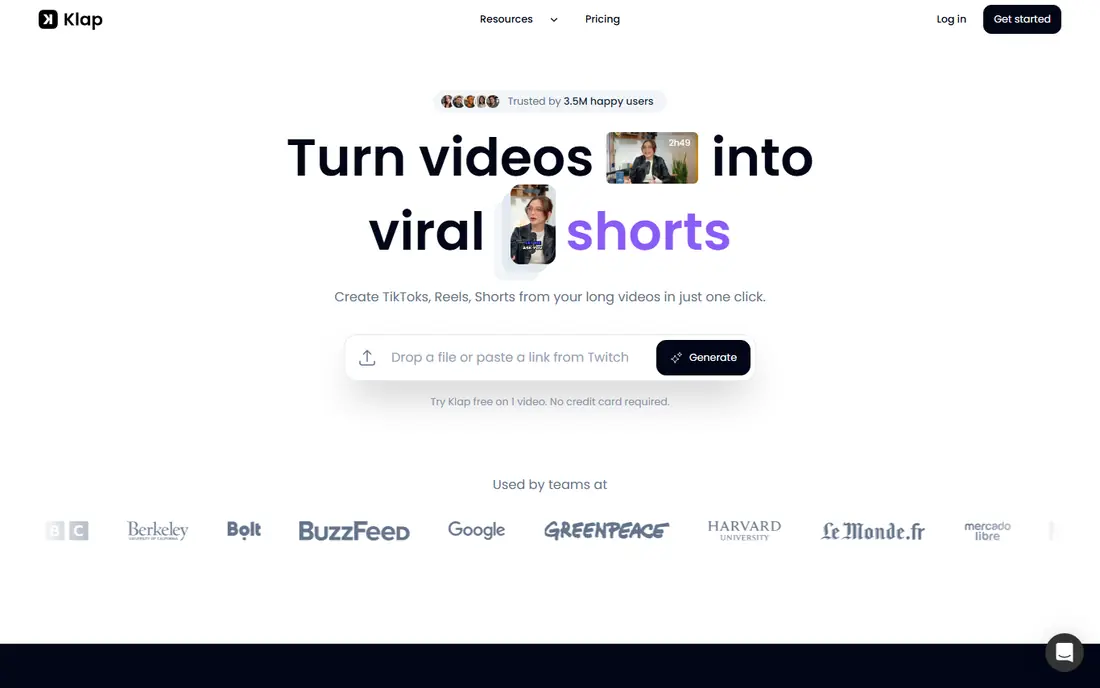
Klap appeals to creators who care about brand consistency across clips. Its AI finds highlight moments, reframes speakers with layouts such as split screen, and applies caption styles that match a channel look. Language support is broad, with published comparisons citing 52 transcription languages, which helps creators publishing to more than one market.
Billing is per clip, which changes the math. A creator who generates many candidate clips to pick a few will pay for the rejects too. Published pricing puts Basic near $29 per month, with a free test clip rather than a monthly free tier. Klap suits talking-head creators and small teams who publish a steady number of clips and want them to look consistent.
- AI highlight detection with strong reframing
- Captions in 52 languages in published comparisons
- Branded templates for consistent output
- Charges per clip generated, so trial-and-error costs credits
- No permanent free plan in most listings, only a trial clip

Descript takes a different path from pure clippers: you choose the moments, and the tool makes editing them fast. Transcribe a podcast or interview, delete filler words and weak passages as text, and the video follows. That control produces stronger hooks than an algorithm alone, since you decide what matters rather than trusting a score.
The trade-off is effort. Descript will not hand you twenty clips from a two-hour show with one click, though its clip tools help once moments are chosen. Published pricing puts Hobbyist near $16 per month billed annually, or $24 monthly, with a free tier near 60 media minutes per month at 720p. Descript suits podcasters and talking-head creators who value control over full automation.
- Text-based editing where deleting words edits video
- Filler removal and studio sound tools
- Strong transcription and caption workflow
- Less automatic moment-picking than dedicated clippers
- Heavy multicam work can feel slow
Kapwing is the pick when clipping is part of a wider editing job. Teams can cut, caption, reframe, add b-roll and publish from a browser, with shared workspaces and brand kits keeping output consistent. Speaker focus reframing and subtitle translation help teams publishing across platforms and languages.
The free plan limits matter: published comparisons cite watermarked exports and about 30 export minutes per month, with four-minute exports on free. Paid pricing sits near $16 per month billed annually. Kapwing suits content teams that need a real editor plus clipping, rather than creators who want fully automatic moment-picking with no editing.
- Full browser editor with templates, captions and reframing
- Team collaboration and brand kits
- Subtitle translation in many languages
- Free exports carry a watermark and a monthly export-minute limit
- AI clipping is one feature among many, not the whole product
Submagic is the polish layer many creators add after clipping elsewhere. Its caption templates, word highlighting and auto zooms make a talking-head clip look native to short-form feeds, and the workflow is fast once a clip is chosen. Creators who already pick moments manually often pair a clipper with Submagic for final style.
It is not a full replacement for an AI clipper on its own, since its strength is styling a clip rather than finding one in a long video. Published pricing puts Starter near $19 per month monthly, with lower annual rates reported in some comparisons, and a trial rather than a permanent free plan. Choose Submagic when caption style drives watch time for your channel.
- Eye-catching animated caption templates
- Fast short-form polish for Reels and TikTok
- Auto zooms and b-roll options on higher tiers
- Caption-first tool, so long-form moment detection is thinner than Vizard or Klap
- Starter limits videos to about two minutes in published comparisons
Riverside suits podcasters and interview shows that want recording and clipping in one subscription. Record remote guests in high quality with separate audio and video tracks, transcribe the session, and generate Magic Clips from the best moments. That single workflow saves the export and upload step that separate tools require.
Creators who only need to clip existing YouTube videos or files gain less here, since Riverside shines when it also records the show. Published pricing puts entry near $24 per month billed annually, with a free tier for testing. Riverside is the best alternative for shows that record remotely every week and publish clips from each episode.
- High-quality remote recording with separate tracks
- Magic Clips turn recordings into shorts
- Transcription included
- Clipping is tied to the recording platform, so outside uploads fit less well
- Free exports are watermarked at 720p in published comparisons
Munch targets marketing teams and agencies that turn webinars, talks and brand videos into a steady stream of shorts. Its AI picks moments with platform trends in mind, and its workspace suits teams that review, approve and schedule clips together. For a brand publishing daily, that team flow matters as much as clip quality.
Solo creators should pause at the price. Published pricing puts entry near $49 per month, which is steep for one weekly video. Munch earns that price when a team clips at volume, needs approval steps and publishes across several channels. A solo creator gets better value from Vizard, Ssemble or CapCut.
- AI clipping tuned to trends and platform formats
- Team and agency workflows
- Caption and reframing tools for marketing output
- Highest entry price among dedicated clippers here
- Overkill for a solo creator clipping one video a week
Ssemble is the budget alternative that still does the core job. Upload a video, let the AI propose clips, add captions and export vertical shorts. Published comparisons put paid entry near $6 per month billed annually, with a free plan mentioned, which makes it the cheapest paid start in this guide.
The trade-off is depth. Ssemble lacks the team workspaces of Vizard, the text editing of Descript and the recording studio of Riverside. Its credit model charges per video in published comparisons, so long sources need checking against plan limits. Ssemble suits solo creators and small channels that want AI clipping without a $29 monthly bill.
- Lowest paid entry price in this guide
- AI clipping with captions in many languages
- Simple workflow for solo creators
- Smaller feature set than Vizard or Descript
- Per-video credit model needs care for long sources
CapCut is the hands-on alternative for creators who enjoy editing. Its free tier covers a full timeline editor, templates, effects and auto captions on mobile and desktop, and its community supplies endless tutorials. A creator can cut a short manually, add trending sounds and effects, and publish without paying.
The catch is automation. CapCut will not reliably pick the best five minutes from a ninety-minute talk the way Vizard or Klap try to, so it suits creators who already know their moments or who edit face-to-camera clips. Pro pricing varies by region and platform, so we list See website. CapCut is best as a low-cost editor, often paired with a dedicated clipper for moment discovery.
- Free tier with a full mobile and desktop editor
- Templates, effects and auto captions
- Huge creator community and learning resources
- AI moment-picking is thinner than dedicated clippers
- Pro pricing varies by region and platform, so confirm the live figure
How we picked these
We compared official pricing pages and 2026 clipping comparisons that checked vendor sites directly, favoring tools that are live now, produce vertical shorts from longer videos, and state free limits and billing units. We left out full video suites with no clipping workflow and tools that only add captions without reframing or clip generation. Where pricing varied between sources, we used the most recent figure or wrote See website.
What to check before you choose
Start with your volume and billing unit. Per-minute tools suit short sources, per-clip tools suit creators who generate few candidates, and per-video tools suit short uploads. A creator uploading five hours a month pays a very different bill on each model, so run your real monthly minutes through each plan before switching.
Next, test caption accuracy on your own voice and vocabulary, since published accuracy claims rarely survive accents and jargon. Check export limits too: resolution, watermark, clip length and export windows all affect whether a free or entry plan can publish. Finally, keep the rights question in mind: only clip videos you own or have permission to reuse, and credit guests and sources where required.
Frequently asked questions
What are the best alternatives for turning long videos into shorts?
Vizard and Klap are the closest dedicated clippers, Descript suits podcasters who want control, and Kapwing suits teams that need a full browser editor. The best pick depends on whether you want full automation, editing control or team collaboration. Test each on one of your own videos before switching.
What is the best free alternative for AI clipping?
Vizard, Descript, Kapwing, Riverside, Ssemble and CapCut all offer free tiers, with limits on resolution, watermark and monthly minutes. Vizard and Descript give the most useful free tests for clipping, while CapCut gives the most editing freedom free. Free tiers suit testing, not regular publishing, since exports are often watermarked.
How much do AI clipping tools cost?
Entry prices in this guide run from $6 per month for Ssemble to $49 per month for Munch, with Vizard, Klap, Descript, Kapwing, Submagic and Riverside between $16 and $29 per month. Billing units differ, so compare per-minute, per-clip and per-video costs for your monthly volume rather than headline prices alone.
Do AI clipping tools work for podcasts?
Yes, Descript and Riverside are built for podcasts and interviews, while Vizard and Klap also handle long audio-led videos well. Podcasters should favor transcript-based control from Descript or recording-plus-clipping from Riverside. Check caption accuracy on your show's vocabulary before committing.
Can I edit clips after the AI picks them?
Yes, most tools in this guide allow caption edits, trimming, reframing and template changes after generation. Descript and Kapwing offer the deepest post-generation editing, while Vizard and Klap offer lighter edits focused on captions and layout. Confirm export options before paying, since some plans limit re-exports.
Is it better to pick clips manually or let AI pick them?
AI picking saves time and suits high-volume publishing, while manual picking produces stronger hooks for educators, experts and podcasters whose value sits in substance. Many creators use AI to propose moments, then choose and edit the final clips themselves. That hybrid approach avoids out-of-context clips while keeping the workflow fast.
Sources
See where you really rank - block by block
ProMapRanker scans Google Maps across a grid of your service area. Simple monthly plans from $19, white-label on every plan.
Start freeKeep reading
 zscaler alternatives
Best Zscaler Alternatives in 2026
Looking for zscaler alternatives? We compare 9 SASE and zero trust platforms on architecture, data protection, pricing, and fit for your network and team.
Read → zapier alternatives free
Best Zapier Alternatives Free in 2026
Nine automation tools for zapier alternatives free in 2026, all with genuinely free tiers, plus free plan limits, starting prices and upgrade paths explained.
Read → which platform is best for online reputation
Which Platform Is Best for Online Reputation in 2026
Wondering which platform is best for online reputation? We compare 8 review, listing, and response tools for small and multi-location businesses and agencies.
Read →