 ProMapRanker
Best OptiTune Alternatives in 2026

Key takeaways
- OptiTune, by Bravura Software, is a remote monitoring and management tool for MSPs and IT teams, focused mainly on Windows endpoints.
- NinjaOne is our pick for ease of use at scale, while Atera and Syncro suit small MSPs that want RMM plus ticketing in one tool.
- Per-technician pricing wins when each tech manages many endpoints, while per-endpoint pricing suits small or variable fleets.
- Action1 is the best free starting point for patching, but it is not a full RMM replacement on its own.
- Trial patching, alerting, and remote access on real client devices before you sign, because lab demos hide real-world friction.
Quick comparison
| Pick | Great for | Pricing starts at | Free tier | |
|---|---|---|---|---|
 NinjaOne | Ease of use at scale | See website | Free trial | Visit |
 Atera | Per-technician RMM plus PSA | $129 per month | Free trial | Visit |
 Syncro | Small MSPs wanting RMM plus PSA | $129 per month | Free trial | Visit |
 N-able N-central | Complex MSP automation | See website | Free trial | Visit |
 Datto RMM | MSP endpoint management | See website | Free trial | Visit |
 ManageEngine Endpoint Central | Budget IT departments | See website | Yes | Visit |
 Action1 | Free patching | Free | Yes | Visit |
 SuperOps | Modern RMM plus PSA | See website | Free trial | Visit |
 ConnectWise RMM | ConnectWise ecosystem teams | See website | Free trial | Visit |
The best optitune alternatives
We compared these tools on monitoring, patching, remote access, scripting, PSA features, pricing model, and trial availability. Our pick for most MSPs is NinjaOne for pure RMM, and Atera or Syncro for RMM plus PSA in one tool. This article angles OptiTune as device management and endpoint management for MSPs and IT teams, which matches how Bravura Software positions it.
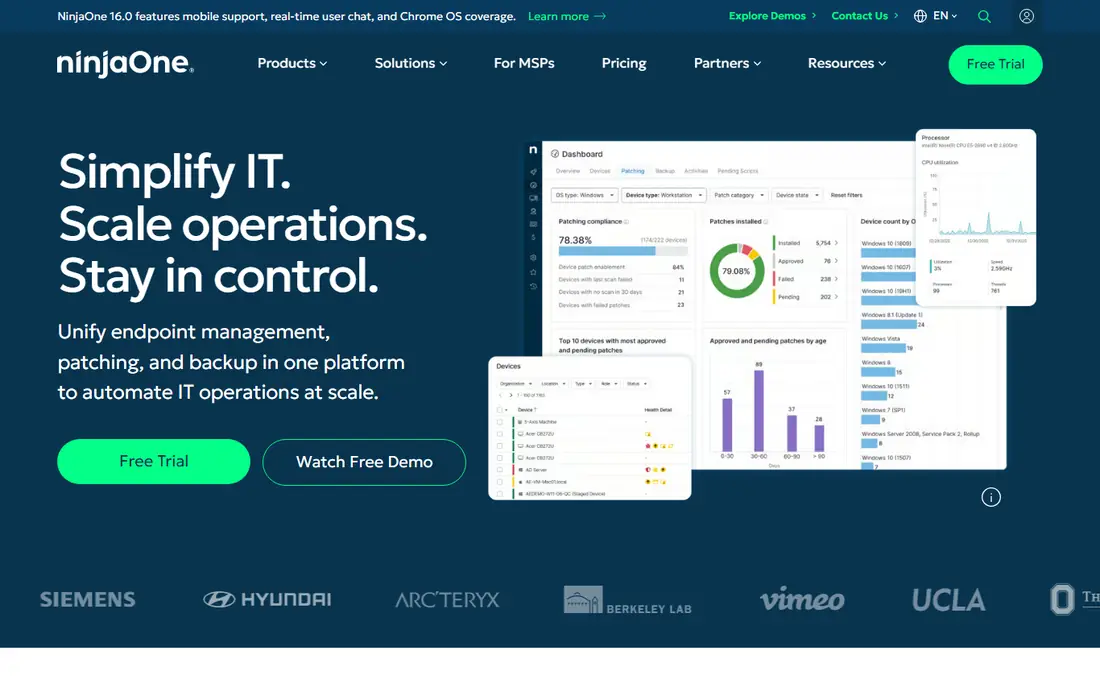
NinjaOne is the most polished pure RMM on this list, and that polish matters when technicians open the console all day. Patching for operating systems and third-party apps, remote access, scripting, and monitoring sit in a fast interface that does not fight the user. Support for Windows, Mac, and Linux helps mixed fleets, and automation reduces repetitive work such as software deployment and maintenance tasks. For MSPs that want a modern RMM without a heavy PSA bundle, NinjaOne is a strong default.
The catch is pricing structure. NinjaOne charges per endpoint, with volume tiers, so a large fleet can cost more than a per-technician tool, and PSA features are not bundled in the same way as Atera or Syncro. Teams that already use a separate PSA may see that as a benefit, because they can keep their ticketing system. Teams that want one tool for both jobs should compare Atera and Syncro before choosing NinjaOne.
- Fast and clear interface
- Strong patching
- Broad Windows, Mac, and Linux support
- Quote-based pricing
- PSA is separate
- Costs rise with endpoint count
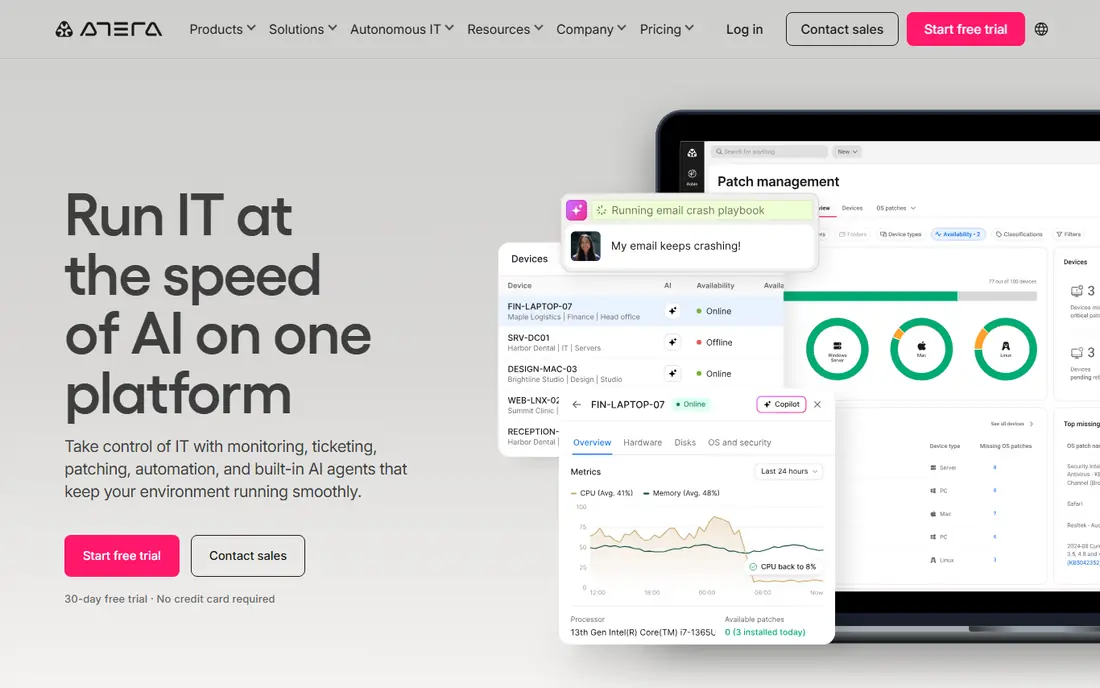
Atera appeals to MSPs with many endpoints per technician, because pricing is per technician with unlimited endpoints rather than per device. That model rewards dense client estates, where one tech supports hundreds of machines. RMM, remote access, patching, and ticketing live in one platform, which reduces tool sprawl for small MSPs. AI-assisted scripting help is a useful extra for teams that automate common fixes but do not want to write every script from scratch.
The tradeoff is PSA depth. Atera ticketing is useful, but it is lighter than a dedicated PSA, so larger MSPs with complex billing and project needs may still need a separate system. The per-technician price is also high for a solo tech with few endpoints. If your ratio of endpoints per tech is high, Atera can save money and simplify operations. If your fleet is small, a per-endpoint tool may cost less.
- Per-technician pricing
- Unlimited endpoints
- Ticketing and remote access included
- PSA features are lighter than dedicated tools
- Price per tech is high for solo users
- Some advanced features need higher tiers
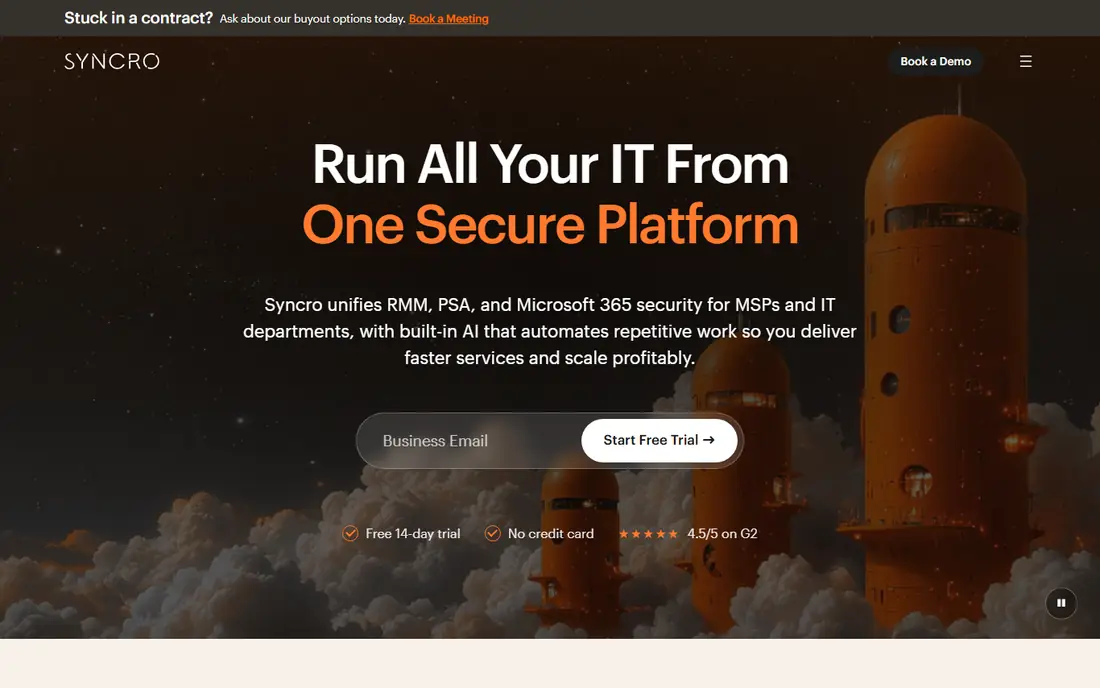
Syncro combines RMM, PSA ticketing, billing, and scripting in one platform priced per technician, which makes it a natural fit for small MSPs that want one system for service delivery. Unlimited endpoints under per-technician pricing helps teams with dense fleets, and PowerShell scripting supports deep automation for Windows environments. Integrated billing also helps MSPs invoice clients without a separate billing tool for basic needs.
The catch is polish and tiering. The interface can feel busier than NinjaOne, and some features require higher tiers, so check the exact plan before you compare headline prices. Syncro still suits small MSPs that value an all-in-one workflow over a slick interface. Larger MSPs with a dedicated PSA may prefer NinjaOne or Datto RMM as a pure RMM instead.
- RMM plus PSA and billing
- Per-technician pricing
- Strong scripting
- Interface can feel busy
- Higher tiers needed for some features
- Less polished than NinjaOne
N-able N-central is built for MSPs with complex environments and mature automation needs. It offers deep monitoring, patching, backup integrations, and automation rules that can handle varied client setups. The option to run on-prem or in the cloud helps MSPs with clients that have strict hosting requirements. For larger MSPs that already have process discipline, N-central provides control that simpler tools do not attempt.
The tradeoff is complexity and cost opacity. Pricing is quote-based, and onboarding takes longer than with NinjaOne or Atera. Small MSPs may find N-central heavier than they need, and the learning curve can slow a small team. If you run a larger MSP with complex automation and varied client environments, N-central is worth a demo. If you run a small MSP, start with Atera, Syncro, or NinjaOne.
- Deep automation and monitoring
- On-prem and cloud options
- Broad MSP integrations
- Quote-based pricing
- Steeper learning curve
- Setup takes longer
Datto RMM is a cloud-based RMM designed for MSPs that manage many client sites. Policy-based monitoring and automation help technicians apply consistent rules across clients, and ransomware detection features add a security layer to endpoint management. For MSPs already using Datto backup or other Datto tools, the shared ecosystem can simplify operations and support. Datto RMM scales well for MSPs that manage large fleets across many clients.
The catch is pricing and ecosystem fit. Pricing is quote-based, so small MSPs cannot judge cost without a sales conversation, and the tool fits best inside the wider Datto and Kaseya world. Onboarding also takes time, because policy setup rewards careful planning. If you already use Datto tools, Datto RMM is a natural extension. If you want a standalone RMM with transparent pricing, NinjaOne may be simpler.
- Policy-based monitoring
- Ransomware detection features
- Scalable for MSPs
- Quote-based pricing
- Tied to wider Datto and Kaseya ecosystem
- Onboarding takes time
ManageEngine Endpoint Central suits internal IT departments that need patching, software deployment, asset tracking, and remote troubleshooting without MSP pricing. A free tier for up to 25 devices helps small teams start without a budget approval, and paid editions scale to larger fleets. The breadth of features covers many day-to-day IT jobs, from OS patching to configuration management, in one console.
The tradeoff is that Endpoint Central is less MSP-centric than Atera, Syncro, or NinjaOne. Multi-client management and MSP billing are not its main strengths, and the interface can feel heavy for small teams. Internal IT teams with a fixed fleet will find it a strong value pick. MSPs that manage many clients should favor a tool built for multi-tenancy instead.
- Free tier for small fleets
- Broad patching and deployment
- Useful for internal IT
- Interface feels enterprise-heavy
- MSP features are less central
- Pricing varies by edition
Action1 is the best free starting point on this list, because it offers patching for up to 200 endpoints at no cost. That covers many small businesses and small MSP client estates without a paid commitment. Cloud-native patching, vulnerability views, and remediation workflows help teams close patch gaps that attackers often exploit. For a team whose main gap is patching, Action1 delivers real value for free.
The honest catch is scope. Action1 is a patching and remediation tool, not a full RMM with deep monitoring, scripting, and PSA features. Remote access and full endpoint management are more limited than in NinjaOne or Atera. Use Action1 as a patching layer or as a free start, and pair it with a full RMM if you need monitoring, ticketing, and remote support in one system.
- Free for up to 200 endpoints
- Cloud-native patching
- Useful vulnerability views
- Not a full RMM
- No full PSA
- Limited remote access compared with RMM tools
SuperOps aims to give MSPs a modern RMM plus PSA workspace without the dated feel of older platforms. The interface is clean, ticketing and RMM live together, and AI-assisted ticketing helps small teams triage issues faster. Per-endpoint pricing suits MSPs with smaller or variable fleets, and the platform is designed for service delivery rather than just device monitoring. For a growing MSP that wants a fresh, unified tool, SuperOps is an appealing choice.
The tradeoff is maturity. SuperOps is newer than NinjaOne, N-able, or Datto, so some integrations and advanced features are still growing. Pricing also varies by tier, so check which PSA and automation features sit on the plan you intend to buy. If a modern interface and a unified RMM plus PSA workflow matter most, SuperOps is worth a trial. If you need the deepest integration library today, a more established tool may be safer.
- Modern interface
- RMM plus PSA in one
- Per-endpoint pricing options
- Newer platform than leaders
- Pricing varies by tier
- Some integrations still growing
ConnectWise RMM fits MSPs that already run ConnectWise PSA or other ConnectWise tools, because the integration between RMM and PSA is the main selling point. Tickets, assets, and monitoring can flow between systems without manual copying, which helps larger MSPs keep service delivery consistent. AI-assisted monitoring and remote access support day-to-day technician work, and the platform scales for MSPs with many clients.
The catch is ecosystem dependence and pricing clarity. Pricing is quote-based and modular, so the total cost depends on which modules you choose. Teams outside the ConnectWise world may find less benefit, because the integration advantage disappears. If you already use ConnectWise PSA, ConnectWise RMM is a natural fit. If you do not, NinjaOne, Atera, or Syncro may offer a simpler path.
- Strong PSA integration
- AI-assisted monitoring
- Scalable for MSPs
- Quote-based pricing
- Modular pricing can confuse
- Best inside ConnectWise ecosystem
How we picked these
We compared official feature pages, pricing pages, and public reviews for each tool, and we checked monitoring, patching, remote access, scripting, PSA features, pricing model, and trial terms. We favored tools that still work in October 2026, that serve MSPs or internal IT teams, and that fit remote monitoring and endpoint management rather than general helpdesk alone. We left out tools that were discontinued or that only offered remote access with no monitoring or patching.
How to choose an RMM tool
Start with your pricing math. Count endpoints per technician, then model per-technician tools like Atera and Syncro against per-endpoint tools like NinjaOne and SuperOps at your current count and at your two-year projection. A tool that is cheap today can become expensive as your fleet grows, and switching RMM platforms later is costly. Next, decide if you need PSA bundled. Small MSPs often benefit from a bundle, while larger MSPs with a dedicated PSA may prefer a pure RMM.
Then trial on real devices. Test patching for Windows and third-party apps, alert accuracy, remote access speed, and script deployment on a real client environment, not just a lab. Watch alert noise, because a tool that floods technicians with low-value alerts will be ignored. Finally, check integrations with your PSA, backup, security, and documentation tools, and get contract length, renewal terms, and minimum commitments in writing before you sign.
Questions to ask vendors
Ask how patching handles third-party apps, how alerts can be tuned per client, and how data can be exported if you leave. Ask about onboarding time, support hours, and whether pricing changes at renewal. A vendor that answers those questions clearly is easier to trust than one that only shows a polished demo. Take notes during trials, because demo promises fade quickly once the contract is signed.
Frequently asked questions
What is OptiTune?
OptiTune, by Bravura Software, is a remote monitoring and management tool for MSPs and IT teams. It helps teams monitor devices, deploy software, apply patches, run scripts, and provide remote assistance from a web console, with a focus on Windows endpoints. This article lists alternatives in that same RMM and endpoint management category.
Is per-technician or per-endpoint pricing better?
Per-technician pricing usually wins when each technician manages many endpoints, roughly 50 or more, because the cost stays flat as you add devices. Per-endpoint pricing can be cheaper for small fleets or when device counts vary. Model both at your current and projected counts, because the cheaper model can flip as you grow.
Do I need a PSA if I buy an RMM?
Not always. Small MSPs often benefit from a bundled RMM plus PSA, such as Atera, Syncro, or SuperOps, because ticketing and billing stay in one place. Larger MSPs with a dedicated PSA may prefer a pure RMM like NinjaOne or Datto RMM that integrates with that PSA. If you already run a PSA you like, do not replace it without a clear reason.
Can I try an RMM before buying?
Yes. Most tools here offer a free trial, typically 14 to 30 days, and Action1 and ManageEngine Endpoint Central offer free tiers for small fleets. Use the trial on real client devices, test patching and remote access under load, and check alert quality. A trial on a lab machine alone will not reveal real-world problems.
How hard is it to switch RMM vendors?
Switching is a project, not an afternoon task. You must redeploy agents, rebuild policies and scripts, retune alerts, and retrain technicians. Plan the switch at a project boundary or during a quiet period, start with one client, and keep the old tool running until the new one is proven. Budget time for cleanup, because old agents and policies often linger after a switch.
Sources
See where you really rank - block by block
ProMapRanker scans Google Maps across a grid of your service area. Simple monthly plans from $19, white-label on every plan.
Start freeKeep reading
 zoro.to alternatives
Best Zoro.to Alternatives in 2026
We compare the best zoro.to alternatives in 2026, listing only legal licensed anime streaming services, from Crunchyroll to free options for fans today.
Read → zip alternatives
Best Zip Alternatives in 2026
We compare the best zip alternatives for buy now, pay later in 2026, covering pay-in-4 plans, fees, spending limits, and credit reporting options today.
Read → yesware alternatives
Best Yesware Alternatives in 2026
Compare the best yesware alternatives for sales email tracking, templates, and sequences, with current pricing and honest tradeoffs for small sales teams.
Read →