 ProMapRanker
Open Source Alternatives to Notion in 2026


Notion-style pages and databases, self-hosted · Pricing starts at: Free
Key takeaways
- AppFlowy and AFFiNE come closest to a Notion-style workspace, with pages, databases, and whiteboards, plus a self-hosted option.
- Logseq, Joplin, and Trilium Notes suit personal knowledge work better than team databases, because they focus on notes, links, and local files.
- Outline is the strongest choice for a team wiki, while Anytype and Notesnook put privacy and local-first storage first.
- Open source does not always mean free hosting: self-hosting saves subscription cost but adds server, backup, and update work.
- Check the license and the hosted plan separately, because some tools pair an open client with a paid server or cloud service.
Quick comparison
| Pick | Great for | Pricing starts at | Free tier | |
|---|---|---|---|---|
| AppFlowy | Notion-style pages and databases, self-hosted | Free | Yes | Visit |
 AFFiNE | Docs plus whiteboards in one workspace | Free | Yes | Visit |
 Logseq | Linked notes and personal knowledge graphs | Free | Yes | Visit |
 Joplin | Plain notes with sync and plugins | Free | Yes | Visit |
 Outline | Team wikis and internal docs | Free | Yes | Visit |
 Trilium Notes | Hierarchical personal knowledge base | Free | Yes | Visit |
 SiYuan | Block-based notes with databases | Free | Yes | Visit |
 Anytype | Private local-first workspaces | Free | Yes | Visit |
 Notesnook | Encrypted notes with sync | Free | Yes | Visit |
The best open source Notion alternatives
We looked for tools that are open source or source-available, that still work in October 2026, and that cover at least one core Notion job: documents, wikis, databases, or linked notes. We flag license differences where they matter, because not every tool here uses the same kind of open license.
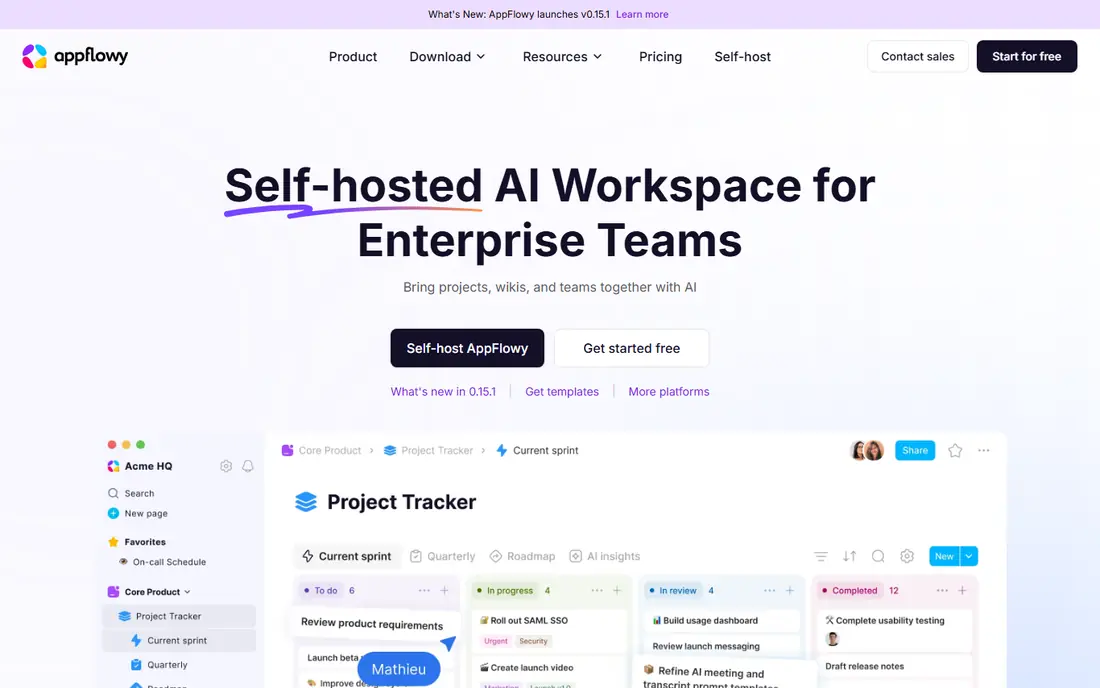
AppFlowy is the most direct open source answer to Notion for readers who want pages and databases without giving up control of their data. You can build docs, tables, and boards in a familiar block layout, and you can run it locally or on your own server. That combination appeals to teams that like Notion but want a clearer exit path for their content.
The license picture needs a careful read. Client apps are open source, while the self-hosted server has commercial terms, so a team should check current seat and guest limits before planning a rollout. Database features also continue to develop, so very complex Notion setups may need simplification. For most docs and project tracking, AppFlowy is a strong, honest starting point.
- Pages, databases, and kanban views
- Local-first design
- Self-hosting option for teams
- Self-hosted server terms differ from the client license
- Database depth is still growing

AFFiNE stands out because it treats a whiteboard as a first-class workspace, not an add-on. You can write a doc, switch the same page into a canvas, sketch ideas, and link related pages without leaving the app. Local workspaces work offline, and teams can self-host or use AFFiNE Cloud for collaboration.
The free local experience is generous, but team features and larger hosted workspaces move to paid plans, so a growing team should price the Team plan early. Database depth also lags behind Notion for heavy relational setups. If your work mixes writing, planning, and visual mapping, AFFiNE is the most creative tool in this list.
- Docs and infinite whiteboards in one app
- Local workspaces
- Self-hosting with Docker
- Team plan is paid
- Database features are less mature than Notion
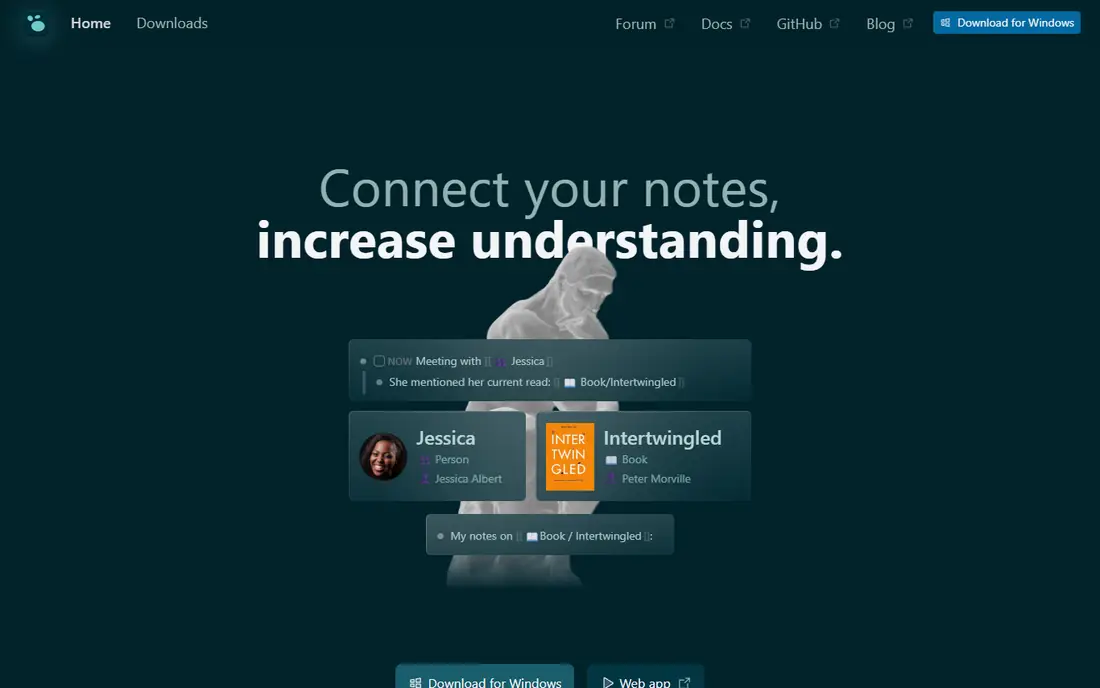
Logseq is built for people who think in linked notes rather than folders. You write daily notes, link pages, add tasks, and build a graph of ideas over time, with your files stored locally in plain text formats. That local-first design makes export and long-term access simple, and it suits researchers, students, and writers who want a personal knowledge base.
The outliner interface can feel unusual at first, especially for readers used to free-form Notion pages. Collaboration is also more limited than a team wiki, because Logseq centers on personal workspaces. If you want a private second brain that you fully control, Logseq is one of the best open source choices available.
- Free and open source
- Local-first Markdown and Org files
- Backlinks, graphs, and task tools
- Outliner style takes adjustment
- Team collaboration is not its main strength
Joplin is the steady, practical pick for note-taking without lock-in. It organizes notes into notebooks, supports Markdown, tags, attachments, and search, and offers a large plugin collection for extra features. You can sync through Joplin Cloud or your own storage, which gives you control over where notes live.
Joplin will not feel like Notion. It has no native relational databases or polished team workspaces, and its design favors function over visual flair. For personal notes, research clips, and to-do lists that must stay searchable for years, that plain approach is a strength, not a flaw.
- Free and open source
- Notebooks, tags, and search
- Sync across devices with your own storage
- Interface is plain
- Databases and kanban views are not native strengths
Outline is the best open source choice when the job is a team wiki. Collections group docs by team or topic, search stays fast, and permissions keep drafts and published docs separate. New team members can find how-to guides, policies, and project docs without digging through chat threads.
Self-hosting Outline takes real setup work, including a database, storage, and authentication, so small teams should weigh that against a hosted plan. It also focuses on docs rather than Notion-style databases, so project tracking may need a separate board tool. For internal knowledge that must stay organized and searchable, Outline is hard to beat.
- Free and open source for self-hosting
- Clean wiki structure
- Collections, search, and permissions
- Self-hosting needs setup and maintenance
- Fewer database views than Notion
Trilium Notes suits people who organize knowledge in trees rather than flat pages. Notes can sit in a hierarchy, appear in more than one place through cloning, and carry attributes, relations, and scripts for power users. A sync server lets you keep notes on your own infrastructure instead of a vendor cloud.
The interface is more technical than Joplin or Notesnook, and mobile use is less polished. That makes Trilium a better fit for desktop researchers and archivists than for casual phone note-taking. If you have a large, long-lived knowledge base and want precise structure, Trilium rewards the learning time.
- Free and open source
- Deep note trees and cloning
- Sync server option for your own hosting
- Interface feels technical
- Mobile experience is more limited than desktop
SiYuan takes the block idea seriously: documents, headings, lists, and database rows are blocks you can reference, move, and link. That makes it closer to Notion than a plain note app, while keeping data local and offline-capable. Database blocks support relations and rollups, which help with reading lists, project trackers, and research catalogs.
The depth can overwhelm new users, because settings and block types are numerous. Team collaboration is also less central than in Outline or AppFlowy. For a solo user or small team that wants Notion-like blocks with local files, SiYuan is a strong and privacy-minded pick.
- Block-level editing and linking
- Database blocks with relations
- Local-first and offline capable
- Interface has many options
- Team collaboration is less central than personal use
Anytype is the privacy-first option for readers who want a Notion-like workspace without a central cloud holding their notes. Data lives locally first, sharing uses encrypted sync, and objects, sets, and graphs give you flexible ways to organize work. The design feels modern, and the local-first model makes offline work natural.
Readers should note the license difference. Anytype apps are source-available under its own license, not a standard open source license, so it does not match a strict open source requirement in the same way as AppFlowy or Joplin. If privacy and local control matter more than license type, Anytype still belongs on the shortlist, with that caveat stated plainly.
- Local-first storage
- End-to-end encryption claims for shared data
- Objects, sets, and graph views
- Apps are source-available, not under a standard open source license
- Some features are still maturing
Notesnook is a clean, private note app for people who want encryption without a complex setup. Notes sync across phone, tablet, and computer with end-to-end encryption, and notebooks, tags, and a web clipper cover everyday capture and research. The interface stays calm, which helps for daily journaling and study notes.
It is not a Notion replacement for databases or team project tracking. Paid plans add more sync, themes, and vault features, while the free plan covers core notes. If your main Notion use is personal docs and notes, and privacy is a top concern, Notesnook is a simple and trustworthy choice.
- Open source clients
- End-to-end encrypted sync
- Clean notebooks, tags, and web clipper
- No Notion-style databases
- Some sync and theme features need a paid plan
How we picked these
We compared official project pages, documentation, and pricing pages for tools that publish source code or source-available code and that still work in October 2026. We favored tools that cover docs, wikis, databases, or linked notes, and we excluded closed tools that only claim a Notion-like design. Where a license or hosted plan differed from the free client, we noted that difference instead of calling the whole product free and open.
How to move from Notion without losing your work
Start by listing what you actually use in Notion: docs, databases, wikis, tasks, or whiteboards. A tool that covers your top two uses well will serve you better than a tool that covers all five poorly. Export a sample workspace first, and test how pages, tables, images, and links survive the move.
Test self-hosting before you promise it to a team
Self-hosting gives control, but it also gives you backup, update, security, and uptime duties. Run the tool on a test server for two weeks, practice a restore from backup, and check how updates handle your data. If that work feels heavy, a hosted plan or a local-first desktop app may be the better trade.
Keep a plain-text exit path
Prefer tools that store notes in Markdown, plain files, or a clear export format. That habit protects you if a project changes direction, pauses development, or raises prices. Even when you love a tool, a monthly export to a local folder is cheap insurance for years of notes.
Match the tool to the team, not just the license
A strict open source license does not help if your team will not use the tool. Outline suits a team wiki, AppFlowy suits a small project team, and Joplin suits solo note-takers. Pick the tool your least technical teammate can use daily, then confirm the license and hosting model fit your rules.
Frequently asked questions
What are the best open source Notion alternatives?
AppFlowy and AFFiNE are the closest to Notion for pages, databases, and whiteboards. Outline is best for a team wiki, Logseq is best for linked personal notes, and Joplin is best for simple, long-lived notes. The right pick depends on whether you need team databases, a wiki, or a private knowledge base.
Are open source Notion alternatives really free?
The software itself is often free, especially for local or self-hosted use, but hosting, sync, and team features can cost money. Some tools charge for cloud plans, larger teams, or extra seats, and self-hosting adds server and maintenance costs. Check the client license and the hosted plan separately before budgeting.
Which open source alternative is closest to Notion?
AppFlowy is the closest in layout and intent, with pages, databases, and boards plus self-hosting. AFFiNE is close too, with docs and whiteboards, though its database features are less mature. Neither is an exact copy, so test your most complex database and your most shared page before migrating a whole workspace.
Can I self-host an open source Notion alternative?
Yes, for several tools here, including AppFlowy, AFFiNE, Outline, and Trilium Notes, using Docker or a server install. Self-hosting needs backups, updates, and user management, so it suits teams with some technical capacity. Local-first tools such as Logseq, Joplin, and Anytype also let you keep data on your own devices without running a server.
Is Anytype fully open source?
Anytype apps are source-available, not released under a standard open source license, even though parts of its sync protocol use a permissive license. That distinction matters if your policy requires a recognized open source license. If your main concern is local-first storage and privacy, Anytype still fits, but you should record the license caveat in your decision.
Sources
See where you really rank - block by block
ProMapRanker scans Google Maps across a grid of your service area. Simple monthly plans from $19, white-label on every plan.
Start freeKeep reading
 zscaler alternatives
Best Zscaler Alternatives in 2026
Looking for zscaler alternatives? We compare 9 SASE and zero trust platforms on architecture, data protection, pricing, and fit for your network and team.
Read → zapier alternatives free
Best Zapier Alternatives Free in 2026
Nine automation tools for zapier alternatives free in 2026, all with genuinely free tiers, plus free plan limits, starting prices and upgrade paths explained.
Read → which platform is best for online reputation
Which Platform Is Best for Online Reputation in 2026
Wondering which platform is best for online reputation? We compare 8 review, listing, and response tools for small and multi-location businesses and agencies.
Read →