 ProMapRanker
Best Open Source Alternatives in 2026

Key takeaways
- LibreOffice replaces Microsoft Office for documents, spreadsheets and presentations, with strong support for Office file formats.
- GIMP, Inkscape and Blender cover photo, vector and 3D work, while VLC covers media playback on almost any device.
- Firefox remains the main open source browser with strong privacy controls, while Thunderbird covers email and calendars.
- Nextcloud replaces cloud storage and collaboration tools, but only if you are willing to host it or pay a provider to host it for you.
- Open source does not mean unsupported. Large communities, documentation and tutorials back every tool in this list, though paid support varies.
Quick comparison
| Pick | Great for | Pricing starts at | Free tier | |
|---|---|---|---|---|
 LibreOffice | Office documents and spreadsheets | Free | Yes | Visit |
 GIMP | Photo editing | Free | Yes | Visit |
 VLC | Media playback | Free | Yes | Visit |
 Firefox | Private web browsing | Free | Yes | Visit |
 Blender | 3D modelling and animation | Free | Yes | Visit |
 Nextcloud | Self hosted cloud storage | Free | Yes | Visit |
 Audacity | Audio recording and editing | Free | Yes | Visit |
 Inkscape | Vector design | Free | Yes | Visit |
 Thunderbird | Email and calendars | Free | Yes | Visit |
 Joplin | Notes with sync options | Free | Yes | Visit |
The best open source alternatives
Open source software is free to use, free to share and open for anyone to inspect. The tools below replace popular paid software across office work, creative work, browsing, media and notes. Each one is actively maintained in October 2026, and each one works on Windows and Mac, with most also supporting Linux.
LibreOffice is the most direct open source replacement for Microsoft Office. Writer handles documents, Calc handles spreadsheets, Impress handles presentations, and Base, Draw and Math cover databases, diagrams and formulas. It opens and saves Word, Excel and PowerPoint files, so sharing with Office users is usually straightforward.
Complex files can still cause friction. Advanced macros, intricate formatting and real time co editing may not transfer perfectly, so test your most complex documents before you switch a whole team. For students, small businesses and home users, LibreOffice covers everyday office work with no monthly fee and no account requirement.
- Writer, Calc and Impress cover most Office jobs
- Strong Office file compatibility
- No subscription or account needed
- Interface feels less polished than Microsoft 365
- Complex Office macros may not transfer
- Collaboration is less smooth than cloud suites
GIMP replaces Photoshop for most photo editing jobs. It supports layers, masks, blend modes, retouching and colour correction, with plugins and scripts that extend it for web graphics, print and batch work. A large tutorial community helps new users learn the tools that matter most.
The interface takes time to learn, and Photoshop users may miss smart objects and adjustment layers in their native form. For cropping, retouching, compositing and web export, GIMP is more than capable. Pair it with a RAW tool such as Darktable for photography, and you cover most Photoshop workflows for free.
- Layered editing, masks and filters
- Large plugin community
- Runs on Windows, Mac and Linux
- Interface is dense for beginners
- PSD support is imperfect for complex files
- No cloud library system
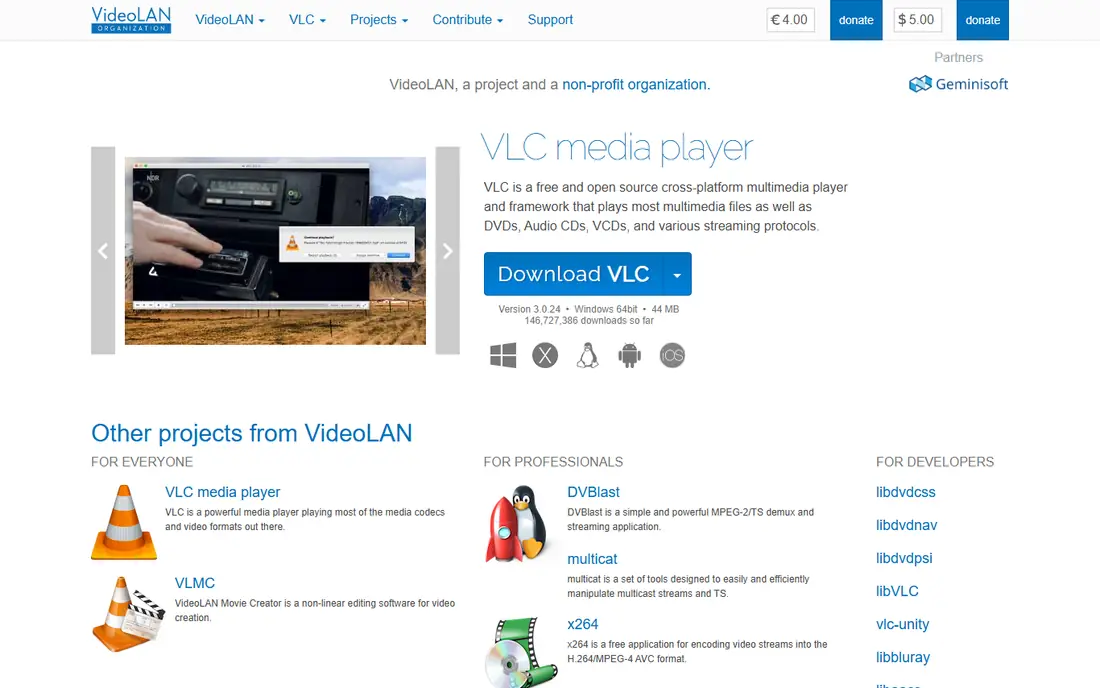
VLC Media Player, from VideoLAN, plays almost any media file without extra codec downloads. It handles video, audio, subtitles, streaming and disc playback on Windows, Mac, Linux, Android and iOS. That breadth is why it remains a default install for many users, years after its first release.
Library management is basic compared with a music app or a media server, and the interface prioritises function over polish. For playing files, converting formats and streaming local media, VLC is hard to beat. If you need a large curated library with recommendations, pair it with a dedicated music or media server app.
- Plays almost any video and audio format
- No codec packs needed
- Lightweight and cross platform
- Library management is basic
- Streaming features are less polished than paid players
- Interface is functional
Firefox, from Mozilla, is the main independent alternative to Chrome, Edge and Safari. It offers tracking protection, container tabs that separate sites, and privacy controls that are easy to find. Extensions cover ad blocking, password management, note taking and developer tools, and sync works across desktop and mobile.
Some websites test first on Chrome, so a rare site may render slightly differently in Firefox, though this is far less common than in past years. For users who want a browser not tied to a search or advertising business, Firefox is the clear open source pick. It is also a good default browser for a household that values privacy without extra setup.
- Strong privacy controls and tracking protection
- Independent rendering engine
- Large extension library
- Some sites optimise first for Chrome
- Memory use can rise with many tabs
- Sync needs a Mozilla account
Blender replaces paid 3D tools such as Maya and 3ds Max for modelling, sculpting, animation, rendering and video editing. It is used for short films, games, product visualisation and motion graphics, with a community that produces tutorials, add ons and sample files. Commercial use is allowed, with no licence fee.
Learning Blender takes time. The interface has many editors and shortcuts, and heavy rendering needs a capable graphics card. Start with a beginner tutorial series, focus on one area such as modelling, and build from there. For students and indie creators, Blender removes the cost barrier to professional 3D work.
- Full 3D pipeline from modelling to rendering
- Active film and game community
- No licence fees for commercial work
- Steep learning curve
- Interface is dense
- Needs a capable GPU for heavy rendering
Nextcloud replaces Dropbox, Google Drive and parts of Microsoft 365 with a system you host yourself or through a provider. It offers file storage and sharing, document editing, calendars, contacts, chat and video calls, all under your control. That control matters for privacy, compliance and long term access to your files.
Self hosting is the trade off. You must install updates, manage backups and secure the server, unless you pay a Nextcloud provider to host it for you. For a family, a small team or a privacy focused business, a managed Nextcloud plan is often the sensible middle path. For a single user who only needs file sync, a simpler tool such as Syncthing may be enough.
- File storage, sharing and collaboration you control
- Apps for documents, calendars and chat
- No vendor lock in
- Self hosting needs technical skill
- Updates and backups are your job
- Managed hosting costs extra
Audacity replaces Audition and other paid audio editors for recording and editing spoken word, music and sound effects. Podcasters use it to record, trim, normalise and clean audio, while musicians use it for simple multi track work and format conversion. Plugins and batch processing extend it further.
It is not a full digital audio workstation for MIDI and virtual instruments, so music producers may need another tool for composition. Keep original recordings backed up, since some Audacity edits are destructive. For podcasting, voice work and simple audio editing, Audacity is free, proven and easy to learn.
- Multi track recording and editing
- Noise reduction and effects
- Runs on Windows, Mac and Linux
- Not a full music production workstation
- Interface is functional
- Destructive edits need backups
Inkscape replaces Illustrator for vector design. It edits SVG files natively, with bezier paths, node editing, gradients, text on paths and clones. Logo designers, icon designers and illustrators use it for web graphics, print designs and diagrams, with extensions that add features such as barcode generation and path effects.
Print users should test CMYK export early, since Inkscape works mainly in RGB. For web and logo work, that limit rarely matters. The community offers tutorials for almost every common task, and the price is free, which makes Inkscape a low risk first vector tool for students and small businesses.
- Native SVG editing
- Node tools and path effects
- Extensions for logos, diagrams and icons
- Performance can lag on complex files
- CMYK print workflow needs care
- Interface takes learning
Thunderbird, from MZLA, replaces Outlook and other paid mail clients for desktop email. It supports multiple accounts, folders, filters, calendars and contacts, with encryption options and add ons for tasks, notes and calendar sync. Users who prefer local email storage and a desktop client over webmail will feel at home.
The interface is more traditional than modern webmail, and setup for some providers may need manual server settings. A mobile app is available, but the desktop app is the mature product. For a household or small business that wants email without a subscription, Thunderbird is a solid, privacy minded choice.
- Email, calendars and contacts in one app
- Strong privacy and encryption options
- Large add on library
- Interface feels traditional
- Setup for some providers needs manual steps
- Mobile app is newer than desktop
Joplin replaces Evernote, OneNote and other paid note apps for users who want plain Markdown notes they control. It supports notebooks, tags, search, web clipping and attachments, with sync through Nextcloud, Dropbox, OneDrive or a local file system. End to end encryption protects synced notes.
Collaboration is limited compared with Notion or Google Docs, so Joplin suits personal notes, research and small team knowledge bases rather than real time co editing. Setup takes a few steps, especially for sync, but once running, Joplin is fast, private and free. Export to Markdown keeps your notes portable if you ever switch tools.
- Markdown notes with notebooks and tags
- Sync via Nextcloud, Dropbox or file system
- End to end encryption option
- Interface is simpler than Notion
- Collaboration features are limited
- Sync setup needs a few steps
How we picked these
We compared official project pages, documentation and release activity for open source tools that are live in October 2026, actively maintained and able to replace a popular paid product for a real job. We excluded tools that are only free trials, tools that are no longer maintained, and tools that are free but not open source where an open source option exists. We weighted maturity, platform support, file compatibility and whether a non technical user can install and use the tool.
How to switch to open source without disruption
Start with one category, not your whole stack. Replace your browser or your office suite first, use it for two weeks, and only then move to creative tools or cloud storage. That gradual pace lets you learn one interface at a time and keeps your work moving.
Test file compatibility early. Open your most complex documents, spreadsheets and design files in the new tool, and check formatting, formulas and fonts. Export in open formats where possible, such as ODT for documents, SVG for vector art and Markdown for notes, so your work stays portable. Keep backups of originals until you are sure the new tool handles them.
Expect a learning curve, and use community help. Open source projects offer documentation, forums and video tutorials, but no paid support line by default. That support model suits self directed users and small teams, while larger organisations may want a vendor that offers paid support for tools such as Nextcloud or LibreOffice.
Frequently asked questions
What are the best open source alternatives to Microsoft Office?
LibreOffice is the best open source replacement for Microsoft Office, with Writer, Calc and Impress covering documents, spreadsheets and presentations. OnlyOffice is another option, though its open source edition differs from its paid cloud version, so check the licence for your use.
Are open source alternatives really free?
Yes, the tools in this list are free to download and use, with no subscription. Some offer optional paid services, such as managed hosting for Nextcloud or cloud sync for Joplin, but the core software remains free and open source.
Which open source alternative replaces Photoshop?
GIMP is the best open source replacement for Photoshop for photo editing, while Krita suits digital painting and Inkscape suits vector design. For browser based PSD editing, Photopea is free but not open source, so it sits outside this list.
Is open source software safe to use?
Open source code can be inspected by anyone, which helps security researchers find flaws, and large projects release updates regularly. Download only from official project sites, keep software updated, and use trusted sources for plugins and extensions, just as you would with paid software.
Can I use open source tools for business work?
Yes. Many small businesses run entirely on open source tools, including LibreOffice, Firefox, Thunderbird and Nextcloud. Check each licence for commercial use, test file compatibility with clients who use paid tools, and consider paid support for critical systems such as email or file hosting.
Sources
See where you really rank - block by block
ProMapRanker scans Google Maps across a grid of your service area. Simple monthly plans from $19, white-label on every plan.
Start freeKeep reading
 zscaler alternatives
Best Zscaler Alternatives in 2026
Looking for zscaler alternatives? We compare 9 SASE and zero trust platforms on architecture, data protection, pricing, and fit for your network and team.
Read → zapier alternatives free
Best Zapier Alternatives Free in 2026
Nine automation tools for zapier alternatives free in 2026, all with genuinely free tiers, plus free plan limits, starting prices and upgrade paths explained.
Read → which platform is best for online reputation
Which Platform Is Best for Online Reputation in 2026
Wondering which platform is best for online reputation? We compare 8 review, listing, and response tools for small and multi-location businesses and agencies.
Read →