 ProMapRanker
Best OneNote Alternatives in 2026

Key takeaways
- Notion is the best all-round replacement when you also want databases, project pages and shared docs beside your notes.
- Obsidian suits note keepers who want local files, linked ideas and full control over their own data.
- Bear is the cleanest writing pick for Apple users, while Google Keep wins for fast capture and short lists.
- Switching costs depend on your archive size, so export a test batch of notes before you move everything.
Quick comparison
| Pick | Great for | Pricing starts at | Free tier | |
|---|---|---|---|---|
 Notion Notion | Notes plus databases and docs | Free | Yes | Visit |
 Obsidian Obsidian | Local linked notes | Free | Yes | Visit |
 Evernote Evernote | Clipping and searching archives | Free | Yes | Visit |
 Bear Bear | Clean writing on Apple devices | Free | Yes | Visit |
 Apple Notes Apple Notes | Simple free notes on Apple devices | Free | Yes | Visit |
 Google Keep Google Keep | Fast capture and lists | Free | Yes | Visit |
 Joplin Joplin | Open source private notes | Free | Yes | Visit |
 Zoho Notebook Zoho Notebook | Low cost notebook replacement | Free | Yes | Visit |
The best onenote alternatives
This list covers alternatives only, and it leaves OneNote itself out on purpose. Each pick below replaces a different part of the OneNote habit, from freeform pages to structured workspaces, so start from the habit you miss most.
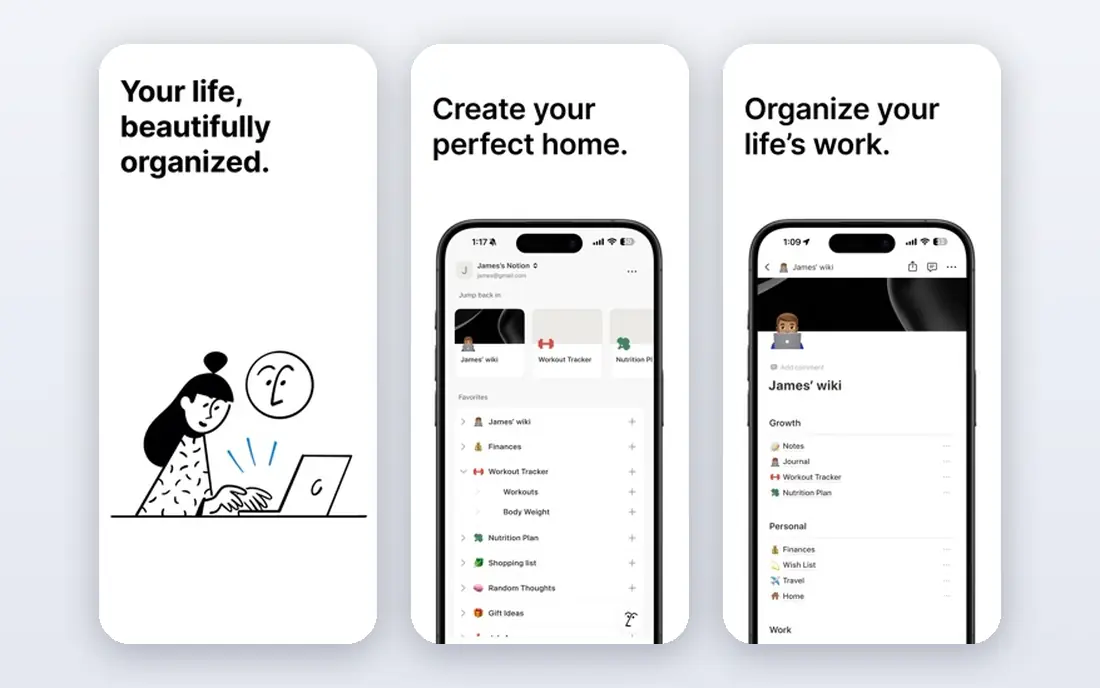
Notion replaces OneNote best when your notes have grown into projects, reading lists and team docs. You build pages, link them, and turn a simple note into a database of sources, deadlines or ideas. Templates for meeting notes, research and class work make the start easier, though the blank workspace can feel large at first.
The free plan is generous for personal use, and sharing works well for group notes. The trade-off is structure, because Notion asks you to choose blocks and databases where OneNote let you drop text anywhere on a page. If you like order and links, that trade pays off. If you love drawing and free placement, look at Apple Notes or Bear first.
- Pages, databases and wikis in one place
- Strong templates
- Good sharing
- No true freeform canvas like OneNote
- Plus plan costs $10 per member per month

Obsidian appeals to note keepers who want their notes to stay theirs, in plain files on their own device. You write in Markdown, link notes with double brackets, and watch a graph of connections grow as ideas connect. That approach suits researchers, writers and students building a long-term archive they can still open in ten years.
The app itself is free for personal use, while official sync and publishing are paid extras. You can also sync files yourself with a cloud folder, though that needs a little setup. Obsidian has a learning curve, and it lacks the handwriting canvas some OneNote users love, but for linked text notes it is hard to beat.
- Notes stored as local Markdown files
- Graph view for linked ideas
- Large plugin community
- Sync costs $4 per month billed yearly
- No built-in real-time collaboration
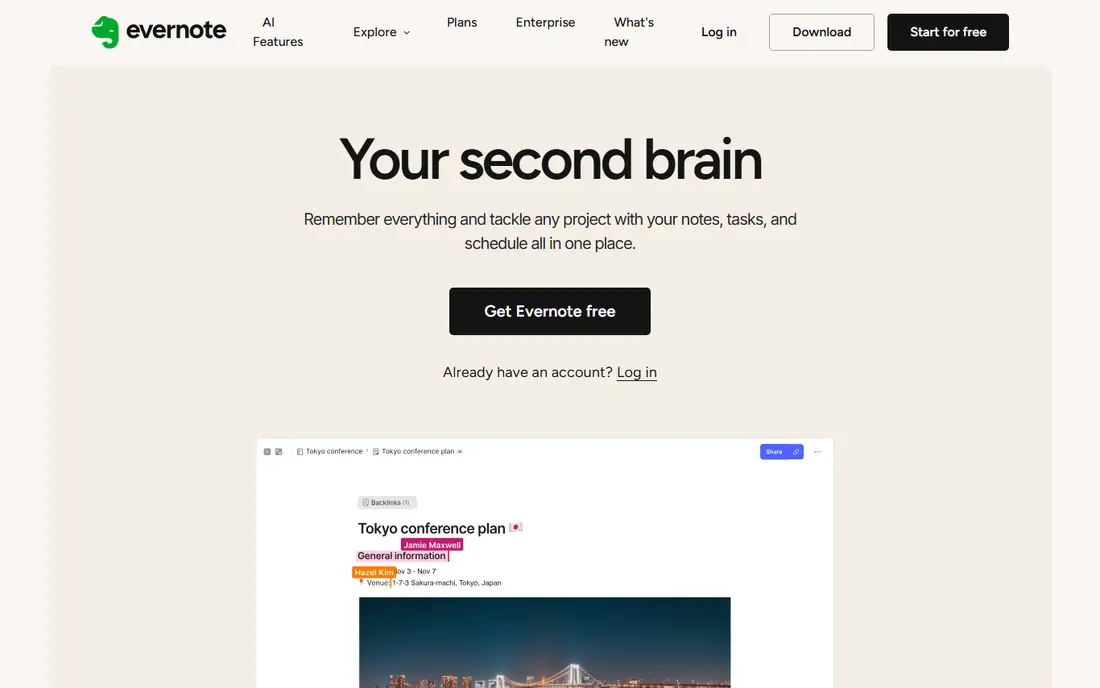
Evernote is the closest match for people who collect a lot from the web and need to find it again later. Its web clipper saves articles, PDFs and screenshots into notebooks, and search can find text inside images and documents. Tags and notebooks give a large archive some order without forcing every note into a database.
The free plan now has clear limits, and paid plans cost more than most rivals here. Evernote still makes sense when clipping and search matter more than price, or when you already hold years of notes in its format. New users with a small archive should weigh the cost against Notion or Joplin first.
- Web clipper
- Strong search including text in images
- Notebooks and tags
- Paid plans are costly, with Starter at $14.99 per month
- Free plan is limited
Bear is a writing app first and a filing system second, which is exactly what some OneNote users want after years of cluttered notebooks. Notes open fast, the editor stays out of the way, and tags keep related writing together without deep folder trees. It handles sketches and images well enough for most personal notes.
The limits are clear. Bear runs on Apple devices only, so Windows and Android users need another pick. The free plan covers local notes, while Pro adds sync across devices and more export formats. For Apple-only writers who value a calm editor, Bear is one of the most pleasant options in this list.
- Beautiful Markdown editor
- Tags instead of folders
- Fast and focused
- Apple devices only
- Pro plan costs $2.99 per month for sync and export options
Apple Notes is easy to overlook because it arrives free on every iPhone, iPad and Mac. It captures text, checklists, photos and sketches quickly, syncs through iCloud, and locks sensitive notes behind a password. For everyday notes, shopping lists and meeting jottings, it needs no setup and no new account.
Large archives expose its limits. Folders and tags exist, but Apple Notes lacks the database views of Notion and the link graph of Obsidian. It also stays inside the Apple world, so mixed-device households will struggle. As a free, fast OneNote replacement for Apple users, though, it is a strong default.
- Free on Apple devices
- Fast capture
- Handwriting and sketch support on iPad
- Apple only
- Weaker structure for large research archives
Google Keep is built for the note you need in ten seconds, not the essay you refine for a week. Color-coded notes, checklists and reminders make it ideal for ideas, errands and short lists that would get lost in a larger app. It syncs across web, Android and iOS, and it pairs naturally with Google Docs for longer writing.
Keep does not replace a full notebook system. Long notes feel cramped, organization stays shallow, and search is basic compared with Evernote. Use Keep as a capture inbox, then move anything important into Notion, Obsidian or Apple Notes at the end of the day. That two-step habit keeps quick ideas from vanishing.
- Instant capture
- Labels and reminders
- Free with a Google account
- No deep notebook structure
- Weak for long documents and research
Joplin gives privacy-minded note keepers a free, open source home for Markdown notes. You can sync through your own cloud storage or use Joplin Cloud, encrypt notebooks, and clip web pages with a browser extension. It runs on Windows, Mac, Linux, Android and iOS, which covers mixed-device setups well.
The interface is functional rather than polished, and the first sync takes some patience. Joplin also lacks the live collaboration of Notion, so it suits personal archives more than team docs. For users who want free software, local control and no lock-in, those trade-offs are easy to accept.
- Free open source app
- End-to-end encryption option
- Markdown notes and web clipper
- Interface is plain
- Cloud sync needs setup or a paid Joplin Cloud plan
Zoho Notebook feels familiar to OneNote users, with notebooks, sections and cards that mirror a paper system. It handles text, checklists, images, audio and sketches, and it offers a migration path for OneNote notebooks. Sync works across devices, and the Pro plan costs far less than most paid rivals.
Zoho Notebook will not match Notion for databases or Obsidian for linked thinking. Its strength is a gentle switch, especially for users who want a similar notebook feel without a high monthly price. If your main need is a tidy, low-cost place for everyday notes, it deserves a trial before you pay for a heavier tool.
- Notebook look close to OneNote
- Built-in migration help
- Low cost Pro plan
- Smaller community than Notion or Obsidian
- Fewer advanced database features
How we picked these
We compared official feature pages, pricing pages and migration options for note apps that can genuinely replace OneNote for everyday and research notes. We favored apps that are still maintained in 2026, offer a free start, and export notes in a usable format. We left out apps that only handle short reminders, require a business suite license, or lock notes into a format that cannot be exported.
Moving your notes without losing them
Export a small batch first, and check how headings, images, tags and attachments survive the move. OneNote notebooks often hold years of mixed content, and a clean import matters more than a fast one. Keep your old notebooks read-only for a month after moving, so a missing page can still be found.
Choose by capture style, not by feature count
Freeform writers should test Apple Notes, Bear or Zoho Notebook first. Structured planners should test Notion, while link-based thinkers should test Obsidian or Joplin. A long feature list means little if the daily act of opening the app and writing a note feels like work.
Check sync and export before you pay
Confirm that sync covers every device you use, and that export gives you files you can open elsewhere. Paid sync is worth it when it covers your phone, tablet and computer without manual steps. Avoid a paid plan until the free version has held your real notes for at least two weeks.
Frequently asked questions
What are the best alternatives to onenote?
Notion, Obsidian and Apple Notes are the strongest general alternatives, each for a different style of note taking. Evernote suits heavy clipping, Bear suits Apple writers, and Joplin suits privacy-focused users. The best pick follows your capture style and your devices, not the longest feature list.
What are alternatives to microsoft onenote for Apple users?
Apple Notes is the free default, and Bear adds a cleaner Markdown editor with tags. Notion and Obsidian also run well on Apple devices and add databases or linked notes. Choose Apple Notes for simplicity, Bear for writing, and Notion or Obsidian for larger archives.
Is there a free alternative to OneNote?
Yes, several strong free options exist, including Apple Notes, Google Keep, Joplin and the free plans of Notion and Obsidian. Each free plan has limits, such as sync options or storage, so check the limits that matter to you. Most personal note keepers can start free and pay only for sync or extra storage later.
Can I import my OneNote notebooks into another app?
Some apps, including Zoho Notebook, offer migration help for OneNote notebooks, while others need an export to files first. Results vary with images, ink and complex pages, so test with one notebook before moving your full archive. Keep the original notebooks until you have checked the imported result.
Which OneNote alternative is best for handwriting?
Apple Notes on iPad offers the most direct handwriting and sketch support among the free options here. Bear and Zoho Notebook also handle sketches, but neither matches a full ink canvas for every use. If handwriting is central to your notes, test Apple Notes on your own iPad before choosing a text-first app.
Sources
See where you really rank - block by block
ProMapRanker scans Google Maps across a grid of your service area. Simple monthly plans from $19, white-label on every plan.
Start freeKeep reading
 best text messaging service for business
Best Text Messaging Service for Business in 2026
Compare the best text messaging service for business, from SimpleTexting and EZ Texting to Podium and Salesmsg, with pricing, credits and compliance notes.
Read → best software for architectural design
Best Software for Architectural Design in 2026
Compare the best software for architectural design, from BIM tools like Revit and Archicad to SketchUp and AutoCAD, with current pricing and honest trade-offs.
Read → best search visibility tracking tools
Best Search Visibility Tracking Tools in 2026
Compare the best search visibility tracking tools for rankings, local visibility and AI results, from Semrush and Ahrefs to BrightLocal and AccuRanker.
Read →