 ProMapRanker
Best Software for Architectural Design in 2026


BIM coordination on complex projects · Pricing starts at: $3,005 per year
Key takeaways
- Revit is the coordination standard for larger commercial work, while Archicad suits design-led firms that want a BIM model with a lighter feel.
- SketchUp is the fastest route from an idea to a 3D model, and its lower price makes it a sensible first paid tool for small studios.
- AutoCAD still matters most where DWG drawings are the deliverable, and BricsCAD offers a similar DWG workflow for far less money.
- Rhino is the pick for curved and complex geometry, and Chief Architect is built around houses rather than large commercial buildings.
- Prices here are annual subscriptions unless a one-time price is stated, so compare the yearly total, not just the monthly figure.
Quick comparison
| Pick | Great for | Pricing starts at | Free tier | |
|---|---|---|---|---|
| Revit | BIM coordination on complex projects | $3,005 per year | Free trial (30 days) | Visit |
 AutoCAD AutoCAD | 2D drafting and construction drawings | See website | Free trial (30 days) | Visit |
 SketchUp SketchUp | Fast 3D concept design | $399 per year | Yes | Visit |
 Archicad Archicad | Design-led BIM for smaller firms | $2,414 per year | Free trial (30 days) | Visit |
 Chief Architect Chief Architect | Residential design and remodeling | See website | Free trial | Visit |
 Rhino Rhino | Complex and curved geometry | $995 one-time | Free trial (90 days) | Visit |
 Vectorworks Architect Vectorworks Architect | Design, drafting and BIM in one package | $1,530 per year | Free trial | Visit |
 BricsCAD BricsCAD | DWG drafting at a lower price | $504 per year | Free trial (30 days) | Visit |
 Allplan Allplan | BIM for buildings and infrastructure | See website | Free trial | Visit |
The best software for architectural design
Architectural work splits into two jobs that are often confused. One is drawing and documenting a building so it can be built, and the other is designing and testing ideas in three dimensions. The tools below cover both, and we have ordered them by how widely each one fits professional practice.
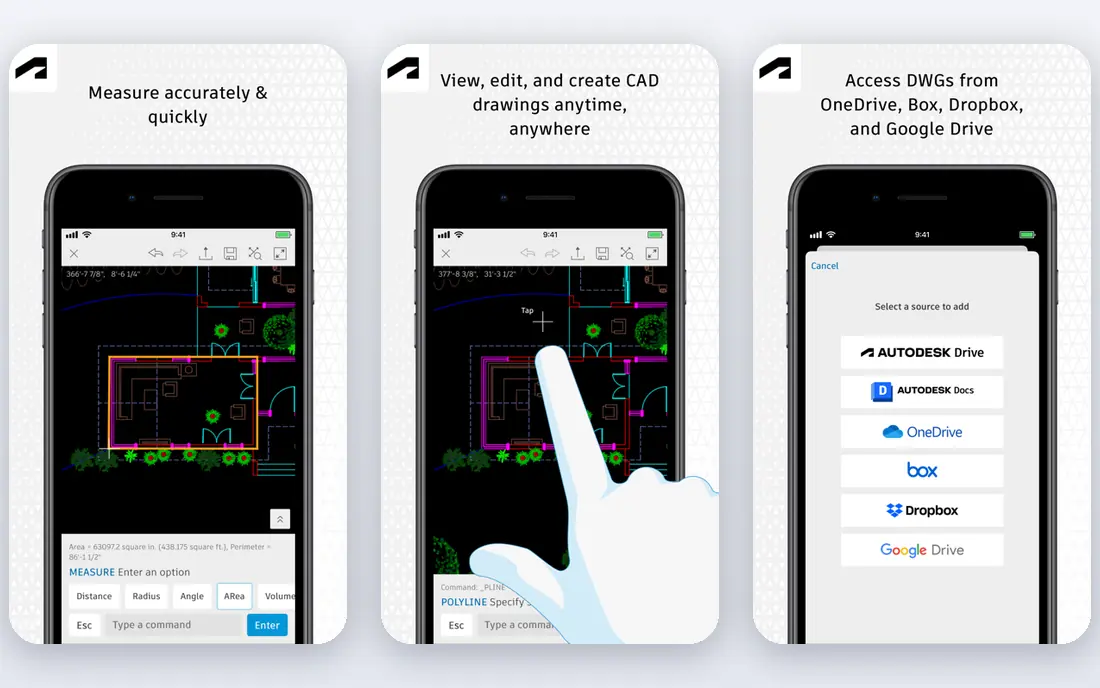
Revit earns its place first because it is the file format many consultants already expect. When a structural engineer and a mechanical engineer work in Revit, your model slots into their workflow without a round of lossy exports. Change a wall type or a door schedule, and the related drawings update from the same model, which cuts the kind of coordination error that shows up late on site.
The cost is the honest barrier. At $3,005 per year per seat, a small team spends a large sum before buying anything else, and large models demand a strong computer. Learning it also takes real time, so it suits firms with steady commercial or institutional work more than a solo designer doing occasional houses. If your clients or consultants require Revit deliverables, though, there is no cheaper substitute that does the same job.
- One parametric model drives plans, sections and schedules
- Widely used by engineers and contractors
- Strong coordination and clash detection
- Expensive per seat
- Windows only
- Needs capable hardware on large models
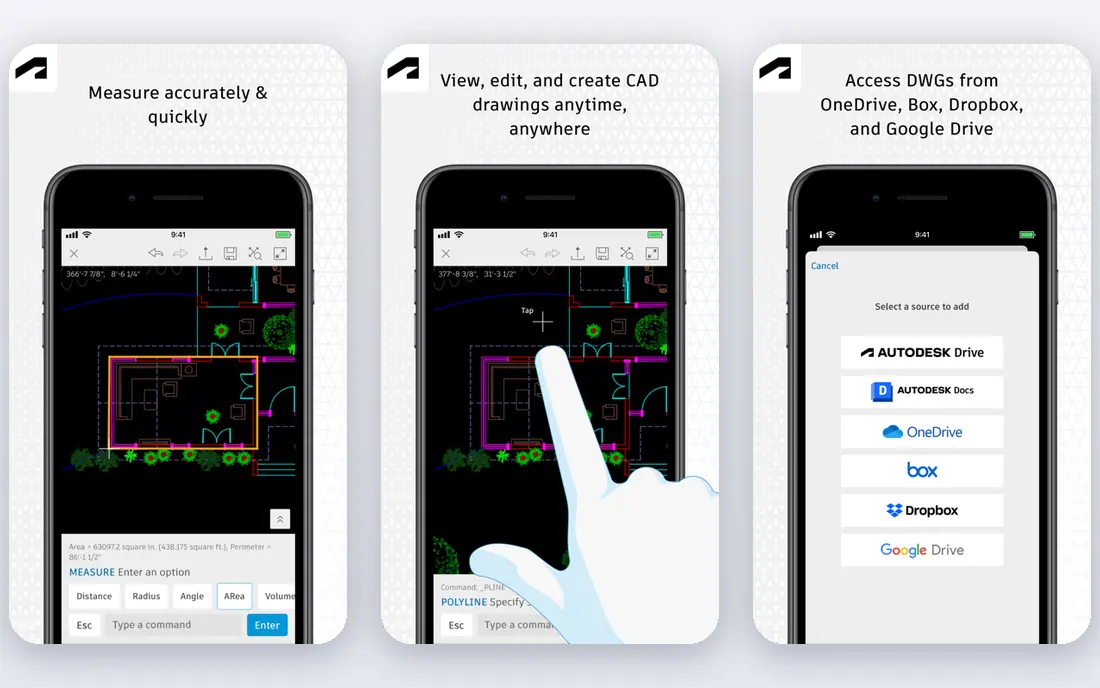
AutoCAD remains the drafting standard even as BIM tools take larger projects. Its strength is precision in two dimensions and a DWG file that almost any contractor, surveyor or consultant can open. The Architecture toolset adds intelligent walls, doors and windows on top of plain drafting, so a practice can produce proper construction documents without moving to a full BIM model.
That focus is also its limit. AutoCAD does not coordinate a building the way a parametric BIM model does, so changes must be chased across drawings by hand. It is subscription only, and Autodesk prices vary by term, so check the current annual figure before budgeting. Pick it when DWG deliverables and drafting speed matter more than full BIM coordination.
- Native DWG format used across construction
- Mature drafting tools
- Architecture toolset included with walls, doors and schedules
- Subscription only
- 3D and BIM work is weaker than Revit or Archicad
- Costs add up across a team

SketchUp is where many architects start a scheme, and for good reason. You can push and pull a massing model into shape in an afternoon, test proportions with a client in the room, and send a view that a non-architect actually understands. The free web version is enough to learn the basics, and Pro at $399 per year adds desktop tools, import and export options, and LayOut for presentation documents.
Do not expect it to replace Revit for a hospital or a tower. Detailed schedules, coordinated BIM data and complex documentation need extensions or a second tool in the chain. For houses, interiors, small commercial work and early-stage design, that trade is often worth it, because speed in the concept stage is where SketchUp clearly wins.
- Very quick to learn
- Strong for early massing and client presentations
- Large library of models and extensions
- Not a full BIM tool on its own
- Documentation needs add-ons or a companion tool
- Pro price rises with the Studio tier
Archicad takes a different route to the same BIM goal as Revit, and many architects prefer the way it feels in daily use. Modeling, documentation and visualization sit in one package, and the built-in rendering tools mean you can produce a presentable image without exporting to another program. It runs on Mac as well as Windows, which matters for studios that have standardized on Apple hardware.
The catch is market gravity. In regions where engineers and contractors work almost entirely in Revit, an Archicad firm will spend more time on file exchange, even though open BIM formats help. At $2,414 per year for the Studio subscription, it is not cheap either. It fits design-led practices that value the modeling experience and can manage collaboration through IFC and BIMx.
- BIM model with a design-first interface
- Works on Mac and Windows
- Built-in rendering and BIMx presentation tools
- Smaller consultant ecosystem than Revit in some markets
- Annual price is still high
- Team collaboration needs BIMcloud setup
Chief Architect is a specialist, and that focus is its appeal. Draw a floor plan for a house and the software builds roofs, stairs and framing far faster than a general BIM tool would, because those residential rules are built in. Homeowners also respond well to its 3D views, which helps a remodeling practice sell a scheme before construction starts.
Outside housing, that specialization turns into a limit. It is not the tool for a coordinated commercial project with structural and mechanical consultants in a shared BIM model. Pricing also depends on the edition you choose, so confirm the current figure for the Premier or Interiors edition that matches your work. For residential designers, it is one of the most productive picks on this list.
- Automatic roofs, stairs and framing speed up house design
- Strong 3D views for homeowner clients
- Built for residential construction documents
- Not suited to large commercial BIM work
- Pricing varies by edition
- The toolset is narrow outside housing
Rhino is the tool architects reach for when a shape stops being a box. Its NURBS modeling handles curves, shells and facades that boxy BIM tools fight against, and Grasshopper adds parametric design without forcing you into a different program. At $995 as a one-time purchase, it also breaks the subscription pattern of most tools here, which many small studios appreciate.
Rhino alone will not produce a coordinated set of construction documents the way Revit or Archicad does. Most practices pair it with a BIM or drafting tool, or add plugins for documentation. Buy it for design exploration, complex geometry and fabrication-oriented work, and budget for a companion tool if you also need full BIM deliverables.
- Superb freeform and NURBS modeling
- One-time purchase rather than a subscription
- Huge plugin ecosystem including Grasshopper
- Not a BIM documentation tool on its own
- Needs plugins for full construction output
- Learning curve for parametric design
Vectorworks Architect appeals to firms that do more than one kind of design. An office that handles architecture alongside garden design or interiors can keep those disciplines in one package instead of buying and learning three separate tools. It produces 2D drawings, 3D models and BIM data from the same file, and it runs on both Mac and Windows.
Its ecosystem is smaller than Revit for large-scale consultant coordination, so a firm working on major commercial projects should check what its regular engineers use before committing. At $1,530 per year for the Architect subscription, it sits between SketchUp and the big BIM platforms on price. It is a strong middle ground for small to mid-size practices with varied work.
- Covers design, 2D drafting and BIM in one license
- Popular with garden and interior designers too
- Runs on Mac and Windows
- Smaller BIM consultant ecosystem than Revit
- Some firms find the interface less familiar
- Pricing varies by region
BricsCAD is the value answer for firms that live in DWG files. The interface and commands feel familiar to AutoCAD users, so the switch costs far less retraining time than moving to a new system. Pro at $504 per year covers 2D and 3D drafting, and the BIM edition adds building modeling for practices that want to move beyond pure drafting without paying Revit prices.
The trade is ecosystem size. Training courses, blocks, plugins and job candidates are all more plentiful for AutoCAD, and some Autodesk-specific workflows have no direct equivalent. If your work is DWG-based and your budget is tight, that gap is usually acceptable. Check the BIM edition price separately, since it sits above the Pro figure quoted here.
- Familiar DWG workflow for AutoCAD users
- Pro at $504 per year undercuts Autodesk
- BIM edition available for 3D building work
- Smaller community and training library
- BIM edition costs more
- Some advanced Autodesk-only workflows are missing
Allplan rounds out the list for practices whose work crosses from buildings into infrastructure. It is a mature BIM platform with strengths in precast construction and civil engineering, and it is well established in European markets. A firm working on bridges, tunnels or large infrastructure alongside buildings may find its toolset a better fit than a purely architectural BIM tool.
Its US presence is smaller, which affects hiring, training and consultant compatibility, so check local adoption before choosing it. Pricing is not published as a single headline figure, so request a quote for your seat count. It belongs here because it covers a real niche well, not because it suits every architecture office.
- Strong BIM modeling for buildings and civil work
- Good for precast and infrastructure projects
- Established in European practice
- Less common in US firms
- Pricing is quote-based
- Learning curve for teams coming from Revit or AutoCAD
How we picked these
We compared official feature pages, pricing pages and app listings for tools that are actively sold and supported in October 2026. We favored tools with a clear architectural use case, from full BIM platforms to drafting and freeform modeling, and we left out discontinued products and generic 3D tools with no documentation workflow. Prices quoted are the published starting figures we could verify; where a vendor prices by quote or by region, we wrote See website rather than guessing.
What to check before you buy
Start with the deliverable your clients and consultants expect. If they ask for Revit files or DWG drawings, that requirement narrows the list more than any feature comparison will. A beautiful model that cannot be handed over in the right format creates rework on every project.
Next, test the trial on a real past project, not a sample file. Import your own drawings, build a wall type you actually use, and produce one sheet of documentation. That exercise exposes hardware demands, interface friction and missing features far faster than a feature list does. Also count the total yearly cost across seats, rendering plugins and collaboration services, since the headline subscription is rarely the whole bill.
Frequently asked questions
What is the best architectural design software for beginners?
SketchUp is the easiest starting point because the free web version teaches 3D thinking quickly and Pro adds presentation tools at a moderate price. Beginners who want a career in larger firms should still learn Revit, since it is the coordination standard on many commercial projects.
Which is better, Revit or Archicad?
Revit has the larger consultant ecosystem, which matters on complex commercial work where engineers already use it. Archicad is often preferred by design-led firms for its modeling feel and Mac support. The right answer depends on who you collaborate with and which interface your team works faster in.
Is SketchUp good enough for professional architecture?
SketchUp works well for concept design, small buildings and client presentations, especially with LayOut for documents. For large BIM-coordinated projects with schedules and consultant models, Revit, Archicad or Vectorworks Architect is a stronger fit.
What is the best architecture design software for residential work?
Chief Architect is built for houses and remodeling, with automatic roofs and framing that speed up residential projects. SketchUp also suits small residential work, and Revit or Archicad can handle houses too, at a higher price and with a longer learning curve.
Do I need BIM software, or is 2D drafting enough?
2D drafting in AutoCAD or BricsCAD is enough for many small projects and for firms whose clients accept DWG deliverables. BIM pays off when a project has many consultants, frequent changes or detailed schedules, because one model keeps drawings coordinated instead of updating each sheet by hand.
What are the best architectural design software tools for Mac users?
Archicad, Vectorworks Architect, SketchUp and Rhino all run on Mac, while Revit and Chief Architect are Windows-focused in practice. Mac-based studios should shortlist the first group and confirm hardware requirements before buying.
Sources
- https://www.autodesk.com
- https://www.sketchup.com
- https://www.graphisoft.com
- https://www.chiefarchitect.com
- https://www.rhino3d.com
- https://www.vectorworks.net
- https://www.bricsys.com
- https://www.allplan.com
- https://rankite.com/blog/best-architectural-cad-software
- https://rankite.com/blog/best-architectural-drafting-software
See where you really rank - block by block
ProMapRanker scans Google Maps across a grid of your service area. Simple monthly plans from $19, white-label on every plan.
Start freeKeep reading
 onenote alternatives
Best OneNote Alternatives in 2026
We compared the best onenote alternatives on notes, search, sync and price, so you can find a replacement that fits how you take notes each day for daily use.
Read → best text messaging service for business
Best Text Messaging Service for Business in 2026
Compare the best text messaging service for business, from SimpleTexting and EZ Texting to Podium and Salesmsg, with pricing, credits and compliance notes.
Read → best search visibility tracking tools
Best Search Visibility Tracking Tools in 2026
Compare the best search visibility tracking tools for rankings, local visibility and AI results, from Semrush and Ahrefs to BrightLocal and AccuRanker.
Read →