 ProMapRanker
Best One Note Alternatives in 2026

Key takeaways
- Notion suits teams and students who want notes, databases, and project pages in one workspace.
- Obsidian suits users who want local files, privacy, and a personal knowledge base that lasts.
- Evernote remains a solid general note app, though its free plan is now limited.
- Bear, Joplin, and UpNote suit writers and individuals who want a simpler, focused note app.
- Google Keep suits quick capture, while Capacities and Anytype suit users who want linked, visual notes.
Quick comparison
| Pick | Great for | Pricing starts at | Free tier | |
|---|---|---|---|---|
 Notion | All in one workspace | Free | Yes | Visit |
 Obsidian | Local privacy focused notes | Free | Yes | Visit |
 Evernote | General note taking | See website | Yes | Visit |
 Bear | Apple writers | $2.99 per month | Free trial | Visit |
 Joplin | Free open source notes | Free | Yes | Visit |
 Google Keep | Quick capture | Free | Yes | Visit |
 Capacities | Linked visual notes | Free | Yes | Visit |
 Anytype | Private linked notes | Free | Yes | Visit |
 UpNote | Simple lifetime option | See website | Free trial | Visit |
The best one note alternatives
Microsoft OneNote offers free notebooks, sections, handwriting, and audio notes, which is a broad mix to replace. No single app matches every part of it, so the best alternative depends on whether you value team workspaces, local files, handwriting, or simple capture most.

Notion turns notes into a workspace, where a page can hold text, tables, embedded files, and linked databases. That flexibility suits students organising coursework, teams building a wiki, and small businesses tracking projects alongside notes. Collaboration is strong, with shared pages, comments, and permissions.
The trade off is weight. Notion is slower for a quick note than a simple capture app, and full sync relies on an internet connection. Users who mainly want a fast notebook may find it too much. Users who want one place for notes and projects will find it hard to leave.
- Notes, databases, and wikis in one place
- Strong team collaboration
- Generous free tier
- Needs an internet connection for full sync
- Can feel heavy for quick notes

Obsidian stores notes as plain Markdown files on your own device, with no account required for the core app. That gives users full ownership: files stay readable for years, work offline, and can be backed up with any tool. Backlinks and a graph view help build a personal knowledge base from linked notes.
Sync across devices is a paid add on, starting around $4 per month billed yearly, and the plugin range can overwhelm new users. The learning curve is real, but the payoff is a system you control. For privacy minded users and long term note keepers, Obsidian is the strongest OneNote alternative.
- Local Markdown files
- No account needed
- Large plugin range
- Learning curve
- Sync is a paid add on
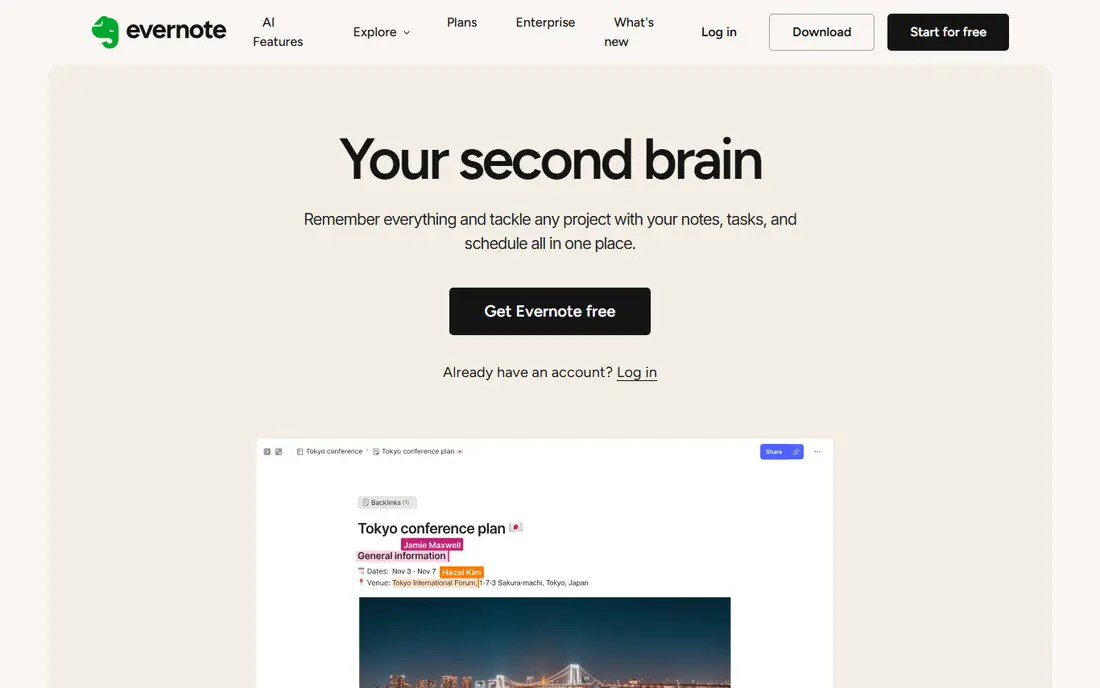
Evernote remains a general purpose note app with notebooks, tags, a web clipper, and search across notes and attachments. It suits users who collect articles, scans, and meeting notes in one searchable place. Its long history means many users already have years of notes in it.
The free plan is now limited, with caps on notes, notebooks, and devices reported in 2026, so heavy users will need a paid plan. Paid pricing is also higher than simpler apps. For general note taking with strong search, Evernote still works well, but check the current plan limits before switching.
- Mature note features
- Web clipper
- Search across notes and attachments
- Free plan is limited
- Paid plans cost more than simpler apps
Bear is a focused Markdown note app for Mac, iPhone, and iPad, known for clean typography and a distraction free writing mode. Tagging works well for organising notes without folders, and the app feels fast and native on Apple devices. Writers who draft long notes will appreciate the focus.
It is Apple only, so Windows and Android users need a different app, and sync across devices requires the paid plan. The monthly price is modest, and the yearly cost is around $29.99 based on vendor listings. For Apple only writers, Bear is a polished and pleasant choice.
- Clean writing experience
- Strong tagging
- Fast on Apple devices
- Apple only
- Sync needs a paid plan
Joplin is a free, open source note app that runs on Windows, Mac, Linux, iOS, and Android. Notes use Markdown, support notebooks and tags, and can sync through Dropbox, OneDrive, or other services at no extra cost from Joplin itself. That makes it a strong free replacement for users who want control without a subscription.
The interface is plain compared with Bear or Notion, and sync setup takes a little configuration. Handwriting support is also limited compared with OneNote. For users who want a free, cross platform, open source notebook, Joplin is hard to beat.
- Free and open source
- Sync through your own cloud
- Markdown support
- Interface is plain
- Setup for sync takes a little work
Google Keep is built for fast capture: a thought, a checklist, a photo note, or a reminder, saved in seconds. It syncs across Android, iOS, and the web through a Google account, and reminders tie into Google services. For shopping lists, quick ideas, and short notes, it is the fastest tool here.
It is not suited to long form notes, deep organisation, or linked knowledge bases. Labels help, but they do not replace notebooks and databases. Use Keep as a capture inbox alongside a deeper note app, rather than as a full OneNote replacement on its own.
- Free
- Very fast for quick notes
- Good reminders and checklists
- Limited for long notes
- Organisation is basic
Capacities organises notes around objects, such as people, books, and projects, with links between them and a visual layout. That model suits users who think in connected ideas rather than folders, and it works well for research, reading notes, and personal projects. The free tier includes unlimited notes, sync, and offline use, which is generous.
It is a newer app, so the community and plugin range are smaller than Notion or Obsidian, and the object model takes time to learn. Users who like linked notes will find it refreshing. Users who want a simple notebook may prefer Joplin or UpNote.
- Object based notes
- Visual organisation
- Offline and sync on free tier
- Newer app with a smaller community
- Learning curve for object model
Anytype is a local first note and knowledge app that stores data on your device, with encrypted sync options for multiple devices. Notes are organised as linked objects, similar to Capacities, which suits personal knowledge bases and project notes. Privacy is a clear focus, with local storage as the default.
As a newer app, some features are still maturing, and the community is smaller than the established apps. Users who want privacy plus linked notes will find Anytype appealing. Users who need a mature, widely supported app today may prefer Obsidian or Notion.
- Local first storage
- End to end encrypted sync options
- Linked objects
- Newer app
- Some features still maturing
UpNote offers a simple, clean note app across Windows, Mac, iOS, and Android, with notebooks, tags, and a focus on writing rather than complex workspaces. Its lifetime licence option, reported around $39.99, appeals to users tired of subscriptions. For a straightforward notebook, it covers the core job well.
Power features are fewer than in Notion or Obsidian, and the team behind it is smaller, which matters for long term support. Users who want a simple, subscription free notebook will like UpNote. Users who need databases, plugins, or deep linking should pick a more powerful app.
- Simple clean interface
- Lifetime licence option
- Cross platform
- Fewer power features than Notion or Obsidian
- Smaller team behind it
How we picked these
We compared official pricing pages, platform support, and feature descriptions for note apps that are live in October 2026 and cover OneNote's core jobs: notebooks, quick capture, search, and sync. We included team workspaces, local privacy apps, and simple notebooks, since OneNote users leave for different reasons. Where pricing was uncertain or plan based, we wrote See website rather than guessing.
How to move your notes from OneNote
Start by deciding what you actually need to keep. Export or copy your most used notebooks first, rather than trying to move everything at once. Most apps support Markdown import, and some offer OneNote import tools, though formatting and handwriting may not transfer cleanly. Test the import with one notebook, check that images, tables, and tags survived, and keep OneNote installed until the new system proves reliable for daily use.
Frequently asked questions
What are alternatives to OneNote?
Notion, Obsidian, Evernote, Bear, Joplin, Google Keep, Capacities, Anytype, and UpNote are the strongest alternatives. Notion suits teams, Obsidian suits privacy and local files, Bear suits Apple writers, and Joplin suits free open source use. The best pick depends on whether you value collaboration, privacy, or simplicity most.
What is the best free alternative to OneNote?
Obsidian offers a full app free for personal use, Joplin is free and open source, and Google Keep is free for quick capture. Notion also has a generous free tier for personal use. For a full notebook replacement at no cost, start with Obsidian or Joplin, depending on whether you want linked notes or a simple notebook.
Which alternative is best for handwriting?
OneNote remains strong for handwriting, and none of these apps matches it exactly. Apple Notes, not listed here as a separate pick, offers handwriting on iPad, while Bear and Notion focus on typed notes. If handwriting is essential, test your chosen app with a stylus before switching, and keep OneNote for handwritten pages if needed.
Can I import OneNote notebooks into these apps?
Some apps offer import tools, and most accept Markdown or file based imports, but formatting, ink, and audio notes may not transfer cleanly. Test with one notebook first, and expect to tidy up headings, images, and tags after import. Keep OneNote as a backup until you are sure the new system holds everything you need.
Is Obsidian better than Notion?
Obsidian is better for privacy, local files, and offline use, while Notion is better for team collaboration, databases, and shared workspaces. Many users run both: Obsidian for personal knowledge, Notion for team projects. Pick based on whether your notes are mainly private or shared.
Sources
See where you really rank - block by block
ProMapRanker scans Google Maps across a grid of your service area. Simple monthly plans from $19, white-label on every plan.
Start freeKeep reading
 zscaler alternatives
Best Zscaler Alternatives in 2026
Looking for zscaler alternatives? We compare 9 SASE and zero trust platforms on architecture, data protection, pricing, and fit for your network and team.
Read → zapier alternatives free
Best Zapier Alternatives Free in 2026
Nine automation tools for zapier alternatives free in 2026, all with genuinely free tiers, plus free plan limits, starting prices and upgrade paths explained.
Read → which platform is best for online reputation
Which Platform Is Best for Online Reputation in 2026
Wondering which platform is best for online reputation? We compare 8 review, listing, and response tools for small and multi-location businesses and agencies.
Read →