 ProMapRanker
Okta Alternatives in 2026


Microsoft 365 organisations · Pricing starts at: $7 per user per month
Key takeaways
- Microsoft Entra ID is the natural pick for teams already on Microsoft 365.
- Auth0 and Clerk suit customer-facing apps, while Entra, OneLogin and Ping suit workforce sign-in.
- Keycloak is the free self-hosted route, but it needs engineering time to run well.
- Duo is the simplest add-on when the main gap is stronger MFA.
Quick comparison
| Pick | Great for | Pricing starts at | Free tier | |
|---|---|---|---|---|
| Microsoft Entra ID | Microsoft 365 organisations | $7 per user per month | Yes | Visit |
 Auth0 | Customer login for web and mobile apps | $35 per month | Yes | Visit |
 OneLogin | Mid-market workforce SSO | See website | Free trial | Visit |
 Ping Identity | Large and hybrid enterprises | $3 per user per month | Free trial | Visit |
 JumpCloud | Small teams replacing Active Directory | $9 per user per month | Yes | Visit |
 Keycloak | Engineering teams that self-host | Free | Yes | Visit |
 Cisco Duo | Teams that mainly need stronger MFA | $3 per user per month | Yes | Visit |
 Clerk | Modern web apps needing ready login UI | $25 per month | Yes | Visit |
 Descope | Teams wanting visual auth flows | $249 per month | Yes | Visit |
Okta Alternatives
These tools replace different parts of Okta, so the right pick depends on if you need workforce sign-in, customer login or both.

Microsoft Entra ID is the first alternative to check for any team already paying for Microsoft 365. It fits microsoft 365 organisations. Its free tier covers basic sign-in, and P1 at $7 per user per month adds conditional access and richer controls.
On pricing, the starting point is $7 per user per month, with a free option listed as Yes. The catch is fit, since teams outside the Microsoft stack may find the value weaker and the licensing harder to follow. We would shortlist it when that fit matches your main use, and compare it directly with the next option before you commit.
- Free tier for basic use
- Deep Microsoft 365 integration
- Conditional access on paid plans
- Best value only if you already use Microsoft
- Licensing tiers can confuse

Auth0 suits product teams that need customer login without building authentication from scratch. It fits customer login for web and mobile apps. It handles social login, passwordless options and custom login pages, with a free tier for early products.
On pricing, the starting point is $35 per month, with a free option listed as Yes. The catch is ownership and pricing, since Okta owns Auth0 and B2B features move you to higher, quote-based plans. We would shortlist it when that fit matches your main use, and compare it directly with the next option before you commit.
- Free tier for up to 25,000 monthly active users on some plans
- Many social logins
- Customisable login pages
- Owned by Okta
- Enterprise pricing is quote-based
- B2B features sit on higher plans
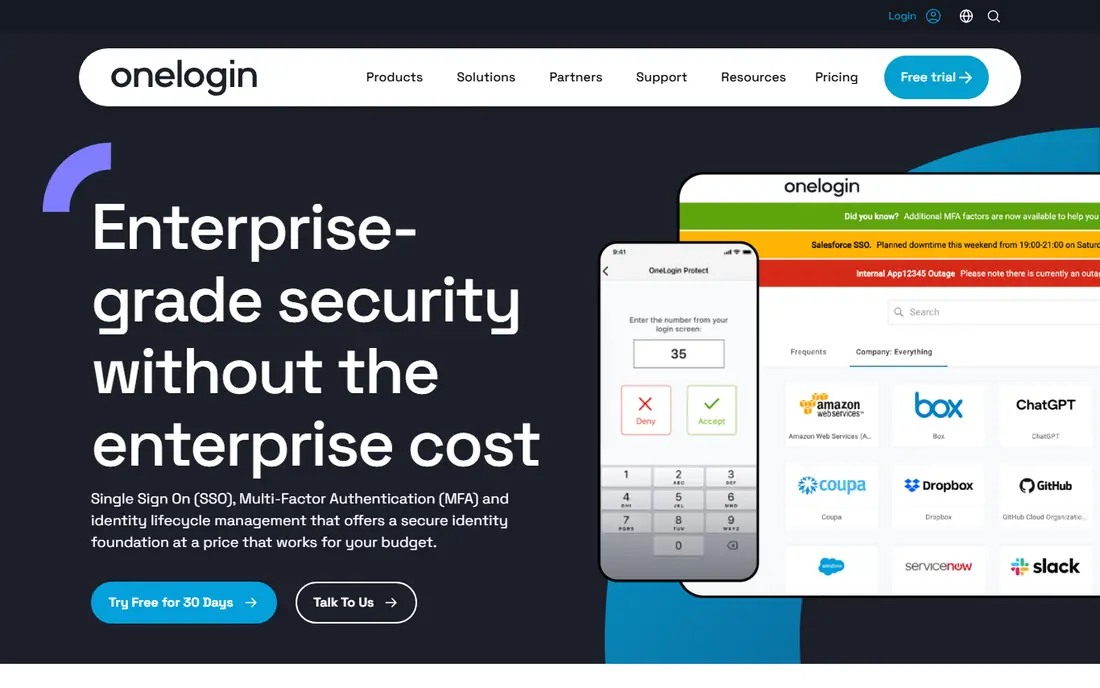
OneLogin suits mid-market teams that want workforce SSO without enterprise complexity. It fits mid-market workforce SSO. Its app catalog covers common SaaS tools, and setup is faster than on larger identity platforms.
On pricing, the starting point is See website, with a free option listed as Free trial. The catch is pricing transparency, since current rates are quote-based, so get a written quote before you budget. We would shortlist it when that fit matches your main use, and compare it directly with the next option before you commit.
- Broad app catalog
- Straightforward SSO and MFA
- Lifecycle features
- Pricing is quote-based on its site
- Smaller ecosystem than Entra or Okta
Ping Identity fits large organisations with hybrid systems and complex federation needs. It fits large and hybrid enterprises. It handles workforce and customer identity across cloud and on-premises apps, with mature enterprise controls.
On pricing, the starting point is $3 per user per month, with a free option listed as Free trial. The catch is scale, since some workforce plans carry a minimum user count, and implementation needs experienced staff. We would shortlist it when that fit matches your main use, and compare it directly with the next option before you commit.
- Strong federation for hybrid estates
- Workforce and customer options
- Mature enterprise features
- Minimum user counts apply on some plans
- Implementation can be heavy
JumpCloud suits small teams that need a cloud directory and device management together. It fits small teams replacing Active Directory. It replaces on-premises Active Directory for mixed-device fleets, with SSO and MFA in the same console.
On pricing, the starting point is $9 per user per month, with a free option listed as Yes. The catch is bundling, since the price you pay depends on which device and identity features you include. We would shortlist it when that fit matches your main use, and compare it directly with the next option before you commit.
- Directory plus device management in one console
- Works across Windows, Mac and Linux
- Free tier for small teams
- Pricing varies by bundle
- Larger teams may need higher tiers
Keycloak is the pick when licence cost and data control matter more than a managed service. It fits engineering teams that self-host. It is open source, supports standard protocols, and runs on your own infrastructure.
On pricing, the starting point is Free, with a free option listed as Yes. The catch is operations, since your team owns patching, scaling and uptime, and that work is easy to underestimate. We would shortlist it when that fit matches your main use, and compare it directly with the next option before you commit.
- Open source with no licence fee
- SAML, OIDC and OAuth support
- Full control over data
- You run, patch and scale it
- Support depends on community or a vendor
Cisco Duo suits teams whose main gap is MFA, not a full directory replacement. It fits teams that mainly need stronger MFA. It rolls out quickly, covers many apps, and the free tier helps very small teams start.
On pricing, the starting point is $3 per user per month, with a free option listed as Yes. The catch is scope, since Duo is an MFA layer first, so you may still need an identity provider alongside it. We would shortlist it when that fit matches your main use, and compare it directly with the next option before you commit.
- Free tier for up to 10 users
- Fast MFA rollout
- Broad app support
- Not a full identity platform on its own
- SSO depth is thinner than IdP rivals
Clerk suits modern web teams that want login screens that look finished from day one. It fits modern web apps needing ready login UI. Its components handle sign-up, sign-in and user management, with passkeys and social login included.
On pricing, the starting point is $25 per month, with a free option listed as Yes. The catch is B2B cost, since organisation features are an add-on and usage beyond free limits adds per-user fees. We would shortlist it when that fit matches your main use, and compare it directly with the next option before you commit.
- Pre-built login components
- Generous free tier
- Passkey and social login support
- B2B features are an add-on
- Usage fees apply beyond free limits
Descope suits teams that want to design login flows visually rather than coding every step. It fits teams wanting visual auth flows. Its flow builder covers passwordless, social and MFA paths, with a free tier for early products.
On pricing, the starting point is $249 per month, with a free option listed as Yes. The catch is price, since the paid plan starts at $249 per month, so it fits funded products better than side projects. We would shortlist it when that fit matches your main use, and compare it directly with the next option before you commit.
- Free tier for up to 7,500 monthly active users
- Visual flow builder
- Passwordless options
- Paid start is high for small apps
- Enterprise SSO sits on higher plans
How we picked these
We compared official pricing pages, feature pages, app store listings and public documentation for each product, and kept only products that exist and work in October 2026 and truly fit the topic. We checked the starting price and free tier where the vendor publishes them, and wrote See website where a price could not be verified from the vendor page. We did not claim hands-on testing, and we favoured products with clear pricing, clear limits and a practical fit for ordinary buyers.
How to choose an Okta alternative
Separate workforce identity from customer identity before you shortlist, because tools that excel at one often handle the other poorly. List your must-have apps, your MFA needs and your lifecycle rules, such as joiner and leaver automation. Check whether pricing is per user, per active user or per connection, since customer login and workforce login scale very differently. Run a pilot with one app group and one MFA method, and confirm that deprovisioning actually removes access promptly.
Frequently asked questions
What are the best alternatives to Okta?
Microsoft Entra ID, OneLogin, Ping Identity and JumpCloud are the closest workforce replacements. Auth0, Clerk and Descope suit customer-facing login. Keycloak suits teams that want to self-host. The best pick depends on your existing stack and your user count.
Which Okta alternative is cheapest?
Keycloak costs nothing for the software itself, although hosting and maintenance are your cost. Duo starts at $3 per user per month for MFA, and Entra ID has a free tier for basic use. Compare total cost, including MFA, lifecycle and support, not only the headline rate.
Is Auth0 an Okta alternative if Okta owns it?
Auth0 is owned by Okta, so it is not an independent rival, but it serves a different job: customer login for apps. Teams that want to move away from Okta as a vendor should look at Entra ID, Ping, OneLogin or Keycloak instead.
Can I self-host an Okta alternative?
Yes. Keycloak is open source and can run on your own infrastructure. Managed Keycloak services exist if you want hosting help. Most other tools on this list are hosted services, which trade control for faster setup.
Do these tools support SSO and MFA?
Yes, all of them support SSO and MFA in some form, but the details differ. Check SAML and OIDC support, passkey support, conditional access and the MFA methods your users can actually use, such as authenticator apps or hardware keys.
Sources
See where you really rank - block by block
ProMapRanker scans Google Maps across a grid of your service area. Simple monthly plans from $19, white-label on every plan.
Start freeKeep reading
 zscaler alternatives
Best Zscaler Alternatives in 2026
Looking for zscaler alternatives? We compare 9 SASE and zero trust platforms on architecture, data protection, pricing, and fit for your network and team.
Read → zapier alternatives free
Best Zapier Alternatives Free in 2026
Nine automation tools for zapier alternatives free in 2026, all with genuinely free tiers, plus free plan limits, starting prices and upgrade paths explained.
Read → which platform is best for online reputation
Which Platform Is Best for Online Reputation in 2026
Wondering which platform is best for online reputation? We compare 8 review, listing, and response tools for small and multi-location businesses and agencies.
Read →