 ProMapRanker
Best OfficeTools Alternatives in 2026


Email-driven firm collaboration · Pricing starts at: $59 per user per month
Key takeaways
- Karbon suits email-driven collaboration, while TaxDome suits firms that want one client portal and billing system.
- Financial Cents and Jetpack Workflow offer the lowest friction starts for small firms.
- Canopy suits tax-heavy practices, but check the full module cost before you budget.
- Billing model matters, because annual upfront payment and per-client pricing change the total fast.
Quick comparison
| Pick | Great for | Pricing starts at | Free tier | |
|---|---|---|---|---|
| Karbon | Email-driven firm collaboration | $59 per user per month | Free trial | Visit |
 TaxDome | All-in-one tax and accounting portal | $800 per seat per year | Free trial | Visit |
 Canopy | Tax practices and resolution work | $74 per user per month | Free trial | Visit |
 Financial Cents | Small firms that need workflows fast | $19 per month | Free trial | Visit |
 Jetpack Workflow | Simple recurring task tracking | $40 per user per month | Free trial | Visit |
 Aero Workflow | Simple, stable workflow core | See website | Free trial | Visit |
 Pixie | UK-focused practice management | See website | Free trial | Visit |
 Xero Practice Manager | Firms already running on Xero | See website | No | Visit |
 SuiteFiles | Document-centred firm workflows | $29 per user per month | Free trial | Visit |
The best OfficeTools alternatives
OfficeTools, in this context, is accounting practice management software for firms that track client work, deadlines, documents and billing. These alternatives cover the same work, from workflow automation to client portals and proposals. We compared official feature pages, pricing pages, app store listings, privacy policies and public reviews.

Karbon suits firms where client work still runs through email. It pulls email into client timelines, so staff can see the full conversation next to tasks and deadlines. Team visibility is a strength, because managers can see who owns what without chasing updates in separate tools.
The entry tier lacks some automation and API features that larger firms need, so many firms move to the higher tier quickly. E-signatures also need an add-on in some plans. If email is the centre of your firm, Karbon is a natural fit, but budget for the tier that matches your automation needs.
- Work organised around client email
- Strong team visibility
- Good workflow automation
- Higher tiers needed for some automation and API features
- Client mobile app is limited
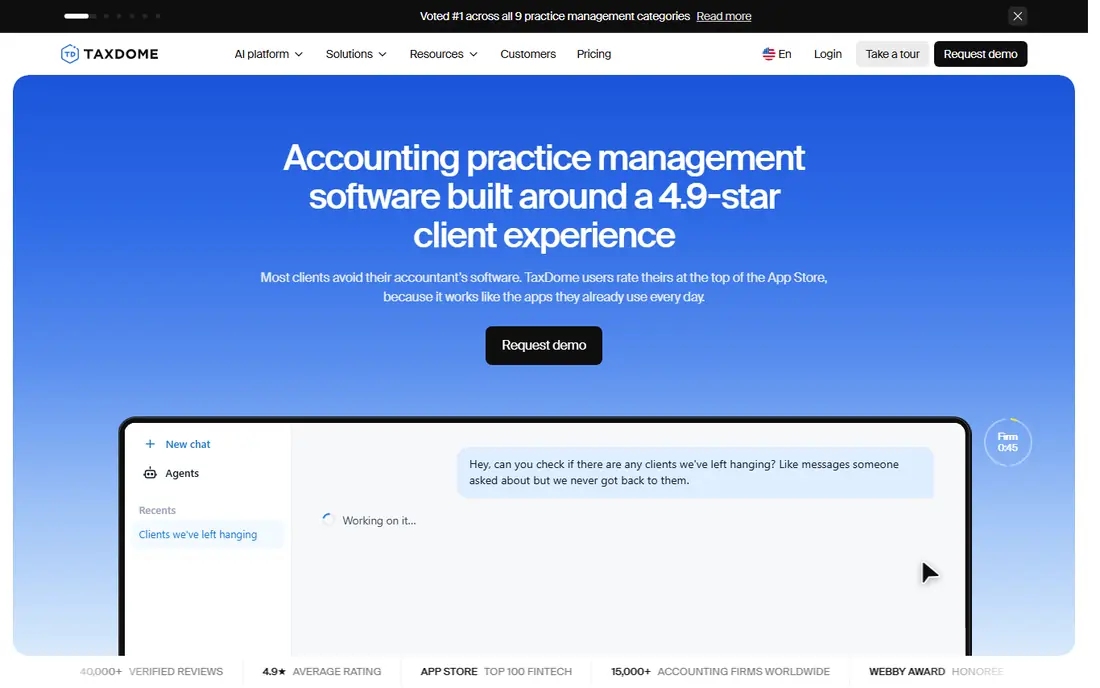
TaxDome is the all-in-one option for tax and accounting firms that want CRM, portal, documents, billing and workflows in one place. Clients get a branded portal for uploads, messages, signatures and payments, which reduces email chasing. Workflow automation with recurring jobs and dependencies helps firms handle tax season peaks.
Payment is annual upfront, with no monthly option on standard plans, so cash flow planning matters. The breadth also means a learning curve for staff and clients. For firms that want one system instead of several tools, TaxDome offers the most complete package here.
- Branded client portal
- Built-in CRM, billing and e-signatures
- Strong workflow automation
- Annual payment upfront
- Broad feature set takes time to learn

Canopy suits tax practices that need structured client management, workflow and tax-specific tools. It handles client records, documents, tasks and communications in a tax-focused workspace, with a client mobile app for uploads and messages. Tax resolution specialists often value its structured approach to case work.
Pricing needs a careful read, because modules and add-ons can push the total above the headline tier. Setup and training may also add cost. If your firm is tax-heavy and wants depth in that area, Canopy is worth a detailed quote. If you need a simple workflow tool, a cheaper option may fit better.
- Strong tax workflow and client management
- Client mobile app
- Good document handling
- Module pricing can raise the total
- Training and setup can add cost
Financial Cents is the fastest low-cost start for small firms. The Solo plan is cheap, templates cover common accounting workflows, and a client portal is included. Firms can set up recurring work, deadlines and client tasks without a long implementation project.
Larger firms may find limits in scalability and advanced features compared with Karbon or TaxDome. Mobile support is also thinner. For a small firm that wants workflows running this week, Financial Cents offers strong value at a low entry price.
- Low entry price
- Many workflow templates
- Client portal included
- Limited scalability for very large firms
- Mobile apps are limited
Jetpack Workflow suits firms that mainly need reliable recurring task tracking, without a full practice suite. It handles jobs, deadlines, templates and team assignments in a clear interface, which helps small firms stay on top of monthly and annual work. Setup is quick, and staff can learn it fast.
It lacks a dedicated client portal, and billing and document management are limited. Firms that need portal, proposals and payments will need other tools alongside it. If your core problem is missed deadlines rather than client communication, Jetpack Workflow is a focused and affordable answer.
- Clear recurring job tracking
- Easy deadline views
- Simple setup
- No dedicated client portal
- Billing and document depth are limited
Aero Workflow offers a simple, stable core for firms that want workflow tracking without suite complexity. It covers tasks, jobs and team work in a clean system, and it has served small accounting firms for years. That stability appeals to firms that dislike frequent interface changes.
The feature range is narrower than TaxDome or Karbon, with less depth in portals, billing and CRM. Pricing also needs a check on the vendor site, because plans change. For a firm that wants a dependable workflow core and little else, Aero Workflow is a calm, practical choice.
- Straightforward workflow and task tracking
- Stable core features
- Good for small firms
- Smaller feature range than all-in-one suites
- Pricing needs a vendor check
Pixie is a practice management tool with a strong UK focus, offering workflows, client portal, email and document handling. Its per-client pricing differs from per-user tools, which can suit firms with few staff and many small clients. The portal and task tools cover the daily work of a small practice.
Per-client pricing can rise as the client list grows, so model it against per-user rivals for your firm size. Time tracking is also limited compared with some suites. For UK firms that want a focused practice tool with portal features, Pixie is worth comparing on total cost, not only headline price.
- Per-client pricing option
- Client portal and workflow tools
- UK accounting focus
- Per-client model can cost more as client count grows
- Time tracking is limited
Xero Practice Manager suits firms already running on Xero, because it is included with partner plans and integrates natively with Xero accounting. It covers jobs, time, clients and tasks in a way that fits Xero workflows, without a separate purchase for basic practice management.
Depth is thinner than Karbon, TaxDome or Canopy, especially for portals, proposals and advanced automation. Firms outside Xero will get less value. If your firm already lives in Xero, it is a sensible starting point before paying for a dedicated suite.
- Included with Xero partner plans
- Native Xero integration
- Job and time tracking
- Depth is thinner than dedicated suites
- Best value only inside Xero ecosystem
SuiteFiles builds workflows around documents and email, which suits firms where files are the real work. Documents auto-file into client folders, emails file from Outlook, and templates help create engagement letters and workpapers. Unlimited e-signatures are a useful bonus for firms that sign many documents.
Workflow automation depth is thinner than Karbon or TaxDome, so firms with complex multi-step processes may need more. Microsoft 365 integration is strongest for Outlook and OneDrive users. For document-centred firms on Microsoft 365, SuiteFiles offers a balanced and affordable option.
- Document and email management built in
- Unlimited e-signatures
- Microsoft 365 integration
- Workflow depth is thinner than full suites
- Portal features vary by plan
How we picked these
We compared official feature pages, pricing pages, app store listings, privacy policies and public reviews. We kept only tools that exist and work in October 2026 and that serve accounting or bookkeeping firms with workflow, client or document needs. We checked that each homepage belongs to the named product, and we used See website where pricing was not clearly published.
How to choose a practice management tool
Start with your bottleneck. Some firms miss deadlines, some chase clients for documents, and some struggle with billing. A workflow tool fixes deadlines, a portal fixes document chasing, and an all-in-one suite fixes billing and communication together. Pick the tool that fixes your main bottleneck first.
Test the client experience, not only staff features
Clients will use the portal, upload documents and sign forms. Ask a friendly client to trial the portal and tell you where they got stuck. A portal that staff love but clients avoid will not reduce email chasing. Simple uploads, clear messages and mobile access matter more than extra staff features.
Model the total cost for your firm size
Compare per-user, per-seat annual and per-client pricing for your actual staff and client counts. Add e-signature, onboarding and training costs where they apply. A cheap headline price can become expensive when modules or annual payment terms are added, so get a written quote before you commit.
Migrate in tax season order
Do not migrate during your busiest period. Start with a small client group, move their jobs, documents and templates, and run old and new systems side by side for a month. Train staff on the new workflow before the busy season, so the new tool helps rather than hinders peak work.
Frequently asked questions
What is OfficeTools used for?
OfficeTools is accounting practice management software that helps firms track client work, deadlines, staff assignments, documents and billing. Alternatives in this list cover the same work, with different strengths in workflows, client portals, tax tools and document management. The best fit depends on firm size and service mix.
Which OfficeTools alternative is best for a small firm?
Financial Cents and Jetpack Workflow offer the best small-firm starts, thanks to low entry prices and quick setup. Financial Cents adds a client portal, while Jetpack Workflow focuses on recurring task tracking. Small firms should trial both with real client jobs before choosing.
Which alternative is best for tax firms?
TaxDome and Canopy suit tax firms best, because both offer tax-focused workflows, client portals and e-signatures. TaxDome offers the broader all-in-one package, while Canopy offers deeper tax practice structure. Compare annual cost, portal experience and tax season workflow support for your firm.
Do these tools include billing and payments?
Many do, but depth varies. TaxDome and Canopy include stronger billing and payment features, while Jetpack Workflow and Aero Workflow offer limited billing. Check whether invoicing, recurring billing and client payments are included, or whether you will need a separate billing tool.
Can I keep using QuickBooks or Xero with these tools?
Yes. Most practice tools integrate with QuickBooks, Xero or both, and Xero Practice Manager is built for Xero firms. Check the integration list for your accounting system, and test sync for clients, invoices and time before you migrate. A weak integration will create double entry work.
How long does it take to set up a practice tool?
Simple workflow tools can be running in days, while all-in-one suites often take weeks to configure templates, portals and client data. Allow time for template setup, staff training and a small pilot group. A rushed setup during tax season often leads to staff reverting to old habits.
Sources
See where you really rank - block by block
ProMapRanker scans Google Maps across a grid of your service area. Simple monthly plans from $19, white-label on every plan.
Start freeKeep reading
 zyte alternatives
Best Zyte Alternatives in 2026
These zyte alternatives cover managed scraping APIs, proxy networks and no code tools for lawful collection from your own or consented sources only in 2026.
Read → zerto alternatives
Best Zerto Alternatives in 2026
Compare the best zerto alternatives for disaster recovery and replication, with recovery targets, cloud options and honest trade-offs for teams in 2026.
Read → zerofox alternatives
Best ZeroFox Alternatives in 2026
We compared 9 zerofox alternatives for brand protection, phishing takedowns, dark web monitoring, and social impersonation, with clear coverage notes.
Read →