 ProMapRanker
Best NotebookLM Alternatives in 2026

Key takeaways
- No alternative matches NotebookLM exactly, so choose by job: research papers, personal notes, team wikis, or visual thinking.
- Notion and Obsidian suit people who want a lasting knowledge base, while Elicit, SciSpace, and Consensus focus on academic papers.
- Perplexity adds live web context beside your documents, and ChatPDF is best for quick questions about a single file.
- Heptabase suits visual thinkers who organise research on whiteboards, but it has no free plan.
Quick comparison
| Pick | Great for | Pricing starts at | Free tier | |
|---|---|---|---|---|
 Notion | Team wikis and AI answers across notes | Free | Yes | Visit |
 Obsidian | Local-first personal knowledge base | Free | Yes | Visit |
 Perplexity | Research with web and document context | Free | Yes | Visit |
 Elicit | Structured extraction across studies | $10 per month | Yes | Visit |
 SciSpace | Reading and explaining papers | $12 per month | Yes | Visit |
 Consensus | Evidence answers from peer-reviewed research | $9.99 per month | Yes | Visit |
 ChatPDF | Quick questions about a single PDF | Free | Yes | Visit |
 Heptabase | Visual research on whiteboards | See website | No | Visit |
The best NotebookLM alternatives
NotebookLM made one job feel simple: upload sources, ask questions, and get answers tied to those sources. The tools below split that job in different directions, from note apps with AI search to research tools built for papers. We note where a tool needs extra setup or a paid plan to do the core job well.
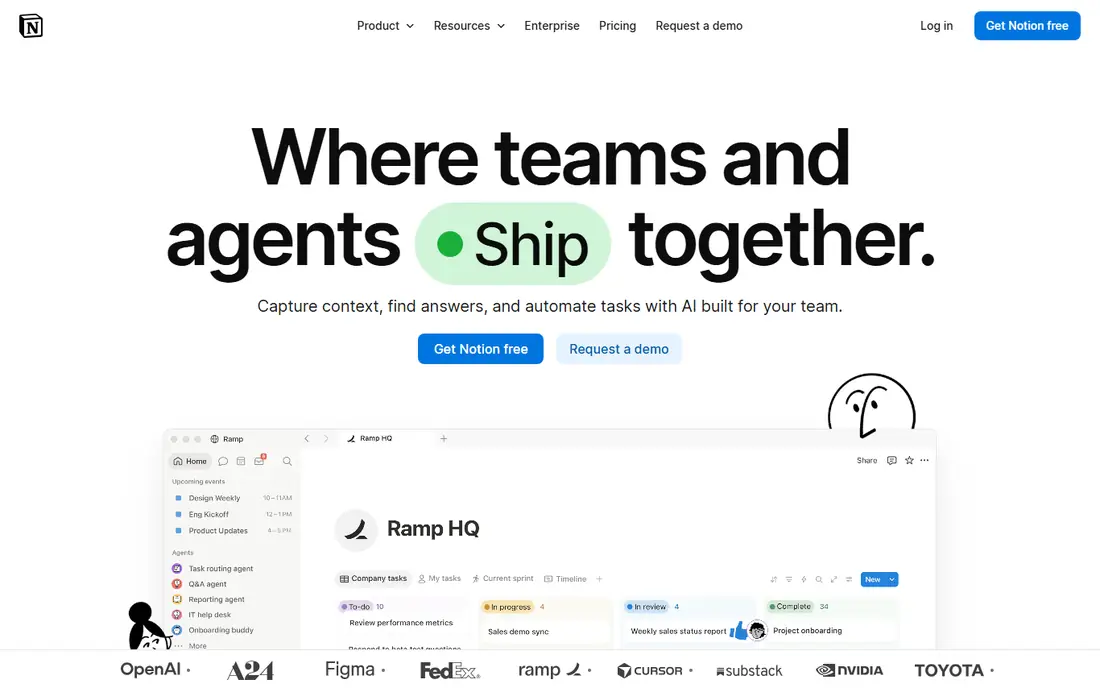
Notion is the best alternative when your sources already live in a team workspace. Pages, databases, and wikis hold meeting notes, specs, and research in one place, and AI can search across that workspace and draft summaries. For a team that needs a shared knowledge base rather than a single research notebook, that structure matters more than a clever chat window.
The catch is pricing. Notion AI is no longer a cheap add-on for everyone: Free and Plus plans get only a trial, and full AI access sits on the Business plan. Notion also leans toward writing and organisation rather than strict answers grounded in uploaded PDFs. If your team already lives in Notion, it is a natural pick. If you only need document Q&A, a research tool below will fit better.
- Strong organisation with pages, databases, and wikis
- AI search across a workspace
- Good collaboration for teams
- Full AI features need a Business plan, since Free and Plus get only a capped trial
- Less focused on source-grounded answers than NotebookLM
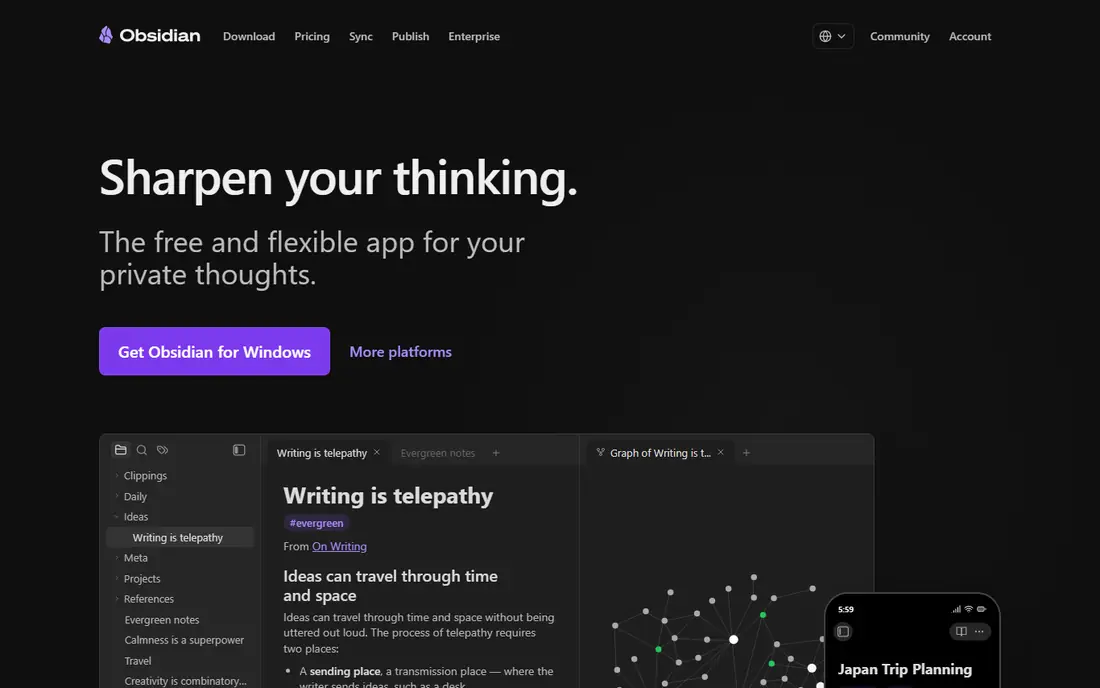
Obsidian is the pick for people who want to own their notes for years. Your notes live as plain files on your device, links connect ideas, and the graph view shows how topics relate. That local-first design also helps privacy, since nothing has to leave your device unless you turn on sync. For a researcher or writer building a permanent base, that control is hard to beat.
Obsidian is not a drop-in NotebookLM clone. AI question answering comes through community plugins and your own model setup, which takes time and comfort with configuration. Sync costs extra, and publishing costs extra again. If you value ownership and are willing to set up plugins, Obsidian is excellent. If you want upload-and-ask simplicity, look at ChatPDF or Perplexity first.
- App is free for personal use
- Notes are plain local files you own
- Large plugin community for AI and search
- AI features come from plugins and setup, not a polished built-in chat
- Sync and publishing are paid extras
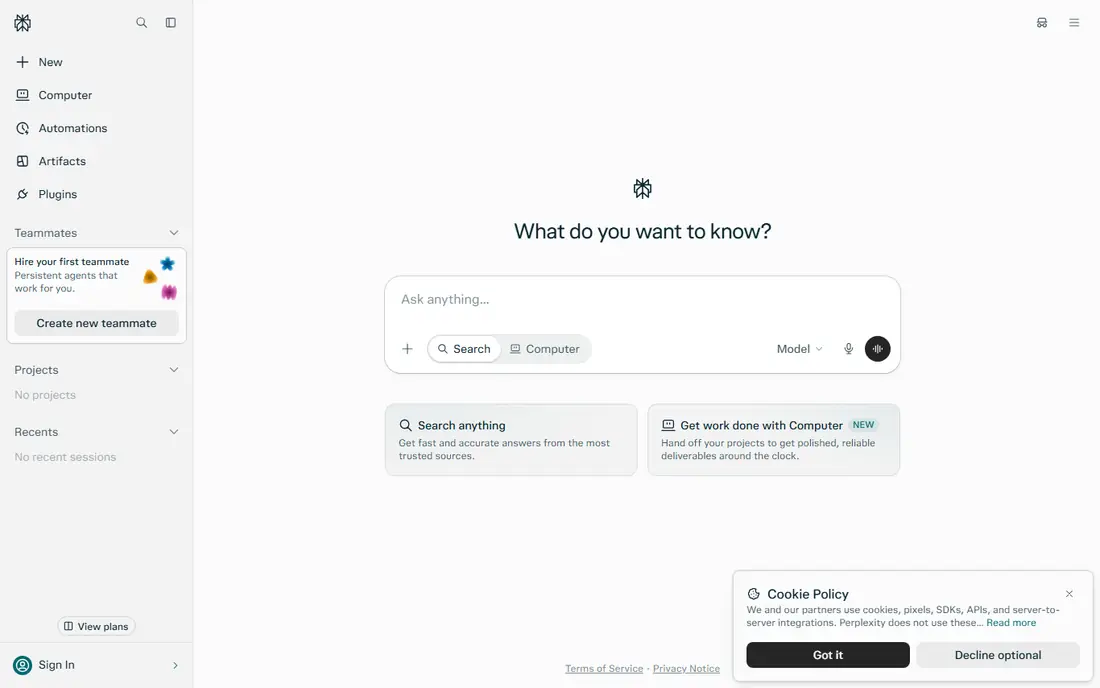
Perplexity suits research questions that need both your documents and current web context. You can upload files, create a Space for a topic, and ask questions that pull from your uploads and fresh sources, with citations to check. That mix is useful for market research, news analysis, and topics where your own files are only part of the picture.
The trade-off is control. Because Perplexity also searches the web, answers are not limited to your chosen sources in the way NotebookLM answers are. That makes it better for discovery and worse for strict, source-only summaries. The free plan covers light use, while Pro at $20 per month suits heavier daily research. Check citations before quoting any answer in serious work.
- Combines uploaded documents with live web sources
- Citations in answers
- Spaces organise research by topic
- Answers draw on the web as well as your files, so it is less strictly source-bound
- Pro is $20 per month for heavier use
Elicit is built for systematic research rather than casual note chat. You ask a research question, and it searches papers, extracts key details into tables, and lets you compare studies side by side. For literature reviews, grant background, and evidence synthesis, that structured output saves hours of manual copying from PDFs into a spreadsheet.
Elicit is narrower than a general note app. It shines with academic papers and struggles as a place to store meeting notes or personal ideas. The free plan covers light use, with paid plans from $10 per month for heavier work. If your main job is comparing what many studies actually found, Elicit is one of the strongest tools on this list.
- Extracts structured data across many papers
- Tables and CSV export for synthesis
- Free plan for light research
- Academic focus means less value for general notes
- Paid limits still apply to heavy literature reviews
SciSpace helps most while you are reading, not after you have finished. Open a paper, highlight a confusing method or formula, and ask for a plain explanation in context. That in-paper help matters when you are reading outside your own field and every second paragraph introduces a term you have not seen before.
SciSpace is less of a general knowledge base than Notion or Obsidian, and its free plan has limited queries. Paid plans start at $12 per month. Pair it with a note app for long-term storage, and use SciSpace for the reading itself. For students and researchers facing dense papers, that reading help is worth more than another chat window.
- Explains dense methods and formulas while you read
- Chat with individual papers
- Good for unfamiliar fields
- Paid plan needed for heavier use
- Less useful outside academic and technical papers
Consensus answers a different question from the rest of this list: what does the published research actually say, taken as a whole. Ask a question and it searches peer-reviewed papers, summarises findings, and shows where studies agree or conflict. That makes it useful for checking a claim before you repeat it, or for the first pass on a health, nutrition, or science topic.
The limit is scope. Consensus cannot chat with your own company reports, lecture notes, or unpublished drafts, since its job is peer-reviewed evidence. The free plan covers limited searches, with paid plans from $9.99 per month. Use it to ground claims in research, then use another tool here to work with your own documents.
- Answers synthesised from peer-reviewed papers
- Shows agreement and disagreement across studies
- No need to pre-select papers
- Limited to peer-reviewed research, so it cannot answer from your own reports or notes
- Paid plan for heavier searching
ChatPDF is the simplest tool on this list, and sometimes simplicity wins. Upload a PDF, ask a question, and get an answer with references back to the document. There is no workspace to configure and no notebook to organise, which makes it ideal for a contract, a course reader, or a policy document you need to understand today.
The limits are clear. The free plan caps daily PDFs and questions, and ChatPDF works best with one document at a time rather than a library of sources. Paid Plus plans raise those limits, with monthly billing cheaper on an annual plan. If your job is usually one document and a few pointed questions, ChatPDF is the fastest option here. For a full literature review, use Elicit or SciSpace instead.
- Fastest path from upload to first answer
- No account needed for basic use
- Page references help you verify answers
- Free plan limits PDFs and questions per day
- Single-document focus, not a multi-source research notebook
Heptabase suits researchers who think on a canvas rather than in a linear document. Cards hold notes and PDFs, whiteboards arrange them into arguments, and tags and links connect ideas across boards. AI features can help edit cards, read PDFs, and suggest connections, which keeps a large project from turning into a pile of disconnected files.
Pricing needs care. Heptabase has no free plan, only a trial, and its plans use AI credits, so heavy PDF parsing and AI use can push you to a higher tier. Published prices have also varied across sources, so we list See website here and recommend checking the current pricing page before subscribing. If you think visually and want a research map you can actually see, Heptabase is worth the trial.
- Whiteboards, cards, and tags suit visual thinking
- AI help with cards, PDFs, and connections
- Good for mapping a complex topic
- No free plan, only a trial
- Pricing is credit based, so heavy PDF work needs a higher tier
How we picked these
We compared official feature and pricing pages, plus public reviews, and kept only tools that are live in October 2026 and genuinely help you ask questions of documents, notes, or published research. We excluded tools with no public pricing path, tools that had shut down, and general chatbots with no document or note workflow. Where prices conflicted across sources, we wrote See website rather than inventing a figure.
How to choose the right one
Start with where your material lives. If it lives in a team wiki, Notion is the natural home. If it lives in your own files and you want to keep them, Obsidian is the long-term pick. If it lives in academic papers, Elicit, SciSpace, and Consensus each cover a different step: extraction, reading, and evidence synthesis. For a single PDF you need to understand today, ChatPDF is fastest, and for questions that need fresh web context too, Perplexity fits.
Test the citation habit before you trust any tool. Ask a question you already know the answer to, then check whether the answer points to the right source and the right passage. A tool that answers fluently but cites loosely will cost you more time later than a slower tool that shows its work. Keep your most important notes in a format you can export, so a pricing change or a shutdown does not trap your research.
Frequently asked questions
What is the closest alternative to NotebookLM?
No tool on this list copies NotebookLM exactly, since its strength is strict, source-grounded answers across many uploaded sources. ChatPDF comes closest for single documents, Perplexity comes closest when you also want web context, and Notion comes closest for a lasting team knowledge base. Most people end up combining two tools: one for asking questions, one for storing what they learn.
Are NotebookLM alternatives free?
Several offer free plans, including Notion, Obsidian, Perplexity, Elicit, SciSpace, Consensus, and ChatPDF, but each free plan has limits on AI use, documents, or questions. Heptabase is the exception here, with a trial but no free plan. If you research daily, expect to pay for at least one tool on this list.
Which NotebookLM alternative is best for academic research?
Elicit is best for structured extraction across many studies, SciSpace is best for reading and understanding individual papers, and Consensus is best for checking what peer-reviewed research says overall. Use Elicit to build a comparison table, SciSpace to understand hard papers, and Consensus to test a claim. Together they cover a literature review better than any single general note app.
Which NotebookLM alternative is best for privacy?
Obsidian is the strongest privacy pick, since notes live as local files and stay on your device unless you enable sync. Logseq offers a similar local-first approach, though we did not include it here to keep the list focused on AI document workflows. Cloud tools on this list store your uploads on their servers, so read their privacy terms before uploading sensitive material.
Can I use these tools without uploading sensitive documents?
Yes, and you should think about that choice for each document. Use ChatPDF or Perplexity for public papers and general material, and keep contracts, medical notes, or unpublished work in a local tool like Obsidian unless you have checked the vendor privacy policy. Remove identifying details where you can, and do not treat any AI summary as a substitute for reading a critical document yourself.
Sources
See where you really rank - block by block
ProMapRanker scans Google Maps across a grid of your service area. Simple monthly plans from $19, white-label on every plan.
Start freeKeep reading
 zoho inventory alternatives
6 Alternatives to Zoho Inventory, Compared on Price and Fit
Zoho Inventory alternatives: 6 tools compared on price, free plans and fit. Katana leads the list for manufacturers. Fit and flaws are laid out for each entry.
Read → zoho crm alternatives
Best Zoho CRM Alternatives (2026)
Need Zoho CRM alternatives? We compare 7 tools on cost, free access and who each suits. Every pick gets a straight assessment. Built for quick decisions.
Read → zelle alternatives
Best Zelle Alternatives in 2026
Compare the best Zelle alternatives for sending money to friends, paying sellers and moving funds abroad, with honest notes on fees, speed and safety in 2026.
Read →