 ProMapRanker
Best NinjaOne Alternatives in 2026


Per-technician pricing with unlimited endpoints · Pricing starts at: $149 per technician per month
Key takeaways
- Atera and Syncro use per-technician pricing, which suits a small team managing many endpoints, while NinjaOne-style per-device pricing suits a team with few devices per technician.
- Action1 is free for up to 200 endpoints, which makes it a strong starting point for patching on a tight budget.
- Microsoft Intune starts at $8 per user per month and fits organizations already committed to Microsoft 365 and Entra ID.
- Most enterprise RMM pricing is quote-based, so a trial and a written quote matter more than any headline price.
Quick comparison
| Pick | Great for | Pricing starts at | Free tier | |
|---|---|---|---|---|
| Atera | Per-technician pricing with unlimited endpoints | $149 per technician per month | Free trial (30 days) | Visit |
 Syncro | RMM plus ticketing and billing in one place | $129 per user per month | Free trial (14 days) | Visit |
 Datto RMM | Cloud RMM for MSPs in the Kaseya ecosystem | See website | Free trial | Visit |
 N-able N-central | Large multi-tenant MSP operations | See website | Free trial | Visit |
 Pulseway | Mobile-first monitoring and response | See website | Free trial | Visit |
 ManageEngine Endpoint Central | Deep patching and policy control at scale | See website | Free trial (30 days) | Visit |
 SuperOps | AI-assisted MSP platform | See website | Free trial (21 days) | Visit |
 Microsoft Intune | Microsoft-centered endpoint management | $8 per user per month | Free trial | Visit |
 Action1 | Free patching for up to 200 endpoints | Free | Yes | Visit |
The best NinjaOne alternatives
We compared remote monitoring and management tools that cover the same core work as NinjaOne: discovering endpoints, monitoring health, deploying patches, automating routine fixes, and giving technicians remote access. Our pick for most small MSPs is Atera, because per-technician pricing with unlimited endpoints keeps costs predictable as a client list grows.
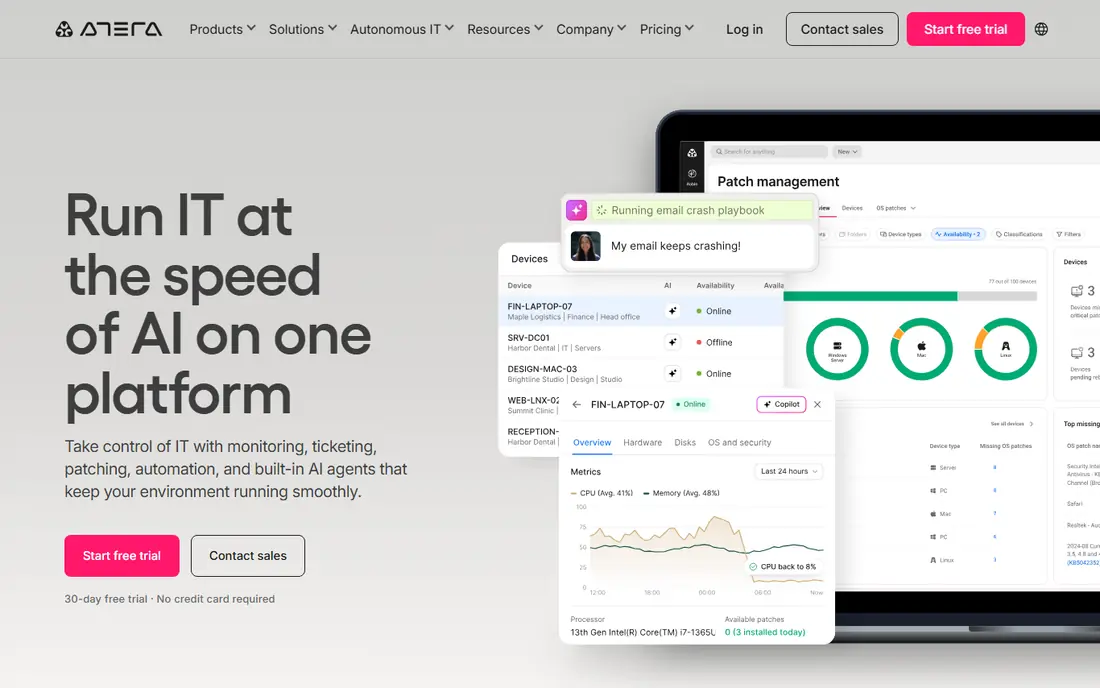
Atera fits an MSP or internal IT team that manages hundreds of endpoints with a small technician count. The platform combines monitoring, patch management, ticketing, automation, and remote access, so a team avoids stitching several tools together. Unlimited endpoints per technician is the pricing feature that changes the math for a growing client base.
The catch is the entry cost. At $149 per technician per month on annual billing, a solo technician with 50 endpoints may pay less on a per-device plan. Count endpoints per technician before choosing, because that ratio decides which model is cheaper.
- One technician price covers unlimited endpoints
- RMM and PSA ticketing in one platform
- Built-in remote access and patching
- Per-technician price is high for a one-person shop with few endpoints
- Advanced reporting needs higher tiers
Syncro fits a small MSP that wants one platform for monitoring, tickets, and customer billing. Technicians monitor endpoints, run scripts, and manage tickets without switching tools, and the billing module turns tracked time and services into invoices. That combination suits an MSP that is replacing a patchwork of separate tools.
The trade-off is setup effort. Billing rules, ticket workflows, and automation need careful configuration before they save time. A team that only needs monitoring may find the extra modules unnecessary.
- RMM, PSA ticketing, and billing in one subscription
- Strong scripting and automation
- Unlimited endpoint monitoring on paid plans
- Billing and invoicing features take time to set up well
- Smaller integration catalog than the largest rivals
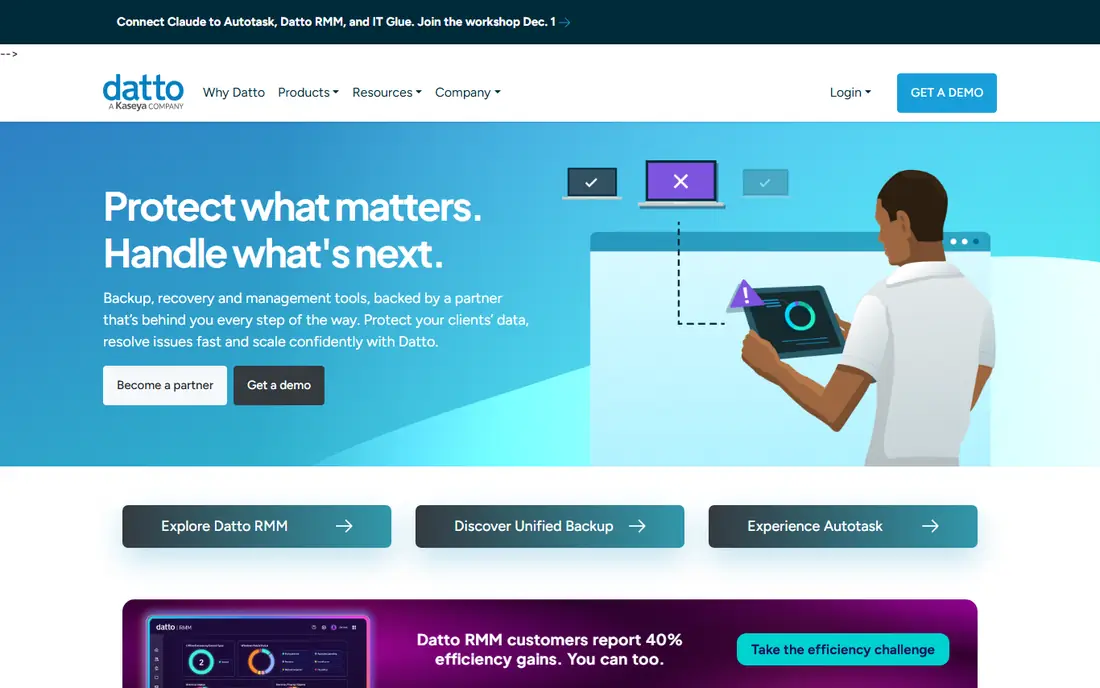
Datto RMM fits an MSP that already uses Datto backup or other Kaseya tools. The cloud console monitors endpoints, deploys patches, and automates remediation, while ransomware detection flags suspicious behavior early. Integration with backup means a technician can move from an alert to a recovery plan in the same ecosystem.
The honest catch is pricing transparency. With quote-based pricing, a team cannot compare Datto RMM on a public price alone, and the best value appears when several Kaseya products are bundled. Ask for a per-endpoint quote for a realistic endpoint count.
- Cloud-native platform with no server to maintain
- Ransomware detection built into monitoring
- Tight integration with Datto backup tools
- Pricing is quote-based, so budgeting needs a sales conversation
- Strongest value sits inside the wider Kaseya stack
N-able N-central fits a larger MSP managing many clients from one console. Multi-tenancy keeps client data separate while letting technicians apply rules, automation policies, and monitoring templates across sites. Network monitoring alongside endpoint monitoring gives a fuller picture for clients with servers and network gear.
The catch is complexity. A small team may find the setup and policy design heavier than a simpler RMM, and quote-based pricing makes early budgeting harder. It earns its place for scale, not for simplicity.
- Multi-tenant design for managing many clients
- Rule-based monitoring and advanced automation
- Broad device and network coverage
- Learning curve is steep for a small team
- Pricing is quote-based and can grow with add-ons
Pulseway fits an IT administrator who works away from a desk and needs to respond from a phone. Alerts arrive in real time, and a technician can restart services, run scripts, or open a remote session from the mobile app. That mobile-first design is a genuine difference, not just a companion app.
The trade-off is reporting depth. Larger teams that need detailed compliance reporting may find Pulseway lighter than N-able or ManageEngine. For day-to-day monitoring and fast response, it covers the work well.
- Strong mobile app for alerts and remote control
- Real-time monitoring with fast response
- Patching and automation included
- Pricing varies by endpoint tier, so quotes differ
- Reporting is lighter than enterprise rivals
ManageEngine Endpoint Central
Great for: Deep patching and policy control at scale
ManageEngine Endpoint Central fits an organization that needs tight control over a large, mixed fleet of Windows, macOS, and Linux devices. Patching covers third-party applications as well as operating systems, and policy controls help enforce configuration standards across sites. Asset inventory and software deployment sit in the same console.
The catch is the learning curve and the look of the product. The interface is functional rather than modern, and a team should budget time for setup and training. For control and patching depth at scale, it remains a strong value pick.
- Deep patching for operating systems and third-party apps
- Strong policy and device control
- Asset inventory and software deployment included
- Interface feels dated next to newer rivals
- Enterprise pricing needs a quote for larger fleets
SuperOps fits a modern MSP that wants RMM, ticketing, and documentation in one platform with AI assistance built in. Ticket triage, patch risk surfacing, and draft worklogs aim to cut the routine work that fills a technician day. Remote access is bundled, which avoids a separate remote tool subscription.
The trade-off is maturity. SuperOps is newer than Datto, N-able, and ConnectWise, so a team that needs a long public track record or a very large integration catalog should trial it carefully. For a growing MSP open to a newer stack, it is worth a pilot.
- RMM and PSA in one modern platform
- AI help with ticket triage and patch risk
- Bundled remote access included
- Newer platform with a smaller track record than the oldest rivals
- Pricing varies by license type
Microsoft Intune fits an organization already running Microsoft 365. Plan 1 starts at $8 per user per month and covers device enrollment, policy enforcement, app deployment, and compliance for Windows, macOS, iOS, and Android devices. Conditional access ties device health to access to company apps, which is a strong security story.
The catch is fit. Intune is a unified endpoint management tool, not a full MSP RMM with multi-tenant billing and PSA ticketing, and it works best inside the Microsoft ecosystem. A team outside that ecosystem should compare it against Atera or Syncro instead.
- Deep integration with Microsoft 365 and Entra ID
- Per-user pricing suits device-per-person fleets
- Strong policy and compliance controls
- Weaker for non-Windows devices than specialist tools
- Setup assumes Microsoft identity and licensing knowledge
Action1 fits a small business or school that needs reliable patching without an RMM budget. The free tier covers up to 200 endpoints, deploys operating system and third-party patches, and reports on missing updates and vulnerabilities. For a team whose main risk is unpatched software, that free tier solves the biggest problem first.
The limit is scope. Action1 is a patching and vulnerability platform, not a full RMM, so ticketing, billing, and deep remote management need other tools. Pair it with a separate remote access tool when a team needs both.
- Free for up to 200 endpoints with no time limit
- Fast patching for operating systems and third-party apps
- Vulnerability reporting included
- Paid plans need a custom quote
- Narrower scope than a full RMM with ticketing and remote access
How we picked these
We compared official feature pages, pricing pages, and public reviews for tools that cover NinjaOne core work: endpoint discovery, monitoring, patching, automation, and remote access. We favored tools that are actively sold in October 2026, support Windows and macOS at minimum, and publish either a clear price or a trial path. We avoided tools focused only on remote access with no monitoring or patching.
How to choose between per-technician and per-device pricing
Count endpoints per technician first, because that number decides the cheaper model. A team with 800 endpoints and 10 technicians pays very differently under per-technician pricing than a team with 100 endpoints and 5 technicians. Run both models on a real endpoint count, including any minimum seat or endpoint tiers, before signing an annual contract.
Questions to ask on a trial
Test patching on a mix of operating systems, check how alerts reach a technician after hours, and confirm remote access works without asking an end user to read out a code. Ask about data residency, backup of policies and scripts, and what happens to agents if a subscription lapses. A two-week trial that covers real client devices tells a team more than a demo on vendor hardware.
Frequently asked questions
Is NinjaOne itself included in this list?
No. This article lists alternatives to NinjaOne only, so NinjaOne does not appear as a product here. The tools above cover the same remote monitoring and endpoint management work from other vendors.
Which NinjaOne alternative is free?
Action1 is free for up to 200 endpoints, which covers patching and vulnerability reporting. Other tools here offer free trials, but not a free ongoing plan, so check the trial length and what happens when it ends.
What is the difference between RMM and MDM?
RMM covers monitoring, patching, and remote management of computers and servers, often for MSPs managing many clients. MDM focuses on mobile devices and their policies, apps, and compliance. Many modern tools cover both, but the emphasis differs, so check device coverage for a specific fleet.
Do I need a PSA tool as well as an RMM?
A PSA adds ticketing, billing, and project tracking. Atera, Syncro, and SuperOps bundle PSA features with RMM, while Datto RMM, N-able, and Pulseway focus more on monitoring and management. A team that already uses a separate PSA may prefer a monitoring-focused RMM.
Can these tools manage macOS and Linux as well as Windows?
Most tools here support Windows and macOS, and many support Linux, iOS, and Android. Coverage varies by feature, especially patching, so confirm third-party patching and remote access for each operating system in a fleet before buying.
Sources
See where you really rank - block by block
ProMapRanker scans Google Maps across a grid of your service area. Simple monthly plans from $19, white-label on every plan.
Start freeKeep reading
 zoro.to alternatives
Best Zoro.to Alternatives in 2026
We compare the best zoro.to alternatives in 2026, listing only legal licensed anime streaming services, from Crunchyroll to free options for fans today.
Read → zip alternatives
Best Zip Alternatives in 2026
We compare the best zip alternatives for buy now, pay later in 2026, covering pay-in-4 plans, fees, spending limits, and credit reporting options today.
Read → yesware alternatives
Best Yesware Alternatives in 2026
Compare the best yesware alternatives for sales email tracking, templates, and sequences, with current pricing and honest tradeoffs for small sales teams.
Read →