 ProMapRanker
Best Netlify Alternatives in 2026

Key takeaways
- Vercel is the closest match for Next.js and frontend teams that want Git based deploys and previews.
- Cloudflare Pages is the best value for static sites with high bandwidth, since static requests carry no bandwidth charge on its free tier.
- Render and Railway suit full-stack apps that need web services and databases in one dashboard.
- GitHub Pages remains the simplest free home for docs and personal sites with no backend.
- DigitalOcean App Platform and Fly.io give developers more control over containers and regions than a purely frontend host.
Quick comparison
| Pick | Great for | Pricing starts at | Free tier | |
|---|---|---|---|---|
 Vercel | Next.js and frontend teams | $20 per user per month | Yes | Visit |
 Cloudflare Pages | High traffic static sites | $5 per month | Yes | Visit |
 Render | Full-stack apps with databases | $7 per month | Yes | Visit |
 GitHub Pages | Docs and personal sites | Free | Yes | Visit |
 DigitalOcean App Platform | Simple managed apps | $5 per month | Yes | Visit |
 Railway | Fast full-stack deploys | $5 per month | Free trial | Visit |
 Fly.io | Container apps close to users | See website | Free trial | Visit |
 AWS Amplify | Teams already on AWS | See website | Yes | Visit |
 Firebase Hosting | Google centered web apps | See website | Yes | Visit |
The best netlify alternatives
These nine platforms cover static hosting, frontend frameworks, and full-stack deployment. We compared official pricing pages and product documentation to check free tiers, paid entry points, and practical limits.

Vercel is the natural first stop for teams building with Next.js, since it is made by the same company behind the framework. Push to Git, get a preview link for every branch, and promote to production when ready. Edge functions, image handling, and analytics fit the same workflow without extra services.
The pricing catch is the seat model. Hobby is free but limited to personal, non-commercial projects, so a business site needs Pro at $20 per user per month, plus usage beyond included amounts. Small commercial teams should price every developer seat before they compare Vercel with flat priced hosts. For frontend teams that value speed and previews, it is still a strong pick.
- Excellent Next.js support
- Fast preview deploys
- Global edge network
- Hobby plan is for personal non-commercial use
- Pro pricing is per seat
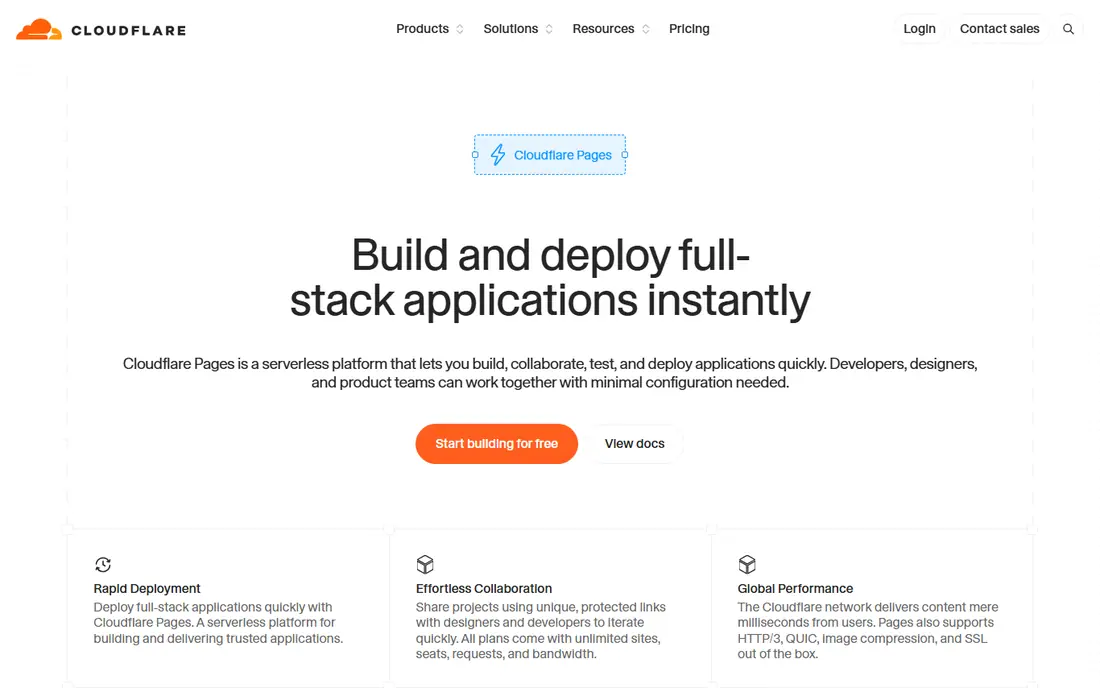
Cloudflare Pages stands out on bandwidth. Static asset requests do not carry the bandwidth charges that can surprise teams on other hosts, which makes it attractive for marketing sites, blogs, and docs that get sudden traffic. Pages Functions add server logic through Workers, and builds integrate with Git in the usual way.
The main adjustment is the runtime. Code that assumes a Node server may need changes to run on Workers, and long running tasks have limits. Teams that build static or lightly dynamic sites will rarely hit those limits. For a business that wants predictable costs at scale, Cloudflare Pages is hard to ignore.
- Unlimited bandwidth for static assets
- Global network
- Generous free tier
- Server code must run on Workers
- Some frameworks need adaptation

Render appeals to developers who want a modern host for both frontend and backend without managing servers. Static sites, web services, background workers, cron jobs, and managed databases live in one dashboard, and deploys come from Git. That single place setup saves time compared with wiring several services together.
Free web services sleep after 15 minutes of idle time and take time to wake, so they suit demos and side projects rather than production traffic. Paid Starter instances start at $7 per month and stay awake. If your app needs a database next to the code, Render is one of the cleanest options in this list.
- Web services, workers, and managed Postgres in one place
- Simple dashboard
- Free web services sleep after idle time
- Bandwidth is pooled and limited on free plans
GitHub Pages is the simplest option here, and for many docs sites that simplicity is the whole point. Push static files or a Jekyll site to a repo, and GitHub serves it with HTTPS and a custom domain. There is no billing dashboard to watch and no server to keep awake.
The limit is clear. There are no server functions, no databases, and no dynamic backend, so anything beyond static content needs another service. For portfolios, project docs, and open source sites, that trade is often fine. Teams that need forms or user accounts should pair it with a separate backend or choose a fuller platform.
- Free for public and private repos
- Simple Jekyll and static builds
- Custom domains with HTTPS
- Static files only
- No server functions or databases
DigitalOcean App Platform sits between a static host and a full cloud. Static site apps are free, while containers with shared CPU start at $5 per month. The dashboard is plain and readable, which helps small teams that do not want to learn a large cloud console just to ship a web app.
The ecosystem is smaller than AWS or Google Cloud, so some managed services and integrations are thinner. That matters less for a standard web app with a database and a worker. For teams that already use DigitalOcean droplets or managed databases, App Platform keeps billing and networking in one familiar place.
- Predictable pricing
- Static sites free
- Managed databases available
- Smaller ecosystem than larger clouds
- Advanced features need higher tiers
Railway is built for speed. Connect a repo, add a database or cache service, and the platform wires the pieces together with environment variables. The dashboard shows services, logs, and usage in one view, which makes it easy for a small team to see what an app actually costs.
Pricing has changed over time, so check the current page before you plan a budget. New projects get a short trial credit rather than a permanent free tier, and the Hobby plan starts at $5 per month plus usage. For indie teams that want a Heroku style experience with modern tooling, Railway is worth testing on a real project.
- Quick deploys from Git
- Databases and services in one project
- Usage based billing
- No ongoing free tier for new projects
- Costs vary with usage
Fly.io takes a different approach by running your containers as machines close to your users. That suits apps that need low latency in several regions, persistent volumes, or custom runtimes that do not fit a serverless model. The CLI is the main workflow, and config lives in a file you can version.
The trade is effort. Fly.io expects more comfort with containers and networking than a one click static host. New organizations get a short trial rather than a lasting free allowance, and billing is pay as you go. Developers who like that control will find it flexible. Teams that want the least operations work should look at Render or Railway first.
- Run containers in many regions
- Good for stateful and edge workloads
- Flexible machines
- More hands-on than managed platforms
- No general free tier for new users
AWS Amplify covers hosting for frontend apps and adds backend pieces such as auth, data, and storage when you need them. Deploys come from Git, previews work for branches, and custom domains use CloudFront under the hood. For teams already on AWS, keeping hosting and backend in one account simplifies billing and access control.
The AWS console and pricing model are more complex than a focused host, and usage charges can be harder to predict for a small site. A free tier covers early use, which helps testing. If your team already runs on AWS and wants to grow into backend features, Amplify is a logical choice. If you only need static hosting, a simpler host will be easier.
- Hosting plus backend building blocks
- Strong AWS integration
- CI from Git
- Pricing and console can feel complex
- Best value stays inside AWS
Firebase Hosting serves static and single page apps through a global CDN with SSL and custom domains included. It pairs naturally with Firestore, Authentication, and Cloud Functions for apps that need a backend without managing servers. The Firebase console keeps hosting, auth, and data in one place for small teams.
The fit is strongest inside Google Cloud. Teams that want a different database or a custom server stack may find the Firebase model restrictive. A free tier covers small projects, with pay as you go pricing beyond it. For a Google centered team building a web app with login and data, Firebase Hosting is a practical and fast option.
- Fast global CDN
- Easy custom domains and SSL
- Pairs with Firestore and Auth
- Backend options are Google shaped
- Usage pricing needs monitoring
How we picked these
We compared official pricing pages, free tier terms, and product documentation for each platform, and we kept only services that are live in October 2026. We looked for Git based deploys, custom domains, HTTPS, and a clear path from a free or trial start to a paid production plan. We left out hosts that had shut down or could not be verified as a current product.
How to choose the right host
Start with what your app actually is. A static marketing site needs bandwidth and build reliability more than a database. A full-stack app needs a web service, a worker, and a database that stay awake under real traffic. A docs site may need nothing more than free static hosting.
Next, price the whole setup, not just the headline plan. Count seats, bandwidth, build minutes, database costs, and function usage for a typical month. Check whether free tiers allow commercial use, since some do not. Test a preview deploy and a rollback before you move a production domain, because deploy workflow matters every day after the move.
Finally, think about who will run the site in six months. A platform that one developer loves but the rest of the team finds confusing will slow every release. Pick the host that the whole team can deploy, debug, and pay for without heroics.
Frequently asked questions
What are the best alternatives to netlify?
Vercel, Cloudflare Pages, and Render are the most common choices, with GitHub Pages for simple static sites and Railway or Fly.io for container based apps. The best pick depends on your framework, whether you need a backend, and how you want to pay. For pure static sites with high traffic, Cloudflare Pages often wins on cost.
Is there a free alternative to netlify?
Yes. GitHub Pages is free for static sites, Cloudflare Pages has a generous free tier for static assets, and Vercel Hobby is free for personal non-commercial projects. Render also offers free static sites and a free web service that sleeps when idle. Check commercial use terms before using a free tier for a business site.
Which netlify alternative is best for Next.js?
Vercel is the strongest match for Next.js, since it is built by the same team and supports its features with the least setup. Cloudflare Pages and AWS Amplify can also host Next.js apps, but some features may need extra configuration. Test your app's server features on each platform before you commit.
Do I need a backend host if my site is static?
No, if the site is truly static. A static host handles pages, assets, and forms through third party services. If you need user accounts, a database, or server logic, choose a platform that also offers web services or functions, such as Render, Railway, or Firebase.
How do I migrate a site from Netlify?
Connect your repo to the new host, set the build command and output folder, and test a preview deploy. Add environment variables, set up redirects, and point your domain only after the preview matches production. Keep the old site live until DNS has fully switched and you have checked key pages.
What limits should I watch on free plans?
Watch bandwidth, build minutes, function calls, and whether free services sleep after idle time. Also check whether the free tier allows commercial use and how many seats are included. A free plan that fits a hobby project can still be the wrong choice for a business site with steady traffic.
Sources
See where you really rank - block by block
ProMapRanker scans Google Maps across a grid of your service area. Simple monthly plans from $19, white-label on every plan.
Start freeKeep reading
 zscaler alternatives
Best Zscaler Alternatives in 2026
Looking for zscaler alternatives? We compare 9 SASE and zero trust platforms on architecture, data protection, pricing, and fit for your network and team.
Read → zapier alternatives free
Best Zapier Alternatives Free in 2026
Nine automation tools for zapier alternatives free in 2026, all with genuinely free tiers, plus free plan limits, starting prices and upgrade paths explained.
Read → which platform is best for online reputation
Which Platform Is Best for Online Reputation in 2026
Wondering which platform is best for online reputation? We compare 8 review, listing, and response tools for small and multi-location businesses and agencies.
Read →