 ProMapRanker
Best n8n Alternatives Open Source in 2026


No-code teams moving from n8n · Pricing starts at: $16 per month
Key takeaways
- Activepieces is the closest no-code match for n8n, with a free self-hosted Community Edition under an MIT licence.
- Windmill, Kestra and Apache Airflow suit teams that are comfortable with code and want full control over how jobs run.
- Huginn, Node-RED and Automatisch cost nothing in licence fees, but you still pay for hosting and your own time.
- Open-source code does not always mean a free managed service, so check which features sit behind a paid cloud or enterprise plan.
Quick comparison
| Pick | Great for | Pricing starts at | Free tier | |
|---|---|---|---|---|
| Activepieces | No-code teams moving from n8n | $16 per month | Yes | Visit |
 Windmill | Developer teams building internal tools | Free | Yes | Visit |
 Automatisch | Simple Zapier-style flows | Free | Yes | Visit |
 Huginn | Web monitoring and personal agents | Free | Yes | Visit |
 Node-RED | Hardware and event-driven flows | Free | Yes | Visit |
 Apache Airflow | Data pipelines at scale | Free | Yes | Visit |
 Kestra | YAML-defined orchestration | Free | Yes | Visit |
 Trigger.dev | Developers running background jobs | Free | Yes | Visit |
 ByteChef | Embedded and team automation | Free | Yes | Visit |
The best n8n alternatives open source
These nine tools are all genuinely open source, and each one can be run on your own servers. The right choice depends on how much code your team wants to write, and how much server work you are willing to take on.

Activepieces is our pick for most people leaving n8n. Its builder lays flows out as steps rather than a canvas of nodes, which many non-developers find easier to read at a glance. The Community Edition is free to self-host with no run cap, and it covers the core automation work most small teams need, from syncing a CRM to sending alerts when a form arrives.
The catch is the gap between the free edition and the paid tiers. Features such as single sign-on, audit logs, projects and Git sync are not in the Community Edition, so a larger company may need a paid plan after all. Cloud pricing is credit based, with a free plan and a Plus plan at $16 per month when billed annually, and AI steps on vendor-supplied models can cost extra credits. Check the current pricing page before you commit, because credit rules for AI work change often.
- MIT-licensed Community Edition
- Visual step builder
- Large library of pieces
- Enterprise controls sit on paid plans
- AI steps can use credits quickly on cloud plans
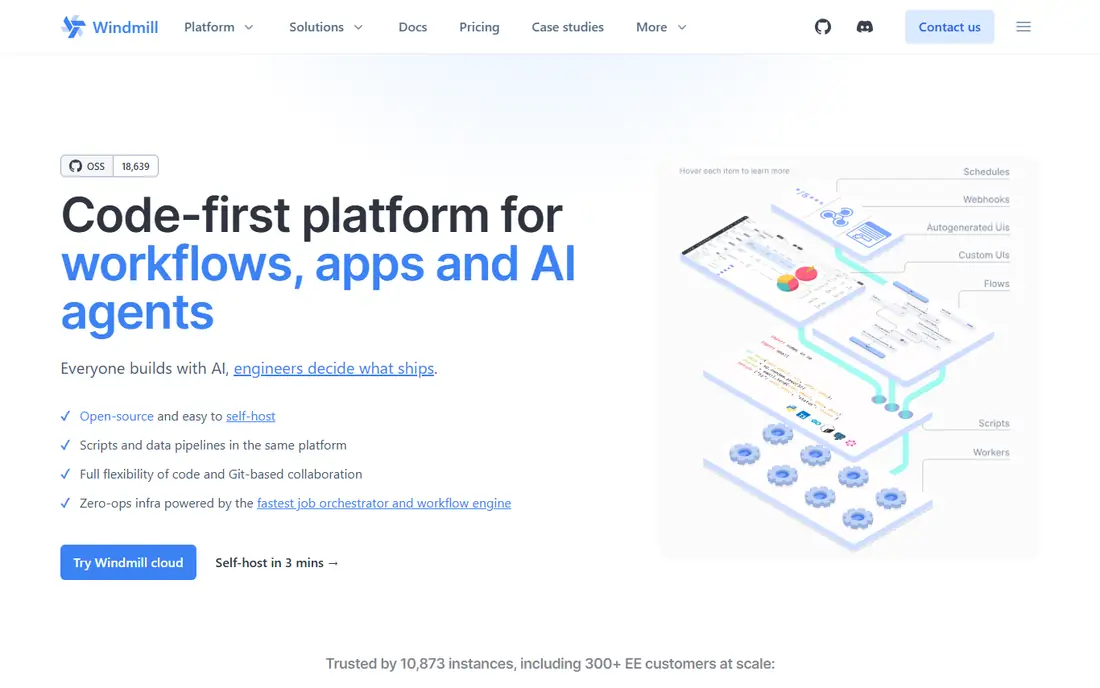
Windmill takes a different route from n8n. You write a script in Python, TypeScript, Go, Bash or another supported language, and Windmill turns it into an interface, an API endpoint and a scheduled job. That makes it a strong fit for engineering teams that already think in code and want internal tools without building a separate front end for every job.
Its flow editor lets you chain scripts together, and it includes permissions, monitoring and triggers such as webhooks, schedules and email. The open-source edition can be self-hosted at no licence cost, while Windmill Cloud is a paid managed option for teams that do not want to run servers. If your team has no developers, this is probably not the first tool to try, because the code-first approach is the whole point.
- Scripts become APIs and interfaces automatically
- Supports several languages
- Strong scheduling and monitoring
- Built for developers first
- Non-technical users may find it less friendly than a no-code builder
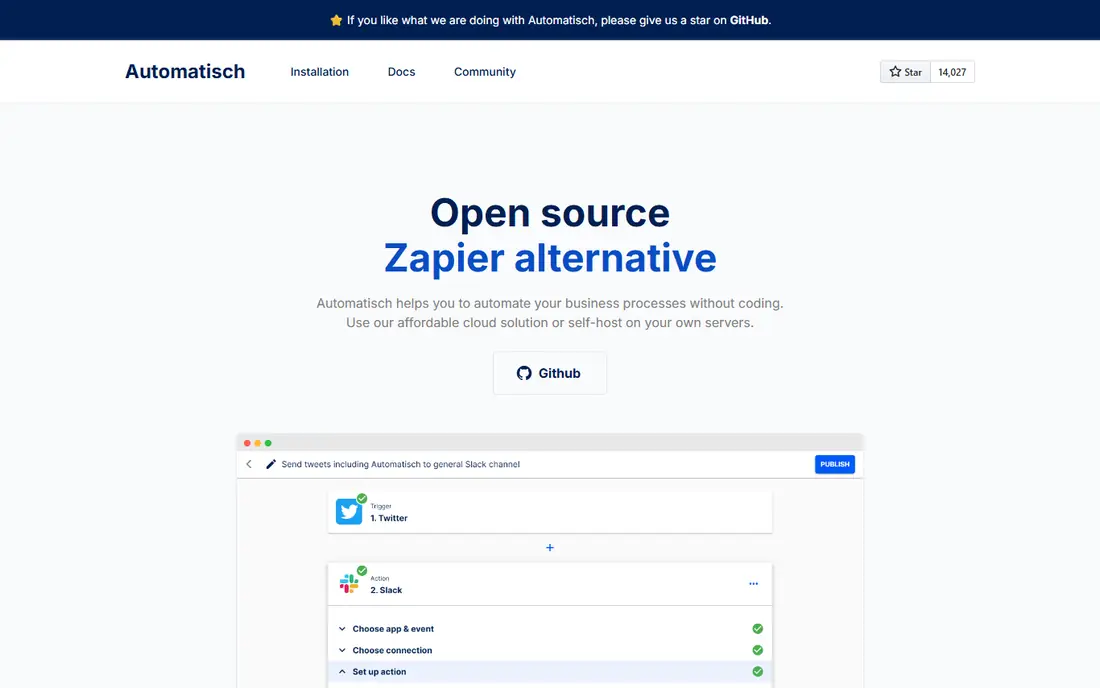
Automatisch is the simplest tool on this list, and that is its main appeal. Flows follow a familiar trigger and action pattern, so anyone who has used Zapier will understand the layout within minutes. It connects to common services such as Slack, GitHub, Google Sheets, Stripe and Twilio, and webhooks cover many gaps.
Because it is open source and self-hosted, there are no per-task fees when you run it yourself, though you still pay for the server it runs on. The trade-off is scope. The integration library is much smaller than n8n, and complex multi-branch logic is not its strength. For straightforward syncs and notifications, that simplicity is a benefit rather than a limit.
- Clean, simple builder
- Free to self-host
- No per-task pricing on your own server
- Smaller integration library than n8n
- Fewer advanced branching options
Huginn works more like a set of watchful agents than a business automation suite. You create agents that check a website, a feed or an inbox, filter what they find, and then send an alert, post a message or trigger another step. That design makes it a good fit for price tracking, news monitoring, weather alerts and personal dashboards.
It has been around for years, and the interface shows its age compared with newer builders. Setting it up and keeping it running takes comfort with servers and configuration, and the integration set is geared toward the web rather than business software. If your main need is watching the web and acting on changes, Huginn still earns its place.
- Free and open source
- Strong for monitoring pages and feeds
- Agents can watch, filter and act
- Older interface
- Setup and upkeep need technical confidence
Node-RED started as a tool for wiring hardware and internet-connected devices together, and it still shines there. You drag nodes onto a canvas, connect them, and pass messages between devices, APIs and services. Thousands of community nodes cover protocols and hardware that business automation tools rarely touch.
For ordinary business automation, Node-RED can feel less direct than n8n or Activepieces, because many SaaS integrations need extra setup or HTTP calls rather than a polished connector. Large flows can also become hard to read if they are not organised carefully. Teams working with sensors, machines or event streams will get the most from it.
- Free and open source
- Huge node library
- Strong for IoT and device data
- Flow design can get messy at scale
- Business app integrations need more manual work
Apache Airflow is the veteran of this list, built to schedule and monitor data pipelines rather than to sync two SaaS apps. Workflows are defined in Python as directed acyclic graphs, which gives engineers precise control over order, retries, dependencies and failure handling. Providers cover cloud storage, warehouses, databases and many data tools.
That power comes with weight. Airflow needs a scheduler, workers, a metadata database and log storage, and upgrades take planning. It is the wrong tool for a five-step form-to-Slack flow, and the right tool when a company runs hundreds of data jobs a day and needs to see exactly what ran, what failed and why. Budget engineering time, not just server cost.
- Free under the Apache licence
- Proven at large scale
- Huge provider ecosystem
- Heavy to run
- Overkill for simple app-to-app syncs
- Needs Python skills
Kestra defines workflows in YAML, which makes flows easy to read, review in version control and share between engineers. Tasks can run Python, SQL, shell commands or other code inside containers, so existing scripts often slot in without being rewritten. Plugins cover cloud services, databases, messaging and AI workflows, and the interface shows live execution state.
The open-source edition is free to self-host with no per-execution fee, while enterprise controls and the managed cloud service are paid. Kestra is younger than Airflow, so its community is smaller, but its authoring style feels lighter for teams that want orchestration without a heavy data-platform setup. It suits infrastructure automation and data work alike.
- Free open-source edition
- Readable YAML flows
- Runs code in containers
- Large plugin library
- Enterprise features such as SSO and audit logs are paid
- Smaller community than Airflow
Trigger.dev is aimed squarely at developers who need background jobs, scheduled tasks and AI workflows inside their own applications. You define tasks in TypeScript, and the platform handles queues, retries, delays and concurrency. That focus makes it a good replacement for hand-rolled job queues and cron scripts.
It is not a drop-in visual replacement for n8n. There is no large library of no-code SaaS connectors in the Zapier sense, and business users will not build flows here. If your automation lives inside a product you are building, Trigger.dev fits well. If your team wants to connect apps without code, look at Activepieces or Automatisch first.
- Open-source code
- Built for long-running and scheduled jobs
- Good developer experience
- Code-first, so non-developers will struggle
- Not a general no-code automation builder
ByteChef is an open-source automation platform with a visual builder for connecting apps and building workflows. It can be used as a standalone tool or embedded inside another product, which makes it interesting for software teams that want to offer integrations to their own customers without building an automation engine from scratch.
Being younger than n8n means its connector library and community resources are still growing, so check that the apps you rely on are covered before migrating. For teams that value open code, self-hosting and an embeddable builder, it is a credible option to test alongside Activepieces.
- Open-source core
- Visual flow builder
- Can be embedded in other products
- Younger ecosystem than n8n
- Integration count is still growing
How we picked these
We compared official project pages, licences, pricing pages and documentation for tools that are open source and still maintained in October 2026. We required each tool to be usable as a genuine automation or orchestration alternative to n8n, not merely a library or a single-purpose script. We left out tools that have reached end of life, tools that have stopped taking new users ahead of a planned closure, and closed-source tools, even when they are popular alternatives to n8n in general. Prices come from vendor pages and recent pricing guides where vendor pages were hard to read, and anything we could not verify is marked as See website in other articles in this series.
What to check before you switch
Start with the licence, because open source is not one single deal. An MIT or Apache licence generally lets you run and modify the code with few limits, while other licences restrict commercial hosting or resale. If you plan to offer automation to your own customers, read the licence text rather than trusting a summary, and ask a lawyer when the answer affects your business.
Next, count the real cost of self-hosting. Licence fees may be zero, but servers, databases, backups, updates and security patching are not. A small tool on a cheap virtual server can cost a few dollars a month, while a clustered data orchestrator needs more care and more money. If nobody on your team wants that work, a managed cloud plan may be cheaper in practice, even when the open-source edition is free.
Finally, test your hardest flow first, not your easiest one. Rebuild the flow with the most branches, error handling and app connections, and see how the new tool handles failures, retries and logs. A tool that looks fine on a simple sync can fall apart on the flow your business actually depends on.
Frequently asked questions
What are the best n8n alternatives open source tools for beginners?
Activepieces and Automatisch are the easiest starting points, because both offer visual builders and free self-hosted editions. Activepieces has the larger integration library, while Automatisch is simpler for basic trigger and action flows. Try both with a small real flow before moving anything important.
Are open source alternatives to n8n really free?
The code is free to use under its licence, but running it is not always free. You pay for hosting, storage and maintenance, and some features such as single sign-on or audit logs may sit on paid plans. Managed cloud versions add a subscription on top of the open code.
Can I self-host these tools on a small server?
Many of them can run on a modest virtual server for light use, including Activepieces, Automatisch, Huginn and Node-RED. Airflow and larger Kestra setups need more resources and care. Start small, watch memory use, and scale the server when job volume grows.
Which open source alternative is best for data teams?
Apache Airflow and Kestra are the strongest picks for data work, because both handle scheduling, dependencies and retries at scale. Airflow has the larger ecosystem, while Kestra offers lighter YAML authoring. Choose Airflow for very large pipeline estates and Kestra when readable flow files matter more.
Do these tools replace Zapier as well as n8n?
Several do, in the sense that they connect apps and run flows without per-task fees when self-hosted. The gap is usually the size of the connector library and the polish of each connector. Check your must-have apps one by one rather than assuming coverage.
Sources
See where you really rank - block by block
ProMapRanker scans Google Maps across a grid of your service area. Simple monthly plans from $19, white-label on every plan.
Start freeKeep reading
 zscaler alternatives
Best Zscaler Alternatives in 2026
Looking for zscaler alternatives? We compare 9 SASE and zero trust platforms on architecture, data protection, pricing, and fit for your network and team.
Read → zapier alternatives free
Best Zapier Alternatives Free in 2026
Nine automation tools for zapier alternatives free in 2026, all with genuinely free tiers, plus free plan limits, starting prices and upgrade paths explained.
Read → which platform is best for online reputation
Which Platform Is Best for Online Reputation in 2026
Wondering which platform is best for online reputation? We compare 8 review, listing, and response tools for small and multi-location businesses and agencies.
Read →