 ProMapRanker
Best Mosyle Alternatives in 2026

Key takeaways
- Jamf Pro is our pick for Apple-first organisations that need deep macOS and iOS management at scale.
- Kandji, now Iru, suits teams that want automated Apple compliance and security checks with less manual policy work.
- Addigy suits Apple-focused IT teams and managed service providers that need real-time device control.
- Hexnode, Scalefusion, and Miradore suit mixed fleets, because they cover Apple plus Windows, Android, and other platforms.
- JumpCloud and Microsoft Intune suit teams that also need identity and access control, not just device enrolment.
Quick comparison
| Pick | Great for | Pricing starts at | Free tier | |
|---|---|---|---|---|
 Jamf Pro | Apple-first management at scale | See website | Free trial | Visit |
 Kandji | Automated Apple compliance | See website | Free trial | Visit |
 Addigy | Real-time Apple management | See website | Free trial | Visit |
 Hexnode UEM | Mixed fleet device management | $2.20 per device per month | Free trial | Visit |
 JumpCloud | Identity plus device management | $9 per user per month | Free trial | Visit |
 Microsoft Intune | Microsoft 365 device management | $8 per user per month | Free trial | Visit |
 ManageEngine Mobile Device Manager Plus | Free tier for small fleets | See website | Yes | Visit |
 Scalefusion | Mixed fleets and kiosks | $2 per device per month | Free trial | Visit |
 Miradore | Budget management for small teams | $3.30 per device per month | Yes | Visit |
The best mosyle alternatives
Mosyle is known for Apple device management, especially for schools and small to mid-size businesses. The tools below cover the same job, from Apple-only management to full unified endpoint management across several operating systems.
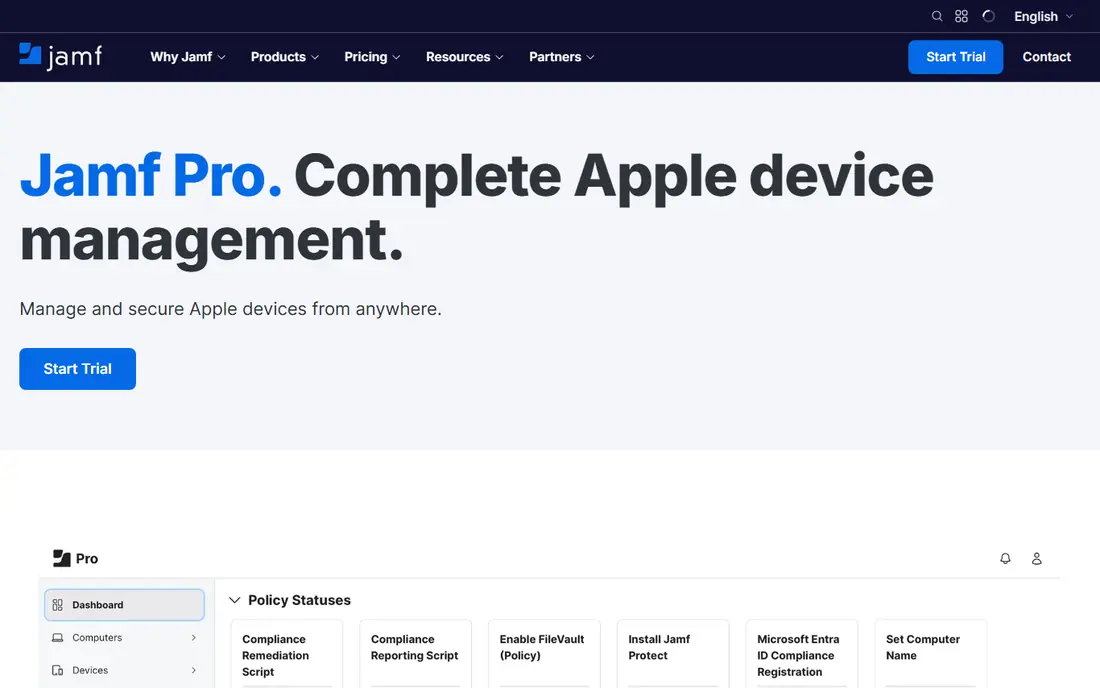
Jamf Pro is the reference point for Apple device management in many organisations. It covers macOS, iOS, iPadOS, and tvOS, with enrolment through Apple Business Manager or Apple School Manager, app deployment, configuration profiles, and compliance policies. IT teams can automate onboarding, push OS and app updates, and enforce security settings from one console. The Jamf community and documentation also help admins solve Apple-specific problems quickly.
Jamf Pro pricing is quoted, and published comparisons list separate rates for Mac and mobile devices with a minimum device count, so small fleets should confirm current terms. The Apple-only scope is also a limit for mixed fleets, because Windows and Android devices will need a separate tool or a different platform. For an organisation that is mainly Apple, Jamf Pro offers depth that generalist tools rarely match.
- Deep Apple device support
- Strong app deployment and policy controls
- Large Apple admin community
- Quoted pricing for Pro
- Apple-only focus means other platforms need another tool
Kandji, now branded as Iru in some listings, focuses on automated Apple device management and compliance. It offers pre-built controls for macOS and iOS security, automated remediation when a device drifts out of compliance, and a clear view of device health. That automation reduces the manual policy work that Apple admins often face, especially for security frameworks and audits. Kandji also covers app deployment, OS updates, and device inventory in the same console.
Pricing is quoted, so teams should request a current price for their device count and plan. Kandji started Apple-first, and while it has expanded to other platforms, its strongest fit remains Apple fleets. For a team that wants compliance to run with less hands-on policy tuning, Kandji is a strong Mosyle alternative, particularly for growing companies with security requirements.
- Automated compliance checks
- Pre-built Apple security templates
- Clear device health view
- Quoted pricing
- Apple focus first, with other platforms newer
Addigy is a cloud-based Apple device management platform that combines MDM with a live agent, so admins can act on macOS, iOS, iPadOS, and tvOS devices in real time. That live view helps with troubleshooting, software updates, and compliance checks without waiting for a device check-in cycle. Multi-tenant support suits managed service providers that manage many Apple clients from one account, while single organisations benefit from the same live control.
Addigy pricing is quoted, and published listings place it around $5 to $6 per device per month in some comparisons, but teams should confirm current rates. The Apple-only scope means mixed fleets need another tool, and some integrations may be narrower than Jamf. For Apple-focused IT teams that value instant action over scheduled check-ins, Addigy is a distinctive and practical choice.
- Real-time device actions
- Multi-tenant support for providers
- Live remote access for macOS
- Quoted pricing
- Apple-only scope
- Smaller ecosystem than Jamf for some integrations
Hexnode UEM covers Windows, macOS, iOS, Android, tvOS, and other platforms, which makes it a good fit for organisations that manage a mixed fleet. MDM Essentials starts at $2.20 per device per month in published listings, while UEM Essentials adds broader endpoint features at a higher rate. App management, kiosk mode, remote actions, and compliance policies cover the daily needs of IT teams, and a trial lets you test enrolment before committing.
Full UEM features sit on higher tiers, so Apple-only teams should compare the entry plan against what they actually need. The broad scope can also feel like more than an Apple-focused team wants, though mixed fleets will see that breadth as a strength. For organisations that need one console for Apple and non-Apple devices, Hexnode offers clear pricing and wide coverage.
- Broad OS coverage
- Published entry pricing
- Kiosk and app management tools
- Higher tiers needed for full UEM features
- Interface can feel broad for Apple-only teams
JumpCloud combines identity and device management, so a team can manage users, access, and devices from one platform. Device Management starts at $9 per user per month on annual billing in published listings, with higher tiers adding more identity and security features. It covers Windows, macOS, iOS, and Linux, which suits organisations that want zero-trust access and device compliance together. Single sign-on, multi-factor authentication, and directory services are part of the wider value.
JumpCloud is not a pure MDM tool, so teams that only need Apple enrolment may find the platform broader than necessary. Android support is also more limited than some dedicated UEM platforms, so Android-heavy fleets should check current coverage. For teams that want identity and devices managed together, JumpCloud offers a coherent alternative to a device-only tool.
- Identity, access, and device management together
- Cross-platform support
- Directory services
- Device management is part of a wider platform
- Android support is limited compared with some UEM tools
Microsoft Intune is a unified endpoint management tool that covers Windows, macOS, iOS, and Android, and it is included in Microsoft 365 E3, E5, and Business Premium plans. Standalone Intune Plan 1 starts at $8 per user per month in published listings. It offers app deployment, configuration profiles, compliance policies, and conditional access, which helps organisations that already use Microsoft 365 for email, identity, and documents. For those teams, Intune may already be paid for, which changes the cost comparison sharply.
Intune setup can feel complex, especially for small teams without Microsoft admin experience, and Apple-specific depth differs from Jamf or Addigy. Still, for Microsoft-centred organisations, Intune provides a full device management option without a separate vendor. Check your current Microsoft 365 entitlement before buying Intune separately, because you may already have it.
- Included in many Microsoft 365 plans
- Broad OS coverage
- Strong policy and compliance tools
- Setup can be complex for small teams
- Apple features are good but not Apple-only in depth
ManageEngine Mobile Device Manager Plus offers device management for Windows, macOS, iOS, Android, and other platforms, with both cloud and on-premises deployment. A free tier for up to 25 devices makes it accessible for small teams, schools, and pilot projects, while paid editions add advanced features such as remote control and deeper scripting. That free tier is a real advantage for a team that wants to test MDM without a contract.
Paid pricing varies by edition, cloud versus on-premises, and device count, so teams should confirm current rates on the vendor site. The interface reflects its enterprise roots, which can feel heavy for a very small Apple-only fleet. For mixed fleets and for teams that want a free start with room to grow, ManageEngine is a practical Mosyle alternative.
- Free tier for up to 25 devices
- Broad OS coverage
- On-premises and cloud options
- Pricing varies by edition and deployment
- Interface can feel enterprise-heavy for small teams
Scalefusion is a unified endpoint management platform that covers Windows, macOS, iOS, Android, Linux, and ChromeOS, with a focus on mixed fleets, kiosks, and rugged devices. Essentials starts at $2 per device per month on annual billing for Android and iOS in published listings, with Business adding broader OS support at $5 per device per month. Kiosk mode, app management, and remote actions suit retail, logistics, and field teams as well as offices.
A ten-device minimum applies to some plans, so very small fleets should check current terms. Advanced features also sit on higher tiers, so count the features you need, not just the entry price. For organisations with a mix of devices, including kiosks and shared tablets, Scalefusion offers low entry pricing and broad coverage that Apple-only tools do not match.
- Low entry price
- Kiosk and rugged device support
- Broad OS coverage
- Ten-device minimum on some plans
- Advanced features sit on higher tiers
Miradore is a cloud MDM platform for Windows, macOS, iOS, and Android, aimed at budget-conscious small teams. A free tier covers up to 50 devices, while Premium starts at $3.30 per device per month and Premium Plus at $4.75 in published listings. Device inventory, app deployment, configuration profiles, and basic security policies cover the core needs of a small fleet without enterprise complexity. That free tier makes Miradore easy to test with a real set of devices.
Miradore does not match the depth of Jamf for Apple-only work or the breadth of a full enterprise UEM platform, so larger organisations may outgrow it. For a school, small business, or charity with a modest fleet and a tight budget, Miradore offers a clear and low-cost starting point. Check which features sit on Premium versus Premium Plus before you rely on a specific control.
- Free tier for up to 50 devices
- Simple cloud management
- Published Premium pricing
- Smaller feature set than enterprise UEM tools
- Advanced features require Premium Plus or Enterprise
How we picked these
We compared official product and pricing pages, vendor documentation, and published MDM guides for tools that manage Apple devices and are live in October 2026. We favoured tools with a clear Apple story, published pricing or a free tier or trial, and a distinct fit, from Apple-only depth to mixed-fleet coverage and identity-led management. We did not claim hands-on testing. Where a vendor did not publish a full price, we wrote See website rather than inventing a figure.
How to choose for Apple fleets and schools
Start with your fleet mix. If nearly every device is Apple, Jamf Pro, Kandji, or Addigy will give you deeper Apple controls than a generalist tool. If your fleet mixes Apple, Windows, and Android, Hexnode, Scalefusion, Miradore, or Intune will save you from running two consoles. Schools should also check Apple School Manager integration, classroom controls, and pricing for education, because some vendors offer education terms that change the total.
Next, test enrolment end to end. Enrol a Mac and an iPad through Apple Business Manager or School Manager, push an app and a configuration profile, and check compliance reporting. Test remote actions, OS update controls, and what happens when a device is lost or returned. Finally, compare total cost for your device count, including minimums, per-device versus per-user pricing, and any identity or security add-ons you need.
Frequently asked questions
Is Jamf the best Mosyle alternative for schools?
Jamf offers strong school tools, including Jamf School for classroom management, and Jamf Pro for larger Apple fleets. Mosyle also has a strong school focus, so the best choice depends on device count, budget, and whether you need Jamf depth or a simpler school workflow. Test enrolment and classroom controls with your actual devices before deciding.
Do these tools work with Apple Business Manager?
Yes, the Apple-focused tools here support enrolment through Apple Business Manager and Apple School Manager, which lets IT teams automate device setup. Mixed-fleet tools also support Apple enrolment, though the depth of Apple-specific controls varies. Check that automated enrolment, app deployment, and supervision settings work for your device types during a trial.
Can I manage Android and Windows devices with a Mosyle alternative?
Yes, with a mixed-fleet tool. Hexnode, Scalefusion, Miradore, Intune, and JumpCloud cover Windows and Android in addition to Apple, with varying depth. Apple-only tools such as Jamf Pro and Addigy do not cover Android and Windows, so a mixed fleet will need a second tool or a different platform.
What is the cheapest Mosyle alternative for a small team?
Miradore and ManageEngine offer free tiers for small fleets, while Scalefusion and Hexnode offer low per-device entry prices. The cheapest option depends on device count, because minimums and per-device versus per-user pricing change the total. A free tier is cheapest to start, but check which security and app features it includes.
How long does it take to switch MDM providers?
A small fleet can often switch in days, while a large fleet with many profiles, apps, and policies can take weeks. Plan for device unenrolment and re-enrolment, profile rebuilding, app redeployment, and user communication. Test with a small pilot group first, then move devices in batches to avoid a gap in management coverage.
Sources
- https://www.jamf.com/pricing
- https://www.kandji.io/pricing
- https://addigy.com/pricing
- https://www.hexnode.com/pricing
- https://jumpcloud.com/pricing
- https://www.microsoft.com/security/pricing
- https://www.manageengine.com/mobile-device-management/pricing
- https://scalefusion.com/pricing
- https://www.miradore.com/pricing
See where you really rank - block by block
ProMapRanker scans Google Maps across a grid of your service area. Simple monthly plans from $19, white-label on every plan.
Start freeKeep reading
 zoro.to alternatives
Best Zoro.to Alternatives in 2026
We compare the best zoro.to alternatives in 2026, listing only legal licensed anime streaming services, from Crunchyroll to free options for fans today.
Read → zip alternatives
Best Zip Alternatives in 2026
We compare the best zip alternatives for buy now, pay later in 2026, covering pay-in-4 plans, fees, spending limits, and credit reporting options today.
Read → yesware alternatives
Best Yesware Alternatives in 2026
Compare the best yesware alternatives for sales email tracking, templates, and sequences, with current pricing and honest tradeoffs for small sales teams.
Read →