 ProMapRanker
Best Moodle Alternatives in 2026

Key takeaways
- Canvas leads for higher education, thanks to its large ecosystem, mobile apps, and integration options.
- Google Classroom suits schools that want a free, simple tool inside Google Workspace for Education.
- TalentLMS and LearnDash suit small businesses and course creators who need fast setup and clear pricing.
- Blackboard Learn and Brightspace suit large institutions that need deep assessment, analytics, and compliance tools.
Quick comparison
| Pick | Great for | Pricing starts at | Free tier | |
|---|---|---|---|---|
 Canvas | Higher education | See website | Yes | Visit |
 Blackboard Learn | Large universities | See website | No | Visit |
 Brightspace by D2L | Analytics and accessibility | See website | No | Visit |
 Google Classroom | Simple school classrooms | Free | Yes | Visit |
 Schoology | K-12 districts | See website | Yes | Visit |
 TalentLMS | Small business training | See website | Yes | Visit |
 LearnDash | WordPress course sites | $199 per year | No | Visit |
 Thinkific | Selling online courses | See website | No | Visit |
 Docebo | Enterprise learning | See website | No | Visit |
The best moodle alternatives
Moodle itself is not listed here, because this is a list of replacements. We focused on platforms that are still offered in October 2026, and we mixed academic systems, K-12 tools, and corporate training platforms so different buyers can find a fit.
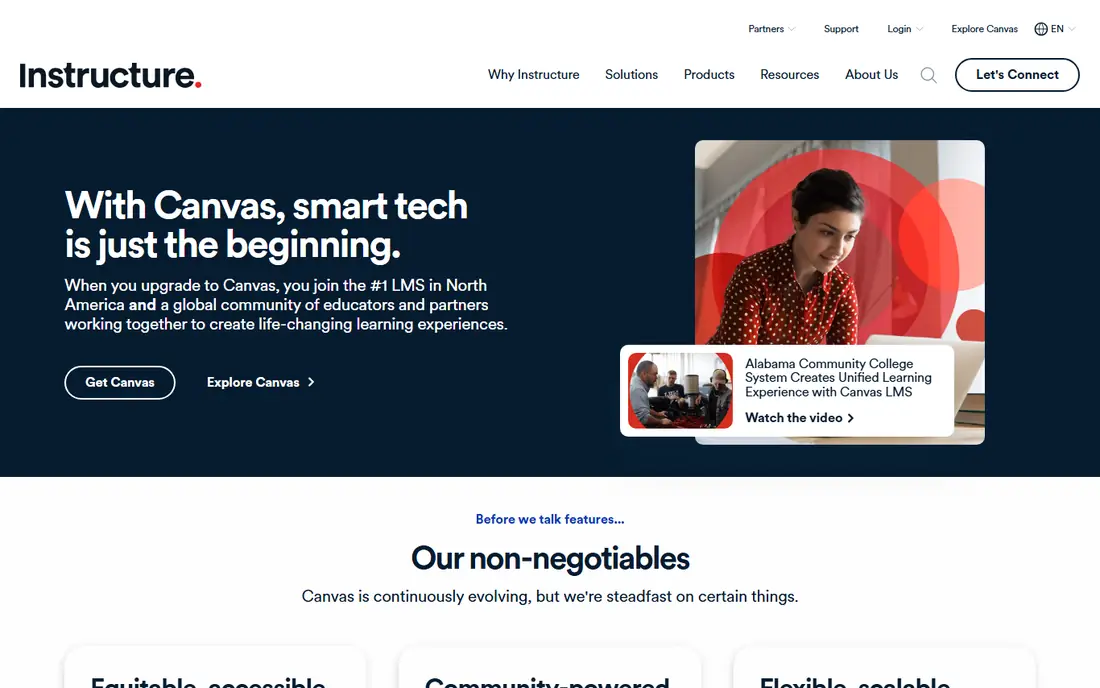
Canvas, by Instructure, is the most widely adopted learning management system in United States higher education. It covers course creation, assignments, quizzes, grading, discussions, and analytics, with a large library of integrations for student information systems and third-party tools. The Free-for-Teacher edition lets individual teachers try the core system at no cost.
We pick Canvas first for colleges and universities that want a polished, well-supported system. Learners find it easy to use, and faculty training is usually shorter than for more complex systems. The catch is cost transparency. Institutional pricing is quoted per institution, so budget planning needs a sales conversation and a clear count of full-time equivalent users.
- Strong mobile apps and user experience
- Large integration ecosystem
- Free-for-Teacher edition for individuals
- Institutional pricing is quote-based
- Migration from Moodle takes planning and training time
Blackboard Learn, now part of Anthology, serves large universities with advanced assessment, collaboration, analytics, and standards support. The Ultra experience offers a cleaner interface than the older Original view, while keeping the depth that large institutions need for complex courses and programmes.
We recommend Blackboard for large institutions that already have Blackboard expertise or need its enterprise features. Smaller schools may find Canvas or Brightspace easier to run. As with other enterprise systems, get a full quote that includes implementation, training, and support, because the licence fee alone does not show total cost.
- Deep assessment and collaboration tools
- Strong enterprise scale
- Ultra experience modernises the interface
- Pricing is not published
- Some institutions find administration heavier than Canvas
Brightspace by D2L is a cloud learning platform for higher education, K-12, and corporate training. It offers course authoring, assessments, competency-based learning, analytics, and accessibility features that help institutions meet diverse learner needs. Creator tools and add-ons support richer course design.
We like Brightspace for institutions that rank analytics and accessibility highly. It suits universities that want to track competency and progress in detail. The trade-off is the same as other enterprise systems: pricing is quoted, and a full rollout needs time for migration, integration, and staff training.
- Strong analytics and competency tools
- Accessibility focus
- Good for higher education and corporate use
- Quote-based pricing
- Implementation can be longer for complex institutions
Google Classroom helps teachers create classes, share assignments, collect work, and give feedback inside Google Workspace. It integrates with Docs, Drive, Gmail, and Meet, so schools already on Google can start quickly with little training. Originality reports and classroom analytics add useful teacher tools.
We pick Google Classroom for K-12 schools and small training teams that want simplicity above all. It is not a full replacement for a university learning management system, because gradebook, analytics, and standards features are lighter. For everyday classroom work, though, its simplicity is a real strength.
- Free with Google Workspace for Education
- Very simple setup
- Tight Docs, Drive, and Meet integration
- Fewer advanced learning management features than Canvas or Moodle
- Reporting is more limited
Schoology, part of PowerSchool, is built for K-12 districts, with course management, assessments, gradebooks, and parent communication in one system. Teachers can share resources, run discussions, and track student progress, while parents can follow assignments and grades. A basic free version suits individual teachers.
We recommend Schoology for districts that want a K-12 system with parent involvement built in. The free version is useful for a single classroom, but districts need the paid enterprise version for central administration, integrations, and reporting. Compare its per-student cost against Canvas and Google Classroom before signing.
- K-12 focused tools
- Parent access and communication
- Assessment and gradebook features
- Enterprise pricing is quoted
- Basic free version lacks district-level controls
TalentLMS is a cloud training platform for small and mid-size businesses. It supports course creation, SCORM content, quizzes, gamification, branches for different teams, and reporting. The free tier covers a small number of users and courses, which lets a team test the system before paying.
We like TalentLMS for companies that need staff training live in days, not months. Setup is simple, and the interface suits non-technical trainers. The limit is scale. As user counts pass tier thresholds, the monthly price jumps, so forecast growth before choosing a tier. Universities should look at Canvas or Brightspace instead.
- Fast setup
- Free tier for small teams
- Gamification and course marketplace options
- User-tier jumps can raise costs as teams grow
- Less suited to large university use
LearnDash is a WordPress plugin that turns a WordPress site into a course platform. It supports lessons, topics, quizzes, assignments, certificates, drip-fed content, and course selling through WooCommerce. Course creators keep full control over design, branding, and student data on their own site.
We pick LearnDash for creators and small training firms that already use WordPress. The annual licence is clear, and there is no per-learner fee in the core model. The catch is upkeep. Hosting, security, backups, and plugin updates are your job, and paid add-ons can raise the total cost for advanced features.
- WordPress-native course plugin
- Drip content and quizzes
- WooCommerce selling options
- Needs WordPress hosting and upkeep
- Add-ons add cost
- No hosted all-in-one service
Thinkific helps creators and businesses build branded course websites, sell courses and memberships, and run student communities. Templates, drag-and-drop course building, and commerce tools suit solo creators and small academies that want to sell access rather than manage enrolled students for a school.
We recommend Thinkific for course businesses that rank selling and branding above academic administration. It is less suited to universities that need student information system integration, complex grading, and accreditation workflows. Check plan limits on courses, students, and admin seats before launch.
- Branded course sites
- Commerce and community tools
- Course templates for creators
- No free plan on current tiers
- Transaction and feature limits vary by plan
- Less academic depth
Docebo is an enterprise learning platform for large companies that need compliance training, partner training, and customer education at scale. It offers learning paths, content management, integrations, analytics, and automation for complex organisations. AI features help personalise learning recommendations.
We include Docebo for large corporate buyers who outgrow TalentLMS or LearnDash. It handles scale, compliance, and multi-audience training well. Solo creators and small schools should avoid it, because pricing is quoted and implementation needs a dedicated team.
- Enterprise scale
- AI-assisted learning paths
- Strong integrations and compliance tools
- Quote-based pricing
- Implementation and admin effort suit larger teams, not solo creators
How we picked these
We compared official product and pricing pages, documentation, and integration options for learning platforms that are still offered in October 2026. We excluded Moodle itself and kept a mix of academic, K-12, and corporate tools. Where pricing was quoted rather than published, we wrote See website rather than repeating an unverified estimate.
Choosing between academic and corporate platforms
Academic platforms focus on enrolment, grading, accreditation, and student information integration. Corporate platforms focus on compliance, onboarding, partner training, and selling courses. A tool that excels at one job may disappoint at the other, so start with your main use case and test that workflow first.
Migration planning that saves trouble
Moving from Moodle means exporting courses, quizzes, gradebook history, and user data, then rebuilding integrations. Common Cartridge exports help, but some content needs manual rebuilding. Run a pilot course on the new platform, train a small group of teachers, and keep Moodle running in parallel until the pilot proves the new system works for your courses.
Cost beyond the licence
Total cost includes implementation, migration, training, integrations, and support, not just the licence or subscription. Enterprise systems quote per user or per institution, while creator tools charge per month or per year. Ask for a three-year cost estimate at your real learner count, including any tier jumps, add-ons, and hosting costs for WordPress tools.
Frequently asked questions
What is the best alternative to Moodle?
Canvas is our pick for most universities, Google Classroom leads for simple school use, and TalentLMS leads for small business training. The best choice depends on whether you serve students, school pupils, staff, or paying course buyers.
What are the best alternatives to Moodle that are free?
Google Classroom is free with Google Workspace for Education, Canvas offers a Free-for-Teacher edition, TalentLMS offers a small free tier, and Schoology offers a basic free version. Free tiers suit individuals and small teams, not whole institutions.
Is Canvas better than Moodle?
Canvas usually wins on ease of use, mobile apps, and support, while Moodle wins on licence cost and customisation for teams with technical staff. If you have developers and want full control, Moodle remains strong. If you want a polished hosted system, Canvas is the safer pick.
Can I migrate courses from Moodle to Canvas or Brightspace?
Yes, in most cases, using Common Cartridge exports and SCORM content, but some quizzes, gradebook history, and plugin features need manual rebuilding. Run a pilot migration with real courses before committing to a full switch date.
Which Moodle alternative is best for selling courses?
LearnDash suits WordPress creators who want full site control, while Thinkific suits creators who want a hosted branded store and community. TalentLMS suits businesses selling staff training rather than public courses.
Sources
- https://www.instructure.com/canvas
- https://www.anthology.com/products/teaching-and-learning/learn
- https://www.d2l.com/brightspace
- https://classroom.google.com
- https://www.powerschool.com/solutions/schoology-learning
- https://www.talentlms.com
- https://www.learndash.com
- https://www.thinkific.com
- https://www.docebo.com
See where you really rank - block by block
ProMapRanker scans Google Maps across a grid of your service area. Simple monthly plans from $19, white-label on every plan.
Start freeKeep reading
 zoho inventory alternatives
6 Alternatives to Zoho Inventory, Compared on Price and Fit
Zoho Inventory alternatives: 6 tools compared on price, free plans and fit. Katana leads the list for manufacturers. Fit and flaws are laid out for each entry.
Read → zoho crm alternatives
Best Zoho CRM Alternatives (2026)
Need Zoho CRM alternatives? We compare 7 tools on cost, free access and who each suits. Every pick gets a straight assessment. Built for quick decisions.
Read → zelle alternatives
Best Zelle Alternatives in 2026
Compare the best Zelle alternatives for sending money to friends, paying sellers and moving funds abroad, with honest notes on fees, speed and safety in 2026.
Read →