 ProMapRanker
Microsoft Word Alternatives in 2026

Key takeaways
- LibreOffice Writer is the strongest free desktop replacement for most offline Word users.
- Google Docs leads for live collaboration, while ONLYOFFICE leads for DOCX fidelity in a free desktop editor.
- Apple Pages is the best free pick for Apple users, and Word for the web suits occasional native Word files.
- Free does not mean identical: check DOCX conversion with your real documents before switching a whole team.
Quick comparison
| Pick | Great for | Pricing starts at | Free tier | |
|---|---|---|---|---|
 LibreOffice Writer LibreOffice Writer | Complete offline replacement | Free | Yes | Visit |
 Google Docs Google Docs | Real-time collaboration online | Free | Yes | Visit |
 ONLYOFFICE ONLYOFFICE | Microsoft file compatibility | Free | Yes | Visit |
 Apple Pages Apple Pages | Apple users and clean layouts | Free | Yes | Visit |
 Zoho Writer Zoho Writer | Online business documents | Free | Yes | Visit |
 WPS Office WPS Office | Office-style interface for free | Free | Yes | Visit |
 SoftMaker FreeOffice TextMaker SoftMaker FreeOffice TextMaker | Low-spec PCs and DOCX work | Free | Yes | Visit |
 Microsoft Word for the web Microsoft Word for the web | Native Word files for free | Free | Yes | Visit |
 Apache OpenOffice Writer Apache OpenOffice Writer | Free open-source writing | Free | Yes | Visit |
The best microsoft word alternatives
We compared 9 options for this guide, looking at what each tool does best, what it costs, and where it falls short. The list below mixes well-known leaders with smaller options that serve a clear job well, so you can shortlist by fit rather than by fame alone.
Start here if you want a clear first option to test. LibreOffice Writer is the closest free desktop replacement for Word, with styles, tables, track changes, and offline editing. It fits writers and offices that work offline, need full document control, and do not want a subscription. In day-to-day use, the value shows up in how much manual follow-up it removes from a normal week. The catch is collaboration: real-time co-editing is limited, so teams that edit together live may prefer Google Docs or ONLYOFFICE. Starting at free, with a free plan status of yes, it is worth testing on a real task before you commit to a longer plan, and checking current limits on the vendor site first.
- Free and open source
- Strong DOCX support
- Full desktop word processing without a subscription
- Collaboration is weaker than Google Docs
- Interface feels older
- Some complex Word layouts shift slightly
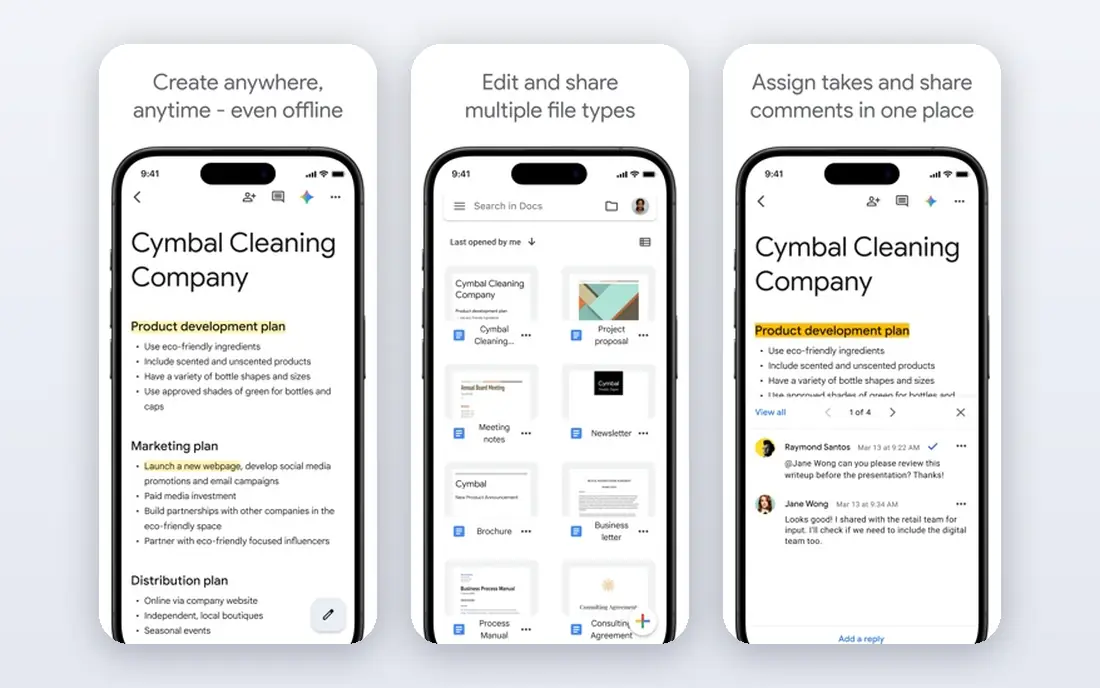
Consider this option when your current setup feels slow or scattered. Google Docs is the easiest free option for writing together, with live cursors, comments, and suggestions in the browser. It fits teams, students, and families who edit the same document at the same time and value simple sharing. In day-to-day use, check how it handles your most common task, not the feature list as a whole. The catch is format fidelity: for complex Word files, check the document after conversion before sending it on. Starting at free, with a free plan status of yes, it is worth testing on a real task before you commit to a longer plan, and checking current limits on the vendor site first.
- Free with a Google account
- Live co-editing and comments
- Autosave and version history
- Offline use needs setup
- DOCX conversion can shift complex layouts
- Advanced desktop features are fewer
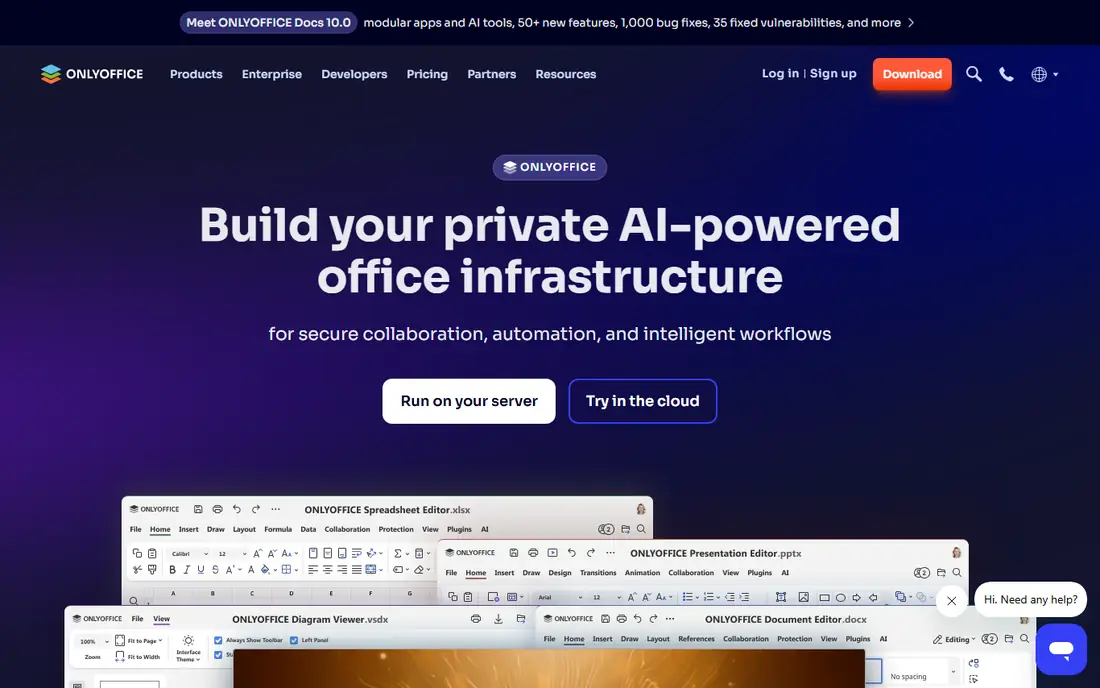
This pick makes sense for teams that know exactly which stage to fix first. ONLYOFFICE Desktop Editors focus on keeping Word files looking right, with tabs, styles, and formatting close to Word. It fits users who exchange DOCX files with Word users often and want fewer layout surprises. In day-to-day use, the setup time and the learning curve matter as much as the headline features. The catch is setup: desktop editing is simple, but live collaboration needs extra setup compared with Google Docs. Starting at free, with a free plan status of yes, it is worth testing on a real task before you commit to a longer plan, and checking current limits on the vendor site first.
- Strong DOCX compatibility
- Desktop editors for offline work
- Document, spreadsheet, and presentation apps
- Free desktop use is for personal use in some terms
- Collaboration needs a server or cloud setup
- AI features vary
Look at this one first if price or simplicity matters more than breadth. Apple Pages is a clean, free word processor for Apple users, with templates for letters, reports, and resumes. It fits Mac, iPhone, and iPad users who write mostly for themselves or share finished PDFs and DOCX files. In day-to-day use, the value shows up in how much manual follow-up it removes from a normal week. The catch is platform: Windows and Android users can use the web version, but the full experience is Apple-only. Starting at free, with a free plan status of yes, it is worth testing on a real task before you commit to a longer plan, and checking current limits on the vendor site first.
- Free on Mac, iPhone, and iPad
- Clean templates
- Good DOCX import and export
- Apple devices only for full use
- Word layout conversion can shift
- Fewer business features than Word
A practical choice for buyers who want one tool to cover the core job. Zoho Writer is a capable online word processor with collaboration, document automation, and review tools. It fits small businesses and teams that want online documents without paying per user for basic writing. In day-to-day use, check how it handles your most common task, not the feature list as a whole. The catch is offline work: if you often write without internet access, a desktop tool such as LibreOffice fits better. Starting at free, with a free plan status of yes, it is worth testing on a real task before you commit to a longer plan, and checking current limits on the vendor site first.
- Free for individuals and businesses
- Collaboration and automation
- Clean writing and review tools
- Offline use is limited
- DOCX fidelity needs checking for complex files
- Best value sits inside Zoho
This tool stands out when you need depth in one area rather than a little of everything. WPS Office gives a familiar Office-style experience for free, with Writer, Spreadsheets, and Presentation in one install. It fits users who want Word-like menus and tabs without paying, across desktop and mobile. In day-to-day use, the setup time and the learning curve matter as much as the headline features. The catch is the free model: ads and paid upgrades fund it, so check which features sit behind the premium plan. Starting at free, with a free plan status of yes, it is worth testing on a real task before you commit to a longer plan, and checking current limits on the vendor site first.
- Familiar Office-style interface
- DOCX, spreadsheet, and presentation apps
- Mobile and desktop versions
- Free version includes ads
- Some features need a paid plan
- Privacy terms deserve a read before business use
Choose this if you plan to grow into the tool over the next year. FreeOffice TextMaker is a light desktop word processor with solid DOCX support for older or low-spec computers. It fits users on older hardware, or offices that want a simple, fast Word-compatible editor. In day-to-day use, the value shows up in how much manual follow-up it removes from a normal week. The catch is collaboration: it is a strong solo editor, not a live co-editing platform. Starting at free, with a free plan status of yes, it is worth testing on a real task before you commit to a longer plan, and checking current limits on the vendor site first.
- Free for personal and commercial use
- Good DOCX compatibility
- Light on system resources
- Collaboration features are limited
- Template range is smaller
- Interface is more traditional
For a narrower job, this option can be easier to run than a full suite. Microsoft Word for the web is the free browser version of Word itself, so files stay in native Word format. It fits users who need true Word compatibility for occasional documents and do not need the full desktop app. In day-to-day use, check how it handles your most common task, not the feature list as a whole. The catch is scope: it covers everyday writing well, but power features such as advanced macros and full desktop tools are missing. Starting at free, with a free plan status of yes, it is worth testing on a real task before you commit to a longer plan, and checking current limits on the vendor site first.
- Free with a Microsoft account
- Native DOCX format
- Familiar Word interface in the browser
- Needs internet access
- Features are fewer than desktop Word
- Storage is limited on the free account
The case for this tool is strongest when its main strength matches your daily work. Apache OpenOffice Writer is a free, open-source desktop word processor for basic writing, letters, and reports. It fits users who want a simple, free offline editor and do not need the latest Word features. In day-to-day use, the setup time and the learning curve matter as much as the headline features. The catch is compatibility: for frequent DOCX exchange, LibreOffice or ONLYOFFICE usually handle Word files more reliably. Starting at free, with a free plan status of yes, it is worth testing on a real task before you commit to a longer plan, and checking current limits on the vendor site first.
- Free and open source
- Offline desktop editing
- Basic DOCX opening and saving
- Development is slower than LibreOffice
- DOCX support is less complete
- Collaboration is limited
How we picked these
We compared official feature pages, pricing pages, app store listings, privacy policies, and public reviews for each product, and we kept only tools that exist and work in October 2026 and truly fit the topic. Where a price could not be verified from a vendor page or a reliable pricing summary, we wrote See website rather than guessing a number.
Choosing a Microsoft Word alternative
Start with the work you do most often, not the longest feature list. A tool that excels at your main task will save more time than a broader tool that is only average at that task. Write down the top three jobs you need done each week, then score each shortlisted tool against those jobs alone.
Start with the work you do most
List the jobs that take the most time today, and check whether each candidate actually shortens those jobs. If a tool only helps with rare tasks, it will sit unused while the daily work stays manual.
Check the price at your team size
Model the cost for your current team and for the team you expect in a year. Include seats, storage, limits, and add-ons, and compare that total, not the headline starting price.
Frequently asked questions
What are alternatives to microsoft word for free offline use?
LibreOffice Writer, ONLYOFFICE Desktop Editors, FreeOffice TextMaker, and Apache OpenOffice Writer all work offline for free. LibreOffice Writer is the most complete of the group for everyday desktop writing.
What are free alternatives to microsoft word for collaboration?
Google Docs is the strongest free option for live co-editing, with Zoho Writer as a solid alternative. Both let several people edit, comment, and suggest changes in the same document.
What is the best word processing software for DOCX files?
ONLYOFFICE Desktop Editors and Microsoft Word for the web handle DOCX files with the fewest surprises. LibreOffice Writer is close, but complex layouts should always be checked after conversion.
What is the best free office software for a whole team?
For a full free suite, LibreOffice covers writing, spreadsheets, and presentations offline, while Google Docs, Sheets, and Slides cover live collaboration. Pick based on whether your team works offline or together online.
Are free word alternatives good enough for business use?
Yes for many teams, with a test first. Check DOCX fidelity, track changes, templates, and privacy terms with real documents, and keep Word for the web as a fallback for files that must stay in native Word format.
Sources
See where you really rank - block by block
ProMapRanker scans Google Maps across a grid of your service area. Simple monthly plans from $19, white-label on every plan.
Start freeKeep reading
 zendesk alternatives
Best Zendesk Alternatives in 2026
Compare the best Zendesk alternatives in 2026, from budget help desks to AI-first support tools, with current pricing, free plans, and honest trade-offs.
Read → wordpress alternatives
Best WordPress Alternatives in 2026
Looking for the best WordPress alternatives? We compare 8 free and paid options for blogs, business sites, stores, and developer-led projects in 2026.
Read → which real estate company has the best training
Best Real Estate Company Training in 2026
Compare which real estate company has the best training, from Keller Williams and eXp to Compass and Coldwell Banker, by program, mentor, and fit in 2026.
Read →