 ProMapRanker
Best Microsoft Visio Alternatives in 2026

Key takeaways
- diagrams.net is the best free alternative for most diagram work, with no paywall for core features.
- Lucidchart suits teams that need collaboration, templates, and integrations.
- Miro suits workshops and brainstorming, while Creately suits visual project planning.
- yEd, LibreOffice Draw, and Google Drawings cover free desktop and simple diagram needs.
- Check Visio file import and export before you switch, since format support varies.
Quick comparison
| Pick | Great for | Pricing starts at | Free tier | |
|---|---|---|---|---|
 diagrams.net | Free full diagramming | Free | Yes | Visit |
 Lucidchart | Team diagramming | $7.95 per month | Yes | Visit |
 Miro | Whiteboard workshops | $8 per month | Yes | Visit |
 Creately | Visual collaboration | $5 per month | Yes | Visit |
 EdrawMax | Template library | $14.95 per month | Yes | Visit |
 yEd | Free auto-layout graphs | Free | Yes | Visit |
 LibreOffice Draw | Free desktop drawing | Free | Yes | Visit |
 Whimsical | Simple flowcharts | $12 per month | Yes | Visit |
 Mural | Workshop collaboration | $12 per month | Yes | Visit |
 SmartDraw | Professional diagrams | $9.95 per month | Yes | Visit |
The best microsoft visio alternatives
These free alternatives to visio and paid options cover flowcharts, org charts, network diagrams, UML, and wireframes. We compared official pricing pages, feature pages, and file support, and we kept only tools that are live and suited to diagram work. Microsoft Visio itself is not listed, since this article covers alternatives to it.
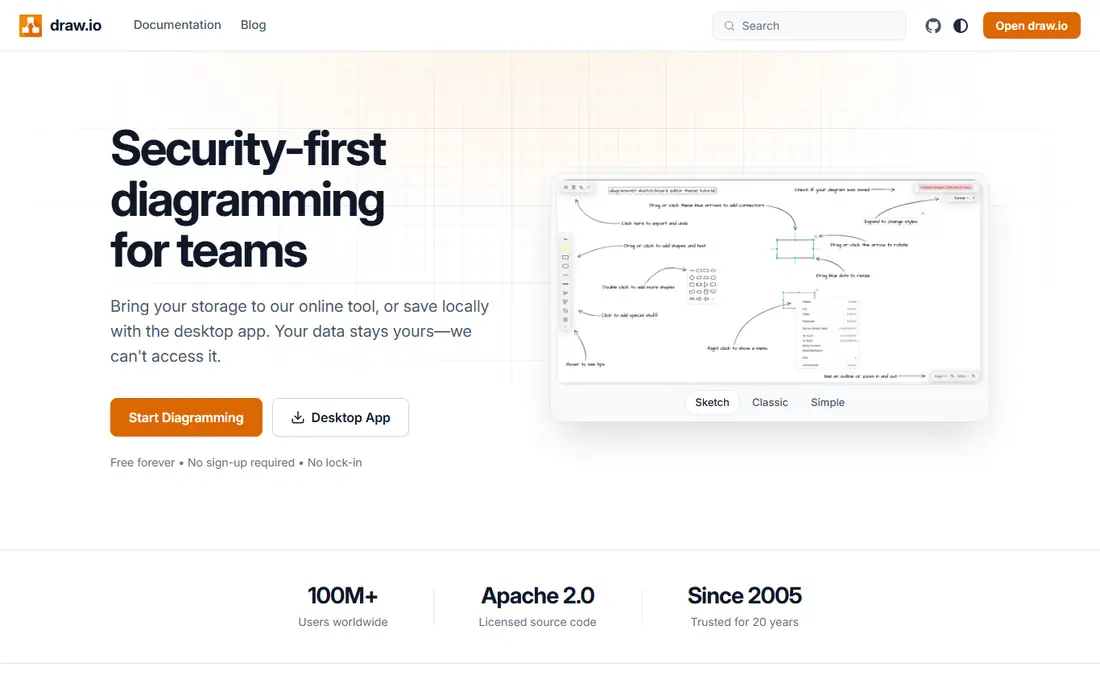
diagrams.net, formerly draw.io, is our pick for most readers who want a free Visio replacement. The web app, desktop app, and editor extensions cost nothing, and every shape library and export format is available without a paywall. You can save files to Google Drive, OneDrive, a device, or a Git-based workflow.
Collaboration is more basic than in Lucidchart or Miro, since diagrams.net is mainly a single-user editor with shared file support. The interface is functional rather than polished, but for flowcharts, network diagrams, org charts, and UML, it covers the core job well. Start here if budget is zero and you want a tool that will not lock features behind a plan.
- Fully free web and desktop apps
- Wide shape libraries
- Saves to Drive, OneDrive, or device
- Collaboration is basic compared with Lucidchart
- Interface feels utilitarian
- Fewer guided templates

Lucidchart is the closest paid equivalent to Visio for teams. It offers templates for flowcharts, org charts, network diagrams, UML, and process maps, plus real-time collaboration, comments, and version history. Integrations with Google Workspace, Microsoft Office, Confluence, and Jira help teams keep diagrams inside their existing workflow.
The free plan allows 3 editable documents with 60 shapes per document, so serious work needs a paid plan. Individual plans start at 7.95 dollars per month billed annually, and team plans start at 9 dollars per user per month billed annually. For a team that diagrams together often, Lucidchart is worth the cost.
- Large template library
- Real-time collaboration
- Strong Google, Microsoft, and Atlassian integrations
- Free plan limits editable documents and shapes
- Team plans add cost
- Interface can feel busy

Miro is a whiteboard first and a diagram tool second, which suits workshops, brainstorming, and agile planning. Its infinite canvas supports sticky notes, frames, voting, timers, and templates for retros, journey maps, and flowcharts. Teams can work together in real time and present from the same board.
For precise technical diagrams, Lucidchart or diagrams.net will feel more controlled. Miro free plan allows 3 boards, and paid Starter plans start at 8 dollars per member per month billed annually. Choose Miro when collaboration and workshop flow matter more than strict diagram standards.
- Infinite canvas for workshops
- Sticky notes, voting, and timers
- Many templates and integrations
- Diagramming is less precise than Lucidchart
- Free plan limits boards
- Large boards can slow down
Creately combines diagramming with visual project planning. It offers templates for flowcharts, org charts, mind maps, wireframes, and database models, plus collaboration, comments, and data-linked shapes. That mix suits product teams and operations teams that want diagrams tied to work, not just pictures.
Paid plans start at 5 dollars per user per month, with a free plan for basic use. Its ecosystem is smaller than Lucidchart or Miro, so check integrations before you commit. For a low-cost, collaborative diagram tool with broad template coverage, Creately is a strong value pick.
- Low starting price
- Many diagram types and templates
- Visual project and database features
- Smaller ecosystem than Lucidchart or Miro
- Some advanced features need higher tiers
EdrawMax suits users who want to start from a template for almost any diagram type. It covers flowcharts, org charts, floor plans, mind maps, network diagrams, UML, and infographics, with desktop and online apps and Office-style controls. Visio file import and export help teams that still receive Visio files.
Paid plans start at 14.95 dollars per month, with annual plans at 99 dollars per user per year and higher tiers for teams. The free plan is real but limited, and tier differences can be confusing. If template breadth and a desktop app matter more than collaboration, EdrawMax is a good fit.
- Very large template library
- Desktop and online apps
- Visio file support and many exports
- Higher monthly price
- Free plan is limited
- Pricing tiers can be hard to compare
yEd is a free desktop graph editor from yWorks, and it shines for large, complex diagrams. Its automatic layout algorithms arrange networks, flowcharts, and org charts quickly, even when a manual layout would take hours. You can import data from Excel and XML files, which helps engineers and analysts turn data into diagrams.
The interface looks dated, and there is no real-time collaboration, so it suits solo work rather than team editing. It runs on Windows, macOS, and Linux, and it costs nothing to download and use. For dense graphs and auto-layout, yEd is one of the best free tools available.
- Free desktop app
- Powerful automatic layout for large graphs
- Data import from spreadsheets
- Dated interface
- No real-time collaboration
- Learning curve for advanced layout options
LibreOffice Draw is a free vector drawing app inside the LibreOffice suite. It handles flowcharts, org charts, network diagrams, and posters, with connectors, shapes, and page layout tools. Since it is open source and free, it suits schools, nonprofits, and anyone who already uses LibreOffice.
Draw is not as focused as Lucidchart or diagrams.net, and its template library is smaller. Collaboration is limited to file sharing, rather than real-time co-editing. For simple diagrams on a desktop, without a subscription, LibreOffice Draw is a reliable and cost-free choice.
- Free and open source
- Part of LibreOffice suite
- Good for flowcharts and simple technical drawings
- Not a dedicated diagram tool
- Collaboration is limited
- Template library is smaller
Whimsical suits product teams that want diagrams fast, without a steep learning curve. Its interface is clean, and it covers flowcharts, wireframes, mind maps, and sticky notes with a consistent style. Sharing and commenting are simple, which helps small teams review a flow or wireframe quickly.
It covers fewer diagram types than Lucidchart or EdrawMax, so technical teams may miss UML or network templates. Paid plans start at 12 dollars per editor per month, with a free tier for a small number of boards. For simple, clear diagrams, Whimsical is one of the easiest tools to learn.
- Clean and fast interface
- Flowcharts, wireframes, mind maps, and sticky notes
- Easy sharing
- Fewer diagram types than Lucidchart
- Paid plans start higher than Creately
- Free board limit
Mural is a visual collaboration platform built for workshops, design thinking, and team planning. It offers templates for retros, journey maps, and brainstorming, plus facilitation tools such as voting, timers, and private mode. Real-time collaboration and enterprise controls suit larger organizations.
Paid plans start at 12 dollars per user per month, with a free plan for basic use. For strict technical diagrams, Lucidchart or diagrams.net will be more precise. For facilitated workshops where a team needs to think together on a shared canvas, Mural is a strong alternative to Miro.
- Strong workshop templates and facilitation tools
- Real-time collaboration
- Enterprise controls
- Higher starting price than Miro Starter
- Diagramming is workshop focused
- Free plan is limited
SmartDraw is a long-running diagram tool for business and technical diagrams. It offers templates for flowcharts, org charts, floor plans, network diagrams, and project charts, with automatic formatting that keeps shapes aligned as you edit. Visio import and export help teams that exchange files with Visio users.
Paid plans start at 9.95 dollars per month, with a free plan for basic use. Collaboration is weaker than in cloud-first rivals, and the interface can feel dated. For a solo professional or small team that needs polished, standards-based diagrams, SmartDraw remains a capable choice.
- Large template and symbol libraries
- Automatic formatting
- Visio import and export
- Interface feels dated in places
- Collaboration is weaker than Lucidchart
- Free plan is limited
How we picked these
We compared official pricing pages, feature pages, template libraries, and file support for diagram tools that are live in October 2026. We included genuinely free options, since the keyword asks for free alternatives to visio, plus paid tools for teams that need collaboration and integrations. We did not list Microsoft Visio itself.
We also weighed diagram types, collaboration, ease of use, and Visio compatibility. A whiteboard tool may be perfect for a workshop but poor for a network diagram, so the list separates workshop tools from precise diagram editors and says which job each one does best.
Choosing the right diagram tool
Start with the diagram type and the number of collaborators. A solo user making flowcharts can use diagrams.net for free and never pay. A team that reviews diagrams together will benefit from Lucidchart or Miro, even at a monthly cost. A workshop facilitator will prefer Miro or Mural, while an engineer with a large graph will prefer yEd.
Check free limits and file support
Free plans often limit documents, boards, shapes, or exports. Check those limits, plus Visio import and export, PDF and image export, and storage options. If you must share files with Visio users, test a round trip with a real diagram before you switch, since formatting can shift between tools.
Test collaboration before you pay
Create a diagram, invite a colleague, and test comments, version history, and export together. A tool that looks good alone may frustrate a team when permissions, guest access, or real-time editing do not work as expected. Most tools in this list offer a free plan or trial for that test.
Frequently asked questions
What are the best free alternatives to visio?
diagrams.net, yEd, and LibreOffice Draw are the best free alternatives to visio, because all three are free for core diagram work. diagrams.net suits most diagram types, yEd suits large auto-layout graphs, and LibreOffice Draw suits simple desktop diagrams. Lucidchart, Miro, and Creately also offer free tiers with limits.
Which tool is closest to Visio for teams?
Lucidchart is closest to Visio for teams, thanks to its template library, real-time collaboration, and integrations with Google, Microsoft, and Atlassian tools. EdrawMax and SmartDraw are also close for template breadth and Visio file support. Test Visio import and export with your own files before you commit.
Can I open Visio files in these alternatives?
Many tools support Visio import, including diagrams.net, Lucidchart, EdrawMax, and SmartDraw, but formatting can shift, especially for complex shapes and data links. Always test a real file, check connectors, text, and page layout, and keep the original Visio file as a backup. Export to PDF for sharing when exact layout matters.
Is diagrams.net really free?
Yes, diagrams.net is free for its web app, desktop app, and editor extensions, with no paywall for core shapes or exports. Some integrations, such as Confluence and Jira plugins, have separate pricing for larger teams. For personal and small-team diagram work, the free version is complete.
Which tool is best for flowcharts only?
Whimsical and diagrams.net are best for simple flowcharts, because both are fast and easy to learn. Lucidchart suits flowcharts that need team review and data links. For a flowchart inside a workshop, Miro or Mural may fit better, since they add sticky notes and facilitation tools.
Do I need a paid plan for org charts?
Not always. diagrams.net, yEd, and LibreOffice Draw can build org charts for free, and Lucidchart and Creately free tiers cover small org charts. Pay when you need many documents, data-linked org charts, team collaboration, or advanced branding. Start free and upgrade when a limit blocks your work.
Sources
- https://www.diagrams.net
- https://www.lucidchart.com/pricing
- https://miro.com/pricing
- https://creately.com/pricing
- https://www.edrawsoft.com/edraw-max/
- https://www.yworks.com/products/yed
- https://www.libreoffice.org/discover/draw/
- https://whimsical.com/pricing
- https://www.mural.co/pricing
- https://www.smartdraw.com/pricing
See where you really rank - block by block
ProMapRanker scans Google Maps across a grid of your service area. Simple monthly plans from $19, white-label on every plan.
Start freeKeep reading
 zscaler alternatives
Best Zscaler Alternatives in 2026
Looking for zscaler alternatives? We compare 9 SASE and zero trust platforms on architecture, data protection, pricing, and fit for your network and team.
Read → zapier alternatives free
Best Zapier Alternatives Free in 2026
Nine automation tools for zapier alternatives free in 2026, all with genuinely free tiers, plus free plan limits, starting prices and upgrade paths explained.
Read → which platform is best for online reputation
Which Platform Is Best for Online Reputation in 2026
Wondering which platform is best for online reputation? We compare 8 review, listing, and response tools for small and multi-location businesses and agencies.
Read →