 ProMapRanker
Best Microsoft To Do Alternatives in 2026

Key takeaways
- Todoist is the best all-round swap, with fast natural-language capture and apps on every major platform.
- TickTick gives more for the money, adding a calendar view, habit tracking, and a Pomodoro timer to its task lists.
- Google Tasks is the simplest free option for Gmail and Calendar users, but it has no list sharing.
- Things 3 and OmniFocus are Apple-only premium picks, so Windows and Android users should skip them.
Quick comparison
| Pick | Great for | Pricing starts at | Free tier | |
|---|---|---|---|---|
 Todoist | Fast capture on all platforms | Free | Yes | Visit |
 TickTick | Tasks, calendar, and habits | Free | Yes | Visit |
 Any.do | Daily planning and reminders | Free | Yes | Visit |
 Things 3 | Calm Apple task management | $9.99 one-time | No | Visit |
 Remember The Milk | Long-running list app | Free | Yes | Visit |
 Google Tasks | Gmail and Calendar users | Free | Yes | Visit |
 OmniFocus | Serious GTD on Apple | $99.99 per year | No | Visit |
 Superlist | Shared lists and notes | Free | Yes | Visit |
 Taskade | Tasks with team views | Free | Yes | Visit |
The best microsoft to-do alternatives
All nine apps below are live task apps still sold and supported in October 2026, with sync across devices and a clear way to capture tasks quickly.
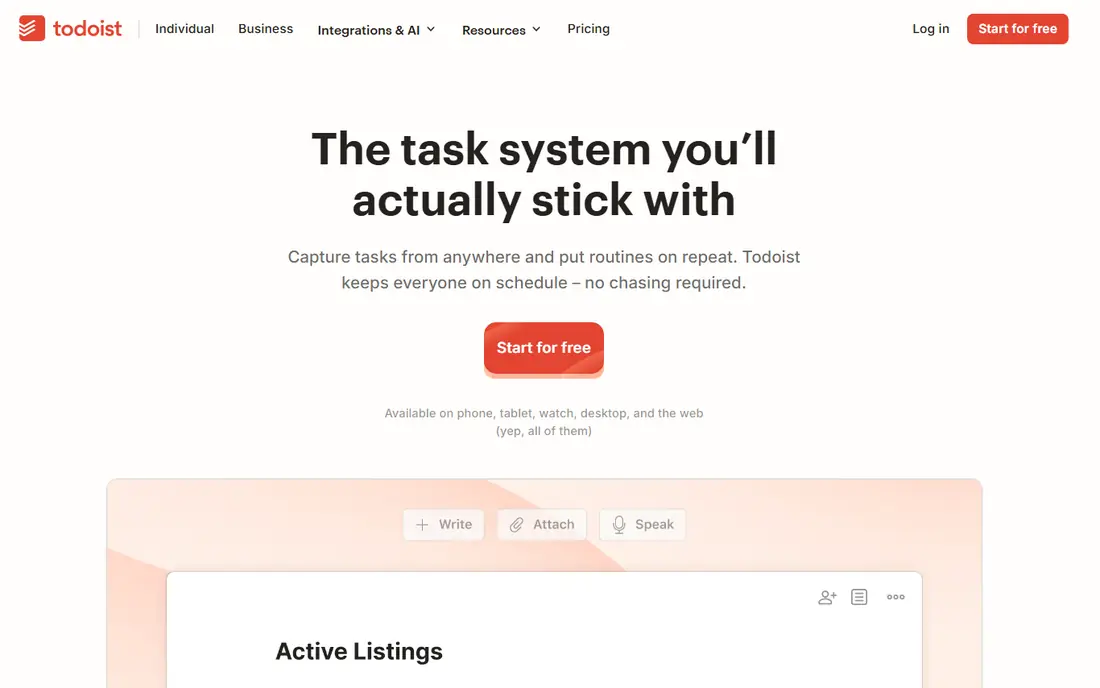
Todoist is our pick for most people because capture is so fast. Typing a sentence like a task with a date in it schedules it correctly, and the same app works the same way on phone, desktop, and web. Projects, labels, and filters keep a long list organized without turning the app into a project management tool.
The free plan is useful but limited, with five personal projects and no reminders, so many users will want Pro at $5 a month on annual billing. That is still fair for what you get, and the free plan is enough to test whether the app fits your habits. If you want one task app that works everywhere and stays out of the way, Todoist is the safest choice.
- Natural-language task entry
- Apps on every platform
- Projects, filters, and labels
- Free plan caps projects and omits reminders
- Pro costs $5 per month on annual billing
- Collaboration limits on free plan
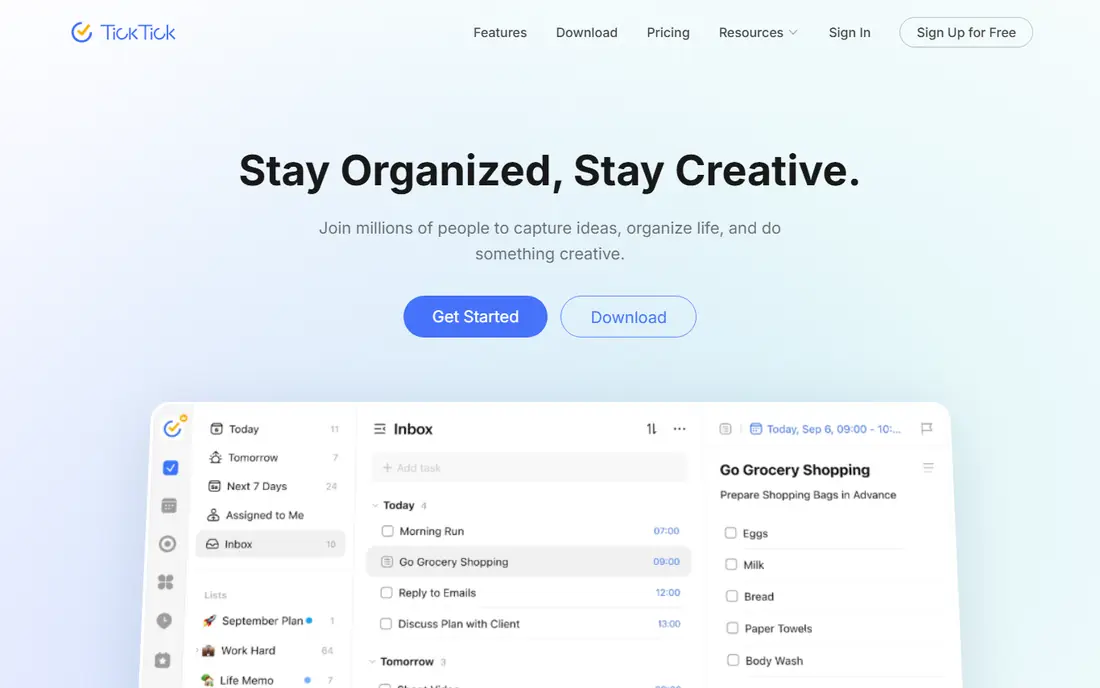
TickTick is the best value if you want more than a list. Tasks sit next to a calendar view, habit tracking, and a Pomodoro timer, so many users can drop a separate calendar or habit app. The free plan covers nine lists with up to 99 tasks per list, which is generous for personal use.
The trade-off is a busier interface. TickTick packs in more features, and the extra options can feel cluttered next to Todoist or Things. Premium at $49.99 a year adds the full feature set, which is still good value for a calendar plus habits plus tasks. If you like one app for your whole day, TickTick is hard to beat.
- Calendar view, habits, and Pomodoro timer included
- Generous free plan
- Apps on every platform
- Interface feels busier than Todoist
- Premium costs $49.99 per year
- Free plan caps lists and tasks per list
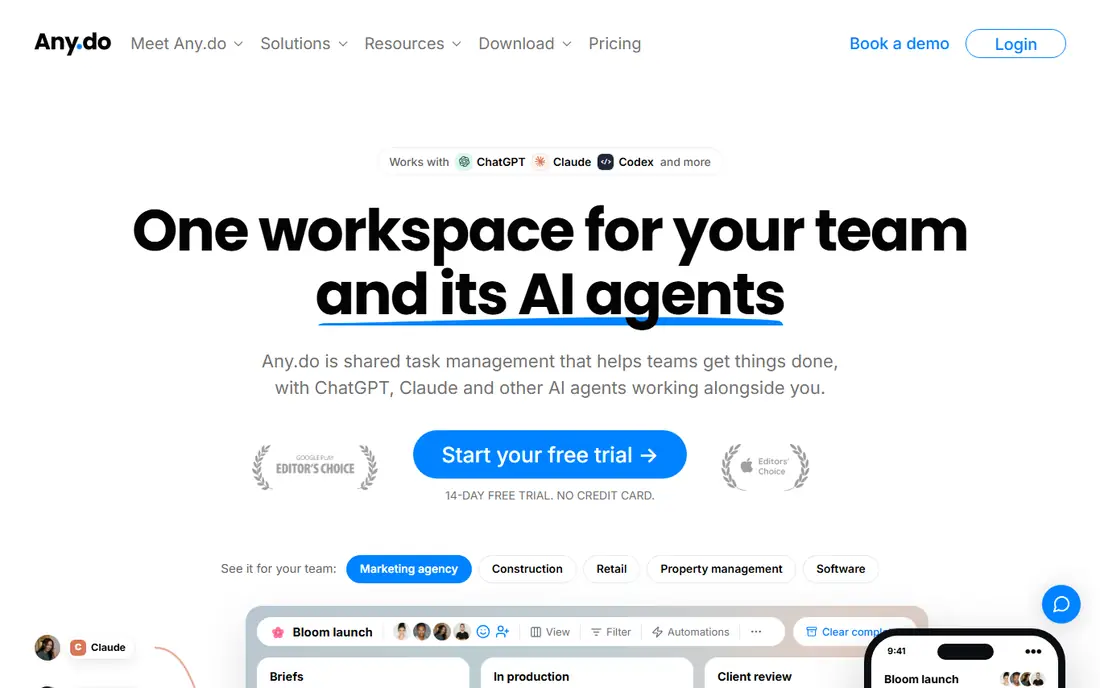
Any.do suits people who forget to open their task app. Its Plan My Day feature prompts a daily review, so tasks get scheduled instead of sitting in an inbox forever. Reminders are strong, including one-time, recurring, and location-based options, and the app syncs across phone, desktop, tablet, and watch.
The free plan covers personal lists well, but sharing and some advanced features need Premium at $4.99 a month on annual billing. A family plan covers four members for households that share lists. If a daily prompt is what keeps you on track, Any.do is a thoughtful and friendly choice.
- Plan My Day daily review
- Strong reminders including location-based
- Family plan for shared lists
- Premium costs $4.99 per month on annual billing
- Sharing is limited on the free plan
- Some features need paid plans
Things 3 is the calmest task app here, and the one many Apple users keep for years. Its Today, Upcoming, Anytime, and Someday structure helps you focus on what matters now without a wall of overdue tasks. Buying once per device, starting at $9.99 for iPhone, means no subscription to track, and sync is free.
The limits are absolute. Things 3 is Apple only, with no Android, Windows, or web version, and buying iPhone, iPad, and Mac separately adds up to about $80 for the set. There is also no team assignment, so it is strictly a personal app. If you live fully on Apple devices and want a beautiful one-time purchase, Things 3 is worth every cent.
- Beautiful, calm design
- One-time purchase per device, no subscription
- Today, Upcoming, and Someday views
- Apple only, no Android, Windows, or web app
- Each platform is bought separately
- No team collaboration
Remember The Milk has been helping people manage lists since 2004, and that stability is part of its appeal. Smart lists, tags, and priorities let you slice a long list by context, due date, or project, and sync across web and mobile is dependable. It is a solid, no-drama replacement for simple list keeping.
Its design feels older than Todoist or TickTick, and it lacks the habits, timers, and calendar extras that newer apps bundle in. Pro at $39.99 a year adds features like subtasks and unlimited sharing, but the free plan covers basic lists. If you want a veteran list app that just works, Remember The Milk remains a trustworthy pick.
- Long track record and stable sync
- Smart lists and tags
- Works on web and mobile
- Pro costs $39.99 per year
- Interface feels older than rivals
- Fewer modern extras like habits or timers
Google Tasks is the simplest free swap for anyone already in Gmail and Google Calendar. Tasks sit beside mail and calendar, dates sync to Calendar, and there is nothing to install or pay for. For a person who just needs lists with dates, it is all they need.
The limits are real. Google Tasks does not support list sharing, so it cannot replace a shared household or team list, and it lacks tags, smart lists, and the depth of Todoist or TickTick. It is also at its best only inside Google apps. If your life runs on Gmail and Calendar and you want a free, simple list, Google Tasks is the obvious choice.
- Completely free
- Built into Gmail and Google Calendar
- Very simple to use
- No list sharing
- Limited features like tags or smart lists
- Best only inside Google apps
OmniFocus is built for people who follow the Getting Things Done method seriously. Perspectives, forecasting, and review tools let you shape exactly which tasks appear in each context, and Apple integration is deep. Power users who manage many projects and contexts will find controls here that simpler apps do not offer.
That power comes with cost and complexity. Pricing is $99.99 a year for a subscription or $74.99 as a one-time purchase for the standard version, and there are no native Windows or Android apps, though OmniFocus for the Web covers other platforms through a browser. A 14-day trial helps, but new users should expect a learning curve. For dedicated GTD users on Apple devices, OmniFocus is the most capable app here.
- Deep Getting Things Done workflow
- Perspectives and forecasting
- Strong Apple integration
- Apple focused with web access only through a browser
- Subscription or one-time price is high
- Steep learning curve
Superlist is a modern pick for households and small teams that share lists. The free plan covers five lists shared with five people, and tasks sit next to notes, so a shopping list, a trip plan, and a work list can share one app. Its design is clean, and sharing feels natural rather than bolted on.
The paid plan, at $59 a year in published comparisons, costs more than TickTick Premium, and Superlist has a smaller ecosystem of integrations than Todoist. Power features like deep filters are also lighter. If shared lists with a few people are your main need, Superlist is a fresh and friendly option.
- Free sharing with up to five people
- Tasks plus notes in one place
- Clean modern design
- Paid plan costs more than some rivals
- Smaller ecosystem
- Fewer power features than Todoist
Taskade suits a small team that wants tasks in several views without paying for a full project tool. Lists, boards, and calendars cover different working styles, and the free plan allows unlimited projects with two members. That makes it a good trial for a team that shares work but does not need enterprise software.
The paid plan at $10 a month for up to ten users is fair for a team, but it is more than a solo user needs for simple lists. The interface also packs in AI and collaboration features that can distract from plain task capture. If you share tasks with a small team and like switching views, Taskade is a flexible choice.
- Unlimited projects on the free plan for small teams
- List, board, and calendar views
- AI features on paid plans
- Paid plan starts at $10 per month for up to ten users
- Interface can feel busy
- More than a simple list app needs
How we picked these
We compared official feature pages, pricing pages, app store listings, and public reviews for task apps that are still sold and supported in October 2026. We kept only live task apps, not retired or merged products, and we checked platform coverage so Apple-only apps are labeled clearly. Prices are the lowest verified paid plan or the free plan where one exists, and we used See website only where a price could not be verified cleanly.
How to choose the right one
Start with your devices. If you use both Apple and Windows or Android, pick a cross-platform app like Todoist, TickTick, or Any.do, and skip Things 3 and OmniFocus. If you live in Gmail, Google Tasks may be enough, and if you share lists with family, check sharing limits before you commit.
Next, try the free plan for a week with real tasks, not a test list. Watch whether capture is fast, whether reminders actually reach you, and whether you open the app each morning. A simpler app you open daily beats a powerful one you avoid, so pay only when you hit a real limit like project caps, reminders, or sharing.
Frequently asked questions
What is the best free Microsoft To Do alternative?
Todoist, TickTick, Any.do, Google Tasks, Remember The Milk, Superlist, and Taskade all offer free plans. Google Tasks is fully free inside Google apps, while Todoist and TickTick offer the strongest free tiers among dedicated task apps.
Can I import my lists from Microsoft To Do?
Most apps here support import from CSV or from other task apps, but the exact path varies by app, so check the import guide on the vendor site before you switch. Export your lists from Microsoft To Do first, then import them into the new app and check that dates and subtasks survived.
Which alternative works on Windows and Android?
Todoist, TickTick, Any.do, Remember The Milk, Google Tasks, Superlist, and Taskade all work across Windows, Android, iOS, Mac, and web. Things 3 and OmniFocus are Apple focused, so they are not good picks for Windows or Android users.
Is Things 3 still supported?
Yes, Things 3 is still sold and supported by Cultured Code in October 2026, with a one-time purchase per Apple platform and free sync. It remains Apple only, with no Android, Windows, or web app.
Do these apps sync across devices?
Yes, all nine apps sync tasks across phone, desktop, and web, though Apple-only apps rely on Apple devices plus web access where offered. Check the platform list on the vendor site if you use a mix of Apple and non-Apple devices.
Which app is best for shared family lists?
Superlist and Any.do family plans suit shared household lists, while Todoist and TickTick also support shared projects on paid or free tiers with limits. Google Tasks does not support list sharing, so it is a poor pick for a shared family list.
Sources
See where you really rank - block by block
ProMapRanker scans Google Maps across a grid of your service area. Simple monthly plans from $19, white-label on every plan.
Start freeKeep reading
 zyte alternatives
Best Zyte Alternatives in 2026
These zyte alternatives cover managed scraping APIs, proxy networks and no code tools for lawful collection from your own or consented sources only in 2026.
Read → zerto alternatives
Best Zerto Alternatives in 2026
Compare the best zerto alternatives for disaster recovery and replication, with recovery targets, cloud options and honest trade-offs for teams in 2026.
Read → zerofox alternatives
Best ZeroFox Alternatives in 2026
We compared 9 zerofox alternatives for brand protection, phishing takedowns, dark web monitoring, and social impersonation, with clear coverage notes.
Read →