 ProMapRanker
Best Metabase Alternatives in 2026

Key takeaways
- Apache Superset and Redash are the closest free open source replacements for Metabase for SQL friendly teams.
- Looker Studio is the easiest free option for small teams that already use Google tools.
- Tableau and Power BI offer deeper visual analysis, but their per user pricing adds up fast.
- Lightdash and Holistics suit teams that want governed metrics tied to code and version control.
- Preset gives you managed Superset hosting if you do not want to run servers yourself.
Quick comparison
| Pick | Great for | Pricing starts at | Free tier | |
|---|---|---|---|---|
 Apache Superset | SQL friendly dashboard teams | Free | Yes | Visit |
 Looker Studio | Google users and small teams | Free | Yes | Visit |
 Tableau | Deep visual exploration | $15 per user per month | Free trial | Visit |
 Microsoft Power BI | Microsoft and Excel teams | $14 per user per month | Free trial | Visit |
 Lightdash | dbt based analytics teams | See website | Free trial | Visit |
 Redash | SQL first query sharing | Free | Yes | Visit |
 Holistics | Governed self service analytics | See website | Free trial | Visit |
 Preset | Managed Superset hosting | $20 per user per month | Yes | Visit |
 Grafana | Operational and time series dashboards | Free | Yes | Visit |
The best metabase alternatives
Metabase is popular because it is easy to set up, easy to ask questions in, and free to self host. Teams leave it when they need stronger governance, deeper visuals, or a closer fit with tools they already use, such as dbt, Google Cloud, or Microsoft 365. The nine tools below cover those reasons, from simple free dashboards to enterprise platforms.

Apache Superset is the most direct open source step up from Metabase. It offers a wide chart library, a SQL editor, and dashboard features that suit data teams who are comfortable with SQL. You can self host it at no licence cost, which makes it attractive for teams that want control over hosting and data.
The catch is effort. Installation, upgrades, and user management need someone technical, and non technical users may find the query builder less friendly than Metabase. If your team already writes SQL and wants a free, flexible platform, Superset is a strong pick.
- Free and open source
- Many chart types
- Connects to many databases
- Setup needs technical skill
- Admin work falls on your team
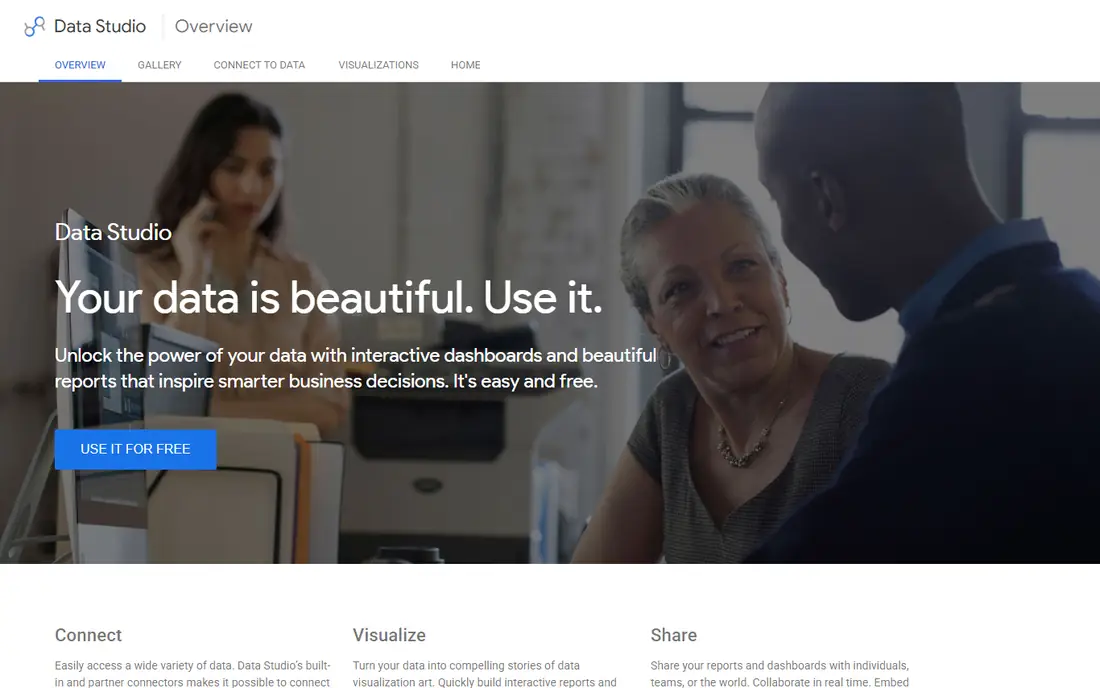
Looker Studio, formerly Google Data Studio, is the simplest free alternative for small teams. It connects well to Google Sheets, Google Analytics, and BigQuery, and reports are easy to share with a link. For a marketing team or a small business that needs clear charts without a data team, it is hard to beat on price.
It is not a full replacement for Metabase on larger data work. Governance, row level controls, and complex modeling are limited, and very large datasets can feel slow. Use it when speed and simplicity matter more than strict control.
- Free to use
- Easy Google Sheets and Analytics links
- Simple sharing
- Weaker governance than enterprise tools
- Performance varies on large data

Tableau is the visual leader in this group. Its drag and drop analysis, calculated fields, and dashboard formatting give analysts more freedom than Metabase. If your team spends its day exploring data and building polished reports for leaders, Tableau will feel like a clear upgrade.
That freedom comes at a price, and not only in licence fees. Teams need training to use it well, and pricing depends on roles, so you should model the full team cost before you buy. For visual quality above all else, Tableau remains our pick.
- Excellent chart quality
- Flexible dashboard design
- Large community and learning resources
- Per user costs grow quickly
- Full setup needs training
Power BI is the natural choice if your company already lives in Microsoft 365. It pulls data from Excel, SharePoint, and Azure sources with little friction, and many Office users find its interface familiar. The Pro plan price is competitive for what it offers, especially for teams that already pay for Microsoft licences.
The main limit is that its best features assume a Microsoft setup. Teams on Google Cloud or mixed stacks may find integration less smooth. Learning DAX for advanced measures also takes time, so budget for training if you plan complex models.
- Strong Excel and Microsoft 365 links
- Good value per user
- Familiar interface for Office users
- Best experience stays inside Microsoft tools
- Advanced modeling needs DAX skill
Lightdash is built for teams that already use dbt. It reads your dbt project and turns its models and metrics into charts and dashboards, so business users explore data without a second modeling layer. That link keeps definitions consistent, which is a common weakness in simpler tools.
If you do not use dbt, Lightdash makes little sense, since you would need to adopt dbt first. Its cloud plans are also priced for serious data teams rather than casual users. For a dbt first team, though, it is one of the cleanest Metabase replacements.
- Uses your dbt models directly
- Metrics stay consistent
- Open source core
- Requires a dbt project
- Cloud pricing is high for small teams
Redash takes a simpler path than Superset. You write SQL, save the query, and turn it into a chart or dashboard that others can view and schedule. That flow suits data teams who share query results widely and do not need a full self service layer for non technical users.
Its charts are more basic, and its interface feels older than newer tools. If your team is SQL fluent and values speed over polish, Redash is a light, free option that is easy to run.
- Free and open source
- Simple query and dashboard flow
- Easy sharing
- Visual options are basic
- Development pace is slower than Superset
Holistics tries to solve a problem Metabase users often hit: different dashboards showing different numbers for the same metric. It gives data teams a central place to define metrics in code, with Git version control, while business users still get drag and drop exploration. That mix suits companies that have outgrown ad hoc dashboards.
Holistics is not a casual tool. A data team must set up the modeling layer first, and pricing reflects a governed platform rather than a free dashboard. If consistent metrics matter to your company, the effort pays off.
- Central metric definitions
- Git based version control
- Drag and drop exploration for business users
- Needs setup by a data team
- Pricing suits mid sized teams and up
Preset is the company behind managed Apache Superset hosting. It gives you Superset dashboards, charts, and SQL tools without the work of running servers, upgrades, and security patches yourself. A free starter tier for small teams makes it easy to test.
The trade off is per user pricing, which can grow as your team grows. If you like Superset but lack the time or staff to host it, Preset removes the main barrier while keeping the same core tool.
- Managed Superset without server work
- Free starter tier
- Familiar Superset features
- Costs rise per user
- Some enterprise controls sit on higher tiers
Grafana is best known for operational dashboards, such as server metrics, application logs, and time series data. It connects to a huge range of data sources and is free to self host, with a cloud free tier for small use. For engineering and operations teams, it often fits better than a business BI tool.
Grafana is weaker for classic business reporting, such as sales tables and customer funnels, where tools like Tableau or Power BI shine. Use Grafana when your dashboards track systems and events over time, not when your main need is business reporting.
- Free open source core
- Excellent for metrics and logs
- Many data source plugins
- Less suited to business reporting
- Setup needs technical skill
How we picked these
We compared official pricing pages, product documentation, and public feature descriptions for each tool. We kept only tools that are still operating in October 2026, connect to common databases or warehouses, and offer dashboards or self service analysis. We left out tools that had closed, tools that only did data preparation, and tools with no clear pricing or free option. We weighed ease of use, governance, visual depth, hosting options, and price, so the list covers free, mid priced, and enterprise choices.
How to choose the right Metabase replacement
Start with who will use it. If non technical staff ask most questions, favour Looker Studio, Tableau, or Power BI, which offer guided exploration. If SQL users do most analysis, Superset, Redash, or Lightdash will feel more natural and cost less.
Next, check your data stack. A dbt team should shortlist Lightdash first. A Google Cloud team should test Looker Studio and BigQuery links. A Microsoft team should test Power BI before anything else, since its integration advantage is real.
Finally, think about governance and growth. Small teams can start free and move later, but a company that needs consistent metrics, access controls, and audit trails should weigh Holistics, Tableau, or Power BI from the start. Run the same three dashboards in each finalist during a trial, with your real data, and compare build time, load time, and how easily a non technical colleague can read the result.
Questions to ask during a trial
Ask how row level access works, how metrics are defined, and how dashboards are shared outside the team. Check export options, scheduled reports, and mobile viewing if leaders read reports on phones. Also confirm total cost at your real user count, since per user pricing can change the ranking once everyone is included.
Frequently asked questions
What is the best free Metabase alternative?
Apache Superset is the best free open source choice for SQL friendly teams, while Looker Studio is the easiest free choice for small Google based teams. Both are free to start, but Superset needs hosting work and Looker Studio needs a Google account.
Is Superset better than Metabase?
Superset offers more chart types and a larger dashboard feature set, but it needs more technical setup. Metabase is easier for non technical users to start with. Choose Superset if your team writes SQL and wants depth, and stay with a simpler tool if ease of use matters more.
What is the best Metabase alternative for dbt users?
Lightdash is the best fit for dbt users, because it reads dbt models and metrics directly. That link keeps metric definitions in one place and avoids a second modeling step.
How much do Metabase alternatives cost?
Free options include Superset, Redash, Looker Studio, and Grafana self hosting. Paid plans in this list start around $14 to $20 per user per month for Power BI, Tableau, and Preset, while governed platforms such as Holistics and Lightdash Cloud are priced by quote or higher flat plans. Always check the vendor pricing page for your team size.
Can I self host a Metabase alternative?
Yes. Apache Superset, Redash, Grafana, and Lightdash all offer open source self hosting. Preset and cloud versions of the same tools remove hosting work but add a monthly fee.
Which alternative is best for small businesses?
Looker Studio suits very small teams with simple reporting needs, while Power BI suits small businesses already using Microsoft 365. Both are low cost to start and easy to share with colleagues.
Sources
See where you really rank - block by block
ProMapRanker scans Google Maps across a grid of your service area. Simple monthly plans from $19, white-label on every plan.
Start freeKeep reading
 zscaler alternatives
Best Zscaler Alternatives in 2026
Looking for zscaler alternatives? We compare 9 SASE and zero trust platforms on architecture, data protection, pricing, and fit for your network and team.
Read → zapier alternatives free
Best Zapier Alternatives Free in 2026
Nine automation tools for zapier alternatives free in 2026, all with genuinely free tiers, plus free plan limits, starting prices and upgrade paths explained.
Read → which platform is best for online reputation
Which Platform Is Best for Online Reputation in 2026
Wondering which platform is best for online reputation? We compare 8 review, listing, and response tools for small and multi-location businesses and agencies.
Read →