 ProMapRanker
Best MDT Alternatives in 2026

Key takeaways
- Our reading of MDT here is Microsoft Deployment Toolkit, the free Windows deployment tool that Microsoft retired in early 2026, so a replacement should be a supported product.
- Teams with new, cloud-ready devices should look at Microsoft Intune with Autopilot first, since it needs no golden image.
- Teams that still need classic imaging should shortlist SmartDeploy, ManageEngine OS Deployer, and Acronis Snap Deploy.
- Free tools such as FOG Project and Clonezilla work well for labs and tight budgets, but they need more manual driver and setup work.
- Test deployment on your actual hardware models before you retire an MDT share, since driver handling is where most migrations fail.
Quick comparison
| Pick | Great for | Pricing starts at | Free tier | |
|---|---|---|---|---|
 SmartDeploy | Direct MDT-style imaging | $1,100 per year | Free trial | Visit |
 Microsoft Intune | Cloud provisioning with Autopilot | $8 per user per month | Free trial | Visit |
 ManageEngine OS Deployer | Full imaging lifecycle | $645 per year | Yes | Visit |
 PDQ Deploy | App and patch deployment | $12 per device per year | Free trial | Visit |
 FOG Project | Free network imaging | Free | Yes | Visit |
 Clonezilla | Free disk imaging | Free | Yes | Visit |
 NinjaOne | Remote endpoint management | See website | Free trial | Visit |
 Acronis Snap Deploy | Hardware-independent imaging | See website | Free trial | Visit |
 WAPT | Software deployment for Windows | See website | Free trial | Visit |
The best MDT alternatives
Microsoft Deployment Toolkit, or MDT, helped IT teams automate Windows installation with task sequences, driver injection, and application installs. With MDT retired, teams need a supported path, and that path splits in two. Some teams move to cloud provisioning, where a new device configures itself from the cloud, while others keep classic imaging, where a prepared image is applied to each machine. We compared official feature pages, pricing pages, and public documentation, and we kept only tools still sold or maintained in October 2026.

SmartDeploy is the closest direct replacement for an MDT workflow, because it keeps the golden image model but removes much of the manual driver work. Its Platform Packs provide maintained driver sets for major business PC models, so one image can cover many hardware types. It also supports deployment by USB, network, or cloud, and it can import MDT shares, which shortens migration.
The price is a flat $1,100 per year in published comparisons, with unlimited client installations, which suits a mid-size fleet better than a tiny one. SmartDeploy is also less cloud-native than Intune with Autopilot, since it still centres on images. For a team that wants MDT-like control with vendor support, it is the first tool to trial.
- Hardware-independent imaging
- Maintained driver Platform Packs
- MDT migration path
- Flat annual price may suit larger fleets better
- Less cloud-native than Autopilot

Intune with Windows Autopilot is Microsoft's recommended cloud path away from MDT for new devices. A new PC ships to a user, enrolls, and receives policies, apps, and settings from the cloud, with no golden image to maintain. Plan 1 costs $8 per user per month standalone, and it is included in Microsoft 365 E3, E5, and Business Premium, which can make it low cost for existing Microsoft customers.
The limit is imaging itself. Autopilot does not apply a custom OS image or handle bare-metal builds the way MDT did, so labs, shared machines, and highly standardised builds may still need imaging. It also needs Entra ID and internet access to work well. For remote and hybrid teams with new devices, it is the cleanest long-term move.
- Windows Autopilot zero-touch setup
- Included in many Microsoft 365 plans
- No image maintenance
- Cannot do classic bare-metal imaging
- Needs internet and Entra ID setup
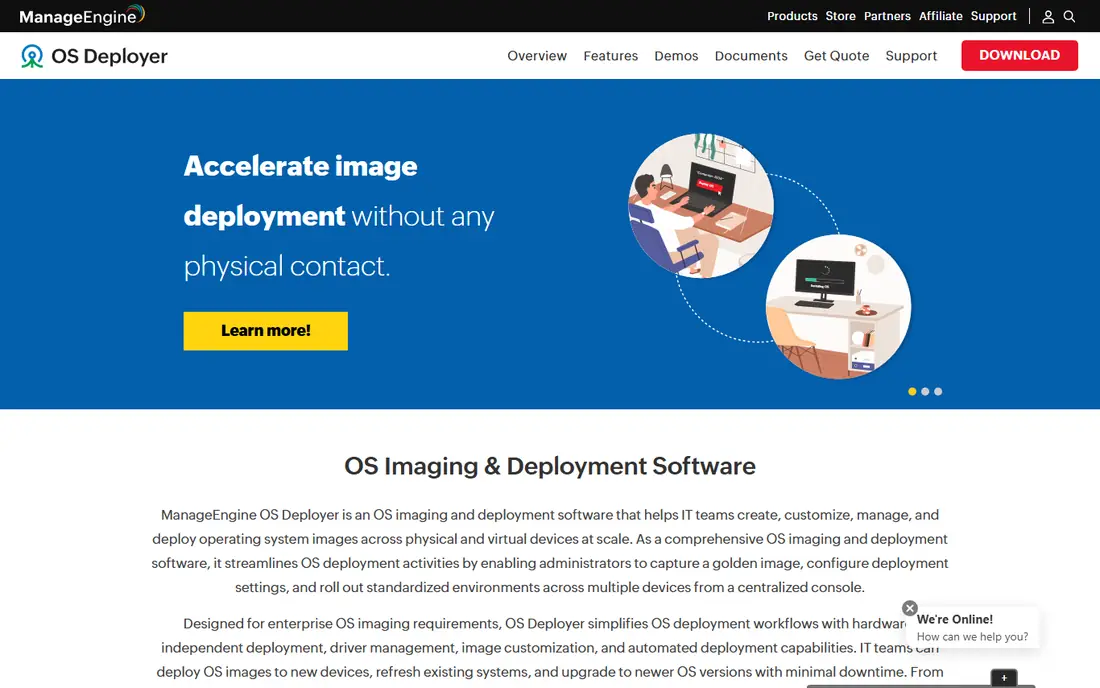
ManageEngine OS Deployer covers the full imaging lifecycle, from capturing a golden image to deploying it with drivers, apps, and settings. It supports hardware-independent deployment, remote deployment, and automation that MDT users will recognise, but with vendor support and a maintained product. A free edition also lets a small team test the workflow before paying.
Cloud deployment is the caveat, since full cloud-based deployment in the ManageEngine world sits in the broader Endpoint Central Cloud suite rather than the standalone tool. A team that needs off-network imaging should confirm the exact bundle. For on-premises and hybrid imaging, OS Deployer is a strong, well-priced alternative, starting at $645 per year for 100 workstations in published comparisons.
- Hardware-independent imaging
- Remote deployment
- Free edition for small use
- Cloud deployment needs a broader suite add-on
- Setup takes planning
PDQ Deploy answers a different part of the MDT job, namely getting apps and updates onto machines that already have Windows. It offers a package library, scheduling, and multi-step deployments, which suit a team that provisions with Autopilot or a simple image and then needs reliable app delivery. Its per-device pricing, starting at $12 per device per year with a minimum in published comparisons, is easy to model.
It is not a full OS imaging replacement, so a team that needs bare-metal builds still needs an imaging tool alongside it. PDQ Deploy is also Windows-focused, which limits mixed-platform fleets. As a companion to Intune or SmartDeploy, it is a practical and focused pick.
- Fast app and update deployment
- Simple package library
- Good companion to imaging
- Not a full OS imaging tool
- Windows-focused
FOG Project is the free network imaging option for teams with Linux skills and a tight budget. It captures and deploys images over the network, manages hosts, and suits labs, classrooms, and offices where many identical machines need the same build. As open source software, it costs nothing to license, which matters for schools and small organisations.
The cost shows up in labour. FOG needs a Linux server, manual driver handling, and community support rather than a vendor contract. Remote workers off the network also need a VPN or another path. For an on-site team with technical staff, FOG is a capable MDT successor at zero license cost.
- Free and open source
- Network imaging at scale
- Active community
- Needs Linux server setup
- Driver handling is manual
- No vendor support contract
Clonezilla is the simplest free imaging tool here, focused on cloning disks and partitions reliably, including offline via USB. It suits a technician who needs to image one machine at a time, restore a lab PC, or keep a known good backup of a standard build. Its open source nature and offline operation make it useful where network imaging is not practical.
It lacks the central console, task sequences, and fleet management that MDT offered, so it does not scale as a full deployment platform. The interface is also plain, which can slow new technicians. For single-machine imaging and recovery, Clonezilla is a dependable free tool, best paired with a management tool for larger fleets.
- Free and open source
- Reliable disk and partition imaging
- Works offline
- Interface is plain
- No central management console like MDT
- Manual workflow
NinjaOne is a cloud-native endpoint platform that covers patching, scripting, monitoring, and remote access, with OS provisioning as part of a broader management story. It suits MSPs and remote IT teams that need visibility and control across distributed devices, rather than a pure imaging shop. Its interface is also easier to learn than a classic deployment console.
The honest limit is focus. NinjaOne is not primarily an imaging tool, so a team that needs deep bare-metal imaging should not expect an MDT clone here. Pricing is quoted, so comparison takes a sales conversation. As a modern management layer that also handles provisioning, NinjaOne is a strong alternative for remote-first teams.
- Cloud-native endpoint management
- Patching and scripting
- Remote access tools
- OS deployment is secondary to remote management
- Pricing is quoted
Acronis Snap Deploy is built for fast, hardware-independent imaging, with Universal Deploy handling driver differences across machine models. It supports multicast deployment for large batches, which suits labs, classrooms, and office refresh projects where many PCs need the same build quickly. As an Acronis product, it also benefits from a mature imaging and backup background.
Pricing is quoted rather than published, so a buyer should get a firm figure for its machine count. Teams that only need occasional imaging may find a simpler tool enough. For large, repeated imaging jobs on mixed hardware, Snap Deploy is a strong enterprise-grade option.
- Universal Deploy for dissimilar hardware
- Fast multicast deployment
- Backup vendor support
- Pricing is quoted
- Full value needs the Acronis ecosystem
WAPT is a Windows software deployment tool that manages packages, updates, and configurations across a fleet. It suits IT teams that have moved past golden images and now need reliable app delivery, patching, and policy enforcement on existing Windows machines. Its package model will feel familiar to admins who built MDT application steps.
WAPT is not a full OS imaging platform, so bare-metal builds still need another tool. It is also less widely known in English-speaking markets, which can affect community resources. As a deployment and management layer for live Windows machines, it is a credible alternative, especially for teams that want a package-first approach.
- Windows software deployment and updates
- Package-based approach
- Suits mixed Windows fleets
- Less known outside French-speaking markets
- OS imaging is not its core job
How we picked these
We compared official feature pages, pricing pages, and public documentation for deployment tools still sold or maintained in October 2026. We required a real deployment workflow, meaning OS imaging, cloud provisioning, or managed app deployment at scale, and we kept the mix broad so imaging, cloud, and free options are all covered. We left out MDT itself, since it is retired, and tools that only back up a single PC without fleet deployment.
What to check before you switch
First, decide whether you still need imaging at all. If most devices are new and ship to remote users, Intune with Autopilot plus PDQ Deploy or WAPT for apps may replace MDT entirely. If you run labs, shared PCs, or offline sites, keep an imaging tool such as SmartDeploy, OS Deployer, or FOG Project in the plan.
Next, test on your real hardware. Build a checklist covering domain join, Wi-Fi and VPN profiles, security agents, printers, and line-of-business apps, then verify each item on every major model in your fleet. Driver handling is where imaging migrations most often fail, so do not assume one successful test covers all models. Finally, keep your MDT share read-only during migration, so you can fall back while the new process proves itself.
Frequently asked questions
What replaced Microsoft Deployment Toolkit?
Microsoft points teams to Intune with Windows Autopilot for cloud provisioning and to Configuration Manager task sequences for on-premises deployment. Third-party imaging tools such as SmartDeploy and ManageEngine OS Deployer cover classic imaging workflows. The right replacement depends on whether you still need a golden image.
Is MDT still safe to use in 2026?
MDT is retired, with no future updates or support for new Windows releases in published Microsoft guidance. It may still run on older setups, but relying on it for new hardware adds risk. Plan a move to a supported tool, and keep MDT only as a short-term fallback during migration.
Do I still need OS imaging with Intune?
Often not, since Autopilot provisions new devices from the cloud without a golden image. Classic imaging remains useful for labs, shared machines, and highly standardised builds. Many teams use Autopilot for new devices and keep an imaging tool for those special cases.
What is the cheapest MDT alternative?
FOG Project and Clonezilla are free and open source, with no license cost. Among paid tools, ManageEngine OS Deployer offers a free edition and starts at $645 per year for 100 workstations in published comparisons. Free tools need more manual setup, so count staff time as well as license cost.
How do I handle drivers when moving from MDT?
Use a tool with maintained driver packs, such as SmartDeploy Platform Packs or Acronis Universal Deploy, or plan manual driver injection with FOG Project or Clonezilla. Test each hardware model separately, since a driver set that works on one model may fail on another. Keep a record of which driver set belongs to which model.
Can these tools deploy to remote workers?
Yes, but pick a tool built for it. Intune with Autopilot and SmartDeploy cloud distribution handle off-network devices without a VPN. Traditional network imaging tools such as FOG Project need the machine on your local network or VPN. Match the tool to where your devices actually sit.
Sources
- https://www.manageengine.com/products/os-deployer/articles/top-mdt-alternatives.html
- https://www.starwindsoftware.com/blog/mdt-replacement-tools-2026/
- https://rankite.com/blog/best-os-deployment-software
- https://www.smartdeploy.com/blog/microsoft-deployment-toolkit-pros-cons-of-a-free-tool/
- https://www.ninjaone.com/blog/alternatives-to-mdt/
- https://www.venn.com/learn/microsoft-intune/microsoft-intune-pricing/
See where you really rank - block by block
ProMapRanker scans Google Maps across a grid of your service area. Simple monthly plans from $19, white-label on every plan.
Start freeKeep reading
 zyte alternatives
Best Zyte Alternatives in 2026
These zyte alternatives cover managed scraping APIs, proxy networks and no code tools for lawful collection from your own or consented sources only in 2026.
Read → zerto alternatives
Best Zerto Alternatives in 2026
Compare the best zerto alternatives for disaster recovery and replication, with recovery targets, cloud options and honest trade-offs for teams in 2026.
Read → zerofox alternatives
Best ZeroFox Alternatives in 2026
We compared 9 zerofox alternatives for brand protection, phishing takedowns, dark web monitoring, and social impersonation, with clear coverage notes.
Read →