 ProMapRanker
Best Linode Alternatives in 2026

Key takeaways
- DigitalOcean suits beginners and small teams, while Hetzner and Contabo offer more RAM per dollar for cost-conscious users.
- Vultr suits teams that need many global regions or specialised instance types.
- Backup, snapshot, IPv4 and bandwidth costs can change the total bill, so compare the full price, not just the entry plan.
- Most hosts here are unmanaged, which means you handle updates, security and server setup.
- Linode itself, now Akamai Cloud Computing, is not listed here, since this guide covers alternatives only.
Quick comparison
| Pick | Great for | Pricing starts at | Free tier | |
|---|---|---|---|---|
 DigitalOcean | Beginners and small teams | $4 per month | Free trial | Visit |
 Vultr | Many regions and instance types | See website | No | Visit |
 Hetzner Cloud | Best value per dollar | See website | No | Visit |
 OVHcloud | DDoS protection and EU hosting | See website | No | Visit |
 Kamatera | Custom server configurations | $4 per month | No | Visit |
 UpCloud | Fast storage and no egress fees | See website | No | Visit |
 Contabo | Most RAM per dollar | See website | No | Visit |
 AWS Lightsail | Simple AWS projects | See website | No | Visit |
 Hostinger | Budget VPS for websites | See website | No | Visit |
The best Linode alternatives
We compared cloud VPS hosts on entry specs, pricing, regions, storage, backups, support and ease of use, using official pricing pages and public VPS comparisons. Linode itself is not listed here, since this guide covers alternatives only.

DigitalOcean is the easiest move for a developer who wants a VPS without a steep learning curve. Droplets, the virtual servers, deploy in minutes, and one-click apps cover WordPress, Docker and common stacks. Managed databases, object storage and App Platform let a small team grow beyond a single server without switching providers.
The cost per gigabyte is higher than at budget hosts, and backups, snapshots and extra transfer add to the bill. Trial credits, where offered, help with testing but do not change the long term price. For beginners, startups and small teams that value a clear dashboard and good documentation, DigitalOcean remains a strong default.
- Clean dashboard and one-click apps
- Managed databases and App Platform
- Trial credits for new accounts in many offers
- Higher price per gigabyte than Hetzner or Contabo
- Backups cost extra
- Advanced networking needs learning
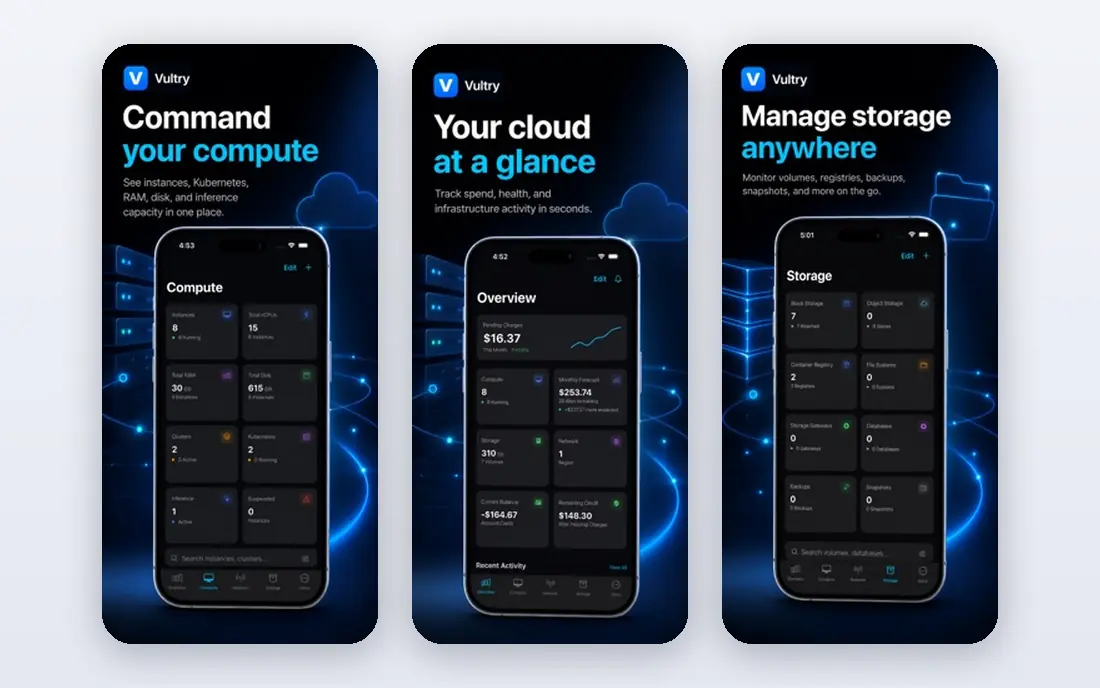
Vultr suits teams that need a server in a specific region or a specialised instance type. The provider lists many global locations, plus regular, high-frequency, dedicated and GPU instances, and hourly billing suits short-lived workloads. That menu helps when a project needs a tiny instance in an unusual region or a Windows VPS.
The platform feels less curated than DigitalOcean. Documentation and one-click apps exist, but users are expected to handle more setup and troubleshooting themselves. Managed support is limited, so teams without server experience should factor in that gap. For flexible, global VPS hosting, Vultr is a versatile pick.
- Wide choice of regions and instance types
- Hourly billing
- High-frequency and GPU options
- Experience assumes more self-sufficiency
- Support is less hands-on than managed hosts
- Add-ons raise the total
Hetzner Cloud offers the best price-to-performance ratio in this list for many workloads. Entry cloud servers give generous RAM and NVMe storage for a low monthly price, and included traffic is high compared with most rivals. Developers running self-hosted apps, side projects or small production sites often get far more headroom per dollar here.
The trade-offs are support depth and availability. Support is competent but leaner than at larger clouds, and popular plans can sell out in some regions. US coverage is also narrower than at Vultr or AWS. For cost-conscious teams comfortable with Linux administration, Hetzner is hard to beat on value.
- Low price for RAM and storage
- Generous included traffic
- Data centres in Europe, the US and Singapore
- Support is leaner than full-service clouds
- Some plans sell out
- US region choice is narrower than Vultr
OVHcloud suits teams that want European hosting with strong DDoS protection built in. The VPS range covers starter servers through higher-spec instances, and the provider operates data centres in Europe, North America and Asia-Pacific. That mix helps EU-focused projects that need data residency and attack mitigation without a separate service.
The experience is less polished than DigitalOcean. Dashboard navigation and support response can feel uneven, and pricing varies by billing term, so the headline price may reflect a longer commitment. For teams that value DDoS protection and EU presence over a slick dashboard, OVHcloud is a solid choice.
- Built-in anti-DDoS protection
- European data centres and privacy focus
- VPS range from starter to high-spec
- Dashboard and support can feel uneven
- Pricing varies by term
- Some features need careful configuration
Kamatera stands out for customisation. Instead of fixed plans only, users can scale CPU, RAM and storage to match a workload, which helps for unusual or changing requirements. The provider lists many global locations, and managed service options exist for teams that want help with server administration.
Custom pricing is also the weakness. A bill built from separate resources is harder to predict than a flat plan price, so teams should model the full configuration before deploying. The dashboard is functional but not as refined as DigitalOcean. For teams that need exact specs rather than a standard plan, Kamatera is a flexible option.
- Highly customisable CPU, RAM and storage
- Many global locations
- Managed options available
- Pricing by resource can be hard to predict
- Dashboard is functional rather than polished
- Support quality varies by plan
UpCloud suits workloads where storage speed and predictable bandwidth costs matter. Its MaxIOPS storage is designed for fast disk performance, and the provider does not charge egress fees in the way larger clouds do, which helps for data-heavy apps. Data centres span several continents, so latency can be kept low for many users.
UpCloud is smaller than the largest clouds, so its managed service range and one-click catalogue are narrower. Entry pricing also varies by region and configuration. For developers who want fast storage and a simpler bandwidth bill, UpCloud is a credible alternative to the bigger VPS brands.
- Fast MaxIOPS storage
- No egress fees in its model
- Data centres across Europe, North America and Asia-Pacific
- Smaller provider than AWS or DigitalOcean
- Entry plans vary by region
- Managed services are limited
Contabo is the value pick for RAM-hungry workloads. Cloud VPS plans offer large amounts of RAM and storage for a low monthly price, which suits databases, game servers, media apps and multi-site hosting. Traffic terms are generous on many plans, which helps for content-heavy sites.
Shared CPU on many plans means performance can vary under load, and support response times are a common complaint in public reviews. Setup times can also vary. For projects where RAM per dollar matters more than premium support, Contabo offers a striking amount of headroom for the price.
- Very high RAM and storage per dollar
- Unlimited traffic on fair-use terms in many plans
- Global data centres
- Support response can be slow at peak times
- Setup times vary
- CPU is shared on many plans
AWS Lightsail suits developers who want a simple VPS with a path into AWS. Instances bundle compute, storage and transfer into a predictable monthly price, and the console is simpler than full EC2. A project can start on Lightsail and later use other AWS services such as S3, RDS or CloudFront as it grows.
Lightsail is not as flexible as EC2 or as cheap per gigabyte as Hetzner. Instance sizes, bandwidth allowances and feature limits apply, and premium AWS support costs extra. For teams already in AWS or planning to grow there, Lightsail is a clean entry point that avoids full EC2 complexity at first.
- Simple VPS, storage and database bundles
- Predictable monthly pricing
- Easy path into wider AWS services
- Less flexible than full EC2
- Bandwidth and instance limits apply
- AWS support costs extra for higher tiers
Hostinger suits website owners moving from shared hosting to a VPS for the first time. VPS plans offer generous RAM for the entry price, and the control panel and AI tools help beginners launch sites without deep server knowledge. Weekly backups on many plans, as described in public summaries, add reassurance for small sites.
Renewal pricing is the main watch point. Introductory prices are lower than renewal rates, so the second-year cost can be notably higher. Support is mainly chat-led, and advanced cloud features are thinner than at developer-focused hosts. For budget website hosting with a gentle learning curve, Hostinger is a practical pick, as long as renewal prices are checked first.
- Low entry prices for VPS plans
- Website and AI tools for beginners
- Weekly backups on many plans in summaries
- Introductory prices rise on renewal
- Support is chat-led
- Advanced cloud features are thinner than DigitalOcean
How we picked these
We compared official pricing pages, instance specs, region lists and public VPS comparisons for hosts that serve developers and small teams in October 2026. We kept only hosts with a clear VPS or cloud server product, open signups and a stable presence. We left out Linode itself, dedicated-server-only providers and hosts with no clear VPS pricing.
We gave weight to price per gigabyte, storage type, regions, backups, bandwidth, support and ease of use. We did not claim hands-on benchmark testing on live servers. Prices, specs and availability change, so confirm the current plan, backup cost and transfer allowance on the host site before deploying.
How to choose a VPS host
Compare the total monthly cost
Add backups, snapshots, extra IPv4 addresses and bandwidth overage to the base plan price. A cheap entry plan with costly add-ons can end up pricier than a slightly higher plan that includes those items. Check renewal prices too, not just introductory offers.
Match specs to the workload
A static site needs far less RAM than a database or game server. Choose CPU and RAM for peak load, not average load, and pick NVMe storage where disk speed matters. If you need a specific region for latency or data rules, shortlist only hosts with a data centre there.
Decide how much management you need
Most hosts here are unmanaged, which means you handle operating system updates, firewalls and backups. If your team lacks server experience, choose a host with managed options, a clear control panel and responsive support, even if the base price is higher.
Frequently asked questions
Is Linode still available?
Linode is now part of Akamai and is sold as Akamai Cloud Computing. It remains available, but this guide lists alternatives for teams that want a different provider, price or region mix. Check Akamai pricing if you want to stay with Linode itself.
Which Linode alternative is cheapest?
Hetzner and Contabo usually offer the most RAM per dollar, while DigitalOcean and Vultr offer low entry plans with different specs. The cheapest choice depends on the RAM, storage and transfer you need, so compare like-for-like plans rather than entry prices alone.
Do I need managed VPS hosting?
Managed hosting helps if you lack Linux administration experience, since the host handles updates, security patches and some troubleshooting. Unmanaged hosting costs less and gives more control, but you are responsible for server security and maintenance.
What is the difference between a VPS and shared hosting?
Shared hosting puts many sites on one server with shared resources, while a VPS gives you dedicated virtual resources and root access. A VPS suits growing sites, custom apps and workloads that need specific software, while shared hosting suits small static sites.
How do backups work on a VPS?
Most hosts offer snapshots or automated backups as a paid add-on, often around 20 percent of the server price. Check how often backups run, how long they are kept and how restores work, and keep an off-server copy for critical data.
Can I move a site from Linode to another host?
Yes, in most cases. Export your site files and databases, set up the same stack on the new host, test before switching DNS, and keep the old server running until the move is confirmed. Migration tools and one-click apps can speed up common stacks such as WordPress.
Sources
See where you really rank - block by block
ProMapRanker scans Google Maps across a grid of your service area. Simple monthly plans from $19, white-label on every plan.
Start freeKeep reading
 zyte alternatives
Best Zyte Alternatives in 2026
These zyte alternatives cover managed scraping APIs, proxy networks and no code tools for lawful collection from your own or consented sources only in 2026.
Read → zerto alternatives
Best Zerto Alternatives in 2026
Compare the best zerto alternatives for disaster recovery and replication, with recovery targets, cloud options and honest trade-offs for teams in 2026.
Read → zerofox alternatives
Best ZeroFox Alternatives in 2026
We compared 9 zerofox alternatives for brand protection, phishing takedowns, dark web monitoring, and social impersonation, with clear coverage notes.
Read →