 ProMapRanker
Best JW Player Alternatives in 2026


Clean branded hosting for teams · Pricing starts at: $12 per seat per month
Key takeaways
- Vimeo suits creators and small teams that want a clean player, while Brightcove and Kaltura suit larger publishers with complex rights and security needs.
- Wistia and Vidyard suit marketing and sales teams that need lead capture and viewer data, not just playback.
- Usage-based tools such as Mux and Cloudflare Stream suit developers whose viewing volume changes a lot.
- Check storage, bandwidth, and live streaming limits before you commit, because those limits shape the real monthly cost.
Quick comparison
| Pick | Great for | Pricing starts at | Free tier | |
|---|---|---|---|---|
| Vimeo | Clean branded hosting for teams | $12 per seat per month | Yes | Visit |
 Wistia | Marketing video and lead capture | $79 per month | Yes | Visit |
 Brightcove | Enterprise publishing at scale | See website | Free trial | Visit |
 Dacast | Live streaming and monetization | $39 per month | Free trial | Visit |
 Mux | Developer-led video infrastructure | See website | Free trial | Visit |
 Cloudflare Stream | Low-cost storage and delivery | See website | Free trial | Visit |
 SproutVideo | Private business video hosting | See website | Free trial | Visit |
 Kaltura | Education and enterprise video | See website | Free trial | Visit |
 Vidyard | Sales and marketing video | Free | Yes | Visit |
The best jw player alternatives
JW Player is known for its player technology, advertising tools, and delivery for publishers. The tools below cover different parts of that job, from simple hosting to full broadcast platforms, so the right pick depends on your audience, your monetization model, and how much code your team wants to write.
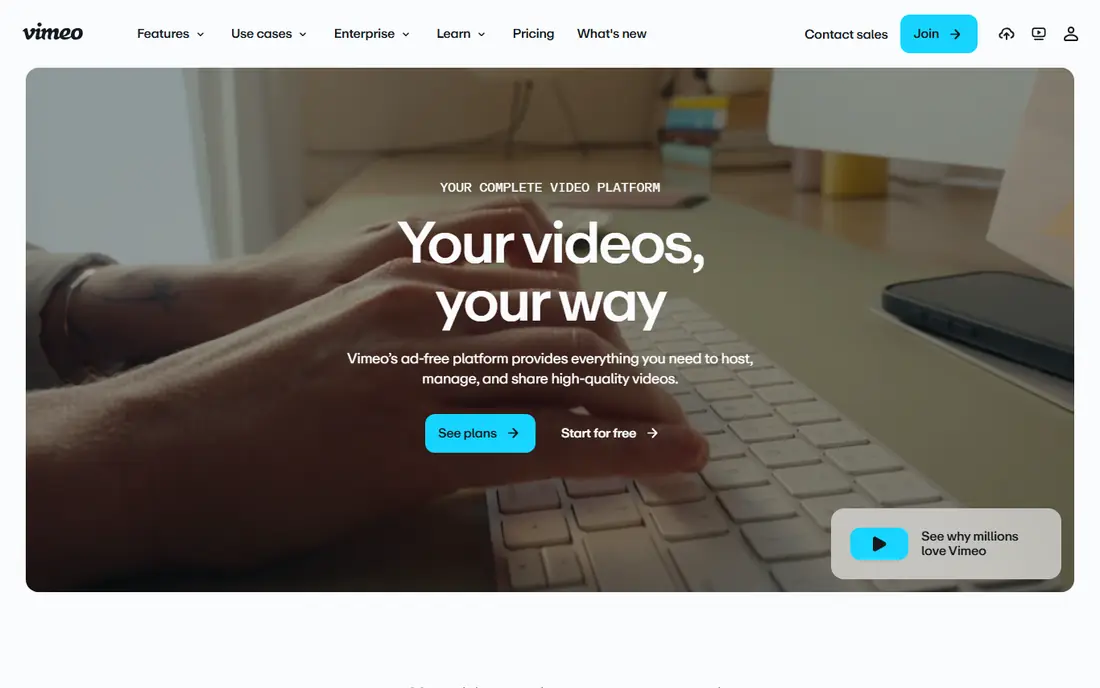
Vimeo is the easiest move for a team that wants video to look good on its own site without ads or third-party branding. The player is clean, privacy settings are clear, and collaboration tools help a small team review and publish together. For course creators, agencies, and small businesses, that polish matters as much as raw delivery power.
The limits deserve attention. Self-serve plans carry bandwidth limits, and live streaming sits on higher tiers, so a team with heavy viewing or frequent live events should price the right tier first. For steady on-demand libraries, Vimeo remains a strong default.
- Polished player and privacy controls
- Team collaboration
- Live events on higher plans
- Bandwidth limits on self-serve plans
- Live streaming needs a higher tier

Wistia is built for marketing teams that want video to produce leads, not just views. Turnstiles, calls to action, and viewer analytics show which parts of a video hold attention and which viewers are worth a follow-up. That focus makes it a good fit for product pages, landing pages, and nurture content.
It is less appealing as a general broadcast library, and the paid plan costs more than basic hosting. If your main goal is a beautiful player with no marketing data, Vimeo may be cheaper. If video must feed your sales pipeline, Wistia earns the premium.
- Lead capture and calls to action
- Clear viewer analytics
- Clean embeds
- Jump from free to paid is steep
- Less suited to large broadcast libraries

Brightcove suits publishers and large companies that run a serious video operation, with live events, advertising, subscriptions, and global audiences. Its analytics, security, and monetization tools go beyond basic hosting, and it can handle the kind of scale that breaks simpler tools. That depth is why many broadcasters and media brands still use it.
Small teams will find the sales process and setup heavier than a self-serve tool. Brightcove is worth it when video is a core product, not a side channel, and when you need control over rights, advertising, and delivery in one platform.
- Broadcast-grade delivery
- Monetization and advertising tools
- Strong security options
- Quote-based pricing
- Heavier setup for small teams
Dacast gives mid-size broadcasters, churches, schools, and event organizers a practical way to stream live and sell access. Pay-per-view, subscriptions, and advertising options cover common monetization models, while password protection, domain restriction, and geo-blocking help control who can watch. The starting plan is clear and published, which helps budgeting.
The player and marketing tools feel more functional than polished, so a marketing team may pair Dacast with a separate landing page tool. For live events and paid streams, though, Dacast offers a strong balance of price and control.
- Live and on-demand in one place
- Pay-per-view and subscriptions
- Security controls
- Marketing polish is thinner than Wistia
- Higher tiers cost more for large libraries
Mux is infrastructure, not a finished marketing platform. Developers upload video through an API, and Mux handles encoding, storage, delivery, and playback data. That model suits product teams that want video inside their own app, with full control over the interface and the viewer experience.
Non-technical teams should look elsewhere, because Mux expects code and product work to build the front end. For a team that already builds software, Mux can be cheaper and more flexible than a closed platform, especially when viewing volume varies.
- API-first video
- Usage-based billing
- Detailed playback data
- Needs developer time
- No simple all-in-one marketing suite
Cloudflare Stream suits teams that want dependable delivery without paying for a large suite they will not use. Storage and delivery are billed by use, so a small library with modest viewing stays cheap, and a growing library scales without a new contract. The global network also helps viewers outside one region.
It does not offer the lead capture, subscription billing, or rich analytics of a marketing platform. Treat Cloudflare Stream as a delivery layer, and add your own paywall, analytics, or marketing tools around it if you need them.
- Usage-based pricing
- Global delivery
- Simple player and API
- Fewer built-in marketing tools
- Monetization must be built separately
SproutVideo is a good fit for training, internal communication, and client video that should stay private. Domain restriction, password protection, and login controls help a team share video with the right people and no one else. Calls to action and basic lead capture add a light marketing layer without turning the tool into a full suite.
Lower plans have tighter storage and bandwidth limits, so check those numbers against your library size and expected views. For private business video at a modest scale, SproutVideo is simple, clear, and easy to manage.
- Strong privacy controls
- Simple hosting
- Calls to action on videos
- Storage and bandwidth caps on lower plans
- Smaller ecosystem than Vimeo
Kaltura serves universities, large companies, and media organizations that need video across many uses, from lectures to internal training to public streaming. Its integrations with learning management systems and other enterprise tools set it apart from simpler hosts. Teams can also build custom experiences on top of its platform.
That flexibility comes with complexity and a sales-led price. Kaltura fits organizations with a dedicated video or IT team, while a small creator team will likely prefer Vimeo or Wistia for speed.
- Flexible platform for education and media
- Integrations with learning systems
- Live and on-demand
- Quote-based pricing
- Setup can be complex
Vidyard helps sales and marketing teams send personal video, track who watched, and pass that data to a CRM. A rep can record a short message, share a link, and see when a prospect watches, which makes follow-up timing much clearer. The free tier lets a small team test that workflow without a budget meeting.
It is not the best home for a large public video library or a broadcast channel. Vidyard works best as a sales tool that sits beside a main hosting platform, or as the main tool for a team whose video is mostly one-to-one.
- Free starting tier
- Personal video for sales
- Viewer tracking and CRM links
- Paid tiers rise with team size
- Less suited to large public libraries
How we picked these
We compared official feature pages, pricing pages, and public reviews for video hosting and streaming platforms live in October 2026. We kept tools that cover hosting, live streaming, monetization, or analytics for publishers and businesses, and we left out tools that only offer social discovery. Where pricing is usage-based or quote-based, we used See website rather than a guess.
What to check before you switch
Start with your top three use cases, such as public marketing video, paid courses, or live events. A tool that excels at one can be weak at another, so a single demo rarely tells the full story. Upload a real video, test playback on a phone and a TV, and check how the player looks inside your own site design.
Count storage, bandwidth, and seats
Storage limits how much you can upload, bandwidth limits how much people can watch, and seat limits how many team members can manage the account. A plan that fits your library today may break when a video gets popular, so ask what happens at the limit and what the upgrade costs.
Test monetization and privacy early
If you sell access, test the paywall, checkout, and refund flow before launch, not after. If video must stay private, test domain restriction, passwords, and login controls with a real viewer account. Both checks are faster than fixing a public leak or a broken sale later.
Frequently asked questions
What is the best JW Player alternative for publishers?
Brightcove and Dacast are the closest publisher options, with advertising, monetization, and live streaming. Brightcove suits larger publishers, while Dacast suits mid-size teams that want published pricing and a simpler setup. Vimeo suits publishers that value a clean player over a full advertising stack.
Which JW Player alternative is best for marketing teams?
Wistia leads for marketing, with lead capture, calls to action, and viewer analytics built for landing pages. Vidyard is a strong second for sales-led video, especially personal outreach. Both connect viewing data to follow-up, which basic hosting does not.
Is there a free JW Player alternative?
Vimeo, Wistia, and Vidyard all offer free tiers with limits on storage, branding, or features. Free tiers suit testing and small libraries, but paid plans are usually needed for branding control, larger storage, or live streaming. Check the free plan limits before building a public library on one.
Do these platforms support live streaming?
Vimeo, Brightcove, Dacast, and Kaltura support live streaming, though the tier matters. Vimeo requires a higher plan for live events, while Dacast includes live streaming from its starting plan. Mux and Cloudflare Stream support live delivery through developer tools.
Can I move my videos from JW Player?
Most platforms support bulk upload and migration help, but player embeds, analytics history, and advertising settings do not always move cleanly. Export your video files and metadata first, test a small batch, and update embeds page by page rather than all at once.
Sources
- https://theknowledgeengineers.com/software-advice/video-hosting-software
- https://www.dacast.com/blog/streaming-video-hosting-services/
- https://swarmify.com/blog/vimeo-pricing-bandwidth-limits/
- https://vimeo.com
- https://wistia.com
- https://brightcove.com
- https://dacast.com
- https://mux.com
- https://cloudflare.com
- https://sproutvideo.com
- https://kaltura.com
- https://vidyard.com
See where you really rank - block by block
ProMapRanker scans Google Maps across a grid of your service area. Simple monthly plans from $19, white-label on every plan.
Start freeKeep reading
 zoro.to alternatives
Best Zoro.to Alternatives in 2026
We compare the best zoro.to alternatives in 2026, listing only legal licensed anime streaming services, from Crunchyroll to free options for fans today.
Read → zip alternatives
Best Zip Alternatives in 2026
We compare the best zip alternatives for buy now, pay later in 2026, covering pay-in-4 plans, fees, spending limits, and credit reporting options today.
Read → yesware alternatives
Best Yesware Alternatives in 2026
Compare the best yesware alternatives for sales email tracking, templates, and sequences, with current pricing and honest tradeoffs for small sales teams.
Read →