 ProMapRanker
Best IXL Alternatives in 2026

Key takeaways
- Khan Academy is free and covers the widest range, which makes it the first option to try for most families and classrooms.
- DreamBox suits conceptual math for kindergarten through grade 8, while Prodigy suits children who need a game to stay motivated.
- SplashLearn and ABCmouse suit younger children, while Zearn, Freckle, and MobyMax suit classroom and homework use.
- Game-based apps can include purchase prompts, so check what a membership actually buys before you pay.
- A short trial with your child, on your devices, tells you more than any grade range claim.
Quick comparison
| Pick | Great for | Pricing starts at | Free tier | |
|---|---|---|---|---|
 Khan Academy | Free all-subject learning | Free | Yes | Visit |
 Prodigy | Game-based math practice | Free | Yes | Visit |
 DreamBox | Adaptive conceptual math | $12.95 per month | No | Visit |
 SplashLearn | Young learner games | $7.99 per month | Free trial | Visit |
 Zearn | Classroom math lessons | Free | Yes | Visit |
 Freckle | Differentiated classroom practice | Free | Yes | Visit |
 MobyMax | School skill practice | See website | Free trial | Visit |
 Math Playground | Math games and puzzles | $3.50 per month | Yes | Visit |
 ABCmouse | Early learning ages 2 to 8 | See website | Free trial | Visit |
The best ixl alternatives
IXL covers many subjects with adaptive practice and diagnostics, but families leave it for cost, style, or grade fit. The nine options below cover math, reading, and early learning for different ages and budgets. We compared official pricing and feature pages and public reviews, and we did not claim hands-on testing. We list IXL alternatives only, so IXL itself does not appear in this list.
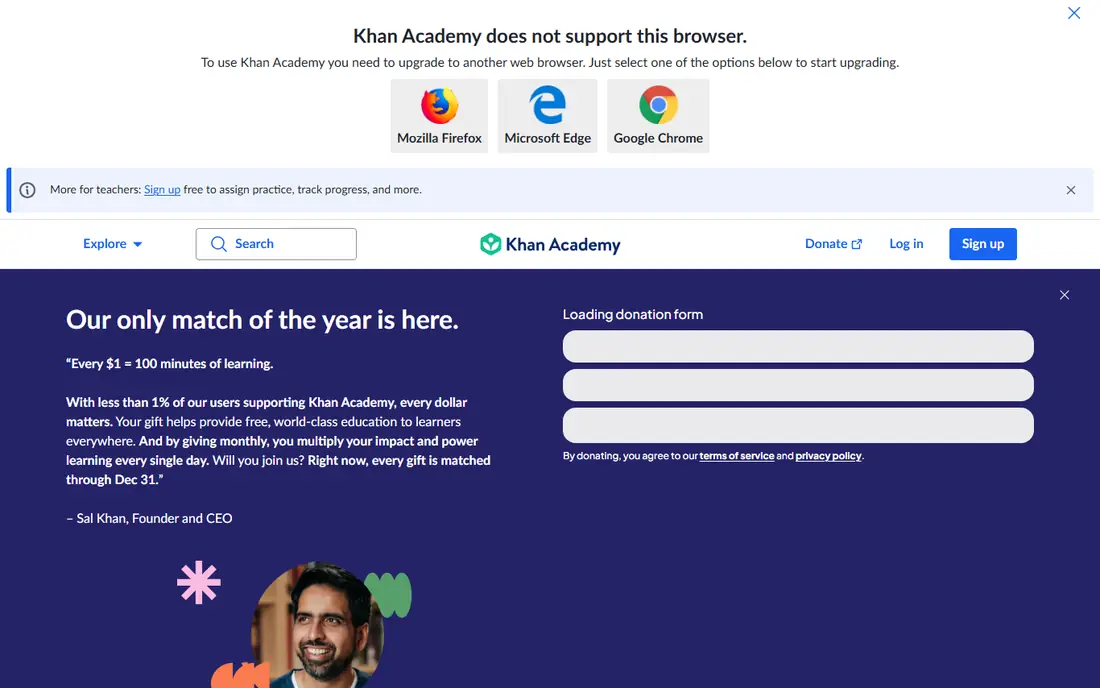
Khan Academy is the obvious first stop for any family looking for an IXL alternative, because the core platform is free and covers math, reading, science, and more from early grades through high school and beyond. Video lessons explain ideas before practice begins, which helps children who need teaching, not only questions. Mastery tracking shows which skills a learner has finished and which need more work.
The style is calmer than game-based rivals, and some children will miss the rewards and characters that keep them playing. Analytics also stay simpler than a paid platform built around diagnostics. For a family that wants solid teaching at no cost, and for teachers who need a free classroom tool, Khan Academy is hard to beat.
- Free full platform for learners and teachers
- Video lessons plus practice across many subjects
- Mastery tracking by skill
- Less gamified than Prodigy or SplashLearn
- Analytics are thinner than paid diagnostic platforms
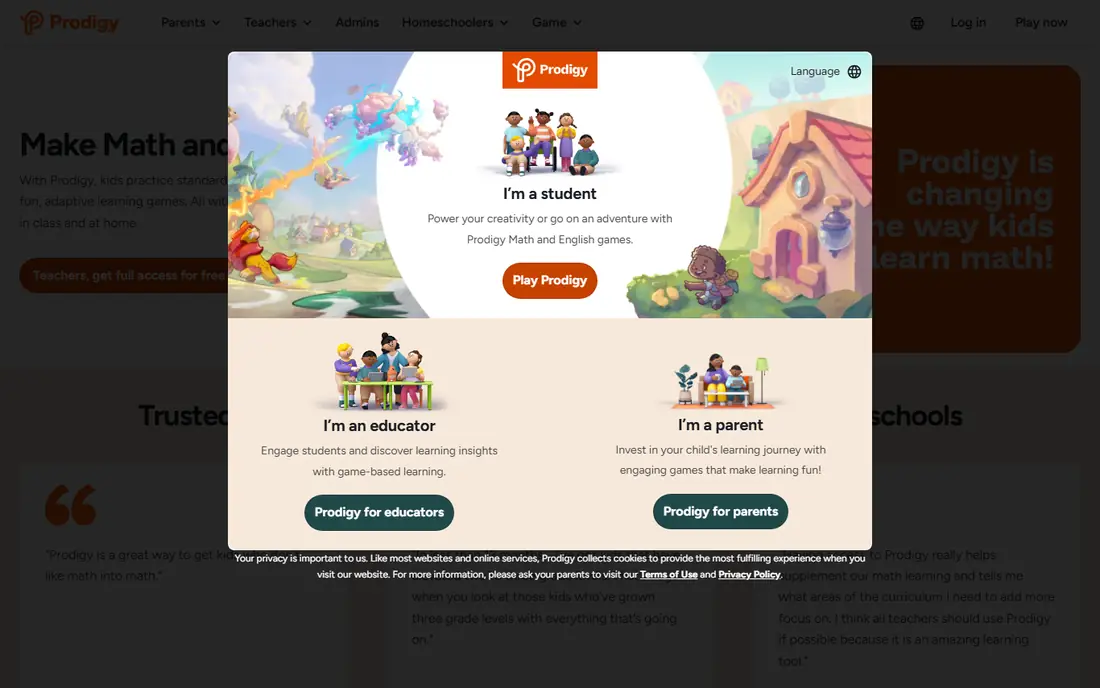
Prodigy wraps math practice, and now English practice, inside an adventure game where children battle, collect pets, and explore a world. Questions adapt to the child's level, so practice stays challenging without becoming frustrating. The core educational content is free, which makes it easy to try with a child who resists worksheets.
Parents should know that membership prompts appear inside the game, and younger children may ask for upgrades that add game items rather than new learning content. Core membership costs $9.95 per month or $58.95 per year for one subject in recent listings, so check the current page before paying. If motivation is the main barrier, Prodigy often succeeds where plainer practice fails.
- Core math and English content free
- Adventure game keeps reluctant learners playing
- Adaptive questions by grade
- Membership prompts appear in the game
- Premium features mainly add game extras, not core learning content
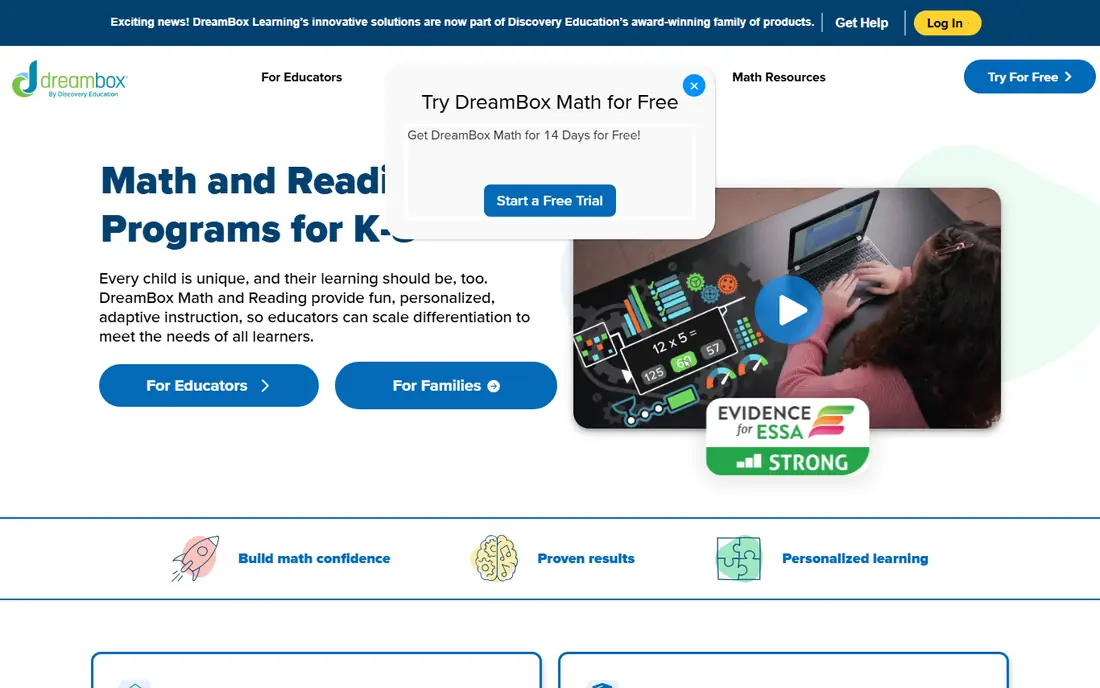
DreamBox teaches math through adaptive lessons that change based on how a child solves a problem, not only whether the answer is right. Visual models help children see why a strategy works, which builds conceptual understanding rather than memorized steps. Schools use it widely, so many children already know the format from class.
The limits are scope and devices. DreamBox covers math for kindergarten through grade 8 only, so older students and families wanting all subjects need another tool. It also works on browsers and iPad, with limited support for phones and Android tablets. For a family focused on math understanding through grade 8, DreamBox is a strong paid choice.
- Adaptive lessons that adjust to student strategies
- Strong visual models for math ideas
- Used widely in schools
- Math only, through grade 8
- Needs a browser or iPad, with limited phone support
SplashLearn suits younger children who learn best through games, rewards, and short activities. Math and reading content for pre-kindergarten through grade 5 covers early skills with colorful games, and a parent dashboard shows progress without needing a teacher account. The format works well for homework, homeschool, and after-school practice.
Grade range is the clear limit, since children above grade 5 need a different platform. The game style also suits some children more than others, and parents should check how much screen time a session involves. For a family with young learners who enjoy games, SplashLearn offers a focused and affordable option.
- Gamified math and reading for pre-kindergarten through grade 5
- Parent dashboard and progress reports
- Works on web and apps
- Range ends at grade 5
- Older children will outgrow it quickly
Zearn gives families free access to full math lessons for kindergarten through grade 8, with teaching videos, guided practice, and independent work in each lesson. Teachers can use the same platform in class, which helps when homework and schoolwork need to match. The lesson structure suits children who benefit from a clear routine.
Zearn covers math only, so families wanting reading or science need another source, and the style is more lesson-like than game-like. Children who need a game to stay engaged may prefer Prodigy, while children who like a classroom routine may prefer Zearn. For free, structured math, Zearn is one of the best options available.
- Free for families with full math lessons for kindergarten through grade 8
- Built-in teaching plus practice
- Teacher tools for classrooms
- Math only
- Less game-like than Prodigy or SplashLearn
Freckle, from Renaissance, helps teachers give each student practice at the right level across math, reading, science, and social studies. Adaptive practice adjusts to student performance, and teachers can assign work by skill or standard. A free teacher version makes it easy for a classroom to start without a purchase order.
Families using Freckle at home should note that the design serves classrooms first, so it feels less like a home game than Prodigy or SplashLearn. Full school features, reporting, and support need a paid plan, so check what the free version includes for your use. For a teacher who needs differentiated practice across subjects, Freckle is a practical classroom pick.
- Free teacher version with adaptive practice
- Covers math, reading, science, and social studies
- Differentiation by student level
- Full school features need a paid plan
- Interface is classroom-focused rather than home-game focused
MobyMax covers many subjects with placement tests that find gaps, then adaptive practice to close them. Schools use it for math, reading, language, science, and more, and progress monitoring helps teachers see which students need help. That breadth makes it a closer all-subject match to IXL than math-only tools.
Pricing varies, so families and schools should check the current MobyMax site or request a quote for their situation. The interface also feels like school software rather than a home game, which suits some children and bores others. For a school or homeschool family that wants broad subject coverage with diagnostics, MobyMax is worth a trial.
- Wide subject coverage with placement tests
- Adaptive practice and progress monitoring
- Used in many schools
- Pricing varies by school and plan
- Interface feels more school-like than game-like
Math Playground offers math games, logic puzzles, and problem-solving activities for roughly grades 1 through 6, with many games free and ad-supported. Children who like puzzles and challenges will find more variety here than in a drill-only app, and teachers often use it as a classroom reward or enrichment tool. The family plan price is low compared with full curriculum apps.
Structure is the trade, since Math Playground does not offer a sequenced curriculum with diagnostics in the way DreamBox or Zearn do. Free games include ads, which parents may want to avoid for younger children. Use it as enrichment alongside a main math program, rather than as the only math teaching, and it works well.
- Many games free with ads
- Logic puzzles and problem-solving alongside math facts
- Low family plan price
- Less structured curriculum than DreamBox or Zearn
- Ads on the free version
ABCmouse offers a complete early learning program for ages 2 to 8, with reading, math, science, social studies, and art activities in a guided path. Children move through levels with games, songs, books, and puzzles, while parents track progress and set learning goals. That guided structure helps young children who need a clear next step.
Age range is the limit, since children above about 8 need a different platform, and full access needs a paid subscription after any trial. Families should also check current pricing on the ABCmouse site, since plans and offers change. For a young child starting school learning, ABCmouse is a polished and complete early option.
- Full early learning curriculum for ages 2 to 8
- Reading, math, science, and art in one app
- Progress tracking for parents
- Ends at about age 8
- Subscription needed after the trial for full access
How we picked these
We compared official pricing and feature pages and public learning app reviews, and we kept only platforms that are live and actively sold in October 2026. We mixed free, game-based, classroom, and early learning options, so different ages and budgets are covered. We did not claim hands-on testing, and we wrote See website where pricing could not be confirmed from the vendor at writing time.
What to check before you choose
Start with age and subject, not with the longest feature list. A platform that ends at grade 5 will not serve a middle school student, and a math-only app will not cover reading homework. Check the grade range, subjects, and device support on the vendor site, and confirm that it works on the devices your child actually uses. A great app on a device you do not own helps no one.
Next, try the learning style with your child. Some children thrive on video lessons, others on games, and others on a classroom routine, and the same app can feel motivating to one child and dull to another. Use free plans and trials for a week of real use, and watch whether your child can work with little help. Check purchase prompts in game apps, and turn off or discuss them before a child plays alone.
Finally, price the full household. Some apps charge per child, others per family, and school plans differ from family plans. Add up the cost for every child who will use it, and check whether a free option such as Khan Academy or Zearn already covers the need. A paid app should earn its place by teaching better, motivating more, or reporting more clearly than the free options.
Frequently asked questions
What is the best free IXL alternative?
Khan Academy is the best free all-subject option, with video lessons and practice across many subjects at no cost. Zearn is the best free math option for kindergarten through grade 8, with full lessons and practice. Prodigy also offers core math and English content free, inside a game.
Which alternative is best for math only?
DreamBox suits conceptual math through grade 8, with adaptive lessons and visual models. Zearn suits structured math lessons free, while Prodigy suits game-based math practice. Pick DreamBox for understanding, Zearn for a classroom routine, and Prodigy for motivation.
Do these apps work for homeschool?
Yes, many families use Khan Academy, DreamBox, SplashLearn, Zearn, and ABCmouse for homeschool, since they offer structured lessons and progress tracking. Check grade coverage and reporting for your state or program requirements. A single app rarely covers every subject, so most homeschool families combine two tools.
Are game-based learning apps safe for children?
Reputable apps in this list offer parent dashboards and age-appropriate content, but game apps can include purchase prompts, so check membership settings before a child plays alone. Review privacy policies and data practices on each vendor site. Supervise younger children and discuss in-app purchases clearly.
Can teachers use these alternatives in class?
Yes, Khan Academy, Zearn, Freckle, and MobyMax all offer teacher tools and classroom use, with free options for teachers in many cases. Check school plan pricing and student data privacy terms before classroom use. District approval may be needed for paid school plans.
How is IXL different from Khan Academy?
IXL centers on adaptive practice questions and diagnostics across many subjects, with detailed analytics for families and schools. Khan Academy centers on video teaching plus practice, and it is free. A child who needs teaching before practice may prefer Khan Academy, while a child who needs many practice questions may prefer a practice-focused tool.
Sources
See where you really rank - block by block
ProMapRanker scans Google Maps across a grid of your service area. Simple monthly plans from $19, white-label on every plan.
Start freeKeep reading
 zoro.to alternatives
Best Zoro.to Alternatives in 2026
We compare the best zoro.to alternatives in 2026, listing only legal licensed anime streaming services, from Crunchyroll to free options for fans today.
Read → zip alternatives
Best Zip Alternatives in 2026
We compare the best zip alternatives for buy now, pay later in 2026, covering pay-in-4 plans, fees, spending limits, and credit reporting options today.
Read → yesware alternatives
Best Yesware Alternatives in 2026
Compare the best yesware alternatives for sales email tracking, templates, and sequences, with current pricing and honest tradeoffs for small sales teams.
Read →