 ProMapRanker
Best iSpring Alternatives in 2026


Deep interactive courses · Pricing starts at: $1,449 per year
Key takeaways
- Articulate 360 is the industry standard for deep interactivity, with Rise for fast courses and Storyline for custom builds.
- Adobe Captivate suits software simulations and responsive courses, while Easygenerator suits subject experts with no design background.
- Elucidat and Gomo Learning suit large teams that need brand control, translation and mobile-first delivery.
- ActivePresenter and Camtasia offer lower-cost desktop routes, especially for video-led training.
- Check SCORM, xAPI and accessibility needs before buying, since those requirements rule out several tools fast.
Quick comparison
| Pick | Great for | Pricing starts at | Free tier | |
|---|---|---|---|---|
| Articulate 360 | Deep interactive courses | $1,449 per year | Free trial | Visit |
 Adobe Captivate | Simulations and responsive courses | $33.99 per month | Free trial | Visit |
 Elucidat | Enterprise team authoring | See website | No | Visit |
 Easygenerator | Expert-led cloud authoring | $116 per month | Free trial | Visit |
 Gomo Learning | Mobile-first courses | See website | No | Visit |
 Lectora | Accessible compliance courses | See website | Free trial | Visit |
 ActivePresenter | Desktop recording and authoring | $249 one-time | Yes | Visit |
 Camtasia | Video-led training | $179.88 per year | Free trial | Visit |
 ProProfs Training Maker | Simple employee training | Free | Yes | Visit |
The best iSpring alternatives
These nine tools cover desktop suites, cloud authoring and video-led training. We compared official pricing pages and the SCORM, xAPI, quiz and collaboration features each vendor lists.
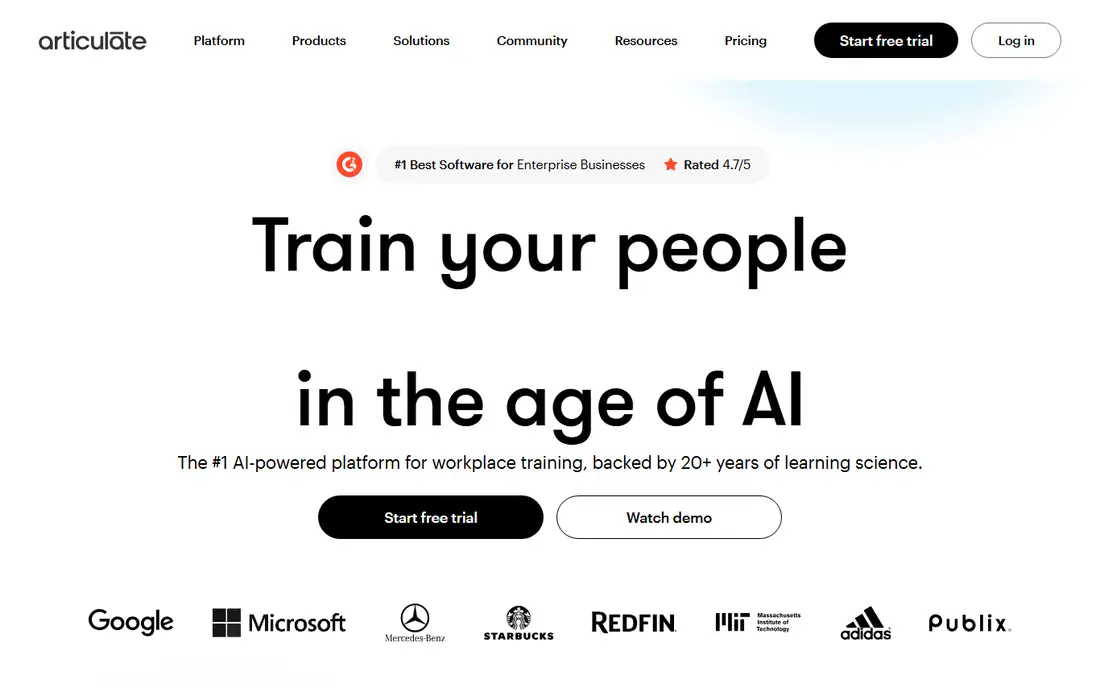
Articulate 360 is the benchmark most iSpring users compare against, and for good reason. Rise 360 builds clean, responsive courses from blocks in a browser, while Storyline 360 builds custom, branching scenarios with triggers, variables and detailed interactions on desktop. Together they cover both fast courses and flagship training that needs real depth.
The cost is the main barrier. Personal plans start at $1,449 per author per year, with Teams plans higher, and Storyline runs on Windows, so Mac teams need a workaround. For a team that publishes courses regularly and needs branching, simulations and detailed quizzes, Articulate 360 is the most capable pick here. For occasional courses, a cloud tool will be cheaper.
- Rise for fast responsive courses plus Storyline for custom interactivity
- Strong branching and quiz tools
- Large template and asset library
- High yearly cost per author
- Storyline is Windows desktop only
- Learning curve for advanced features

Adobe Captivate suits technical training where learners need to practise software steps, not just read slides. It records on-screen actions, builds simulations with click paths, and outputs responsive courses that adapt to phone, tablet and desktop. Quiz tools, branching and virtual reality project options add depth for larger training programmes.
The downside is complexity and cost. Captivate takes time to learn well, and $33.99 per month is a recurring cost that adds up for a small team. Users who only need simple slide-to-course conversion will find iSpring-style tools or Easygenerator faster. Users who need simulations will find Captivate hard to replace.
- Software simulations and screen recording
- Responsive course output
- Quiz and interaction tools
- Monthly cost adds up over a year
- Learning curve is steep
- Interface changes have frustrated long-term users

Elucidat, now listed as Create by Confirm in some vendor material, is built for large teams that produce many branded courses at scale. Templates keep courses on brand, roles control who can edit and approve, and translation tools help teams publish the same course in several languages. Review workflows let legal, HR and subject experts sign off before launch.
The trade is price and flexibility. Pricing is quote-based and enterprise-leaning, so small teams should expect a higher cost than a simple cloud tool. Custom interactivity is also more limited than Storyline, since templates favour consistency over bespoke builds. For a large organisation with governance needs, Elucidat is a strong fit. For a solo author, it is more tool than needed.
- Template-driven cloud authoring for large teams
- Brand control and translation tools
- Collaboration and review workflows
- Quote-based enterprise pricing
- Overkill for a solo author
- Less custom freedom than Storyline
Easygenerator is designed for the common problem in corporate training: the person who knows the subject is not a course designer. Its cloud editor uses simple blocks, templates and AI help to turn expert knowledge into a structured course with quizzes and SCORM output. Collaboration lets reviewers comment without needing design skills.
The limits are cost and customisation. The entry plan at $116 per month is a real commitment for a small team, and team plans rise sharply. Design freedom is also narrower than Storyline or Captivate, so courses can look similar. For teams that need many experts to publish quickly, Easygenerator saves more time than it costs. For a single designer, a desktop suite may offer more control.
- Cloud authoring that subject experts can use
- AI writing help
- Collaboration and SCORM output
- $116 per month entry cost
- Customisation is limited compared with desktop suites
- Higher team plans cost far more
Gomo Learning suits teams whose learners mainly use phones, such as retail, field and frontline staff. Courses are built mobile-first, not adapted from desktop slides, and offline access helps learners with patchy connectivity. Multi-language support and central asset management help global teams keep courses consistent across regions.
Pricing is quote-based, so teams should request a quote and compare it with Easygenerator and Elucidat before committing. Gomo also offers less depth for complex simulations than Captivate or Storyline. For mobile-first, distributed workforces, Gomo is a strong specialist pick. For desktop-heavy office training, a broader suite may fit better.
- True mobile-first course design
- Offline access options
- Multi-language support for global teams
- Quote-based pricing
- Smaller community than Articulate
- Less depth for complex simulations
Lectora has long been the pick for accessibility and compliance training, where WCAG and Section 508 requirements are not optional extras. It offers detailed control over layout, variables and actions, plus SCORM, AICC and xAPI output for learning management systems. That control helps teams build courses that meet strict accessibility checks.
The downside is age and effort. The interface feels dated next to cloud tools, and new authors face a steep learning curve. Pricing is quote-based, so teams should confirm the current cost for their author count. For compliance and accessibility-led training, Lectora remains a serious option. For fast, simple courses, a cloud tool will be quicker.
- Strong accessibility and compliance controls
- Detailed variables and actions
- SCORM, AICC and xAPI output
- Quote-based pricing
- Interface feels dated
- Learning curve is steep for new authors
ActivePresenter is the value desktop pick for authors who want a one-time licence instead of a yearly subscription. Standard costs $249 and Pro $499 as one-time purchases, and the tool combines screen recording, video editing, quizzes and branching in one desktop app. A free version lets authors test the core workflow before paying.
The trade is polish and collaboration. The community is smaller than Articulate, the interface is less refined, and team review workflows are thinner than cloud tools offer. For a solo author or a small team that records software demos and builds quizzes, ActivePresenter offers strong value. For large collaborative teams, a cloud tool will suit better.
- One-time licence from $249
- Screen recording plus quizzes and branching
- SCORM output
- Smaller community than Articulate
- Interface is less polished
- Collaboration is limited
Camtasia is the pick when training is mainly video. It records screens, edits video with annotations and effects, and adds quizzes inside video, which suits tutorials, software demos and onboarding videos. Essentials costs $179.88 per year and Create $249 per year, with a free trial for testing.
Camtasia is not a full replacement for iSpring Suite or Articulate 360. It lacks deep course branching, detailed SCORM packaging and the full quiz range of a dedicated authoring tool. Use Camtasia for video-led training, and pair it with a learning management system or an authoring tool when you need full course tracking and assessment.
- Strong screen recording and video editing
- Quizzes in video
- Simple sharing to common platforms
- Not a full course authoring suite
- SCORM support is limited
- Yearly cost for the full version
ProProfs Training Maker suits small businesses that need simple employee training and compliance courses without a large authoring budget. The free plan covers up to 10 learners, and paid plans start at $1.99 per learner per month, which makes it easy to test with a small team. The builder is simple, with quizzes, tracking and reporting for basic training needs.
The limits are depth and scale. Complex branching, simulations and custom interactions are thinner than in Articulate or Captivate, and per-learner pricing grows as the workforce grows. For a small team that needs straightforward training fast, ProProfs is a practical low-cost start. For a large learning team with complex courses, a dedicated authoring suite will serve better.
- Free plan for up to 10 learners
- Simple course builder for employee training
- Paid plans from $1.99 per learner per month
- Less depth for complex interactions
- Per-learner pricing grows with team size
- Design options are limited
How we picked these
We compared official pricing pages and feature lists for e-learning authoring tools that are live in October 2026 and that offer course building, quizzes and SCORM or xAPI output. We kept only tools with a working product and a clear authoring workflow, and we left out learning management systems with no real authoring tools and tools that had closed. Prices are shown as listed by each vendor, with per-author, per-month and per-learner billing noted where it changes the comparison.
What to check before you buy
Start with your learning management system and standards. If your LMS needs SCORM 2004, xAPI or cmi5, confirm that the tool exports that standard cleanly and test one course end to end, including quiz scores and completion tracking. A tool that looks good in a demo but fails tracking in your LMS will cost more time than it saves.
Next, check who will author courses and how often. A desktop suite suits a dedicated designer who builds complex courses, while a cloud tool suits many subject experts who publish occasionally. Test the tool with a real subject expert, not just with your design team, and time how long a short course takes from draft to publish.
Finally, check accessibility, translation and review needs. If you must meet WCAG standards, publish in several languages, or get legal sign-off, those requirements will narrow the list fast. Also compare total cost for your author count over two years, since per-author yearly plans, per-learner plans and quote-based enterprise plans scale very differently.
PowerPoint, video and migration
If you are leaving iSpring Suite, check how your existing PowerPoint-based courses will move. Some tools import slides cleanly, others need rebuilding, and video, audio and quiz content may need manual work. Budget time for migration, and keep your original files and SCORM packages as backups until the new courses are tested in your LMS.
Also test mobile delivery. Learners increasingly complete training on phones, so a course that looks good on desktop but breaks on mobile will hurt completion rates. Check responsive output, offline options where offered, and how quizzes and interactions behave on a small screen before committing to a platform.
Frequently asked questions
What is the best iSpring Suite alternative?
Articulate 360 is the best all-round alternative for deep interactivity, with Rise for fast courses and Storyline for custom builds. Easygenerator is best for subject experts, and Adobe Captivate is best for software simulations.
Is there a free iSpring alternative?
ProProfs Training Maker offers a free plan for up to 10 learners, and ActivePresenter offers a free version. Most full authoring suites offer a free trial rather than a permanent free plan, so check trial length before starting a project.
Which alternative is best for PowerPoint-based teams?
Articulate 360 and Adobe Captivate both handle slide-based content, although neither is a simple PowerPoint add-in like iSpring Suite. Easygenerator and ProProfs are better if you want to move away from slides to a cloud course builder.
Do these tools support SCORM?
Most do. Articulate 360, Adobe Captivate, Easygenerator, Lectora and ActivePresenter list SCORM output, with xAPI support on several tools. Camtasia is the exception here, since its SCORM support is limited and it is mainly a video tool.
Which tool is best for compliance training?
Lectora is the strongest pick for accessibility and compliance training, with detailed controls and SCORM, AICC and xAPI output. ProProfs Training Maker is a simpler low-cost option for small teams with basic compliance needs.
Sources
See where you really rank - block by block
ProMapRanker scans Google Maps across a grid of your service area. Simple monthly plans from $19, white-label on every plan.
Start freeKeep reading
 zscaler alternatives
Best Zscaler Alternatives in 2026
Looking for zscaler alternatives? We compare 9 SASE and zero trust platforms on architecture, data protection, pricing, and fit for your network and team.
Read → zapier alternatives free
Best Zapier Alternatives Free in 2026
Nine automation tools for zapier alternatives free in 2026, all with genuinely free tiers, plus free plan limits, starting prices and upgrade paths explained.
Read → which platform is best for online reputation
Which Platform Is Best for Online Reputation in 2026
Wondering which platform is best for online reputation? We compare 8 review, listing, and response tools for small and multi-location businesses and agencies.
Read →