 ProMapRanker
Best Microsoft Intune Alternatives in 2026

Key takeaways
- Jamf Pro and Mosyle are the strongest picks for Apple-only fleets, with Mosyle offering the lowest entry price in this list.
- Hexnode UEM, Scalefusion and Omnissa Workspace ONE cover Windows, macOS, iOS, Android and more from one console.
- JumpCloud suits teams that want identity and device management together, rather than device policies alone.
- ManageEngine Endpoint Central is the pick for teams that want on-premises deployment or a free tier for small fleets.
- NinjaOne fits IT teams that also need patching, remote support and automation beyond device enrollment.
Quick comparison
| Pick | Great for | Pricing starts at | Free tier | |
|---|---|---|---|---|
 Jamf Pro | Apple fleets at scale | See website | Free trial | Visit |
 Hexnode UEM | Cross-platform value | $2.20 per device per month | Free trial | Visit |
 Mosyle | Low-cost Apple management | $1 per device per month | Yes | Visit |
 Omnissa Workspace ONE | Large mixed estates | $3 per device per month | Free trial | Visit |
 JumpCloud | Identity plus devices | $9 per user per month | Free trial | Visit |
 NinjaOne | Patching and remote support | $3.75 per device per month | Free trial | Visit |
 Scalefusion | Kiosks and frontline devices | $2 per device per month | Free trial | Visit |
 ManageEngine Endpoint Central | On-premises or small fleets | $795 per year for 50 endpoints | Yes | Visit |
 Addigy | Apple management for IT teams | See website | Free trial | Visit |
The best microsoft intune alternatives
We compared vendor pricing pages, platform coverage and admin features for tools that manage phones, tablets, laptops and desktops in October 2026. Intune is not listed here, since this article covers replacements for it, and each tool below is judged on the fleet it serves best, not on matching Intune feature for feature.
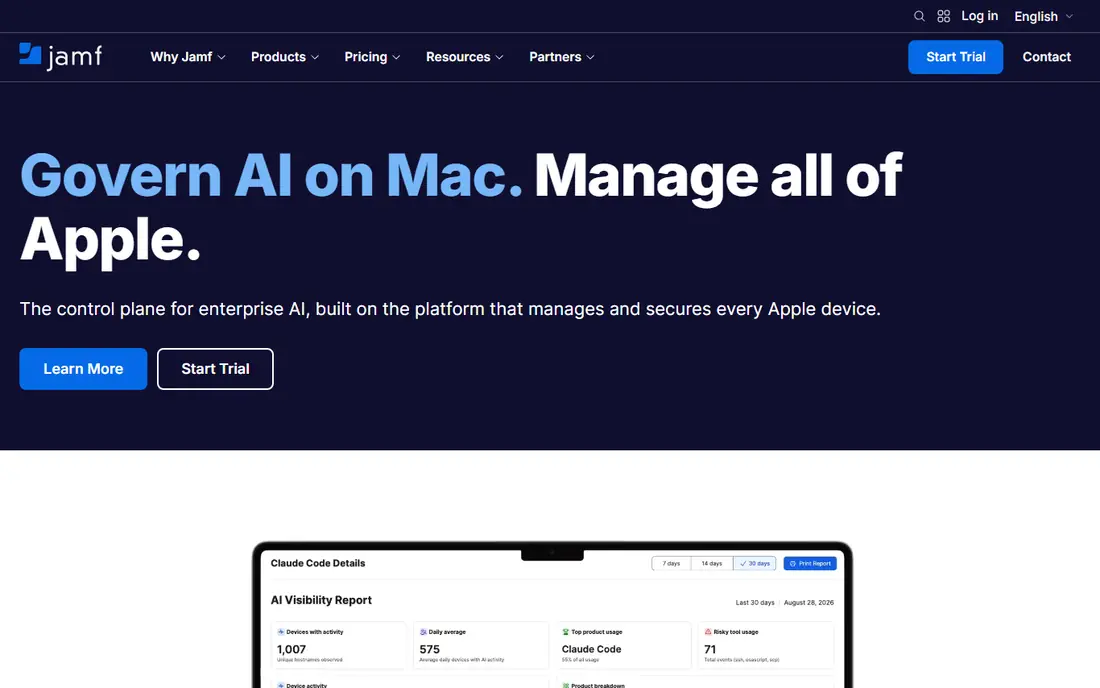
Jamf Pro is the default choice for organisations that are mostly Apple. It supports Apple enrollment methods, configuration profiles, app deployment and security policies across macOS, iOS, iPadOS and tvOS, and it works well with identity providers and ticketing tools that Apple-focused IT teams already use. For a school, studio or company with hundreds of Macs and iPhones, that depth is hard to match with a general tool. Jamf also offers Jamf Now for very small fleets, with a free tier for up to three devices in published guides.
The limit is scope. Jamf Pro does not manage Windows or Android devices in the same way, so a mixed fleet needs a second tool or a different pick from this list. Pricing for Pro is quote based, while published Jamf for Mac figures around 12.50 dollars per device per month appear in comparison guides. If your fleet is Apple only and growing, Jamf Pro is worth the sales conversation. If it is mixed, start with a cross-platform tool instead.
- Deep Apple enrollment and policy support
- Large integration range
- Strong for Mac and iOS at scale
- No Windows or Android management
- Pricing is quote based for Pro
- Smaller teams may find it heavy
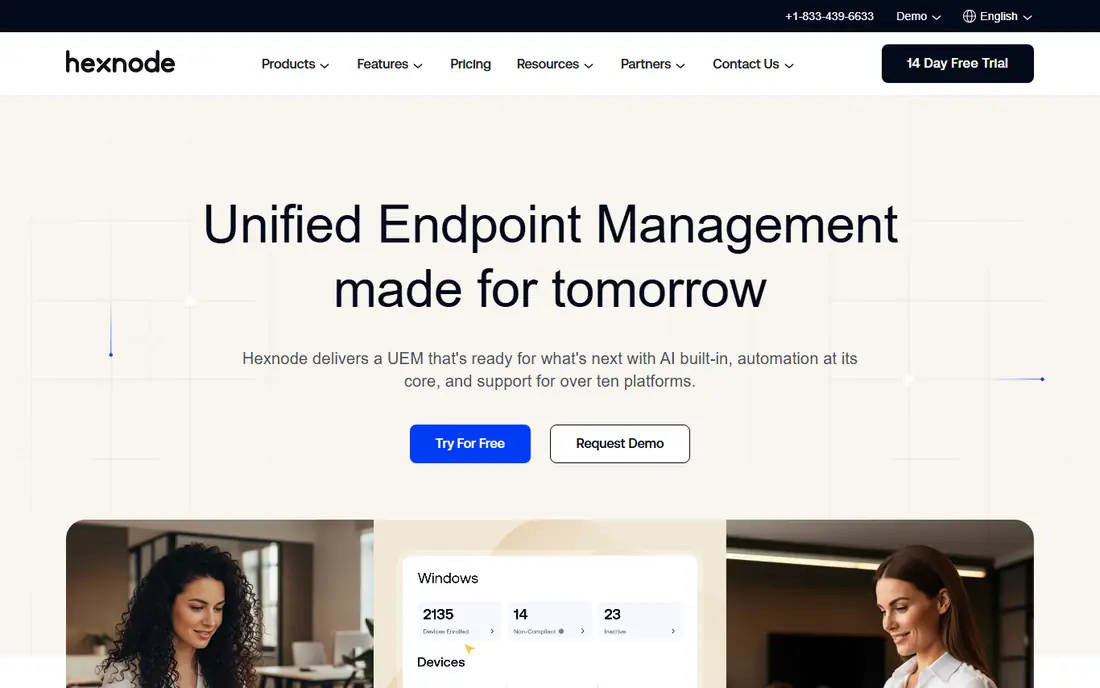
Hexnode UEM is our value pick for mixed fleets. It manages Windows, macOS, iOS, Android, ChromeOS and tvOS from one console, with app management, policy enforcement, kiosk modes and remote actions that suit both office devices and frontline phones. The entry price in published comparisons is 2.20 dollars per device per month billed annually, with higher tiers adding more management depth. A 14-day trial lets a small team test enrollment before committing.
The catch is tiering. The lowest plan covers core management, but teams that need deeper automation, advanced security controls or larger scale features will need to move up. The console also packs a lot into one view, so new admins should plan a short learning period. For a mid-size team that wants broad coverage without enterprise pricing, Hexnode is a strong starting point.
- Covers Windows, macOS, iOS, Android and more
- Low entry price
- Kiosk and BYOD options
- Interface can feel busy at first
- Some advanced features sit on higher tiers
- Support quality varies by plan
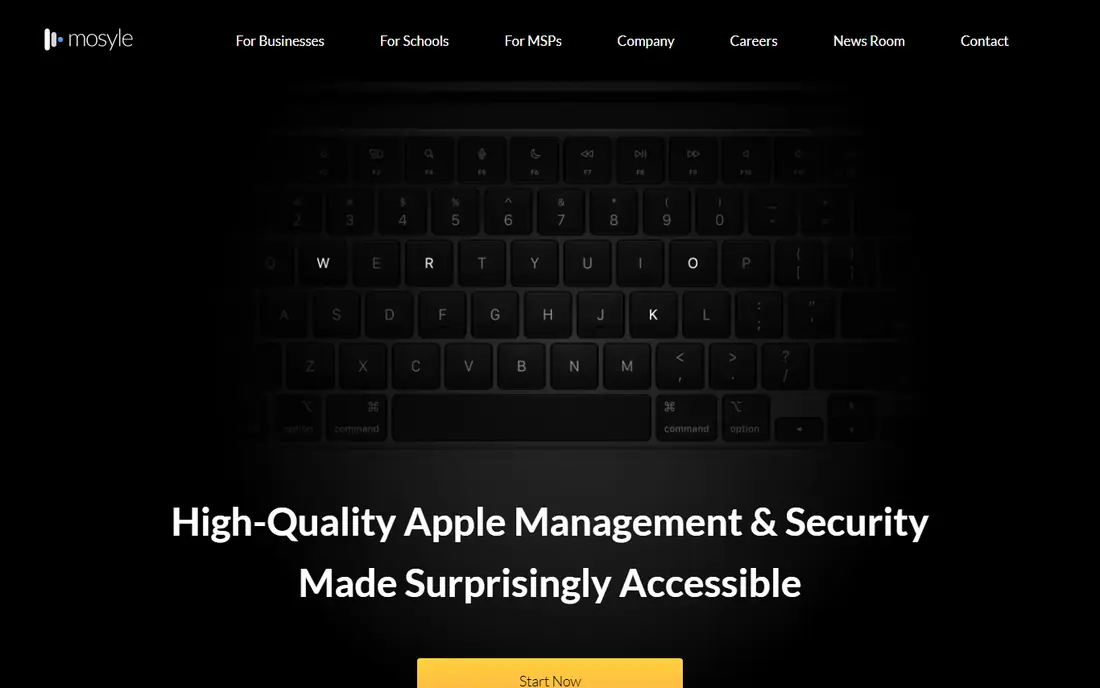
Mosyle is the budget pick for Apple fleets. Its free tier covers up to 30 devices in published guides, and its paid Business Premium tier is listed at 1 dollar per device per month, which undercuts most Apple management tools by a wide margin. It handles enrollment, app deployment, security policies and updates for macOS, iOS, iPadOS and tvOS, with automation that reduces manual work for small IT teams. Schools and small companies with Apple devices often find it covers the core job well.
Mosyle does not try to be a cross-platform tool, so Windows and Android devices are out of scope. Its integration range is also narrower than Jamf, which can matter for large organisations with complex identity and security stacks. For an Apple-only team that wants low cost and a clean setup, Mosyle is the first tool to test.
- Free tier for up to 30 devices
- Very low paid price
- Apple focused automation
- No Windows or Android support
- Smaller integration range than Jamf
- Best for Apple-only teams
Omnissa Workspace ONE, formerly VMware Workspace ONE, is built for large and complex fleets. It manages Windows, macOS, iOS, Android, Linux, ChromeOS and rugged devices, with app management, conditional access, automation and digital employee experience tools that go beyond basic enrollment. Published entry figures start around 3 dollars per device per month for a mobile essentials tier on a prepaid term, with higher tiers adding desktop and intelligence features. For a large company with frontline, office and remote devices, that breadth matters.
The trade-off is complexity. Tier names, licensing models and implementation steps need careful reading, and a rollout benefits from a clear device inventory and policy plan before purchase. Smaller teams may find the depth unnecessary and the setup heavier than Hexnode or Scalefusion. Choose Workspace ONE when scale, mixed devices and access control are the main problems, not when you only need to enroll a few dozen phones.
- Broad OS coverage including rugged devices
- Strong automation and access controls
- Enterprise scale
- Pricing and tiers can be complex
- Implementation takes planning
- Smaller teams may not need its depth
JumpCloud suits teams that want to manage people and devices together. It provides a cloud directory, single sign-on, multi-factor authentication and device management for Windows, macOS, Linux, iOS and Android, so a small IT team can handle user accounts and device policies without a separate identity server. Published device management pricing is around 9 dollars per user per month billed annually, with a trial for testing. That model works well when each person has one or two devices and identity is the daily headache.
Per-user pricing is less attractive when many shared or frontline devices sit under few user accounts, since the bill follows users rather than devices. Device policy depth also varies by operating system, so teams with strict mobile requirements should test iOS and Android policies during the trial. For cloud-first companies that want one directory and one device console, JumpCloud is a practical Intune alternative.
- Directory, single sign-on and device policies in one place
- Cross-platform support
- Good for cloud-first teams
- Per-user pricing adds up for device-heavy fleets
- Device depth differs by OS
- Not a pure MDM replacement for all cases
NinjaOne is the pick for IT teams whose main job is keeping endpoints patched, monitored and supported, not only enrolled. It covers Windows, macOS and Linux well, with mobile management as a separate module, and it adds automated patching for operating systems and third-party apps, scripting, monitoring and remote sessions. Published pricing in recent guides is 3.75 dollars per device per month for 50 or fewer endpoints, falling with volume, with a 14-day trial. Technicians tend to like the console speed and the automation options.
The honest catch is that NinjaOne is an endpoint management and remote monitoring tool first, and a mobile device manager second. Teams that need deep iOS and Android policy control may need a dedicated MDM beside it, and backup and other modules add cost. If your fleet is mostly laptops and desktops and you want patching plus support in one place, NinjaOne is a strong choice.
- Strong patching and automation
- Fast modern console
- Remote support built in
- Per-device cost climbs on large fleets
- MDM and backup are separate modules
- Less mobile depth than pure MDM tools
Scalefusion is built for devices that are shared, locked down or used in the field. It manages Android, iOS, Windows, macOS, Linux and ChromeOS, with kiosk modes, single-app lockdown, remote cast and content management that suit retail, logistics, healthcare and frontline teams. Published entry pricing is 2 dollars per device per month billed annually, with a 10-device minimum and a 14-day trial. For a fleet of tablets on a shop floor or phones in delivery vans, that focus is more useful than a general office MDM.
Office-only teams may find Scalefusion less familiar than Jamf or Hexnode, and some advanced features sit on higher tiers. The minimum device count also matters for very small teams. Choose Scalefusion when devices are shared or locked to a job, and when remote visibility into those devices is a daily need.
- Strong kiosk and single-app modes
- Covers Android, iOS, Windows and macOS
- Low entry price
- 10-device minimum on published plans
- Enterprise features need higher tiers
- Less known for large office fleets
ManageEngine Endpoint Central is the pick for teams that want deployment choice. It offers cloud and on-premises versions, manages Windows, macOS, Linux, iOS, Android and ChromeOS, and covers patching, software deployment, asset inventory and remote troubleshooting in one product. Published pricing starts at 795 dollars per year for 50 endpoints on premises, and the on-premises version is free for up to 25 endpoints. That combination suits schools, hospitals and companies with network rules that favour local hosting.
The interface is more functional than modern, and the edition and module structure needs a careful read before purchase, since server licensing and some features are separate. Teams that want a polished cloud-only console may prefer Hexnode or JumpCloud. For a team that needs on-premises control, a free small-fleet start and broad patching, Endpoint Central is hard to ignore.
- On-premises and cloud deployment
- Free for up to 25 endpoints
- Broad OS and patching coverage
- Interface feels dated to some admins
- Modules and editions need care
- Server licensing is separate
Addigy serves IT teams and managed service providers who manage Apple devices for clients or departments. It covers macOS, iOS, iPadOS and tvOS, with real-time device information, policy deployment, software updates and monitoring that help technicians see device state without waiting for a scheduled check-in. That live view is useful for support work, where knowing the current state of a Mac matters more than a daily report. A trial lets teams test the console with their own devices.
Addigy is Apple only, so mixed fleets need another tool, and its pricing is not presented as a simple public list, so expect a quote. Published comparison guides list entry figures around 8.25 dollars per Mac per month in some sources, but that figure should be confirmed with Addigy before budgeting. For Apple-focused IT teams that want a modern console and live data, Addigy is a credible alternative to Jamf Pro.
- Apple focused with live device data
- Good for MSPs and IT teams
- Policy and monitoring in one console
- Apple only
- Pricing is not published as a simple list price
- Smaller community than Jamf
How we picked these
We compared vendor pricing pages, platform coverage, deployment options and trial terms for endpoint and device management tools live in October 2026. We excluded tools that only manage one narrow device type, and we kept tools that cover at least one major fleet type well, whether Apple, Windows, mobile or mixed. Where a vendor does not publish a price, we say so rather than estimating a figure, and we note free tiers and trial lengths from published guides.
How to choose for your fleet
Start by counting devices by operating system, not by total count alone. An Apple-only fleet, a Windows-heavy office, a shared Android fleet and a mixed company fleet each point to a different tool in this list, and buying a broad tool for a narrow fleet wastes money and admin time. Next, decide on deployment: cloud-only tools are faster to start, while on-premises tools suit network rules and offline sites. Then test enrollment, policy deployment and removal during a trial, using a real device from each group you manage.
Also check how the tool charges. Per-device pricing suits shared fleets, per-user pricing suits one-person-one-device teams, and quote-based pricing needs a written total that includes modules you will actually use. Ask about patching, remote support, app deployment and reporting during the trial, and keep a short list of must-have policies before you talk to sales. That list keeps the demo focused on your fleet, not on a generic feature tour.
Frequently asked questions
What is the best alternative to Microsoft Intune?
Jamf Pro is the best pick for Apple fleets, Hexnode UEM is the best value pick for mixed fleets, and ManageEngine Endpoint Central is the best pick for on-premises deployment. The right answer depends on your operating systems, your deployment rules and how you are charged.
Are there free Microsoft Intune alternatives?
Mosyle offers a free tier for up to 30 Apple devices, and ManageEngine Endpoint Central is free for up to 25 endpoints on premises in published guides. Most other tools in this list offer a trial rather than a lasting free plan, so check the current terms before you plan a long-term free setup.
Can these tools replace Intune for Windows devices?
Yes, for many teams. Hexnode, Workspace ONE, JumpCloud, NinjaOne, Scalefusion and Endpoint Central all manage Windows devices, with patching, policy and app deployment. Teams deeply tied to Microsoft 365, Entra ID and Windows Autopilot should test those integrations during a trial, since depth varies by tool.
Do I need a separate tool for Apple devices?
Not always. Cross-platform tools in this list manage Apple devices alongside Windows and Android, but Jamf Pro, Mosyle and Addigy offer deeper Apple-specific controls. If Apple devices are a small share of your fleet, a cross-platform tool is usually enough. If they are the majority, an Apple-focused tool pays off.
How much do Intune alternatives cost?
Entry prices in this list range from 1 dollar per device per month for Mosyle to around 9 dollars per user per month for JumpCloud device management, with several tools using quote-based pricing. The total depends on device count, user count, modules and billing term, so get a written quote for your exact fleet size.
Sources
See where you really rank - block by block
ProMapRanker scans Google Maps across a grid of your service area. Simple monthly plans from $19, white-label on every plan.
Start freeKeep reading
 zoro.to alternatives
Best Zoro.to Alternatives in 2026
We compare the best zoro.to alternatives in 2026, listing only legal licensed anime streaming services, from Crunchyroll to free options for fans today.
Read → zip alternatives
Best Zip Alternatives in 2026
We compare the best zip alternatives for buy now, pay later in 2026, covering pay-in-4 plans, fees, spending limits, and credit reporting options today.
Read → yesware alternatives
Best Yesware Alternatives in 2026
Compare the best yesware alternatives for sales email tracking, templates, and sequences, with current pricing and honest tradeoffs for small sales teams.
Read →