 ProMapRanker
Best InDesign Alternatives in 2026


Professional layout without subscription · Pricing starts at: See website
Key takeaways
- Affinity Publisher is the closest professional replacement for print layout without a monthly subscription.
- QuarkXPress suits experienced print designers and multilingual publishing teams.
- Scribus is the best free option for print work, with a rougher interface than commercial tools.
- Canva and Adobe Express suit fast marketing layouts, not detailed prepress work.
- Check file compatibility before switching, because native InDesign files do not open directly in most rivals.
Quick comparison
| Pick | Great for | Pricing starts at | Free tier | |
|---|---|---|---|---|
| Affinity Publisher | Professional layout without subscription | See website | Yes | Visit |
 QuarkXPress | High-end print and multilingual work | $279 per year | No | Visit |
 Scribus | Free open source print layout | Free | Yes | Visit |
 Canva | Fast template-based marketing design | Free | Yes | Visit |
 Adobe Express | Quick Adobe-based marketing design | Free | Yes | Visit |
 Marq | Brand-controlled team templates | Free | Yes | Visit |
 VivaDesigner | Cross-platform multilingual layout | Free | Yes | Visit |
 Swift Publisher | Simple Mac page layout | $19.99 one-time | No | Visit |
 Apple Pages | Simple documents and posters on Mac | Free | Yes | Visit |
The best indesign alternatives
Page layout tools range from professional print software to fast template apps, and the right pick depends on whether you need precise typography, print-ready output, or quick marketing pieces. The tools below cover that range, from free open source software to established commercial rivals. We compared official pricing pages and product documentation for each one. This article does not list the named product itself.
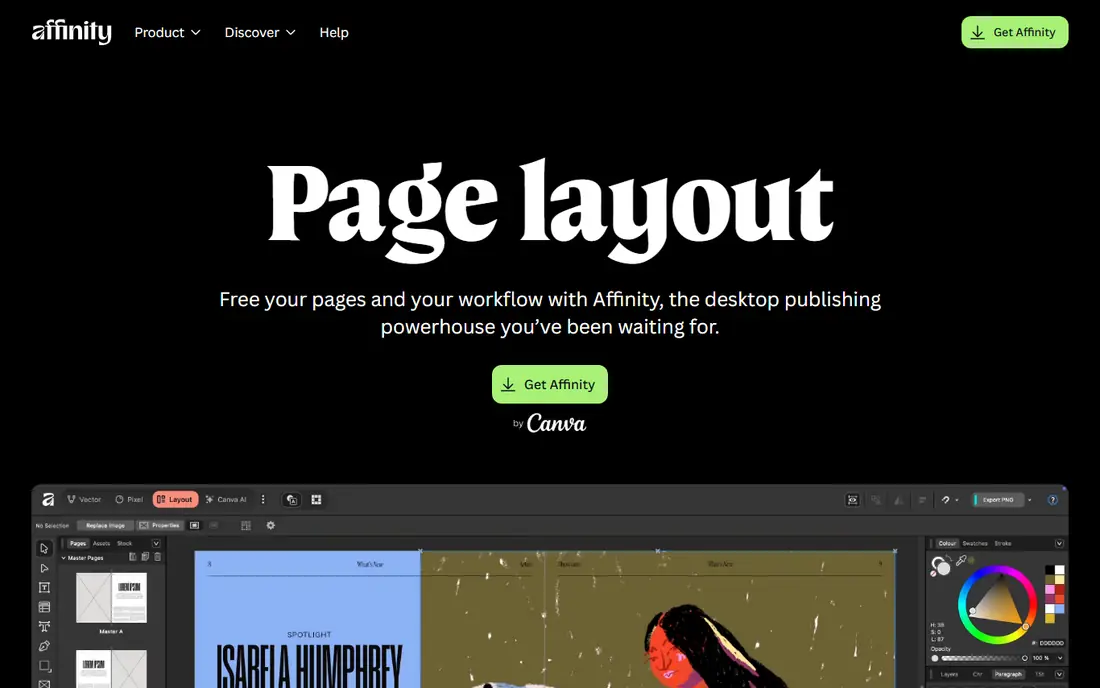
Affinity Publisher is the closest professional replacement for most print designers. It handles long documents, books, magazines, and brochures with strong typography, master pages, and data merge, and StudioLink lets you switch to Photo and Designer tools without leaving the document. A free version is available with a Canva account, which makes it easy to test on a real project.
The trade is ecosystem size. Third-party plugins and prepress workflows built around InDesign may not transfer directly, and native InDesign files need export and import steps rather than a direct open. For freelancers and small publishers who want professional layout without a monthly fee, it is the first tool to try.
- Professional typography and page layout
- StudioLink with Photo and Designer
- Free version available with a Canva account
- Smaller third-party ecosystem
- File exchange with InDesign needs PDF or IDML workflows
- Some advanced print features differ
QuarkXPress has served print publishers for decades and remains a strong choice for magazines, books, and multilingual projects. It offers advanced typography, color management, and digital publishing features, with a perpetual license option alongside the $279 per year subscription. Experienced designers often find its layout controls familiar and precise.
The cost and platform limits are the downsides. It runs on Windows and macOS only, so Linux users are excluded, and the price is well above free or low-cost rivals. Support quality also varies in user reports. For a print-focused team that values a mature, dedicated layout tool, QuarkXPress still earns its place.
- Long print publishing history
- Strong typography and color management
- Multilingual layout support
- Higher price than Affinity or Scribus
- No Linux version
- Support experiences vary by user

Scribus is the best free option for serious print layout. It supports CMYK color, spot colors, ICC profiles, and print-ready PDF output, and it runs on Windows, macOS, and Linux. For schools, nonprofits, and small publishers on a tight budget, it covers the core professional features without a license fee.
The interface feels rougher than commercial tools, and it cannot open or save native InDesign or QuarkXPress files, so collaboration with InDesign users needs PDF or other exchange formats. New users should expect a learning curve. For solo work and small print projects, the price and print features outweigh those limits.
- Free and open source
- CMYK and spot color support
- Runs on Windows, macOS, and Linux
- Interface feels dated
- Cannot open native InDesign or Quark files
- Learning curve for new users
Canva suits marketing teams and non-designers who need flyers, social posts, presentations, and simple multi-page documents quickly. Templates, drag-and-drop editing, brand kits, and real-time collaboration make it fast for everyday work, and the free plan covers many basic jobs. Pro at $15 per month, or $144 per year, adds more templates, storage, and brand controls.
It is not a replacement for detailed print production. Precise typography, complex master pages, and prepress checks are limited compared with Affinity Publisher or QuarkXPress. For speed and team collaboration on marketing material, though, Canva is the most accessible option on this list.
- Huge template library
- Easy collaboration and brand kits
- Free plan covers many marketing jobs
- Limited precise typography and prepress control
- Pro costs $15 per month or $144 per year
- Not a full print production tool
Adobe Express is a quick design tool for social posts, flyers, and short marketing pieces, with Adobe fonts, stock assets, and AI image features. The free plan handles simple jobs, while Premium costs $9.99 per month and adds more assets, templates, and brand tools. It is also included in many Creative Cloud plans, which makes it effectively free for existing subscribers.
Its scope is narrower than Canva for documents and office-style work, and it does not offer the detailed layout and prepress control of a dedicated publishing tool. For an Adobe user who needs fast marketing graphics without opening a full layout app, Express is a convenient and low-cost choice.
- Free plan with templates and stock assets
- Premium at $9.99 per month
- Adobe fonts and Firefly features
- Narrower document range than Canva
- Paid features are subscription based
- Not a full layout replacement
Marq, formerly Lucidpress, suits teams that need brand-controlled documents: sales sheets, proposals, and marketing collateral that non-designers can customize without breaking the brand. Templates can lock fonts, colors, and logos while leaving text and images editable, and the browser-based editor supports collaboration. A free plan covers basic use, with paid plans from about $10 per month in published comparisons.
It is not the best tool for freeform book or magazine layout, where precise typography and prepress control matter more than template locks. Larger team pricing is also less transparent than a single published figure. For distributed teams that need consistent branded documents, Marq is a practical pick.
- Locked brand templates for teams
- Browser-based collaboration
- Free plan for basic use
- Paid plans are quote or tier based for larger teams
- Less suited to freeform print layout
- Print control is limited
VivaDesigner is a cross-platform layout tool with a free edition and a paid full edition, which makes it useful for mixed-platform teams and multilingual publishing. It handles page layout, typography, and document conversion across formats, and it runs on Windows, macOS, Linux, and in a browser. That breadth is rare among commercial layout tools.
The interface is less polished than Affinity Publisher, and the community and template ecosystem are smaller. Teams should test a real multilingual document, including fonts and right-to-left text where relevant, before committing. For cross-platform and multilingual work on a budget, VivaDesigner is worth a trial.
- Runs on Windows, macOS, Linux, and web
- Free edition available
- Strong multilingual and format support
- Paid full edition is a separate purchase
- Interface is less polished than Affinity
- Smaller community
Swift Publisher is a simple Mac-only layout app for flyers, brochures, newsletters, and booklets. At $19.99 as a one-time purchase, it is one of the cheapest paid options here, and its template library helps beginners start quickly without learning a professional tool. The interface is straightforward and focused on everyday page work.
It is not a professional prepress tool. Advanced typography, long-document features, and complex print workflows are limited, and Windows or Linux users cannot use it at all. For a Mac owner who needs simple, attractive page layouts without a subscription, Swift Publisher is a good low-cost choice.
- One-time Mac purchase
- Large template library
- Gentle learning curve
- Mac only
- Limited advanced print features
- Smaller ecosystem than major rivals
Apple Pages is free on Mac, iPhone, and iPad, and it handles simple documents, posters, newsletters, and short books with clean templates. Collaboration through iCloud works well for small teams, and export to PDF and Word formats covers most sharing needs. For a Mac user with occasional layout work, it may already be installed and ready.
Its limits are clear. Pages lacks the detailed typography, master page, and prepress controls of Affinity Publisher, QuarkXPress, or Scribus, and it is tied to Apple devices. For a poster, a school newsletter, or a short booklet, it is enough. For a magazine or a print book, choose a dedicated layout tool instead.
- Free on Apple devices
- Easy templates for posters and books
- Good collaboration with iCloud
- Not a full print production tool
- Limited prepress control
- Apple ecosystem only
How we picked these
We compared official pricing pages, product documentation, and published 2026 comparisons for page layout and desktop publishing tools that are actively available in October 2026. We favored tools with a clear layout use case, from professional print to template marketing, and we excluded the named product itself. Prices marked as See website are tiered or change with offers, so we did not invent a starting figure.
What to check before you switch
Start with a real document, not a blank page. Rebuild a recent magazine spread, book chapter, or brochure in two finalists, including fonts, images, tables, and print settings. Check how the tool handles bleed, CMYK output, and PDF export, because those details decide whether a printer will accept the file.
Next, check file exchange with clients and collaborators. If clients send InDesign files, you will need a workflow based on PDF, IDML, or another exchange format, and you should test it before promising a deadline. Finally, confirm font licensing and image resolution handling, since a layout that looks fine on screen can fail in print.
A simple decision path
If you need professional print work without a subscription, start with Affinity Publisher and Scribus. If you need mature print and multilingual features, compare QuarkXPress and VivaDesigner. If you need fast marketing layouts for a team, start with Canva, Adobe Express, or Marq. If you only need simple Mac layouts, try Swift Publisher or Apple Pages first.
Frequently asked questions
What are the best alternatives to indesign?
Affinity Publisher is the best professional alternative for most designers, QuarkXPress suits high-end print and multilingual work, and Scribus is the best free option. Alternatives to indesign for marketing work include Canva, Adobe Express, and Marq. The best pick depends on print needs, budget, and platform.
Is Affinity Publisher a good replacement for InDesign?
Yes, for most print and publishing work. It offers professional typography, master pages, long-document handling, and PDF output, with a free version available. It cannot open native InDesign files directly, so plan for PDF or IDML exchange with InDesign-based collaborators. Test a real project before switching a whole team.
Is there a free InDesign alternative?
Yes. Scribus is free and open source with professional print features, Affinity Publisher offers a free version, and Canva, Adobe Express, Marq, VivaDesigner, and Apple Pages all offer free plans or editions. Free tools vary in print depth, so match the tool to the job: Scribus for print, Canva for marketing, Pages for simple documents.
Can these tools open InDesign files?
Most cannot open native InDesign files directly. Affinity Publisher, QuarkXPress, and Scribus generally work through PDF or IDML exchange, with varying fidelity for complex layouts. Always test file exchange with a real client document before committing to a switch, and keep the original files archived.
Which alternative is best for books and magazines?
Affinity Publisher and QuarkXPress are the strongest choices for books and magazines, with long-document features, master pages, and print-ready output. Scribus also handles books and magazines well at no cost, though its interface takes longer to learn. Template tools such as Canva suit short marketing pieces better than long publications.
Sources
See where you really rank - block by block
ProMapRanker scans Google Maps across a grid of your service area. Simple monthly plans from $19, white-label on every plan.
Start freeKeep reading
 zscaler alternatives
Best Zscaler Alternatives in 2026
Looking for zscaler alternatives? We compare 9 SASE and zero trust platforms on architecture, data protection, pricing, and fit for your network and team.
Read → zapier alternatives free
Best Zapier Alternatives Free in 2026
Nine automation tools for zapier alternatives free in 2026, all with genuinely free tiers, plus free plan limits, starting prices and upgrade paths explained.
Read → which platform is best for online reputation
Which Platform Is Best for Online Reputation in 2026
Wondering which platform is best for online reputation? We compare 8 review, listing, and response tools for small and multi-location businesses and agencies.
Read →