 ProMapRanker
Best Hugging Face Alternatives in 2026

Key takeaways
- Replicate is the simplest pay-as-you-go choice for running many open models through one API.
- Kaggle is the best free starting point for datasets, notebooks and community models.
- Together AI and Fireworks AI suit teams that need fast language model inference at scale.
- OpenRouter fits teams that want to switch between many chat models without separate contracts.
- Model choice matters more than hub size: check license, output quality and hosting cost for your exact job.
Quick comparison
| Pick | Great for | Pricing starts at | Free tier | |
|---|---|---|---|---|
 Replicate | Running many models by API | See website | Free trial | Visit |
 Kaggle | Free datasets and notebooks | Free | Yes | Visit |
 ModelScope | Open models with a large catalog | See website | Yes | Visit |
 Together AI | Fast open model inference | See website | Free trial | Visit |
 Fireworks AI | Fast inference for production apps | See website | Free trial | Visit |
 OpenRouter | One API for many chat models | See website | Yes | Visit |
 Civitai | Community image and video models | Free | Yes | Visit |
 Clarifai | Full AI platform with workflows | See website | Yes | Visit |
 TensorFlow Hub | Reusable TensorFlow models | Free | Yes | Visit |
The best Hugging Face alternatives
Hugging Face is best known as a huge hub for models, datasets and demos, plus hosted inference. People look for alternatives when they want lower inference cost, faster responses, a simpler API, a different model catalog or a platform that fits production apps better. The tools below cover that same ground in different ways, from pure model hosting to full AI platforms. We compared official feature pages, pricing pages and documentation, and we kept only platforms that are live and useful in October 2026.
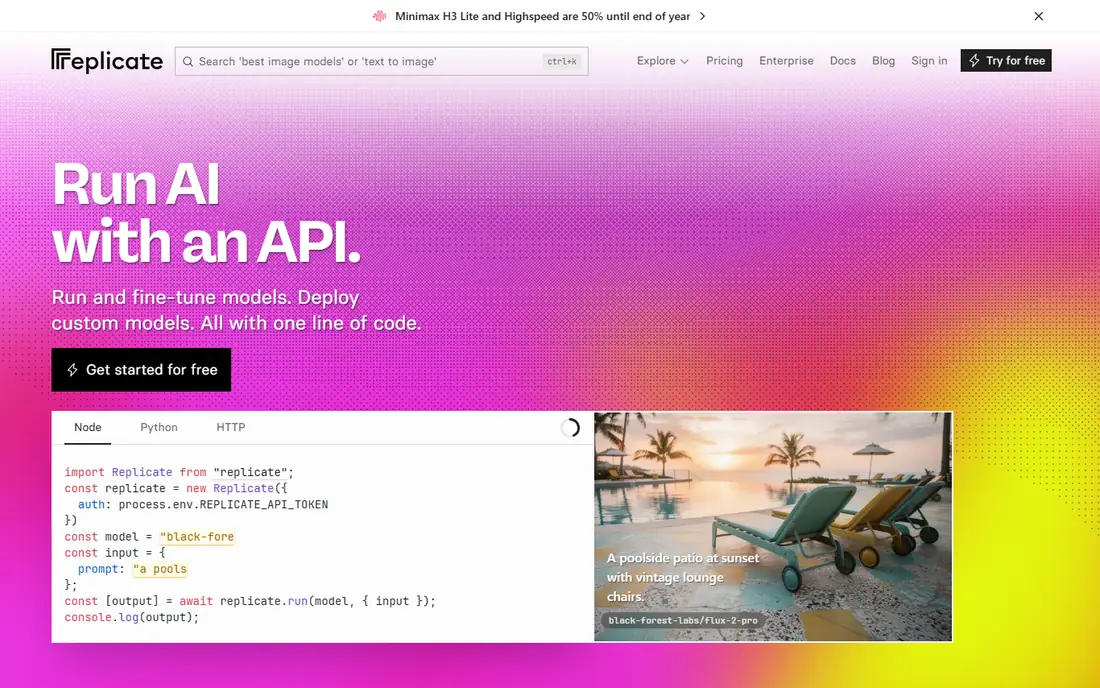
Replicate gives you one API for thousands of models covering text, image, video and audio. You send a request, pick a model version, and get a result without setting up GPUs or managing servers. That simplicity is the main draw for prototypes, side projects and tools that need a wide range of models rather than one model used all day. Fine-tuning and custom model deployment are also available for teams that want their own version of a model behind an API.
The billing model needs care. Public models are often billed per output or per second of GPU time, and rates differ by model and hardware, so a cheap image model and a heavy video model do not cost the same. At high, steady volume, a dedicated deployment or a direct inference provider can cost less than pay-as-you-go calls. Replicate fits best when variety matters, usage is uneven, and you want to try many models without infrastructure work.
- Huge catalog of community and open models
- Consistent API across models
- Pay only for compute used
- Costs can rise fast at high volume
- Cold starts on less popular models
- Model quality varies across the catalog
Kaggle is the closest free alternative for learning, experiments and data work. You can find datasets, run notebooks in the browser, join competitions and explore community models without paying for cloud GPUs at the start. For students, researchers and small teams, that free tier removes the first barrier to trying a model or testing an idea on real data.
Kaggle is not a drop-in replacement for production hosting. Notebooks have time and resource limits, and you would still need a separate service to serve a model to users at scale. Think of Kaggle as the place to explore, learn and prototype, then move a winning approach to a hosting platform when it needs to run reliably for customers. Used that way, it pairs well with several other tools in this list.
- Large free dataset library
- Free notebooks with GPU access
- Active competitions and community models
- Not a production inference platform
- Quotas and session limits apply
- Model hosting is less polished than a dedicated hub
ModelScope is an open model community and hub, similar in spirit to Hugging Face, with models, datasets and online demos. It is a useful second place to search when a model you want is hard to find elsewhere, or when you need multilingual coverage that a US-focused hub may not highlight. Many model pages let you try a model in the browser before you download it or call it through an API.
The trade-off is polish. Quality, documentation and support differ a lot from one model page to the next, and some resources are written mainly for a Chinese audience, so English-speaking teams may need extra time to work through setup. Production hosting, billing and enterprise controls are also less central here than on a paid inference platform. ModelScope fits researchers and builders who are comfortable sorting models themselves and who value catalog breadth over a managed service.
- Large catalog of open models and datasets
- Model pages with runnable demos
- Strong coverage of multilingual models
- Documentation and community support vary by model
- Some pages are aimed mainly at Chinese-speaking users
- Production tooling is thinner than larger platforms
Together AI focuses on running open models quickly and cheaply through an API, rather than hosting every model ever published. You get a curated set of language, image and embedding models, with token-based pricing and options for dedicated capacity when traffic grows. For a chat app, a search feature or a content tool built on open models, that focus often means lower latency and clearer billing than a general hub.
The limit is breadth. If you need an unusual or niche model, it may not be in the Together catalog, and you may need a second platform for that job. Pricing also depends on the model and on input and output tokens, so test with your real prompts before you estimate a monthly bill. Together AI is our pick for teams that have settled on one or two open models and now need them to run fast in production.
- Fast inference for popular open language and image models
- Simple API and playground
- Dedicated deployments for production
- Catalog is smaller than a community hub
- Pricing varies by model and token use
- Smaller models suit it better than huge custom builds
Fireworks AI is another inference platform built for speed in production apps. It serves open models with an emphasis on low latency, and it supports fine-tuned models and compound systems where a model calls tools or retrieval steps. Teams that run a customer-facing app, such as a support assistant or a writing tool, often care most about response time and steady performance under load, and that is where Fireworks aims to win.
As with Together AI, the catalog is curated rather than endless, so a rare model may not be available. You also need to plan for token and compute costs, which rise with longer prompts and larger models. Fireworks fits product teams that already know which models they want, need them to respond quickly, and are ready to manage a production API rather than browse demos.
- Low-latency inference tuned for production
- Support for fine-tuned and custom models
- Clear API for chat, image and audio models
- Catalog is curated, not exhaustive
- Costs depend on model and usage
- Setup takes more care than a simple demo hub
OpenRouter solves a different problem from a model hub: it lets you call many chat and language models through one API, without opening separate accounts with each provider. You can test a new model by changing a model name, set fallbacks if one provider is slow, and track spending in one dashboard. That flexibility is useful when model quality and prices change often, as they do, and you do not want to rewrite your code for each switch.
OpenRouter does not replace a hub for datasets, training or community models, and it does not remove upstream limits or outages. Pricing is per token and varies by model, with some free models available for testing. It fits developers building chat features who want choice and an easy escape route if one provider changes price or quality. Keep a close eye on per-token rates for your heaviest prompts.
- One API key for many providers and models
- Easy model switching and fallbacks
- Usage and cost tracking in one place
- You still pay provider rates plus any markup
- Availability depends on upstream providers
- Not a training or dataset hub
Civitai is the community hub most image creators think of first when they want Stable Diffusion style models, LoRAs and related resources. You can browse model pages, see example images with prompts and settings, and download models to run locally or elsewhere. That transparency helps a lot when you are trying to match a style or a subject, since you can see what a model actually produced before you use it.
The scope is narrower than Hugging Face. Civitai is mainly for image and video generation, not for language models, datasets or general AI research, and the quality and licensing of uploads varies, so check each model page before commercial use. It also does not serve models as a production API in the way Replicate or Together AI do. Civitai fits creators and builders who work with image models and want a deep community catalog for that job.
- Large community library for image and video models
- Images show prompts and settings
- Free browsing and downloads
- Focused mainly on image and video work
- License and safety quality varies by upload
- Not a production API platform
Clarifai is a full AI platform rather than a simple model list. You can use ready-made models for image recognition, text and audio, chain them into workflows, and host your own models with compute included. That breadth suits teams building a product that needs more than one kind of model, such as an app that tags images, reads text and answers questions in the same flow.
The breadth is also the drawback. If you only need one language model behind an API, Clarifai can feel larger and more complex than a focused inference provider, and pricing will depend on your usage and plan tier. There is a free tier for getting started, so you can test workflows before committing. Choose Clarifai when you want one vendor for several model types and a visual way to build multi-step AI features.
- Visual, language and audio models in one platform
- Workflow builder for multi-step apps
- Compute and hosting options included
- Broader platform can feel complex for a simple job
- Pricing depends on usage and plan
- Some advanced features need a paid plan
TensorFlow Hub is a library of reusable machine learning models for TensorFlow, covering tasks such as text embedding, image classification and object detection. If your project already runs on TensorFlow, you can pull a pre-trained model, fine-tune it on your data, and keep your existing training and serving setup. That fit is the whole point: it is a parts shelf for TensorFlow builders, not a general AI marketplace.
The limits follow from that focus. It does not cover PyTorch models or the latest chat models in the way a general hub does, and it does not host models for you as a managed API. You still need your own serving setup for production. TensorFlow Hub fits teams already committed to TensorFlow who want proven, reusable components without starting training from scratch.
- Free reusable models for TensorFlow projects
- Clear task-based browsing
- Models work well in existing TensorFlow code
- Limited to the TensorFlow ecosystem
- Catalog is smaller than general hubs
- Not a hosted inference service
How we picked these
We compared official hub pages, documentation and pricing pages for platforms that cover the core jobs of Hugging Face: finding models, finding datasets, running models and serving them to users. We kept platforms that are live in October 2026, that publish a usable catalog or API, and that serve a clear audience, from free learners to production teams. We left out general cloud providers that only sell raw GPUs, and we left out tools that only wrap one closed model, since they do not replace a hub. Prices and model lists change often, so check the vendor page for the model you need before you build on it.
What to check before you switch
Start with the model, not the hub. Write down the exact task, such as chat, image generation, embedding or classification, then check whether each platform actually offers a model that does that task well, under a license you can use commercially if that matters. Next, test output quality on your own prompts and data, because a model that looks good on a demo page can behave differently on your inputs. Check latency too, especially for a user-facing feature, since a slow model can hurt a product even if its answers are good.
Frequently asked questions
What is the best Hugging Face alternative?
There is no single best choice, because Hugging Face covers several jobs. Replicate is a strong general choice for running many models by API, Kaggle is best for free learning and datasets, and Together AI or Fireworks AI fit production inference. Pick by your main job: finding models, learning, prototyping or serving users at scale.
Are there free alternatives to Hugging Face?
Yes. Kaggle offers free notebooks and datasets, Civitai offers free browsing and downloads for image models, and TensorFlow Hub offers free reusable models. OpenRouter and Clarifai also offer free tiers or free models for testing. Free tiers usually carry limits on compute, usage or support, so check the cap for your workload.
What is the best alternative to Hugging Face for inference?
Together AI and Fireworks AI are strong for fast, production inference on open models, while Replicate is better when you need a very wide catalog through one API. OpenRouter fits chat apps that need to switch between many providers. Test latency and cost on your own prompts, since the fastest option can differ by model and prompt size.
Can I find datasets on Hugging Face alternatives?
Yes, Kaggle is the best-known dataset alternative, with a large free library and community notebooks. ModelScope also hosts datasets alongside models. For a narrow domain, check whether a specialist dataset source or a vendor catalog covers your field better than a general hub, since dataset quality varies a lot.
Do these alternatives support fine-tuning?
Some do. Replicate, Fireworks AI and Clarifai offer fine-tuning or custom model hosting in various forms, while Kaggle lets you train models in notebooks. The exact method, cost and limits differ, so check the vendor docs for the model family you plan to fine-tune. A platform that fine-tunes one model type well may not support another.
Sources
See where you really rank - block by block
ProMapRanker scans Google Maps across a grid of your service area. Simple monthly plans from $19, white-label on every plan.
Start freeKeep reading
 zscaler alternatives
Best Zscaler Alternatives in 2026
Looking for zscaler alternatives? We compare 9 SASE and zero trust platforms on architecture, data protection, pricing, and fit for your network and team.
Read → zapier alternatives free
Best Zapier Alternatives Free in 2026
Nine automation tools for zapier alternatives free in 2026, all with genuinely free tiers, plus free plan limits, starting prices and upgrade paths explained.
Read → which platform is best for online reputation
Which Platform Is Best for Online Reputation in 2026
Wondering which platform is best for online reputation? We compare 8 review, listing, and response tools for small and multi-location businesses and agencies.
Read →