 ProMapRanker
Best Hubstaff Alternatives in 2026


Remote teams that need accountability · Pricing starts at: $6.67 per user per month
Key takeaways
- Clockify and Toggl Track are the easiest low cost starting points for teams that mainly need clean time records.
- Time Doctor, ActivTrak, Insightful and DeskTime add the monitoring layer that Hubstaff buyers usually want, with different controls over screenshots and privacy.
- Apploye and Everhour cover the middle ground, with Apploye leaning toward field and remote monitoring and Everhour leaning toward project work.
- Harvest is the best fit on this list when tracked time must turn into client invoices with little extra work.
- Check screenshot, GPS and activity settings before you buy, since the same feature can feel helpful in one team and intrusive in another.
Quick comparison
| Pick | Great for | Pricing starts at | Free tier | |
|---|---|---|---|---|
| Time Doctor | Remote teams that need accountability | $6.67 per user per month | Free trial | Visit |
 Toggl Track | Simple timers for small teams | $9 per user per month | Yes | Visit |
 Clockify | Free tracking for teams of any size | $3.99 per user per month | Yes | Visit |
 ActivTrak | Workforce analytics without heavy surveillance | See website | Free trial | Visit |
 DeskTime | Balanced tracking and productivity insight | See website | Free trial | Visit |
 Apploye | Remote and field teams on a budget | See website | Free trial | Visit |
 Insightful | Configurable monitoring and reporting | See website | Free trial | Visit |
 Everhour | Tracking inside project tools | $8.50 per user per month | Yes | Visit |
 Harvest | Agencies that bill by the hour | $9 per seat per month | Yes | Visit |
The best hubstaff alternatives
Hubstaff combines time tracking with screenshots, activity levels, GPS and payroll tools. The tools below replace some or all of that mix, and we have grouped them by the job they do best.
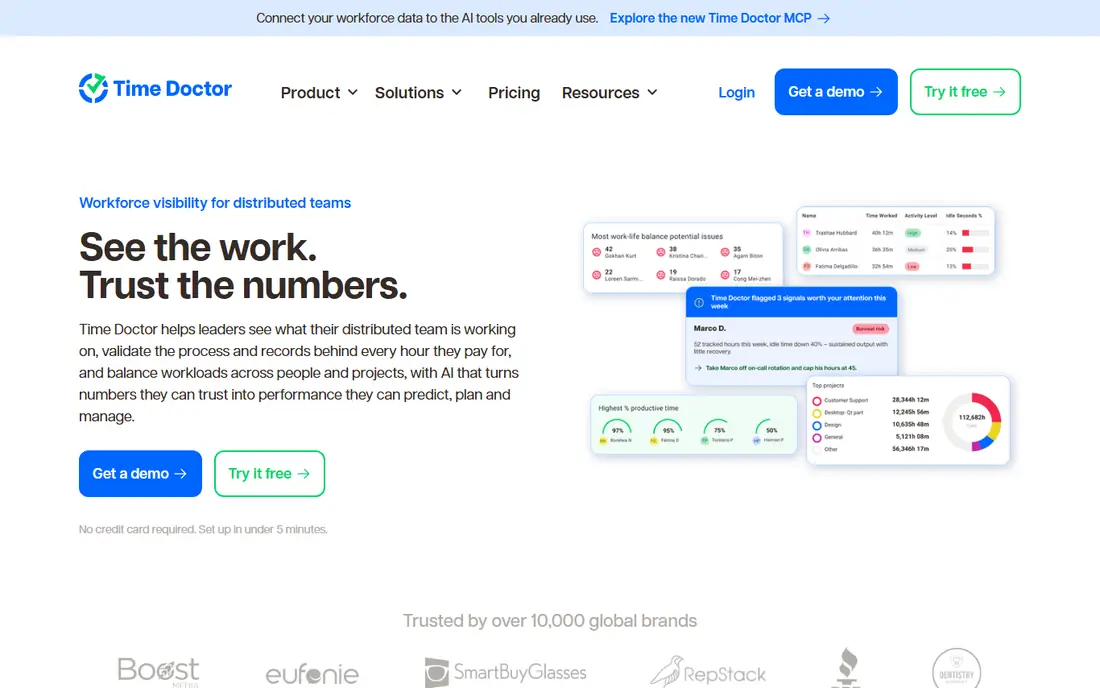
Time Doctor is the closest direct match for many Hubstaff users. It records time with a desktop timer, adds optional screenshots, tracks websites and apps, and turns that record into timesheets and payroll summaries. Managers get a readable view of who worked on what, while staff can see their own hours and edit obvious mistakes where the settings allow it.
The catch is trust. Screenshots and app tracking can help a distributed team prove billable work, but they can also damage morale when they are switched on without a clear policy. We would start with the lightest settings, explain what is recorded and what is not, and only add stricter controls for roles that truly need them. Pricing is competitive for the feature set, and the trial gives a fair chance to test the reports before a team commits.
- Optional screenshots and activity tracking
- Payroll and client billing tools
- Clear reports for managers
- No permanent free plan
- Monitoring features need careful team communication
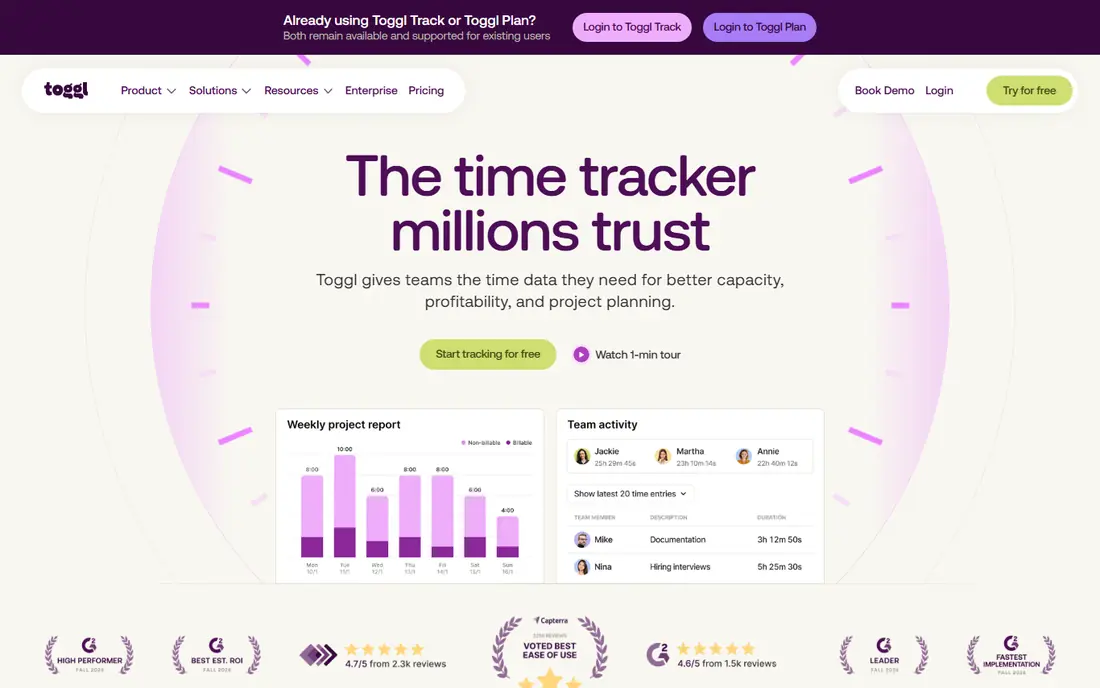
Toggl Track suits teams that left Hubstaff because monitoring felt like overkill. The timer starts in one click, entries can be edited after the fact, and weekly reports show where project time actually went. It is a calm tool, and that calm is the point for knowledge workers who do not need proof of presence.
The trade is coverage. Toggl Track will not give you screenshots, location history or detailed activity scores, so managers who need those controls should look at Time Doctor or Insightful instead. For a small agency, consultancy or internal team, the free plan covers the basics well, and the paid Starter plan adds billable rates, project estimates and stronger reporting without changing the simple feel.
- Very easy timer and reporting
- Free plan for small teams
- Good calendar and project views
- No screenshots or GPS tracking
- Invoicing needs a separate tool

Clockify is our pick for teams that want to cut costs first and add monitoring later only if it is needed. The free plan covers unlimited users and projects, which is rare at this price level, and the paid Standard plan adds approvals, invoicing and more control over who can edit time. That makes it a practical replacement for Hubstaff Starter, especially for teams that mostly need accurate hours.
Clockify does offer GPS and screenshots on higher tiers, but those are not the core of the product, and buyers should check the current plan details before assuming they are included. The honest weakness is polish. With many projects and team members, the dashboards take a little learning, and some settings sit in places that are not obvious at first. The price and the free plan make that learning curve easy to accept.
- Generous free plan
- Unlimited projects on paid plans
- Timesheets, reports and invoicing tools
- Monitoring features are paid add-ons
- Interface can feel busy on larger accounts
ActivTrak takes a different angle from Hubstaff. Instead of centering the product on screenshots, it centers it on patterns: which apps and sites support focused work, where time is split across projects, and where workloads are uneven across a team. That framing helps managers coach rather than watch, and it gives teams a reason to look at the data together.
The limitation is that ActivTrak is less of a payroll and invoicing tool than Hubstaff. It pairs well with a separate billing system, but it will not replace that system on its own. Pricing varies by plan and team size, so we list it as See website and suggest asking for a quote for your exact headcount. Teams that want insight with a lighter monitoring footprint should trial it before choosing a screenshot-heavy tool.
- Strong productivity analytics
- Coaching and workload views
- No keystroke logging focus
- Pricing is not fully transparent on the homepage
- Best value sits on paid plans
DeskTime records time automatically once it is running, which removes the daily habit of starting and stopping a timer. It classifies apps and websites as productive, unproductive or neutral, shows idle time, and lets managers view absence calendars and shift patterns in the same place. For an office or hybrid team, that mix is often more useful than a screenshot feed alone.
The downside is that automatic tracking still needs human judgment. A tool can label a research site as unproductive, or a messaging app as productive, and only a manager who knows the work can correct that picture. DeskTime lets teams adjust those labels, but the setup takes time. The trial is worth using to test how its categories fit your real work before paying.
- Automatic time tracking
- Optional screenshots
- Absence and shift views
- Free trial is time limited
- Some advanced reports need higher plans
Apploye is a strong value choice for teams that want most of Hubstaff in one place without paying a premium. It offers time tracking, screenshots, app and URL tracking, GPS for field staff, and tools for payroll and invoicing. Solo users and small remote teams can therefore run tracking, proof of work and billing from one account.
The honest catch is refinement. Apploye works well in our comparison of feature pages and pricing, but its design and support depth are not as widely reviewed as Toggl Track or Time Doctor. That matters less for a small team that wants a straightforward tool, and more for a larger company that needs admin controls and onboarding help. Start with the trial, test the mobile GPS features on a real workday, and check the current price for your team size.
- Screenshots, GPS and activity tracking
- Payroll and invoicing support
- Lower cost than many rivals
- Smaller brand than the leaders
- Interface is functional rather than polished
Insightful, formerly known as Workpuls, is built for companies that want control over exactly what is monitored. Admins can configure screenshots, app tracking and activity levels, then build reports that show trends over time rather than a single moment of inactivity. That flexibility is useful for teams with different roles, since office staff and field staff rarely need the same settings.
Flexibility is also the risk. A tool with many toggles can drift into over-monitoring if no one owns the policy. We would pair Insightful with a written rule: what is collected, who can see it, and how long it is kept. Pricing is plan based, so we list it as See website. For mid-size teams that outgrew a simple timer, it is one of the most complete Hubstaff replacements here.
- Flexible screenshot and activity settings
- Strong reporting
- Employee and productivity views
- Pricing requires a plan check
- Setup needs care to stay transparent
Everhour is the pick for teams that already live in a project app. Instead of asking staff to open a separate tracker, it adds timers, estimates and budgets directly into Asana, Trello, ClickUp, Basecamp and similar tools. Time then sits next to the task it belongs to, which makes client reporting and budget checks far simpler than exporting hours later.
That strength defines its limits. Everhour does not try to be a monitoring tool, so teams that need screenshots or GPS should not buy it for that job. It also has a minimum team size on some plans, so solo users should check the current terms. For project-led teams, though, it is often a better Hubstaff alternative than a second monitoring app, because the time data stays where the work happens.
- Works inside Asana, Trello, ClickUp and Jira
- Budgets and invoicing
- Clean project reports
- Needs a project tool to shine
- No GPS or screenshot monitoring
Harvest closes the loop that many Hubstaff users care about most: time in, invoice out. Staff start timers from the web, desktop or mobile, managers approve timesheets, and invoices can be built directly from tracked hours and expenses. Clients can pay online, and project reports show budget use before a job overruns.
Harvest is not a monitoring product, and that is a deliberate choice. There are no screenshots and no location tracking, which many professional teams prefer. The free plan covers one seat and two projects, so it works as a trial for a freelancer but not as a long-term plan for a team. Paid Teams pricing is clear, and for agencies that bill clients, the invoicing features often pay for the subscription on their own.
- Simple timers plus invoicing
- Expense tracking
- Clear client and project reports
- No screenshots or GPS
- Limited free plan for larger teams
How we picked these
We compared official feature pages, pricing pages and app store listings for time tracking and monitoring tools that are live in October 2026, and we kept only products that truly cover Hubstaff use cases such as timers, timesheets, reporting, screenshots, GPS or invoicing. We favored tools with a clear free plan or trial, published pricing where available, and a distinct role in the list, so readers are not choosing between nine near-identical apps. Where a vendor did not publish a simple starting price, we wrote See website rather than guessing.
What to check before you switch
Start with the monitoring question, because it decides most of this list. Write down which features you actually used in Hubstaff, such as screenshots, GPS, payroll or invoicing, and score each alternative against that short list only. A tool that looks cheaper can cost more in time if it forces you to keep a second app for billing.
Tell the team first
Monitoring tools work best when staff know what is collected and why. Share the policy in plain language, show staff their own data, and keep settings as light as the job allows. Teams that feel watched tend to game the timer, while teams that understand the purpose tend to log time accurately.
Run a two week pilot
Pick one real project, run the new tool alongside your current process for two weeks, and compare the reports at the end. Check timesheet approval, invoice totals, mobile use for field staff, and how long managers spend fixing entries. The tool that needs the least fixing is usually the right one, even when its feature list is shorter.
Frequently asked questions
What is the best free alternative to Hubstaff?
Clockify is the strongest free starting point, with unlimited users and projects on its free plan. Toggl Track also offers a useful free plan for small teams, and Everhour and Harvest offer free plans with tighter limits. For monitoring features such as screenshots, expect to pay, since those features rarely sit on a free plan.
Which Hubstaff alternative has screenshots and GPS?
Time Doctor, Apploye and Insightful offer screenshots, and Apploye also offers GPS for field teams. DeskTime offers optional screenshots as well. Check the exact plan before you buy, since screenshots and GPS are often limited to higher tiers or optional add-ons.
Is Toggl Track a good Hubstaff alternative?
Toggl Track is a good alternative when you want simple time tracking and reporting without monitoring. It is not a good match when you need screenshots, GPS or payroll proof of work. Choose it for trust-based teams, and choose Time Doctor or Insightful when accountability controls are a firm requirement.
Can I invoice clients from these tools?
Harvest, Everhour, Clockify and Apploye offer invoicing or billing tools, with Harvest being the most complete for agencies. Toggl Track and ActivTrak focus on time and analytics, so they usually pair with a separate invoicing app. Check payment processing fees on the vendor pricing page before you send your first invoice.
How much do Hubstaff alternatives cost?
Prices on this list start at $3.99 per user per month for Clockify and $9 per user per month for Toggl Track and Harvest, with Everhour at $8.50 per user per month. Several tools price by quote or by team size, so we list those as See website. Annual billing usually lowers the monthly rate, and free trials let you test before paying.
Should I tell employees about monitoring software?
Yes, in plain language and before it is switched on. Explain what is recorded, who can view it, how long data is kept, and how staff can raise a concern. Clear rules protect trust, reduce disputes, and help the data stay accurate, which is the whole point of tracking time in the first place.
Sources
See where you really rank - block by block
ProMapRanker scans Google Maps across a grid of your service area. Simple monthly plans from $19, white-label on every plan.
Start freeKeep reading
 zscaler alternatives
Best Zscaler Alternatives in 2026
Looking for zscaler alternatives? We compare 9 SASE and zero trust platforms on architecture, data protection, pricing, and fit for your network and team.
Read → zapier alternatives free
Best Zapier Alternatives Free in 2026
Nine automation tools for zapier alternatives free in 2026, all with genuinely free tiers, plus free plan limits, starting prices and upgrade paths explained.
Read → which platform is best for online reputation
Which Platform Is Best for Online Reputation in 2026
Wondering which platform is best for online reputation? We compare 8 review, listing, and response tools for small and multi-location businesses and agencies.
Read →