 ProMapRanker
HR Shared Services Best Practices in 2026


Enterprise HR and finance on one platform · Pricing starts at: See website
Key takeaways
- Shared services work when requests, approvals, and payroll run through one governed process, not through scattered inboxes.
- Workday and ServiceNow HR Service Delivery suit large firms that need scale, controls, and audit trails.
- Rippling, BambooHR, and Gusto suit smaller firms that need HR, payroll, and IT in fewer systems.
- Deel and Remote help shared service teams handle global hiring and local compliance in many countries.
- Employment, tax, and compliance rules vary by country and state, so treat this article as general information only, not legal advice.
Quick comparison
| Pick | Great for | Pricing starts at | Free tier | |
|---|---|---|---|---|
| Workday | Enterprise HR and finance on one platform | See website | No | Visit |
 ServiceNow HR Service Delivery | HR case management and employee service | See website | No | Visit |
 Rippling | HR, payroll, and IT in one system | $8 per employee per month | No | Visit |
 BambooHR | Simple HRIS for small and mid-size firms | $10 per employee per month | Free trial | Visit |
 Deel | Global payroll and employer of record | See website | No | Visit |
 Remote | Global hiring with local compliance help | See website | No | Visit |
 ADP Workforce Now | Mid-market payroll with compliance depth | See website | No | Visit |
 Gusto | Small firms that want clear payroll pricing | $49 per month | No | Visit |
The best tools for hr shared services best practices
This article is about the tools and services that put shared services best practices into action. A shared service center centralizes routine HR work such as onboarding, payroll queries, benefits, and policy requests, so local teams can focus on people rather than paperwork.
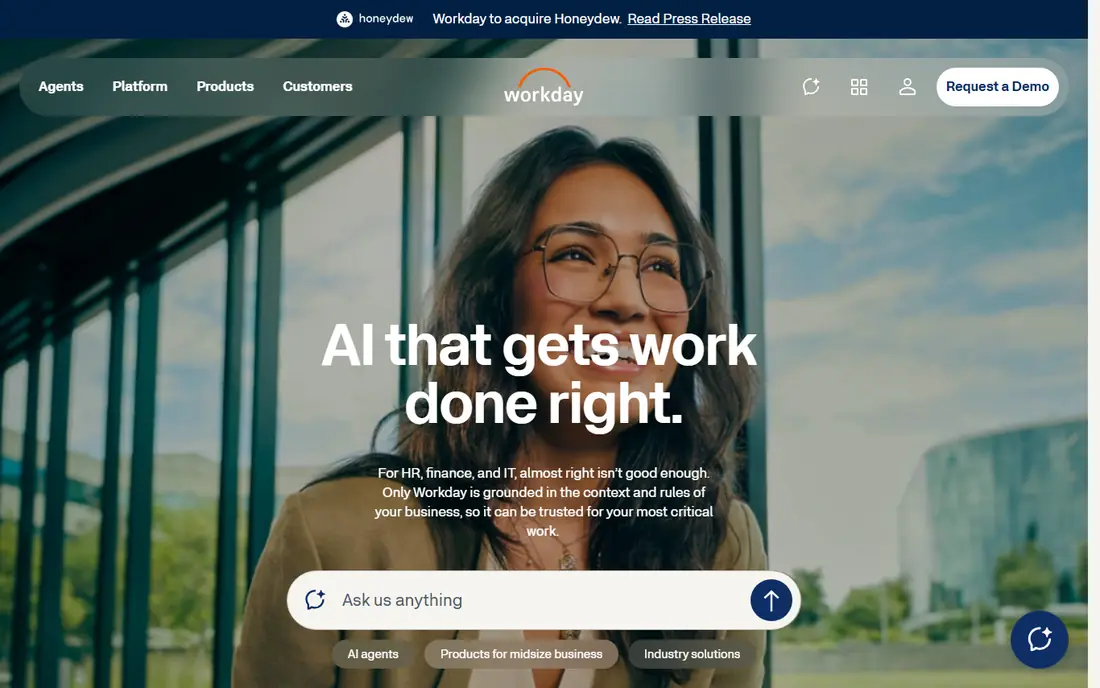
Workday is the enterprise default for shared services at scale. It brings HR, payroll, talent, and finance onto one governed platform, with workflows, approvals, and reporting that a shared service center can run consistently across countries. That single system design reduces duplicate data and makes audit trails easier to maintain.
The catch is size and cost. Pricing is quote based, and implementation takes planning, data cleanup, and change management. Workday fits large firms with a dedicated HR operations team. Smaller firms will find it heavier and pricier than they need.
- Single system for HR and finance
- Strong controls and reporting
- Global enterprise scale
- Quote based pricing
- Implementation is a major project
ServiceNow HR Service Delivery
Great for: HR case management and employee service
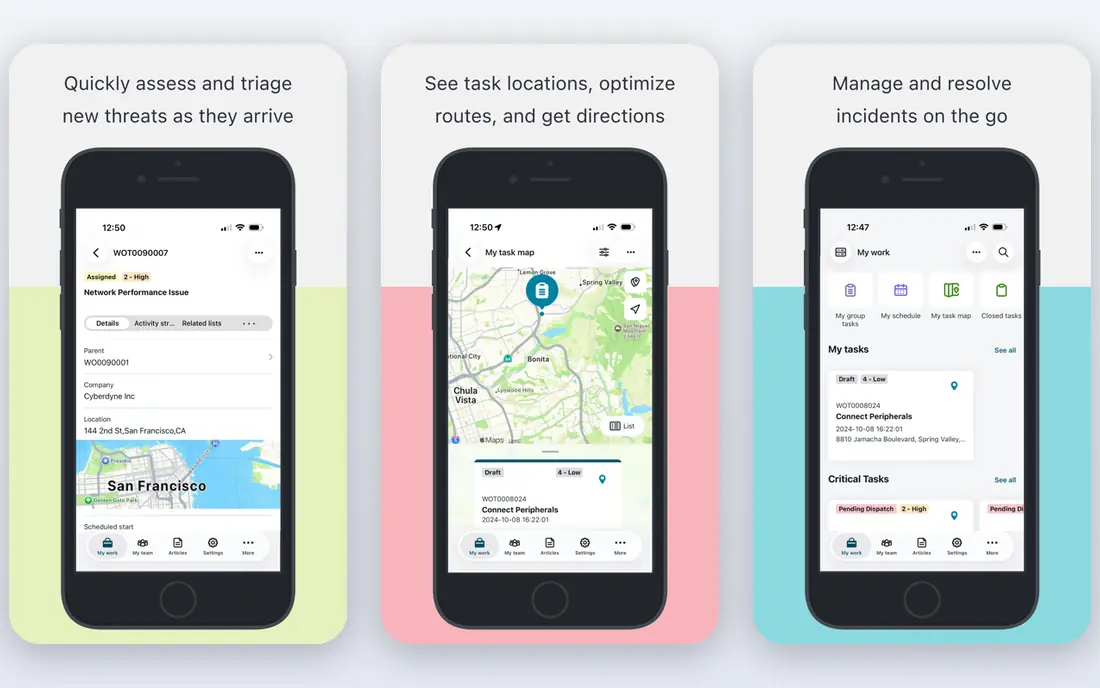
ServiceNow HR Service Delivery, often called HRSD, turns HR requests into trackable cases. Employees ask a question or start a process through a portal, the case routes to the right team, and managers see volumes, wait times, and bottlenecks. That case model is the core of shared services best practice, since it replaces inbox chaos with measurable service.
The trade off is setup. HRSD needs configuration to match your policies, approvals, and document needs, and it works best alongside an HRIS rather than replacing one. Firms that already use ServiceNow for IT service will find the shared platform familiar, while others should budget for implementation help.
- Case management and knowledge base for HR
- Workflows across HR, IT, and facilities
- Strong reporting
- Quote based pricing
- Needs configuration to match HR processes
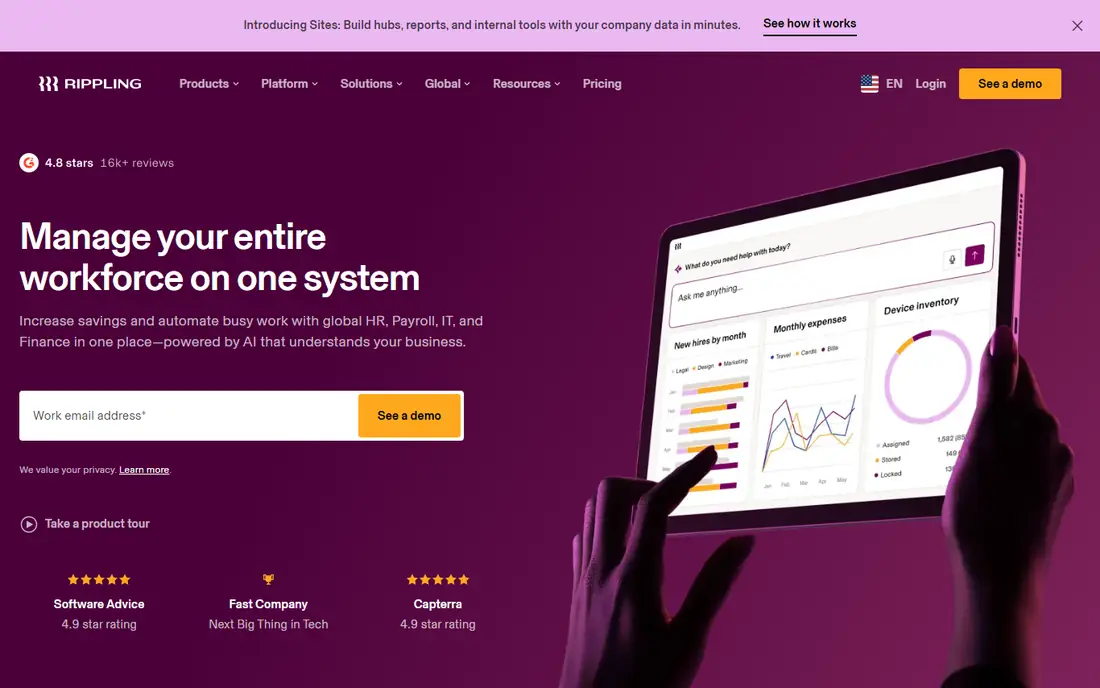
Rippling suits a growing firm that wants shared services without running four separate systems. Its platform covers HR records, payroll, device management, identity, and spend, with automations that trigger onboarding steps across all of them when a new hire starts. That joined up flow cuts manual handoffs, which is where shared service errors usually creep in.
The weakness is pricing clarity. The platform fee starts at $8 per employee per month, with a monthly base fee on top, and each module adds cost. Get a written quote for your exact module mix before budgeting, and check contract length and implementation fees.
- HR, payroll, IT, and spend in one platform
- Strong automation
- Global payroll and employer of record options
- Platform starts at $8 per user per month plus a base fee
- Modules are priced separately
BambooHR is a good shared service foundation for a small or mid-size firm. Core pricing starts at $10 per employee per month for larger teams, or a flat $250 per month for 25 or fewer employees, with Pro at $17 and Elite at $25 per employee per month. Records, time off, onboarding, and reporting live in one simple system that HR teams learn quickly.
The limit is scope. Payroll, benefits, and global hiring sit in add-ons or partner tools, so a firm with complex payroll needs may need a second system. BambooHR works best when the shared service goal is clean records and consistent processes, not full global payroll.
- Clear published pricing
- Simple HR records and reporting
- Free trial with no card required
- Payroll and benefits are add-ons
- Global depth is thinner than Deel or Remote
Deel helps a shared service center hire and pay people in countries where the firm has no local entity. Its employer of record service handles local contracts, payroll, taxes, and benefits under local rules, while its HR tools cover contractors and global payroll. That coverage matters for firms hiring remotely across borders.
The catch is cost per head. Employer of record pricing starts around $599 per employee per month in published comparisons, so it suits key hires rather than a whole workforce. Deel is also a global hiring specialist first, so firms that need deep domestic HR workflows should pair it with a core HRIS.
- Employer of record in many countries
- Contractor and payroll tools
- Local compliance support
- Employer of record pricing is high per person
- Smaller HR features need other tools
Remote takes a similar path to Deel, with employer of record services, contractor management, and global payroll built around local compliance. Its model uses owned entities in many countries, which can give a shared service team clearer control over contracts and benefits than a patchwork of local partners.
The trade off is fit. Remote is strongest for international hiring, not for running a domestic shared service center on its own. Quote based pricing also makes budgeting harder, so ask for per country pricing for the exact locations where you plan to hire.
- Employer of record and contractor management
- Local benefits and compliance guidance
- Owned entities in many countries
- Pricing is quote based for many plans
- Domestic HR depth is thinner than a full HRIS
ADP Workforce Now suits a mid-market shared service center that puts payroll accuracy first. ADP handles multi-state payroll, tax filing, benefits, and time tracking in one system, with compliance support that smaller tools cannot match. For firms with complex payroll rules, that depth is the main reason to choose it.
The weakness is experience. The interface and setup feel heavier than Rippling or Gusto, and pricing is quote based, so budgeting needs a sales conversation. Firms that value a modern interface over payroll depth may prefer a newer platform, but firms with payroll risk usually accept the trade off.
- Deep US payroll and tax expertise
- Broad mid-market feature set
- Compliance support
- Quote based pricing
- Interface feels heavier than newer rivals
Gusto is the clearest small firm option in this list. Simple pricing starts at $49 per month plus $6 per person, with Plus at $80 plus $12 and Premium at $180 plus $22 per person. Payroll, benefits, time tracking, and onboarding sit in one friendly system that a small shared service team can run without a specialist.
The limit is scale. Gusto focuses on US small businesses, so global hiring and complex enterprise workflows are thinner than at Workday or Deel. It fits a firm centralizing basic HR and payroll well, and it fits less well as a global shared service platform.
- Published pricing from $49 per month plus $6 per person
- Simple payroll and benefits
- Good small firm fit
- Global hiring is limited
- Advanced HR workflows need higher tiers
How we picked these
We compared official feature pages, pricing pages, and public comparisons checked in October 2026. We kept only tools that support shared service work today, such as case management, centralized HR records, payroll, or global hiring. We weighted process consistency, audit trails, automation, and fit for different firm sizes, and we avoided tools that only handle one narrow HR task.
Shared services best practices that actually work
Tools help only when the process behind them is clear. A shared service center needs standard workflows, clear ownership, and measures that show whether service is improving.
Standardize before you automate
Write down the standard path for each routine request: onboarding, address change, leave query, payroll question, and exit. Define who approves each step, which documents are needed, and what the service target is. Automating a messy process only makes the mess faster, so clean the workflow first, then build it into the tool.
Measure service, not just tickets
Track first response time, resolution time, reopen rates, and employee satisfaction for each request type. Review the top five request types each month, and fix the policy or knowledge article behind repeat questions. A shared service center earns trust by closing the loop, not by closing tickets quickly with incomplete answers.
Keep compliance local
Employment, tax, and data rules vary by country and state, and they change often. Keep a local compliance check inside each workflow, especially for hiring, pay, benefits, and data handling. This article is general information only, not legal advice, and firms with complex cases should confirm rules with qualified local counsel.
Frequently asked questions
What is an HR shared service center?
It is a central team that handles routine HR work for the whole firm, such as onboarding, payroll queries, benefits, and policy requests. Local HR teams then focus on managers, talent, and workplace issues. Shared services work best with standard processes, a service portal, and clear service targets.
Which tool is best for a small firm starting shared services?
BambooHR or Gusto are strong starting points for a small firm, since they centralize records and payroll at a clear price. Rippling suits a growing firm that also wants IT and spend in the same system. Start with one core HRIS, standardize five routine processes, and add case management only when ticket volume justifies it.
Do we need ServiceNow for HR shared services?
Not always. ServiceNow HRSD suits firms with high case volumes and a need for detailed service measurement. Smaller firms can run shared services inside Rippling, BambooHR, or Gusto with shared inboxes replaced by simple request forms. Move to a case platform when volume, audit needs, or cross team routing make simple tools hard to manage.
How do shared services handle global hiring?
They use employer of record and global payroll tools such as Deel or Remote for countries without a local entity, paired with a core HRIS for records. Local contracts, benefits, and tax rules still vary by country, so the shared service team needs local guidance for each location, not a single global template.
What mistakes do new shared service centers make?
Common mistakes include automating unclear processes, hiding service targets from employees, and cutting local HR support too fast. Keep a clear escalation path to a human, publish service targets, and review repeat requests monthly. A shared service center should feel like help, not like a wall between employees and HR.
Sources
See where you really rank - block by block
ProMapRanker scans Google Maps across a grid of your service area. Simple monthly plans from $19, white-label on every plan.
Start freeKeep reading
 worlds best local seo company
8 Worlds Best Local SEO Companies for Map Pack Growth in 2026
Compare the worlds best local seo company options for Google Business Profile work, citations, reviews, and multi-location rankings and reporting in 2026.
Read → world's best web hosting company
World's Best Web Hosting Company in 2026
Searching for the world's best web hosting company? We compared 10 hosts on price, renewal rates, speed, and support to help you choose well today in 2026.
Read → who's got the best nanny tax services
Who's Got the Best Nanny Tax Services in 2026
We answer who's got the best nanny tax services, comparing full filing, back taxes, software, and pricing so families can handle nanny taxes correctly.
Read →