 ProMapRanker
How to Track Local Rankings: A Practical Guide for SMBs

As Md Shihab Mia, founder of ProMapRanker, I understand the critical importance of local visibility for small and medium-sized businesses. Tracking your local rankings is not just about knowing where you stand; it's about understanding your market, identifying opportunities, and staying ahead of the competition. This guide will provide a practical, expert-level approach to mastering local rank tracking.
To track local rankings effectively, you need specialized tools that simulate real-world local searches across specific geographic points, rather than just traditional organic SERP results. This involves using a geo-grid local rank tracker to monitor your Google Maps and Local Pack positions for target keywords from multiple search locations. This method reveals your true local visibility, helping you pinpoint areas where you dominate and those where you need to improve, offering a precision that manual checks or standard SEO tools simply cannot provide.
Why is Tracking Local Rankings Crucial for Your Business?
Tracking local rankings is crucial because it directly impacts your business's ability to attract nearby customers and drive revenue. It provides actionable insights into your visibility in the Google Local Pack and Google Maps, which are primary sources of leads for local businesses.
For SMBs, local search is often the primary driver of new customer acquisition. When someone searches for a "plumber near me" or "best coffee shop in [city name]," they are typically ready to make a purchase or visit. Appearing prominently in these local search results means more phone calls, website visits, and foot traffic. Without consistent tracking, you're operating blind, unable to assess the effectiveness of your local SEO efforts or react to changes in the competitive landscape.
What Are the Key Metrics for Local Rank Tracking?
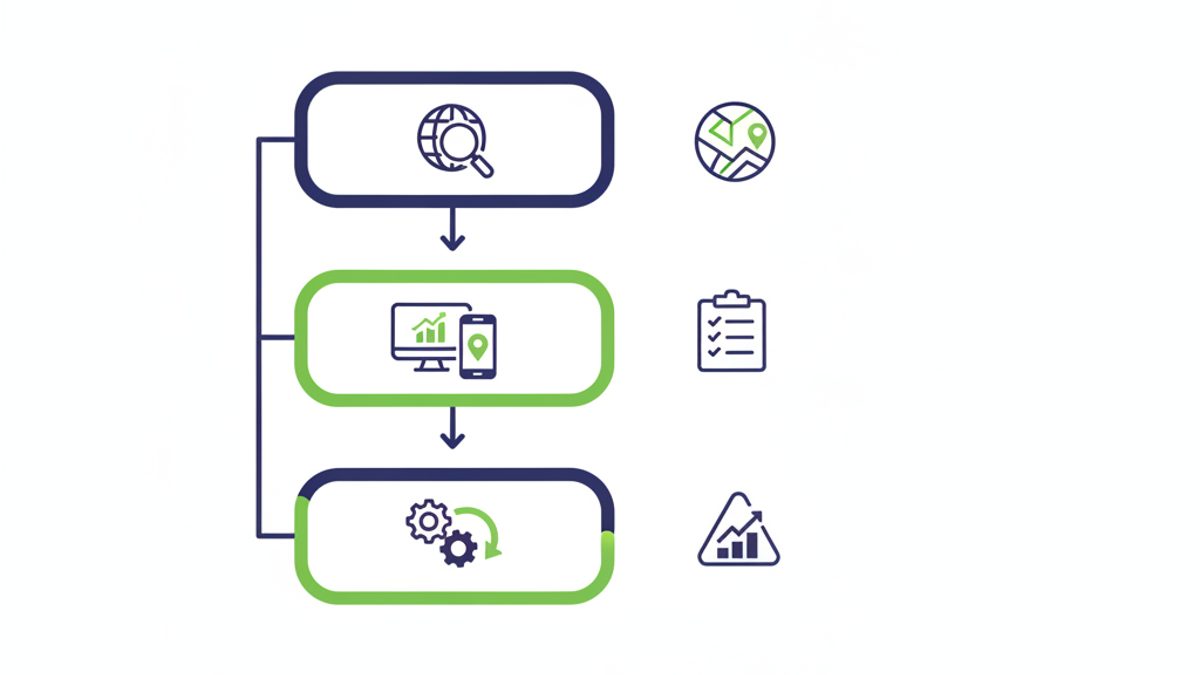
The key metrics for local rank tracking include your Google Local Pack rank, Google Maps rank, organic local rank, and geo-grid positions, all of which provide a comprehensive view of your local search performance. Beyond individual keyword positions, metrics like Share of Local Voice (SoLV) or Average Rank Position (ARP) offer aggregate performance insights.
- Google Local Pack Rank: This refers to your position within the coveted "3-pack" of businesses displayed prominently at the top of local search results. Achieving a spot here is critical for visibility.
- Google Maps Rank: Your ranking within the broader Google Maps interface, which users often navigate directly to find businesses. This includes your position on the map and within the listed results.
- Organic Local Rank: While distinct from the Local Pack, your website's organic ranking for local keywords (e.g., "dentist San Diego") still matters. Local rank trackers often track this alongside Maps and Pack positions.
- Geo-Grid Positions: These are your specific rankings for a keyword when searched from various points within a defined geographic grid, offering a granular view of your performance across your service area.
- Share of Local Voice (SoLV) / Average Rank Position (ARP): These aggregate metrics provide a summarized view of your overall local visibility across multiple keywords and locations. SoLV, for instance, might show the percentage of top-3 or top-10 positions you hold for your target keywords compared to competitors.
How Do Geo-Grid Rank Trackers Work?
Geo-grid rank trackers work by simulating local searches from multiple, distinct points within a specified geographic area, displaying your business's rank for target keywords at each of those points. This method creates a visual "grid" that clearly illustrates your local search visibility and identifies areas where your business is performing well or poorly.
Unlike traditional rank trackers that provide a single, often imprecise, ranking for a broad location, geo-grid tools like ProMapRanker perform individual searches from dozens or even hundreds of specific latitude and longitude coordinates. For example, a 5x5 grid with a 1-mile radius around your business will perform 25 separate searches. Each search result is recorded and mapped, allowing you to see exactly where your business appears in the Local Pack and Google Maps from the perspective of potential customers located throughout your service area. This precision is vital because Google's local search results are highly dynamic and location-dependent, meaning a customer searching one mile away might see entirely different results than someone searching five miles away. For a deeper dive, read our article on geo-grid rank tracking.
What Tools Do You Need to Track Local Rankings Effectively?
To track local rankings effectively, you absolutely need specialized local rank tracking software that can perform geo-grid scans and analyze Google Business Profile (GBP) performance. Traditional SEO tools are often insufficient because they lack the hyper-local precision required for accurate local search monitoring.
Manually checking your rankings is not only time-consuming but also unreliable due to Google's personalized search results and the sheer number of possible search locations. Dedicated platforms like ProMapRanker automate this process, offering several critical features:
- Geo-Grid Scans: As discussed, these are paramount for understanding your visibility across a specific service area. They provide a visual heatmap of your rankings.
- Google Business Profile (GBP) Audit: A robust tool will integrate with your GBP to pull insights, track changes, and help identify areas for optimization directly influencing your local rankings.
- Competitor Analysis: The ability to track your competitors' local rankings on the same grid allows you to benchmark your performance and uncover their strategies.
- Keyword Management: Tools should allow you to track a diverse set of local keywords, including branded, service-specific, and "near me" variations.
- Reporting & Alerts: Automated reports and notifications for significant rank changes help you stay informed and react quickly.
While options like Local Falcon and BrightLocal exist, ProMapRanker offers a powerful, user-friendly, and cost-effective alternative to Local Falcon, designed specifically to provide SMBs and agencies with precise, actionable local ranking data.
How to Set Up Your Local Rank Tracking (Step-by-Step Checklist)
Setting up your local rank tracking involves a systematic approach, from identifying your keywords to configuring your tracking tool and establishing a monitoring routine. This checklist ensures you capture the most relevant data for informed decision-making.
- Identify Your Target Keywords:
- Brainstorm primary services (e.g., "plumber," "hair salon," "dentist").
- Add location modifiers (e.g., "plumber San Diego," "hair salon downtown").
- Include "near me" variations (e.g., "dentist near me," "best pizza near me").
- Research competitor keywords and use tools like Google Search Console for inspiration. Aim for 10-20 core keywords initially.
- Define Your Service Area:
- Determine the specific geographic radius or neighborhoods where you want to monitor rankings (e.g., a 1-mile radius, a 5-mile radius, or specific zip codes). This should align with where your ideal customers are located.
- Choose a Local Rank Tracking Tool:
- Select a specialized geo-grid local rank tracker like ProMapRanker. Ensure it offers the features you need, such as geo-grid scans, GBP integration, and competitor tracking.
- Configure Your Grid Scan:
- Within your chosen tool, set up your geo-grid. Select the grid size (e.g., 5x5, 7x7) and the radius (e.g., 1 mile, 3 miles) around your business location. A 5x5 grid at 1-mile increments is a good starting point for most local businesses.
- Add your previously identified target keywords to the scan.
- Add Competitors for Tracking:
- Identify your top 3-5 local competitors. Input their Google Business Profile details into your rank tracker. This allows you to benchmark your performance directly against them on the same grid scans.
- Schedule Regular Scans:
- Set up automated weekly or bi-weekly scans. Consistency is key to noticing trends and understanding the impact of your SEO efforts. Daily scans might be too granular for most SMBs, leading to analysis paralysis.
- Monitor Key Metrics & Reports:
- Regularly review your Local Pack and Google Maps rankings, geo-grid visualizations, and aggregate metrics like SoLV or ARP. Pay attention to changes in your competitor's performance as well.
- Integrate with Google Business Profile Insights:
- Connect your rank tracking data with insights from your Google Business Profile. Look for correlations between your GBP activity (posts, photos, review responses) and ranking changes.
How to Interpret Your Local Rank Tracking Data?
Interpreting your local rank tracking data involves analyzing trends, identifying areas of strength and weakness on your geo-grid, and benchmarking your performance against competitors to inform your SEO strategy. Don't just look at individual numbers; seek patterns and actionable insights.
- Spot Trends, Not Just Numbers: Look for consistent upward or downward trends over weeks or months, rather than reacting to daily fluctuations. Local search results are dynamic, so a slight dip one day doesn't necessarily mean a problem.
- Analyze Geo-Grid Visualizations: The heatmap generated by a geo-grid scan is your most powerful tool.
- Green Areas: These indicate strong performance (high rankings) in those specific geographic points. These are your strongholds.
- Red/Orange Areas: These signify weaker performance (lower rankings or no appearance). These are your "blind spots" and highlight areas where you need to focus your optimization efforts.
- Expand Your Radius: If you see a strong drop-off at the edge of your current grid, consider expanding the radius of your next scan to understand how far your visibility extends.
- Benchmark Against Competitors: Compare your geo-grid performance side-by-side with your top competitors. Where are they outranking you? This can reveal gaps in your strategy or areas where they have a stronger presence (e.g., more reviews, better GBP optimization).
- Correlate with Actions: Cross-reference ranking changes with your recent local SEO activities. Did rankings improve after you optimized your GBP, got new reviews, or updated your website? This helps confirm which strategies are effective.
- Understand Share of Local Voice (SoLV) / Average Rank Position (ARP): If your tool provides these, use them to gauge overall performance. A rising SoLV means you're gaining overall visibility, while a dropping ARP indicates you're losing ground on average.
How to Improve Your Local Rankings Based on Tracking Insights?
Improving your local rankings, once you've identified areas for growth through tracking, primarily involves optimizing your Google Business Profile (GBP), actively managing customer reviews, building relevant local citations, and ensuring your website is locally optimized and technically sound.
Google Business Profile (GBP) Optimization
Your GBP is the cornerstone of local SEO. Ensure it's 100% complete and frequently updated.
- Completeness: Fill out every section: business hours, phone number, website, address, services, products, accessibility attributes, photos, and videos. Businesses with complete profiles tend to rank higher.
- Categories: Select the most accurate primary category and add relevant secondary categories. Be specific.
- Services/Products: Detail all services and products you offer with descriptions and pricing where applicable.
- Photos & Videos: Upload high-quality, geo-tagged photos of your business interior, exterior, team, and work. Google states that businesses with photos receive more requests for directions and website clicks.
- GBP Posts: Use GBP posts regularly to share updates, offers, events, or product news. This signals activity to Google.
- Messaging: Enable and respond promptly to messages.
ProMapRanker offers a comprehensive Google Business Profile audit to help you identify and fix any gaps. You can get a free GBP audit here.
Manage Customer Reviews
Reviews are a critical ranking factor and build trust.
- Encourage Reviews: Actively ask satisfied customers for reviews. Use QR codes, email prompts, or in-store signage.
- Respond to All Reviews: Respond professionally to both positive and negative reviews. For negative reviews, offer solutions and show empathy. This demonstrates excellent customer service and engagement. For more on this, see our article Do Google Reviews Help SEO?.
Build Local Citations
Citations are mentions of your business's Name, Address, and Phone number (NAP) across various online directories.
- Consistency is Key: Ensure your NAP is identical across all platforms (Google, Yelp, Facebook, industry-specific directories). Inconsistencies can confuse search engines.
- Quantity & Quality: Aim for citations on 20+ reputable local and industry-specific directories. Focus on well-known platforms first. Learn more about local citations in SEO.
Website Optimization for Local Search
Your website plays a crucial role in supporting your GBP.
- Local Content: Create specific service area pages or blog posts targeting local keywords (e.g., "best [service] in [neighborhood]").
- Mobile-Friendliness: Ensure your website is responsive and loads quickly on mobile devices. Google prioritizes mobile-first indexing.
- Schema Markup: Implement LocalBusiness schema markup on your website to provide structured data about your business to search engines.
- Core Web Vitals: Optimize for speed and user experience. Aim for an INP (Interaction to Next Paint) under 200ms and ensure good CLS and LCP scores.
- Local Backlinks: Secure backlinks from other reputable local businesses, organizations, or news sites.
Understand Google's Core Ranking Factors
Google outlines three primary factors for local rankings (Google Business Profile Help):
- Relevance: How well your business profile matches a user's search query.
- Distance: How far each potential search result is from the location term used in a search. If a user doesn't specify a location, Google calculates distance based on what's known about their location.
- Prominence: How well-known a business is. This is based on information Google has about a business from across the web (like links, articles, and directories) and also your Google review count and score.
By focusing on these areas, informed by your geo-grid tracking data, you can systematically improve your local rankings and capture more local customers. For a detailed guide, refer to our Google Business Profile optimization checklist.
Common Challenges in Local Rank Tracking and How to Overcome Them
Local rank tracking, while powerful, comes with its own set of challenges, including data volatility, selecting the right keywords, and managing tracking for multiple locations. Understanding these hurdles helps you approach your local SEO strategy with realistic expectations and effective solutions.
- Data Volatility and Fluctuations: Local search results are highly dynamic, influenced by user location, time of day, device, and personalization. This can lead to seemingly erratic rank changes daily.
- Solution: Focus on trends over time (weekly, monthly) rather than reacting to minor daily shifts. Use aggregate metrics like SoLV or ARP, and ensure your tracking tool runs consistent scans on a regular schedule (e.g., weekly) to smooth out the noise.
- Choosing the Right Keywords: Identifying the most impactful local keywords can be tricky, as they often differ from broader national keywords.
- Solution: Start with broad service terms + location (e.g., "electrician [city]"). Use Google Auto-suggest, "People Also Ask" sections, and Google Search Console data (queries that bring local traffic) to find niche and long-tail local keywords. Analyze competitor profiles to see what services they emphasize.
- Managing Multiple Locations or Clients: For businesses with several branches or agencies managing numerous clients, tracking each location individually can become overwhelming.
- Solution: Invest in a local rank tracking platform designed for scalability, like ProMapRanker. Such tools allow you to manage multiple GBP profiles, set up different geo-grids for each location, and generate consolidated reports efficiently. This is particularly important for agencies, as discussed in our article on local rank tracker for agencies or how to scale rank tracking across clients.
- Attributing Ranking Changes: Pinpointing the exact reason for a rank change can be difficult due to Google's complex algorithm and multiple contributing factors.
- Solution: Keep a detailed log of all your local SEO activities (GBP updates, new reviews, website changes, citation building). When a ranking change occurs, refer to your log to identify potential correlations. Consistent tracking over time will also help you understand the impact of various actions.
Mastering local rank tracking is an ongoing process, but by leveraging the right tools and strategies, you can gain a significant competitive advantage. Consistent monitoring, combined with data-driven optimization, will ensure your business remains visible to the customers who matter most: those right in your backyard.
Ready to gain unparalleled insight into your local search performance? Start tracking your local rankings with ProMapRanker today!
Frequently Asked Questions
How do I rank locally on Google?
To rank locally on Google, focus on optimizing your Google Business Profile (GBP) with complete and accurate information, actively collecting and responding to customer reviews, building consistent local citations, and ensuring your website is mobile-friendly with local content and schema markup. Proximity, prominence, and relevance are Google's key local ranking factors.
How can I check my ranking?
You can check your local ranking by using a specialized geo-grid local rank tracker like ProMapRanker. These tools simulate searches from various points in your service area, showing your exact position in Google Maps and the Local Pack for your target keywords, providing a far more accurate picture than manual checks.
How do I check my SEO rankings?
To check your SEO rankings broadly, you can use general SEO tools for organic search, but for local SEO, a dedicated local rank tracker is essential. These local tools specifically monitor your performance in Google Maps and the Local Pack from multiple geographic perspectives, providing a granular view of your local search visibility.
How to get rank 1 in local searches?
Achieving rank 1 in local searches requires excelling in all aspects of local SEO. This includes fully optimizing your Google Business Profile (100% complete, accurate categories, regular posts), accumulating a high volume of positive reviews and responding to them, ensuring consistent NAP information across many local directories, and having a fast, mobile-friendly website with relevant local content and strong local backlinks.
See where you really rank - block by block
ProMapRanker scans Google Maps across a grid of your service area. Simple monthly plans from $19, white-label on every plan.
Start free