 ProMapRanker
HostGator Alternatives in 2026

Key takeaways
- Hostinger and Bluehost offer the lowest entry prices, but renewal rates are higher, so check the renewal price before you commit.
- SiteGround and DreamHost suit WordPress sites that need strong support and daily backups.
- WP Engine and Kinsta cost more, but they suit busy or business-critical WordPress sites that need managed care.
- Cloudways suits users who want cloud hosting without a long contract, while still managing their own server choices.
Quick comparison
| Pick | Great for | Pricing starts at | Free tier | |
|---|---|---|---|---|
 Bluehost | Beginner WordPress hosting | See website | No | Visit |
 SiteGround | WordPress sites that need strong support | See website | No | Visit |
 DreamHost | Long-term WordPress value | See website | No | Visit |
 Hostinger | Lowest-cost hosting | See website | No | Visit |
 WP Engine | Managed WordPress for business | See website | No | Visit |
 Kinsta | Premium managed WordPress | See website | No | Visit |
 Cloudways | Flexible cloud hosting without long contracts | See website | Free trial | Visit |
 Hosting.com | Fast shared and WordPress hosting | See website | No | Visit |
The best HostGator alternatives
HostGator built its name on cheap shared hosting, but renewal prices, support quality, and performance vary enough that many site owners look elsewhere. The hosts below are not HostGator itself, and each one fits a different reason for switching: lower cost, better support, managed WordPress care, or cloud flexibility.
Bluehost is the easiest switch for a HostGator user who wants a familiar shared hosting dashboard. WordPress installs in a few clicks, the control panel is beginner friendly, and support is available by chat and phone on many plans. For a first blog or small business site, Bluehost removes most setup friction.
Renewal pricing is the warning to heed. Introductory rates look low, then renew at a much higher monthly rate, so check the renewal figure on the checkout page before paying for three years. Email and backup limits on the entry plan also push growing sites to a higher tier. Bluehost fits beginners who want a guided start and can accept the renewal jump.
- Simple WordPress setup
- WordPress recommended host for years
- Phone support on higher plans
- Renewal prices rise sharply
- Entry plan backups are weekly
- Email can be a limited trial

SiteGround appeals to site owners who left HostGator over support or reliability. Its support team has a strong reputation, daily backups protect against bad updates, and a free content delivery network helps page speed for visitors in different regions. WordPress tools, caching, and security settings are built into the dashboard rather than left to plugins alone.
The price path mirrors Bluehost: a low first term, then a sharp renewal increase. Staging, which lets you test changes before publishing, starts on the second tier rather than the entry plan. SiteGround fits small business WordPress sites where support quality and daily backups matter more than the lowest possible renewal price.
- Google Cloud infrastructure
- Daily backups
- Free content delivery network and email on many plans
- Steep renewal prices
- Staging starts above the entry plan
- Storage limits are tighter than some rivals
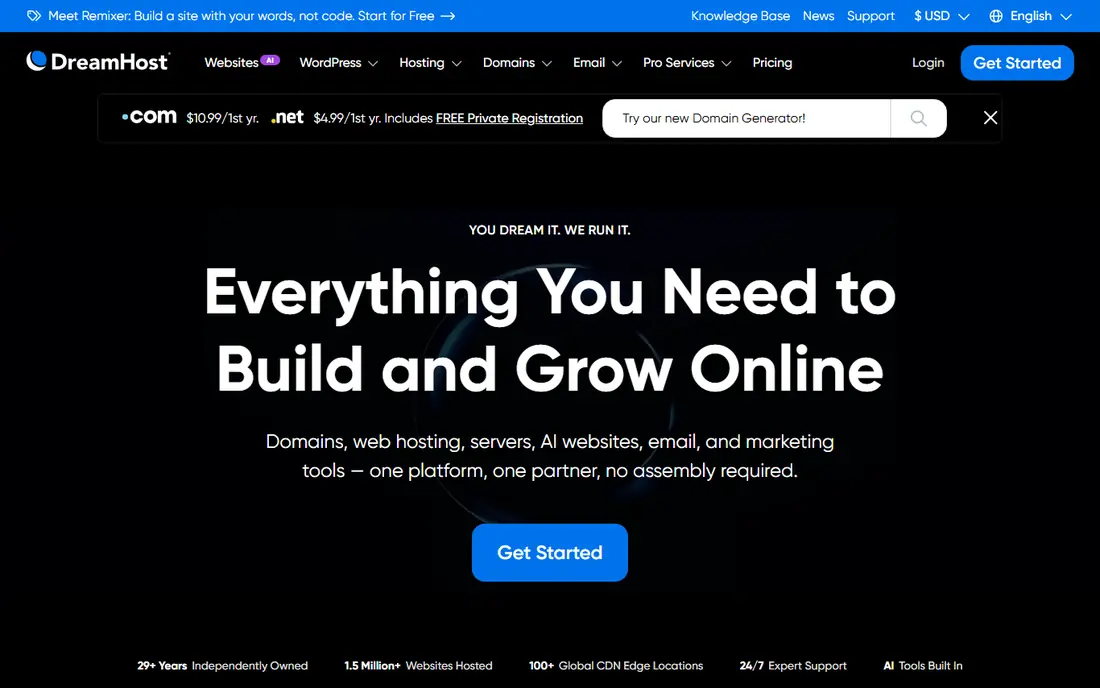
DreamHost is a good pick for owners who want to set a site up once and leave it running for years. Its shared and managed WordPress plans include daily backups on many tiers, a custom control panel, and a generous money-back window that gives time to test real performance. WordPress users can choose simple shared hosting or the managed DreamPress tier for more care.
The lowest prices require a multi-year term, and email billing can surprise owners who assume it stays free. Support is solid but leans on chat and tickets rather than phone calls. DreamHost suits bloggers and small businesses that value a stable, long-term host over phone support.
- Long money-back window on shared plans
- Daily backups on many plans
- Straightforward WordPress hosting
- Best prices need long terms
- Email is paid after an initial period on some plans
- Support is mainly chat and ticket based
Hostinger wins on entry price for new sites, and its dashboard is friendly for beginners who have never managed hosting before. A website builder, free domain on many first terms, and migration help make switching from HostGator less painful. Higher plans add daily backups and faster storage, which matter once traffic grows.
Support is online only, with no phone line to call when a site goes down. The lowest price also needs a long commitment, and renewal rates rise after the first term. Hostinger fits budget sites, portfolios, and new projects where low cost matters more than phone support or managed WordPress care.
- Very low entry prices
- Website builder and AI tools included on many plans
- Free migration on many plans
- No phone support
- Entry plan backups are weekly
- Best prices need a long term
WP Engine is the step up for WordPress sites that earn money or serve customers. The host handles updates, caching, security, and performance tuning, and every plan includes staging so changes can be tested before going live. Support staff know WordPress deeply, which shortens the time to fix plugin and theme problems.
The cost is far above shared hosting, and some plugins are restricted for performance or security reasons. A hobby blog will not need this level of care. WP Engine fits agencies, stores, and business sites where downtime or slow pages cost real revenue.
- Fully managed WordPress care
- Staging on every plan
- Expert WordPress support
- Higher monthly cost
- Plugin restrictions apply
- Overkill for a small personal blog
Kinsta competes with WP Engine at the premium end of managed WordPress hosting. Sites run on Google Cloud infrastructure, the dashboard gives clear performance and analytics views, and each site gets a staging environment. Support answers quickly and understands WordPress, WooCommerce, and caching problems in depth.
Entry plans carry storage limits that can bite media-heavy sites, and the monthly price is well above shared hosting. Kinsta is not the right host for a single small blog. It fits agencies, publishers, and stores that need speed, clear dashboards, and support they can rely on during traffic spikes.
- Google Cloud platform
- Strong performance tools
- Staging and expert support on every plan
- Premium pricing
- Storage limits on entry plans
- Less suited to tiny or non-WordPress sites
Cloudways suits HostGator users who outgrew shared hosting but do not want a managed WordPress price tag. You pick a cloud provider, choose server size, and pay monthly, with the option to scale up as traffic grows. Staging, cloning, and server management tools are built in, and unlimited applications per server help agencies host many small sites.
The trade is technical control. Cloudways does not include email hosting or a free domain, and server settings require more knowledge than a shared dashboard. Support is good on higher plans but less hands-on at the entry level. Cloudways fits developers, freelancers, and agencies comfortable managing cloud servers.
- Monthly billing with no long contract
- Choice of cloud providers
- Staging and cloning tools
- More technical than shared hosting
- Email and domain are not included
- Support quality varies by plan level
Hosting.com, formerly A2 Hosting, is a solid shared hosting alternative for owners who want speed without managed prices. LiteSpeed server software and NVMe storage help WordPress pages load quickly, and free migration reduces the pain of leaving HostGator. Plans cover shared, WordPress, VPS, and reseller hosting, so a growing site can upgrade without changing hosts.
Plan pages can be confusing, with names and prices that vary, so compare the exact plan, term, and renewal rate at checkout. Support and performance are strong for the price, but the brand is less familiar than larger rivals. Hosting.com fits speed-conscious WordPress owners who read the checkout terms carefully.
- Fast LiteSpeed and NVMe storage on many plans
- Daily backups on many plans
- Free migration
- Plan names and prices vary across pages
- Renewal rates need checking
- Smaller brand than Bluehost or SiteGround
How we picked these
We compared official pricing pages, plan features, and published support and performance details for hosts that serve the same audience as HostGator: small business owners, bloggers, and WordPress users. We favored hosts with clear WordPress support, migration help, and distinct price tiers, from budget shared hosting to premium managed hosting. Where introductory and renewal prices differed across sources, we wrote See website so readers check the live checkout price rather than trusting a single quoted figure.
How to switch without breaking your site
Back up everything before you move, including files and the database, and keep a copy outside both hosts. Move the site to the new host first, test it on a temporary address, and only then point your domain to the new server. Check contact forms, checkout pages, and email sending after the move, since those break most often during migration.
Time the switch for a quiet period, and keep the old hosting account active for a week after the domain change. That window lets you roll back if a page, plugin, or email setting fails. Most hosts on this list offer free migration help, so use it and ask them to confirm the site works before you cancel the old plan.
Frequently asked questions
What is the best HostGator alternative for WordPress?
SiteGround and DreamHost suit most WordPress sites, while WP Engine and Kinsta suit business sites that need managed care. Bluehost is the simplest choice for beginners moving from shared hosting.
What is the cheapest HostGator alternative?
Hostinger usually offers the lowest entry price, but its best rates need a long term and renew higher. Compare the renewal price, not just the first-term price, before choosing.
Can I migrate my site from HostGator for free?
Most hosts on this list offer free migration help, either automated or assisted. Back up your site first, test it on the new host, and only then change your domain settings.
Is managed WordPress hosting worth the extra cost?
Yes, if your site earns revenue, handles orders, or gets heavy traffic, since managed hosts handle updates, caching, security, and staging. A small personal blog usually does fine on shared hosting.
Does switching hosts affect search rankings?
A well-planned move with the same content and URLs should not hurt rankings long term, but downtime and slow pages during the move can. Test thoroughly and keep the old host active until the new site proves stable.
Which HostGator alternative has the best support?
SiteGround, WP Engine, and Kinsta have the strongest support reputations on this list. Bluehost offers phone support on higher plans, while Hostinger and Cloudways rely mainly on online support.
Sources
See where you really rank - block by block
ProMapRanker scans Google Maps across a grid of your service area. Simple monthly plans from $19, white-label on every plan.
Start freeKeep reading
 zoho inventory alternatives
6 Alternatives to Zoho Inventory, Compared on Price and Fit
Zoho Inventory alternatives: 6 tools compared on price, free plans and fit. Katana leads the list for manufacturers. Fit and flaws are laid out for each entry.
Read → zoho crm alternatives
Best Zoho CRM Alternatives (2026)
Need Zoho CRM alternatives? We compare 7 tools on cost, free access and who each suits. Every pick gets a straight assessment. Built for quick decisions.
Read → zelle alternatives
Best Zelle Alternatives in 2026
Compare the best Zelle alternatives for sending money to friends, paying sellers and moving funds abroad, with honest notes on fees, speed and safety in 2026.
Read →