 ProMapRanker
Best HoneyBook Alternatives in 2026

Key takeaways
- Dubsado suits owners who want deep workflow control, while HoneyBook-style simplicity is closer to 17hats and Pixieset Studio Manager.
- Bonsai stands out for freelancers who bill by the hour and want time tracking tied to invoices.
- Photographers get the most focused fit from Studio Ninja, Sprout Studio and Pixifi, which were built around shoots and galleries.
- Check payment fees and plan limits before switching, since the headline monthly price rarely tells the full cost.
Quick comparison
| Pick | Great for | Pricing starts at | Free tier | |
|---|---|---|---|---|
 Dubsado | custom workflows and forms | $35 per month | Free trial (21 days) | Visit |
 17hats | simple all-in-one business management | $60 per month | Free trial (7 days) | Visit |
 Bonsai | freelancers who bill time and projects | $9 per user per month | Free trial | Visit |
 Pixieset Studio Manager | photographers already using Pixieset galleries | Free | Yes | Visit |
 Moxie | freelancers who want a free starting plan | Free | Yes | Visit |
 Studio Ninja | wedding and portrait photographers | $16 per month | Free trial (30 days) | Visit |
 Sprout Studio | studios that want CRM plus galleries | $29 per month | Free trial (14 days) | Visit |
 Pixifi | studios with associates and second shooters | $39.99 per month | Free trial (30 days) | Visit |
 Plutio | small teams that want CRM plus projects | $19 per month | Free trial | Visit |
The best HoneyBook Alternatives
HoneyBook is popular for a reason, but it is not the only way to run client bookings, contracts and payments. The tools below cover the same core jobs with different strengths, from heavy workflow control to photography-specific booking. We compared official pricing pages, feature lists and app store listings to see where each one fits.
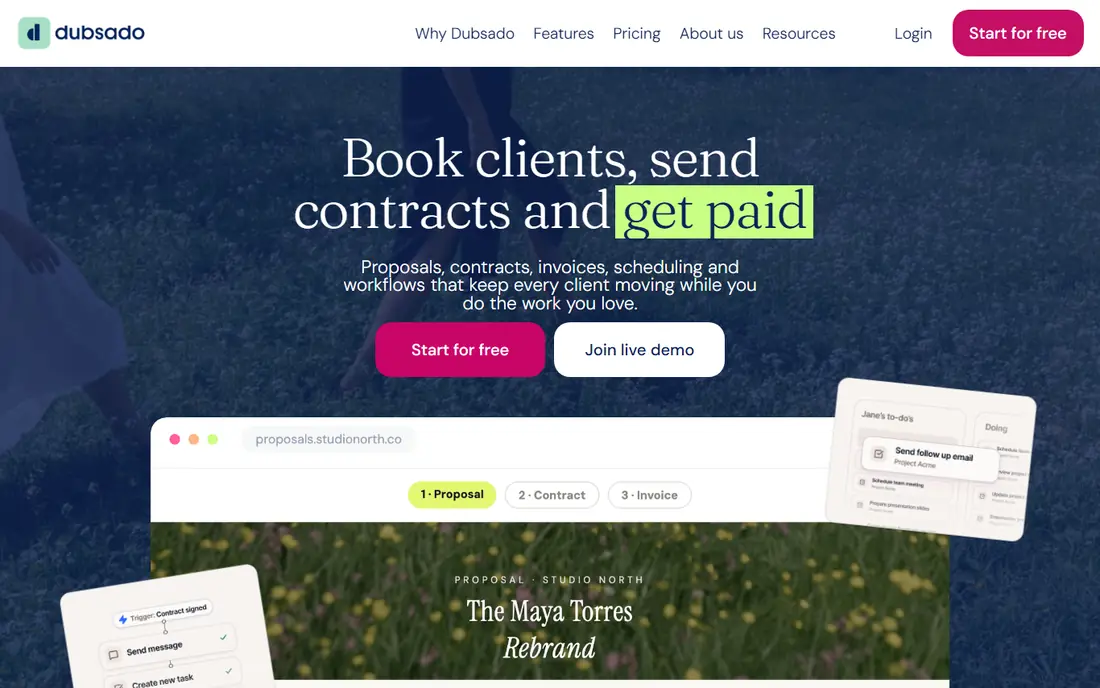
Dubsado is our pick for owners who want to shape every step of the client journey, from the first inquiry form to the final invoice. You can build detailed forms, set up multi-step workflows and keep contracts, questionnaires and payments in one client portal. That control is the main reason creative studios and service firms stay with it once it is set up.
The catch is time. Building a polished workflow takes real work up front, and the Starter plan leaves out scheduling and automation, so most buyers will need Premier. If you run a simple booking process and want to be live this week, a simpler tool will feel faster. If your process has many steps and exceptions, Dubsado rewards the setup effort.
- Deep workflow and form control
- Multiple brands on one account
- Payments through Dubsado Payments, Square or PayPal
- Longer setup than simpler tools
- Scheduling and workflows need the Premier plan

17hats takes a different approach from Dubsado by putting most features on a single plan instead of splitting them across tiers. Solo photographers, coaches and planners can handle leads, contracts, invoices, scheduling and basic bookkeeping without comparing feature tables. The free CRM tier also lets you test the contact and project layout before paying.
The price is the main trade-off, since $60 per month is more than several entry plans in this list. It also suits solo owners better than growing teams, because its strength is simplicity rather than team controls. For a one-person business that wants one bill and one place for admin, that simplicity can still be good value.
- One plan with contracts, invoices, scheduling and bookkeeping tools
- Free CRM tier for getting started
- Straightforward setup for solo owners
- Higher monthly price than some rivals
- Less depth for large teams or complex multi-brand work
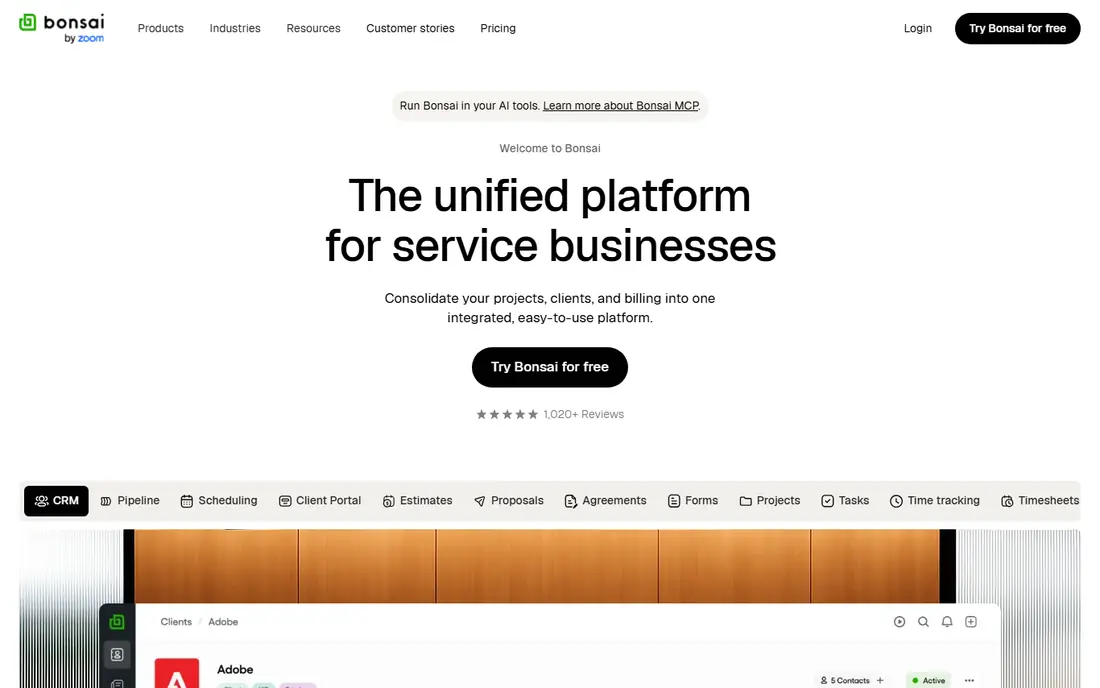
Bonsai is built around the freelance money trail: track time, turn it into an invoice, get paid and keep records tidy. That focus makes it a strong fit for consultants, designers and writers who charge by the hour or by project milestones. Proposals and contracts use clean templates, and the client portal keeps documents in one place.
It is less of a booking tool than HoneyBook, so owners who live by a scheduler may miss that depth. Per-user pricing also means a small team pays for every seat, even if only one person sends invoices. For a solo freelancer who wants finance tools next to client work, Bonsai is one of the most practical picks here.
- Time tracking tied to invoicing
- Contracts, proposals and client portals
- Banking and tax tools on higher plans
- Scheduling is lighter than dedicated booking tools
- Per-user pricing adds up for teams
Pixieset Studio Manager makes sense if your galleries already live on Pixieset, because booking, contracts and invoices sit next to the images your clients already see. The free plan covers unlimited invoices, a small set of contracts and one session type, which is enough for a part-time photographer to test the full client flow. Paid plans add unlimited contracts, custom branding and retainers at booking.
Automation is lighter here than in Dubsado, so owners who want long multi-step workflows may outgrow it. The value also depends on how much you use Pixieset for galleries and websites. If you already pay for those, Studio Manager can replace a separate CRM bill. If you do not, compare it on its booking features alone.
- Free plan with invoices and contracts
- Gallery and website tools in the same account
- Simple booking flow
- Lighter automation than Dubsado or HoneyBook
- Best value when paired with Pixieset galleries
Moxie is worth a look when budget is the first filter, because its free plan covers core client management without forcing an immediate subscription. Freelancers can track projects, send invoices, log time and keep client details in one place. The layout is aimed at solo owners rather than agencies, so the learning curve stays short.
The trade-off is maturity. Moxie does not yet match Dubsado or Bonsai for template depth or third-party integrations, and some advanced features need a paid plan. That matters less if you want a tidy, low-cost home for client work. It matters more if you need a specific integration or a very particular contract workflow.
- Free plan for core client work
- CRM, projects, invoicing and time tracking in one place
- Friendly setup for solo owners
- Newer and smaller than the leaders, so templates and integrations are still growing
- Advanced features sit on paid plans
Studio Ninja speaks in photography terms: leads, shoots, contracts, invoices and follow-ups, rather than generic sales stages. Templates for quotes, contracts and questionnaires help wedding and portrait photographers start booking quickly. Workflows can send reminders and questionnaires without manual chasing, and integrations cover accounting tools and gallery platforms.
The Starter plan is built for a solo photographer with a small number of active jobs, so busy studios will need Pro or Master. Studio Ninja also does not handle galleries or print sales itself, so you will pair it with a gallery tool. If booking admin is your bottleneck and delivery already works, that focus is a strength rather than a gap.
- Photography-ready templates for quotes, contracts and workflows
- Simple setup
- Integrations with accounting and gallery tools
- Starter plan caps active jobs
- No built-in galleries or print sales
Sprout Studio combines client management with gallery delivery, which can replace two separate subscriptions for an established studio. Galleries, contracts, invoices and questionnaires live in the same account, and higher plans add shared calendars and role-based access for multiple shooters. Reporting on revenue by shoot type also helps studios see which work pays best.
That breadth is overkill for a solo photographer with a simple booking flow, and the interface can feel dense during the first week. The value case is strongest when you already pay for galleries separately and want one bill and one client login. Solo owners should compare the Solo plan against Studio Ninja before paying for studio features they may not use.
- CRM, galleries, contracts and invoices in one subscription
- Multi-shooter calendars and role controls on higher plans
- Built for photography studios
- More than a solo photographer may need
- Interface can feel dense at first
Pixifi is aimed at studios with real operational complexity: several photographers, second shooters and events running in parallel. Staff scheduling, event management and client workflows sit together, so a studio owner can see who is booked where without juggling separate calendars. Contracts, invoices and payments complete the booking chain.
That power comes with a learning curve, and the interface takes longer to master than Studio Ninja or Pixieset. The price also reflects studio use rather than solo use. For a one-person business, Pixifi is likely too much tool. For a studio that coordinates people as well as clients, it covers ground that simpler tools cannot.
- Staff scheduling and multi-event workflows
- Contracts, invoices and payments
- Handles complex studio operations
- Steeper learning curve
- Price and depth exceed what a solo owner needs
Plutio suits small teams that want client work and project work in the same workspace, rather than a pure booking tool. You can track leads, manage projects, send proposals and invoices, and give clients a portal to follow progress. That mix helps service firms whose work continues well after the contract is signed.
It lacks the photography-specific booking language of Studio Ninja or Sprout Studio, so photographers should check whether its forms and workflows fit a shoot process. Template depth and support also vary by plan, so test the proposal and invoice flow during the trial. For general service teams, the combined CRM and project view is the main draw.
- CRM, projects, invoicing and proposals in one workspace
- Client portals
- Flexible project views
- No dedicated photography booking flow
- Support and template depth vary by plan
How we picked these
We compared official pricing pages, feature lists, app store listings and privacy policies for each product, and we checked that each product exists and fits the topic in October 2026. We favoured products with a usable free tier or a clear trial, honest pricing, and features that match the main use case, rather than the longest feature list. Where a price could not be verified from a current vendor page, we wrote See website instead of guessing.
We also weighed the honest drawbacks. A tool can be excellent for one user and wrong for another, so each write-up names who it fits and where it falls short. We did not claim hands-on testing we did not do, and we did not invent ratings, user counts or awards. Prices change, so check the vendor site before you buy.
How to pick a HoneyBook alternative
Start with the job that eats most of your week. If chasing signatures and payments takes the longest, pick a tool with strong contracts, reminders and payment links on the plan you will actually buy. If scheduling and follow-up emails are the pain, workflow automation matters more than a pretty template library.
Count the real cost for a full year. Add the subscription, any per-user or per-brand charge, and the card or bank payment fee on a typical invoice. A cheaper monthly plan can cost more once payment fees are added, and a higher plan can pay for itself if it saves an hour of admin each week.
Test the client side before you commit. Send yourself a proposal, sign a test contract and pay a test invoice. The client experience is what your customers will judge, and a confusing portal will create support messages no feature list can fix.
Frequently asked questions
What is the closest alternative to HoneyBook?
Dubsado is the closest match for many creative businesses, since it covers lead capture, proposals, contracts, invoices and payments in one place. The trade-off is a longer setup, because Dubsado gives you more control over forms and workflows. If you want a faster start, 17hats or Pixieset Studio Manager may feel closer to HoneyBook in day-to-day use.
Are HoneyBook alternatives cheaper?
Some are, and some are not. Bonsai and Pixieset Studio Manager start lower than many all-in-one tools, while Dubsado Premier and Sprout Studio sit in a similar range to a full HoneyBook plan. Compare annual billing, payment fees and the features on the entry plan, since automation and scheduling are often held for higher tiers.
Which alternative is best for photographers?
Studio Ninja, Sprout Studio and Pixifi were built for photography work, so they think in shoots, packages and delivery rather than generic projects. Sprout Studio adds galleries to the same subscription, while Studio Ninja pairs well with a separate gallery tool. Photographers who sell prints should check gallery and print options before choosing.
Can I move my clients and templates from HoneyBook?
Most tools allow you to import contacts and rebuild templates, but there is rarely a one-click move of every workflow, contract and payment link. Expect to rebuild your most-used proposal and contract templates by hand. Export your client list and open invoices first, and run the new tool alongside HoneyBook for a short overlap period.
Do these tools handle payments and contracts?
Yes, all nine cover contracts or e-signatures and invoicing in some form, and most connect to a payment processor. The details differ, so check card fees, bank payment fees, tax handling and contract template options on the vendor pricing page. A tool that fits your booking flow but charges high payment fees may still be the wrong pick for high-value projects.
Sources
See where you really rank - block by block
ProMapRanker scans Google Maps across a grid of your service area. Simple monthly plans from $19, white-label on every plan.
Start freeKeep reading
 zoho inventory alternatives
6 Alternatives to Zoho Inventory, Compared on Price and Fit
Zoho Inventory alternatives: 6 tools compared on price, free plans and fit. Katana leads the list for manufacturers. Fit and flaws are laid out for each entry.
Read → zoho crm alternatives
Best Zoho CRM Alternatives (2026)
Need Zoho CRM alternatives? We compare 7 tools on cost, free access and who each suits. Every pick gets a straight assessment. Built for quick decisions.
Read → zelle alternatives
Best Zelle Alternatives in 2026
Compare the best Zelle alternatives for sending money to friends, paying sellers and moving funds abroad, with honest notes on fees, speed and safety in 2026.
Read →