 ProMapRanker
Best Home Gym Apps in 2026: 8 Apps Compared

Key takeaways
- Nike Training Club and FitOn are the best free starts for guided home workouts.
- Peloton and Apple Fitness+ suit class lovers who want polished video sessions.
- Ladder and Future suit strength training with coaching, at a higher monthly price.
- Freeletics suits bodyweight training with no equipment, while Centr adds nutrition and mindset.
Quick comparison
| Pick | Great for | Pricing starts at | Free tier | |
|---|---|---|---|---|
 Nike Training Club Nike Training Club | Free guided workouts for all levels | Free | Yes | Visit |
 FitOn FitOn | Free classes with variety | Free | Yes | Visit |
 Peloton App Peloton App | Studio classes without equipment | $12.99 per month | Free trial | Visit |
 Apple Fitness+ Apple Fitness+ | Apple Watch owners who want classes | $9.99 per month | Free trial | Visit |
 Centr Centr | Fitness plus nutrition and mindset | $29.99 per month | Free trial | Visit |
 Future Future | One to one personal coaching | $149 per month | Free trial | Visit |
 Freeletics Freeletics | Bodyweight training with little equipment | See website | Free trial | Visit |
 Ladder Ladder | Coach led team strength training | $29.99 per month | Free trial | Visit |
The best home gym apps
A home gym app should match your space, your equipment, and how much guidance you want. Some apps offer video classes, some offer coaching, and some simply log your lifts. Our pick for most people is Nike Training Club, because it is free and covers strength, cardio, and mobility well. If you want live class energy, Peloton is the stronger pick. If you want a coach to plan and adjust your training, Ladder or Future may be worth the higher price. This is general fitness information, not medical advice, so check with a clinician before starting a new intense programme if you have a health condition.
For readers who want free guided training, Nike Training Club is a strong place to start. It gives a full workout library at no cost, which is hard to beat for a home gym. A lifter who wants detailed progression tracking may need a logging app alongside it.
What stands out is free guided workouts. In daily use, that means less time wrestling with setup and more time on the work itself. The layout and core tools are clear enough for a newcomer to follow, while still giving experienced users room to adjust things to suit a real project.
The honest catch is no live coaching. Check that limit against your own plans before you pay, since it is the kind of detail that only bites after you have moved real work onto the platform.
- Free guided workouts
- Strength, cardio, and yoga
- Programmes for many levels
- No live coaching
- Workout depth varies by category
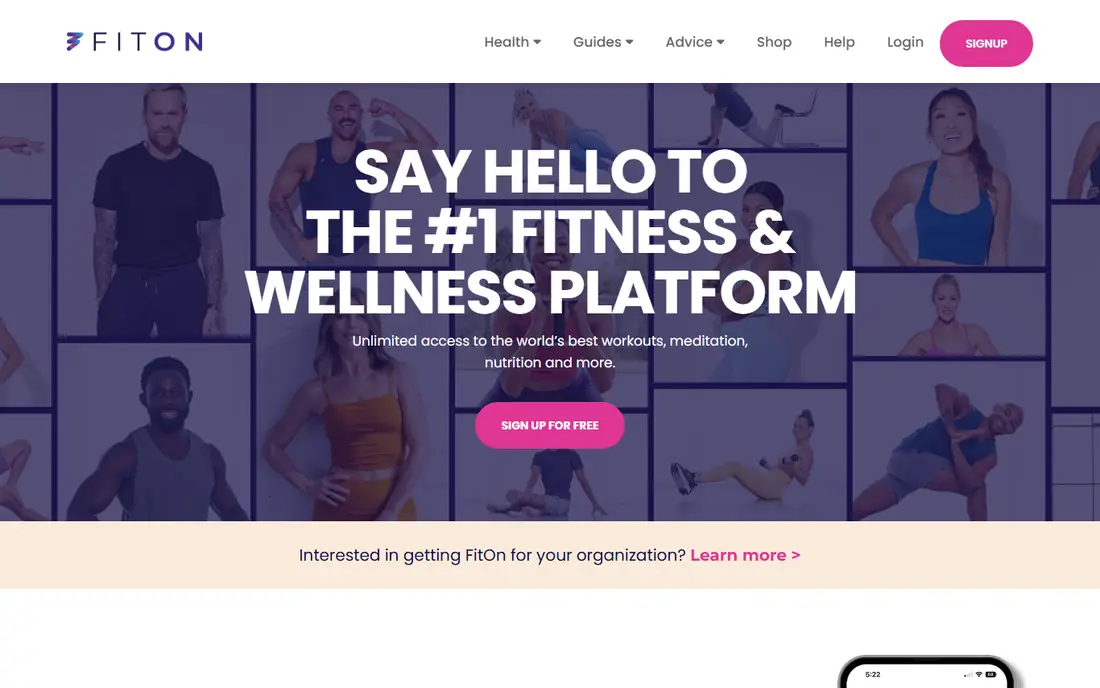
If free variety for a home routine matters most to you, FitOn deserves a close look. It covers a wide range of class styles without a subscription, which suits a varied routine. It is less structured than a coached programme, so a beginner who needs a set plan may drift without one.
The main strength is free workout classes. That shows up in the details, such as clearer options, fewer dead ends, and a workflow that holds together across a week of regular use. It is not the flashiest option here, but it is steady where it counts.
The drawback to weigh is premium features such as music and casting cost extra. It will not bother every reader, but if it touches your main use case, it can become a daily annoyance. A short trial or a careful read of the plan limits will tell you quickly.
- Free workout classes
- HIIT, dance, yoga, and Pilates
- Social workout options
- Premium features such as music and casting cost extra
- Coaching is light
Peloton App suits people who care about studio class energy at home above all else. It brings instructor led classes to a phone or TV, with a strong sense of community. A user without Peloton equipment still gets classes, but the cycling experience is the main draw for many buyers.
Its calling card is large live and on demand class library. For the right reader, that single quality can outweigh a longer feature list elsewhere. The rest of the package supports it well, and the overall experience feels coherent rather than patched together.
On the downside, full experience benefits from Peloton hardware for cycling. That is a fair price for what it does well, yet it is worth naming plainly so you are not surprised later. Buyers who need that missing piece should look at another entry in this list.
- Large live and on demand class library
- Strength, yoga, and cardio
- Community features
- Full experience benefits from Peloton hardware for cycling
- Price rises for full membership tiers
A good fit when classes tied to an Apple Watch is the priority, Apple Fitness+ keeps the focus narrow. It shows heart rate and rings on screen during a workout, which motivates many Apple users. It is a poor fit outside the Apple system, and it offers no live personal coaching.
We rate studio workouts tied to Apple Watch metrics as its clearest advantage. It helps explain why people stick with it after the first month, when novelty fades and routine takes over. The design choices behind it are visible in everyday tasks, not only on a marketing page.
The tradeoff is needs Apple devices for the full experience. We still list it because its strengths are real, but no honest roundup can hide a limit that affects a whole group of buyers. Match it to your situation, not to the average reader.
- Studio workouts tied to Apple Watch metrics
- New classes weekly
- Family sharing
- Needs Apple devices for the full experience
- Android users should look elsewhere
Start with Centr if training with food and mindset in one place is what you are shopping for. It suits a reader who wants workouts, meals, and recovery guidance together. The price is high for workouts alone, so it makes sense only if you will use the nutrition and mindset parts too.
A key draw is training, meal plans, and mindset content in one app. That matters because most buyers compare long lists and then live with one tool for months. A product that does its core job well, without constant friction, tends to age better than one packed with extras nobody opens.
Watch out for higher monthly price than class apps. It is manageable for many people, and it does not cancel the strengths above, but it sets a ceiling on who should choose this option. If you hit that ceiling often, pick a more flexible rival.
- Training, meal plans, and mindset content in one app
- Programmes for home gyms
- Higher monthly price than class apps
- Meal plans may not suit every diet
Future earns its place here for readers focused on a real coach in your pocket. It pairs you with a coach who plans workouts around your equipment, schedule, and goals. The cost is the catch. It only makes sense if you will actually follow a coach and value daily accountability.
The standout point is personal coach who builds and adjusts your plan. It gives the product a clear identity in a crowded field, and it makes the buying decision simpler. If that quality matches your main need, the rest of the tradeoffs are easier to accept.
The weak spot is highest price here by far. For casual use it may never matter. For heavy or specialised use it can shape the whole experience, so treat it as a deciding factor rather than a footnote.
- Personal coach who builds and adjusts your plan
- Daily accountability
- Message support
- Highest price here by far
- IOS focused
- Needs commitment to get value
When bodyweight training in a small space tops your list, Freeletics is worth shortlisting. It turns a living room into a gym, with workouts that adapt as you get fitter. A home gym owner with dumbbells and a rack may want a strength logging app instead, since Freeletics leans to bodyweight work.
Its strongest suit is adaptive bodyweight workouts. In practice, that translates into fewer workarounds and a shorter path from idea to finished result. The supporting tools are solid enough that the main strength is not carrying the whole product alone.
Its main limit is needs a subscription for full coaching. That keeps it from being our pick for everyone, even though it serves its target reader well. Knowing that limit in advance is the difference between a good purchase and a frustrating one.
- Adaptive bodyweight workouts
- AI coaching on paid plans
- Works in small spaces
- Needs a subscription for full coaching
- Strength work with weights is thinner
For a team based strength programmes first approach, Ladder makes a practical choice. It gives structure and accountability through a coach led team, which helps lifters stay consistent. Casual users will find it dear, and Android support has been more limited than iOS, so check your device first.
Look first at coach led team programmes. That is where this product separates itself from close rivals, and it is the reason it belongs on a shortlist. The surrounding features are competent, and the price and limits are the parts to check before you commit.
Finally, iPhone focused. That is the one reservation we would raise with a friend before recommending it. If that reservation does not apply to you, the rest of the package is easy to recommend.
- Coach led team programmes
- Progressive strength plans
- Audio coaching
- IPhone focused
- Price is high for casual use
- Needs dumbbells for many plans
How we picked these
We compared official feature pages, pricing pages, and app store listings for each product, and we checked public reviews for recurring complaints. We kept only products that exist and work now, in October 2026, and that fit the topic directly rather than stretching it. Where a price could not be confirmed from the vendor, we wrote See website instead of guessing.
We also weighed the total cost, not just the headline price. That includes per seat charges, limits on the cheapest plan, and what the free tier actually allows. A product earned a place when its strengths were concrete and its limits were clear, so you can match it to your own needs without surprises.
How to choose a home gym app
Match the app to your equipment
A bodyweight app wastes a home gym, and a barbell programme wastes a living room with no weights. List your equipment honestly, from none to a full rack, then pick an app that plans around it. The best app is the one that uses what you already own.
Choose classes, coaching, or logging
Classes motivate through instructors and music. Coaching adds a plan and accountability. Logging suits lifters who already know what to do and just need to track it. Many people start with classes, then move to coaching or logging as they get stronger.
Use the trial like a real week
Do at least three workouts in the trial, in your real space, at your real time of day. Check whether the app fits your schedule, your equipment, and your fitness level. A good first workout means little if the third one still feels wrong.
Frequently asked questions
What is the best home gym app overall?
Nike Training Club is the best free starting point for most people, with guided workouts across strength and cardio. Peloton suits class lovers, while Ladder suits strength training with coaching. Your equipment and budget should decide between them.
Is there a good free home gym app?
Yes. Nike Training Club is free, and FitOn offers a large free class library. Both cover home workouts without a subscription, though FitOn charges for some premium features. Start free before you pay for coaching or classes.
Which app is best for strength training at home?
Ladder offers coach led strength programmes, and Future offers one to one coaching at a higher price. Nike Training Club also covers strength well for free. Pick Ladder for team structure, Future for personal coaching, or Nike for a free start.
Do I need equipment for a home gym app?
No. Freeletics and many Nike Training Club and FitOn workouts use bodyweight only. Other apps assume dumbbells or a rack for some programmes. Filter by equipment in the app before you start a plan, so you are not stuck mid workout.
Is Apple Fitness+ worth it without an Apple Watch?
It works without a watch on some devices, but the on screen metrics and ring integration are a core part of its appeal. If you do not use Apple devices, Peloton or Nike Training Club will give you a fuller experience for a similar or lower price.
Sources
See where you really rank - block by block
ProMapRanker scans Google Maps across a grid of your service area. Simple monthly plans from $19, white-label on every plan.
Start freeKeep reading
 zendesk alternatives
Best Zendesk Alternatives in 2026
Compare the best Zendesk alternatives in 2026, from budget help desks to AI-first support tools, with current pricing, free plans, and honest trade-offs.
Read → wordpress alternatives
Best WordPress Alternatives in 2026
Looking for the best WordPress alternatives? We compare 8 free and paid options for blogs, business sites, stores, and developer-led projects in 2026.
Read → which real estate company has the best training
Best Real Estate Company Training in 2026
Compare which real estate company has the best training, from Keller Williams and eXp to Compass and Coldwell Banker, by program, mentor, and fit in 2026.
Read →